
Generative Fill Techniques
Explore advanced AI generative fill capabilities that go beyond simple object removal. Learn to extend images, replace objects with AI-generated content, complete partial scenes, and create seamless creative composites.
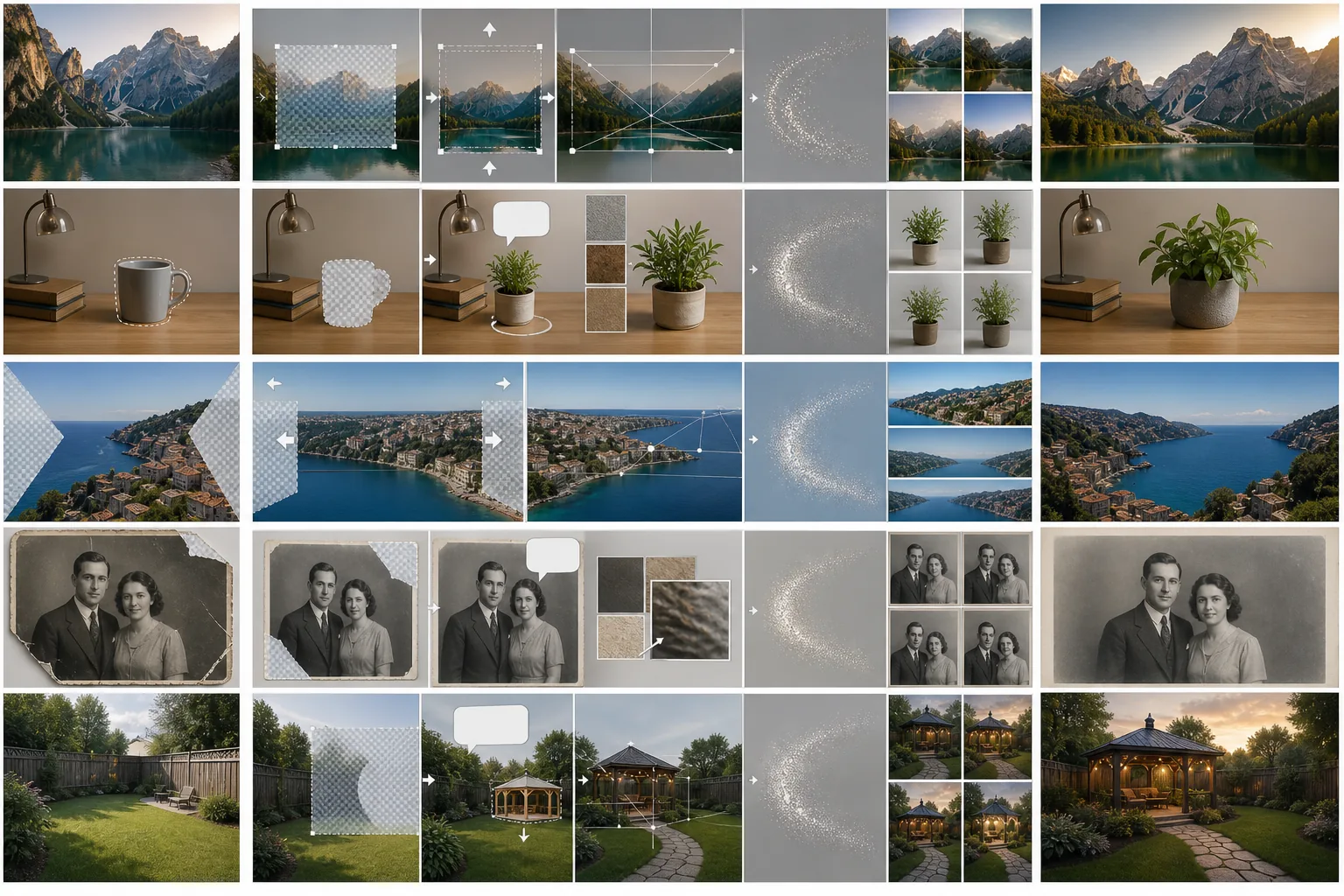
Course Overview
This advanced course covers the full range of generative fill techniques powered by AI. You will learn how the technology works under the hood and apply it to real editing scenarios including image extension, object replacement, scene completion, and creative compositing projects.
Course Lessons
Understanding Generative AI Fill
Learn the technology behind generative fill and understand how AI creates new image content that blends seamlessly with existing photos.
Extending Image Boundaries with AI
Expand your photos beyond their original edges using AI outpainting to generate seamless scene extensions.
Replacing Objects with AI-Generated Content
Replace unwanted objects with AI-generated alternatives that match the scene's lighting, perspective, and visual style.
Completing Partial Scenes
Fill in missing areas of photos including panorama gaps, damaged regions, and cropped compositions using AI-powered scene generation.
Creative Compositing with AI Fill
Use generative fill as a creative tool to build imaginative composites, concept art, and surreal imagery from ordinary photographs.
Frequently Asked Questions
How is generative fill different from regular content-aware fill?
+
Content-aware fill works by copying and blending existing pixels from elsewhere in the image, so it can only reproduce what is already there. Generative fill uses an AI model to create entirely new content that has never existed in the image. This means generative fill can add new objects, extend scenes, and replace elements with completely different alternatives.
Can I control what the AI generates, or is it random?
+
You can guide the generation with text prompts that describe what you want. The more specific your prompt, the closer the result will match your intent. You can also regenerate multiple times to get different variations and choose the one that best fits your vision. Each generation uses a different random seed, so results vary even with the same prompt.
Are there copyright concerns with AI-generated content in my photos?
+
AI-generated content created within your own photos using generative fill is generally treated as your creative output since you are directing the generation within your original work. However, copyright law around AI-generated content is still evolving in many jurisdictions. For commercial projects, consult with a legal professional about the specific requirements in your market.
Explore Generative Fill
Put generative fill techniques into practice and discover what is possible when AI creativity meets your vision. Extend, replace, and reimagine your photos.
Try Magic Eraser freeMore Courses
Continue learning with more photo editing courses.
Master the essential skills of removing unwanted objects from any photo. This beginner-friendly course walks you through AI selection tools, complex scene handling, and batch workflows so you can clean up images with confidence.
BeginnerLearn everything about removing, replacing, and perfecting photo backgrounds. From one-click removal to fine edge work and creative backdrop swaps, this course gives you the skills to produce studio-quality images from any source photo.
IntermediateTurn ordinary product snapshots into professional e-commerce listings. This intermediate course covers marketplace requirements, white-background techniques, lifestyle-to-studio conversions, batch catalog editing, and image optimization strategies that drive higher conversion rates.
BeginnerCreate scroll-stopping social media visuals in minutes, not hours. This course teaches you platform-specific image rules, attention-grabbing editing techniques, brand-consistent content creation, batch workflows for weekly scheduling, and vertical-format optimization for Stories and Reels.
IntermediateProduce listing photos that sell properties faster. This intermediate course teaches you how to evaluate listing imagery, declutter interiors, clean up exterior shots, replace dull skies, and introduce virtual staging elements — all using AI-powered editing tools that save hours compared to traditional retouching.
IntermediateLearn professional portrait retouching techniques that preserve natural skin texture while removing distractions. This course covers everything from subtle skin smoothing to efficient group portrait editing using AI-powered tools.