
背景以上のことを実現するremove.bg代替ツール
remove.bgは背景削除という1つのことに優れています。Magic Eraserはそれと同様に優れているだけでなく、不要なオブジェクトの削除、画質の向上、AIによる欠損領域の補完、そして写真編集ワークフロー全体を1か所で処理できます。
Last updated
Magic Eraserを無料で試すComparison rows are editorial summaries from the latest page review, not a guarantee of current pricing, limits, watermark policy, batch support, speed, or platform availability.
概要
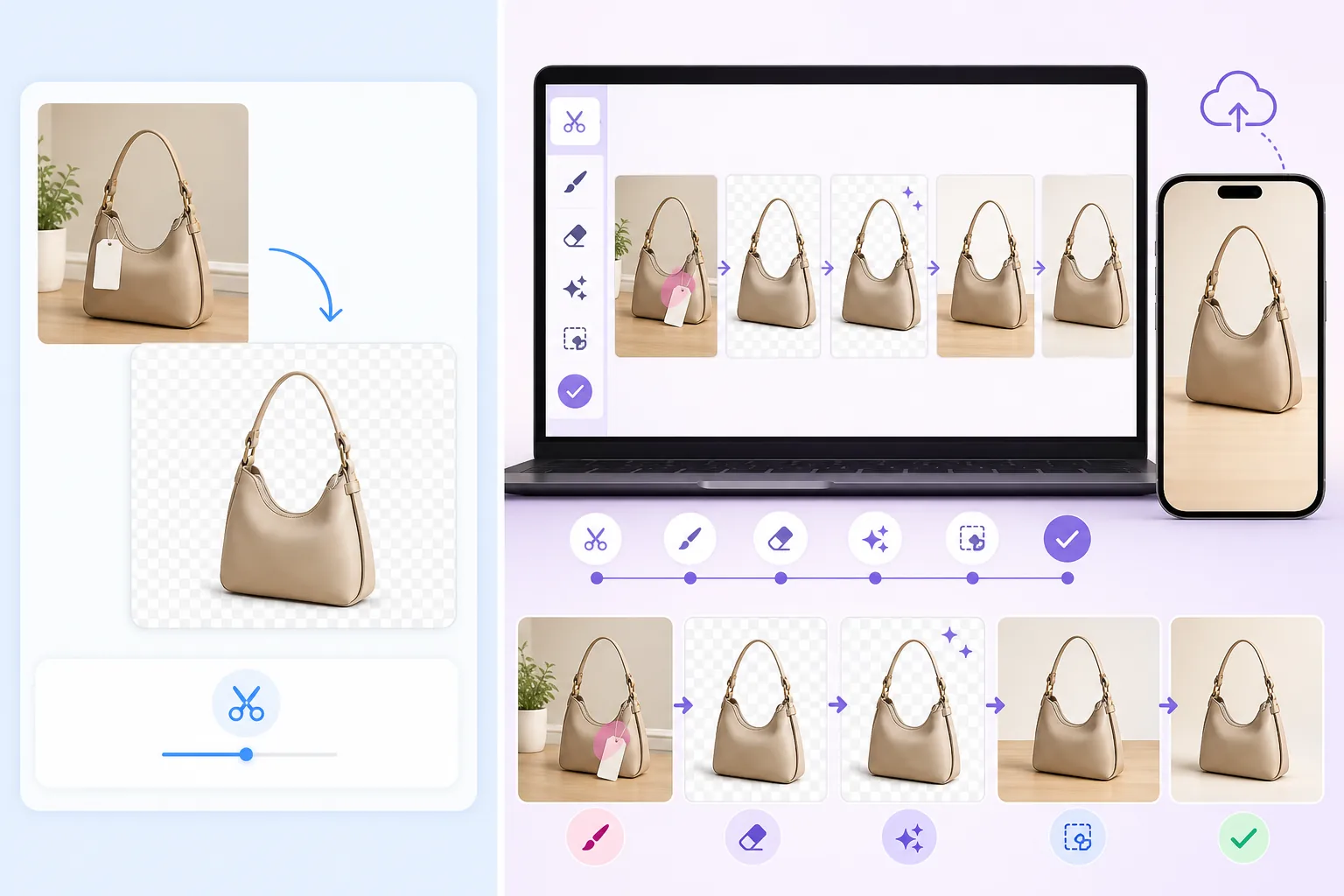
Magic Eraserは完全なAI写真編集ツールキットです。背景を瞬時に削除し、写真から不要なオブジェクトを消去し、画質をアップスケール・強化し、ジェネレーティブフィルで画像の拡張や修復が可能です — すべてWebまたはモバイルから利用できます。
remove.bgは専門的な背景削除サービスです。写真をアップロードするだけで、透明または置き換えられた背景が得られます。この単一のタスクは得意ですが、オブジェクト削除、画質強化、その他の編集機能は提供していません。
機能比較
Magic Eraserは完全なAI写真編集ツールキットです。背景を瞬時に削除し、写真から不要なオブジェクトを消去し、画質をアップスケール・強化し、ジェネレーティブフィルで画像の拡張や修復が可能です — すべてWebまたはモバイルから利用できます。
remove.bgは専門的な背景削除サービスです。写真をアップロードするだけで、透明または置き換えられた背景が得られます。この単一のタスクは得意ですが、オブジェクト削除、画質強化、その他の編集機能は提供していません。
| Feature | Magic Eraser | remove.bg |
|---|---|---|
| 背景削除 | はい — 即時AI処理 | はい — コア機能 |
| オブジェクト削除 | はい — ブラシで何でも削除 | いいえ |
| AI画質強化 | はい — アップスケール、シャープ化、復元 | いいえ |
| ジェネレーティブフィル | はい — AI駆動のインペインティング | いいえ |
| バッチ処理 | はい | はい — API経由 |
| モバイルアプリ | はい — iOS + Android | ネイティブアプリなし |
| カスタム背景置き換え | はい — 単色、画像、またはAI生成 | はい — 限られたプリセット |
| 最適な用途 | 完全な写真編集ワークフロー | 背景削除のみ |
Feature rows summarize visible product positioning and should be rechecked against official product pages before purchase, migration, or compliance decisions.
- Last content review May 8, 2026
- remove.bg source: official product site (https://www.remove.bg/)
- Magic Eraser source: https://magiceraser.live/ja/product/magic-eraser
- Pricing, feature availability, platform support, and limits can change; recheck official sources before relying on a buying decision.
remove.bgよりもMagic Eraserを選ぶ理由
編集ワークフロー全体に対応する1つのツール
背景削除にremove.bgを使い、その後オブジェクト削除や画質強化、フィル処理のために別のツールに切り替える代わりに、Magic Eraserは単一のエディタですべてを処理します。ツールが少なければ、より速くシンプルなワークフローを実現できます。
背景以上のものを削除
写真から人物を消去したい、画像からテキストを削除したい、気を散らす要素を取り除きたい?Magic Eraserでは不要な部分をブラシでなぞるだけで、AIがシーンを再構築します — remove.bgにはまったくできない機能です。
同じ価格帯でより良い価値
Magic Eraserなら背景削除に加えて、オブジェクト削除、AI画質強化、ジェネレーティブフィル、その他の編集ツールが利用できます。remove.bgは画像あたりの料金は同程度ですが、背景削除のみを提供しているため、Magic Eraserの方がはるかに高い価値を得られます。
モバイルとWebの完全アクセス
Magic Eraserは任意のブラウザで動作し、専用のiOSおよびAndroidアプリも提供しています。remove.bgは主にWebサービスであり、ネイティブモバイルアプリがないため、外出先での編集の柔軟性が制限されます。
よくある質問
Magic Eraserは背景削除においてremove.bgと同じくらい優れていますか?
+
はい。Magic Eraserは高度なAIモデルを使用して背景を削除し、remove.bgに匹敵するクリーンで正確な切り抜きを実現します。また、単色、カスタム画像、AI生成による背景置き換えのオプションもあり、より細かなコントロールが可能です。
remove.bgからMagic Eraserに乗り換える理由は?
+
すでにremove.bgを使用している場合、Magic Eraserに乗り換えることで、背景削除に加えて、オブジェクト削除、画質強化、ジェネレーティブフィル、デザイン機能などの追加ツール一式を、追加料金なしで、複数のサービスを行き来することなく利用できます。
Magic Eraserはバッチ背景削除に対応していますか?
+
はい。Magic Eraserはバッチ処理に対応しており、remove.bgの一括処理機能と同様に、複数の画像から同時に背景を削除できます。
Magic EraserはEC商品画像に使用できますか?
+
もちろんです。Magic Eraserはオンラインセラーの間で広く使用されており、背景削除、商品写真の補正、画質の向上、リスティング画像の準備まで — 本来ならremove.bgと追加ツールが必要となる全ワークフローをカバーします。
Magic Eraserにはremove.bgのようなAPIがありますか?
+
Magic EraserはWebアプリとモバイルアプリを通じて直感的なエディタ体験を提供することに注力しています。大量の自動化ワークフローについては、APIの提供状況と連携機能の最新情報をMagic EraserのWebサイトでご確認ください。
背景削除以上のものを手に入れる
Magic Eraserを無料で試して、背景削除、オブジェクト削除、画質強化、ジェネレーティブフィルを1つのツールで処理するオールインワン写真エディタを体験してください。
Magic Eraserを無料で試す関連するユースケース
プロフェッショナルが実際のワークフローでこれらのツールをどのように活用しているかをご覧ください。
生活感あふれる私物や路上駐車、工事機材が写り込んだ物件写真は、内見意欲を下げてしまいます。Magic Eraserを使えば、Photoshopのスキルがなくても瞬時にきれいな物件写真に仕上がります。
背景がごちゃごちゃした商品写真では、お客様はすぐにスクロールして通り過ぎてしまいます。Magic Eraserなら、プロ品質の商品画像を数秒で作成できます。Photoshopのスキルは不要。アップロードして、不要な部分を消して、すぐに出品しましょう。
旅行写真に知らない人が写り込んでいませんか?自撮りの背景がごちゃごちゃしていませんか?Photoshopで何時間もかける必要はもうありません。Magic Eraserなら不要なオブジェクトの除去、背景のクリーンアップ、各プラットフォーム向けのリサイズがワンタップで完了します。
他の比較
Magic Eraserが他の写真編集ツールとどう比較されるかをご覧ください。
異なる強みを持つ2つの強力なAI写真エディター。Magic Eraserはより幅広いジェネレーティブAIツールを提供し、Photoroomはeコマース商品撮影とバッチ処理に優れています。あなたのワークフローに合うのはどちらか確認しましょう。
主要なAI写真編集ツールをテスト・比較しました。オブジェクト除去から背景置換まで、あなたのワークフローに最適なエディターを見つけましょう。
Pixlr はレイヤーやエフェクトを備えた、クラシックなブラウザベースの編集環境をユーザーに提供します。Magic Eraser は、本格的な編集インターフェースなしで洗練された仕上がりを求めるユーザーのために、AIを最優先したクリーンアップ、強調、背景処理に特化しています。
Adobe Photoshopは強力ですが、ほとんどの人はその機能のごく一部しか使っていません。Magic Eraserは、本当に必要な写真クリーンアップツール — オブジェクト除去、背景除去、AIによる画質向上、生成塗りつぶし — を、よりシンプルなインターフェースで提供します。Webとモバイルで動作し、開始するのにサブスクリプションは不要です。
Tried to remove an object or background and hit a Pro paywall in Canva, Adobe Express/Photoshop, or Fotor? Magic Eraser does the same job — object removal, background removal, watermark cleanup, and enhancement — for free. No subscription, and no watermark stamped on your download.
Magic Eraserとmagic-eraser.ioを比較。機能、価格、使いやすさを並べて確認。AI写真編集にMagic Eraserが最適な理由をご覧ください。