
Magic Eraser vs Pixlr:より速く結果を出せるWebエディターはどちら?
Pixlr はレイヤーやエフェクトを備えた、クラシックなブラウザベースの編集環境をユーザーに提供します。Magic Eraser は、本格的な編集インターフェースなしで洗練された仕上がりを求めるユーザーのために、AIを最優先したクリーンアップ、強調、背景処理に特化しています。
Last updated
Magic Eraser を無料で試すComparison rows are editorial summaries from the latest page review, not a guarantee of current pricing, limits, watermark policy, batch support, speed, or platform availability.
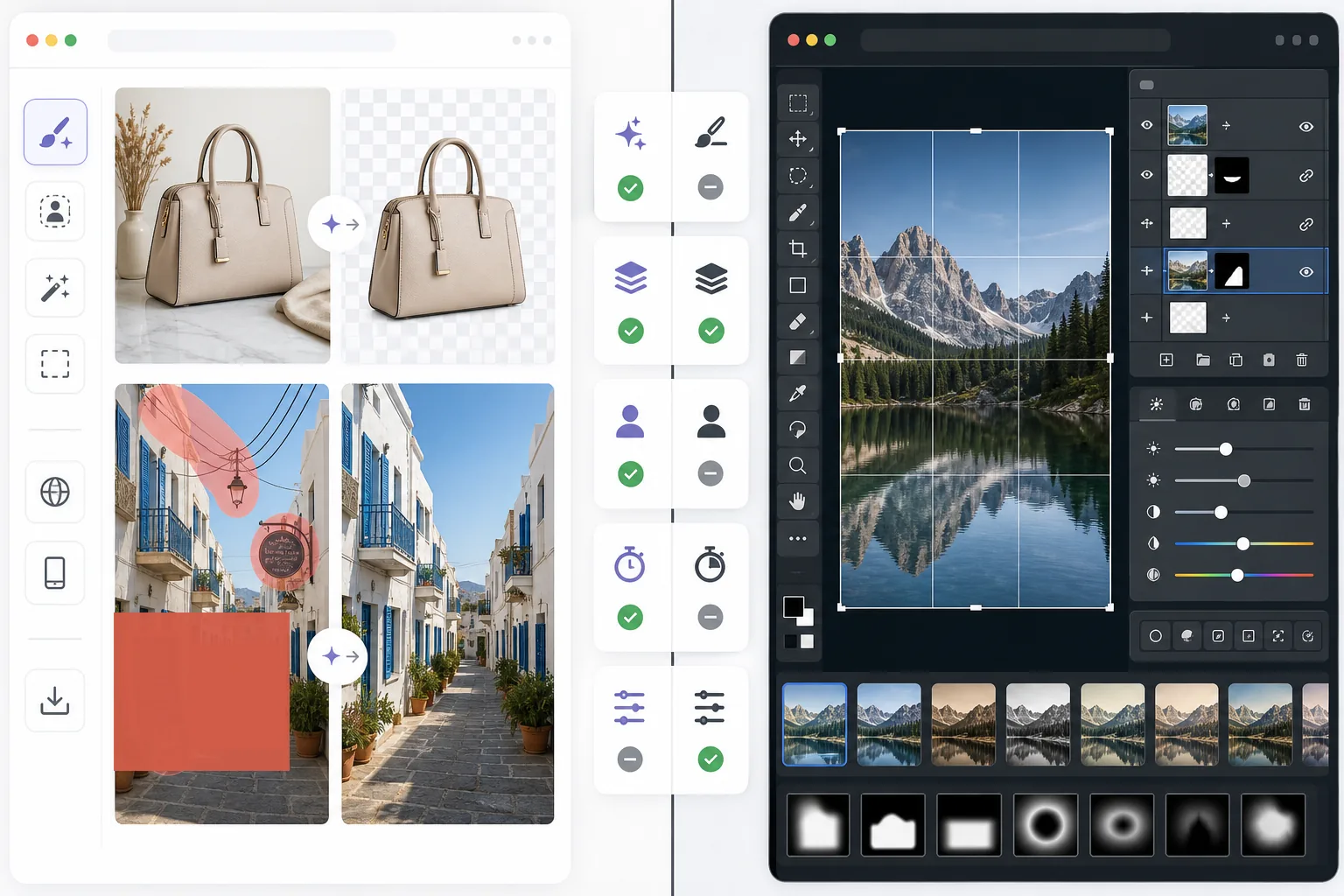
概要
Magic Eraser は、AIを使って実用的な画像の問題を素早く解決します:不要なオブジェクトの除去、テキストの消去、背景のクリーンアップ、ディテールのシャープ化、欠けた領域の補完など。
Pixlr は、レイヤー、フィルター、手動ツールを備えた、より従来型のブラウザベース編集体験を提供します。柔軟性はありますが、繰り返しのクリーンアップ作業では遅くなりがちです。
機能比較
Magic Eraser は、AIを使って実用的な画像の問題を素早く解決します:不要なオブジェクトの除去、テキストの消去、背景のクリーンアップ、ディテールのシャープ化、欠けた領域の補完など。
Pixlr は、レイヤー、フィルター、手動ツールを備えた、より従来型のブラウザベース編集体験を提供します。柔軟性はありますが、繰り返しのクリーンアップ作業では遅くなりがちです。
| Feature | Magic Eraser | Pixlr |
|---|---|---|
| オブジェクト除去 | 対応 — AIブラシ | 限定的 |
| 背景除去 | 対応 | 対応 |
| 画像の強調 | 対応 | 基本的 |
| レイヤーベースの編集 | 非対応 | 対応 |
| 生成塗りつぶし | 対応 | 限定的 |
| 初心者にやさしい | 対応 | 中程度 |
| 最適な用途 | 高速なクリーンアップとAI編集 | 一般的なブラウザ編集 |
| プラットフォーム | Web + モバイル | Web + モバイル |
Feature rows summarize visible product positioning and should be rechecked against official product pages before purchase, migration, or compliance decisions.
- Last content review June 21, 2026
- Pixlr source: official product site (https://pixlr.com/)
- Magic Eraser source: https://magiceraser.live/ja/product/magic-eraser
- Pricing, feature availability, platform support, and limits can change; recheck official sources before relying on a buying decision.
料金比較
| Plan | Magic Eraser | Pixlr |
|---|---|---|
| 無料プラン | 無料 — 編集回数に制限あり | 無料 — 基本機能 + 広告あり |
| 月額 | $9.99/mo | $7.99/mo (Plus) |
| 年額 | $4.99/mo (年払い) | $4.90/mo (Plus、年払い) |
料金は May 2026 時点のものです。最新の料金は各プロバイダーにてご確認ください。
Pricing rows are snapshots from review time. Free tiers, subscriptions, trials, export limits, and regional availability can change without notice.
- Last content review June 21, 2026
- Pixlr source: official product site (https://pixlr.com/)
- Magic Eraser source: https://magiceraser.live/ja/product/magic-eraser
- Pricing, feature availability, platform support, and limits can change; recheck official sources before relying on a buying decision.
Magic Eraser を選ぶ理由
編集コントロールにかける時間が少ない
Magic Eraser は、写真を素早くクリーンアップして改善することが主な目的のとき、ツールバー、レイヤー、手動エフェクトを管理する必要を減らします。
繰り返しのワークフローでより役立つ
商品写真、ソーシャル画像、出品物、クリエイター素材を毎日編集する場合、Magic Eraser の範囲は狭いものの強力なAIワークフローは、汎用エディターよりも多くの時間を節約することがよくあります。
背景や気を散らす要素のクリーンアップに適している
Magic Eraser は、雑然とした要素、テキスト、配線、または自然に消したい気を散らす環境が問題となるときに特に強力です。
習得の負担が少ない
Magic Eraser は、より多くの手動ツールを備えたクラシックなブラウザエディターよりも編集の知識を必要としないため、チームはより早く使い始められます。
よくある質問
Magic Eraser は Pixlr より使いやすいですか?
+
クリーンアップ中心の作業についてははい。Pixlr はより従来型の編集の柔軟性を提供しますが、主にAIによるオブジェクト除去や背景編集を必要とするユーザーにとっては Magic Eraser の方が簡単です。
Pixlr にはレイヤー機能がありますか?
+
あります。Pixlr はよりクラシックなレイヤーベースの編集環境を備えています。Magic Eraser は手動のレイヤー編集よりも、AIによる高速な仕上がりに特化しています。
マーケターや販売者にはどちらのツールが適していますか?
+
Magic Eraser の方が適していることが多いです。クリーンアップ、強調、プレゼンテーションに適した画像準備をより速くこなせるためです。
Magic Eraser で画像からテキストを除去できますか?
+
はい。Magic Eraser は、背景を自然に再構築しながら、テキスト、ラベル、看板、その他の気を散らす要素を除去できます。
Webとデスクトップのどちらでもうまく動作するエディターはどちらですか?
+
Magic Eraser は Web とモバイルにわたってより一貫したAIワークフローを提供し、実用的な編集作業においてデバイスの切り替えを容易にします。
実際の画像クリーンアップに、より速いWebエディターが必要ですか?
Magic Eraser を無料で試して、AIを使って気を散らす要素を除去し、鮮明さを向上させ、より少ないステップで洗練された編集を仕上げましょう。
Magic Eraser を無料で試す関連するユースケース
プロフェッショナルが実際のワークフローでこれらのツールをどのように活用しているかをご覧ください。
生活感あふれる私物や路上駐車、工事機材が写り込んだ物件写真は、内見意欲を下げてしまいます。Magic Eraserを使えば、Photoshopのスキルがなくても瞬時にきれいな物件写真に仕上がります。
背景がごちゃごちゃした商品写真では、お客様はすぐにスクロールして通り過ぎてしまいます。Magic Eraserなら、プロ品質の商品画像を数秒で作成できます。Photoshopのスキルは不要。アップロードして、不要な部分を消して、すぐに出品しましょう。
旅行写真に知らない人が写り込んでいませんか?自撮りの背景がごちゃごちゃしていませんか?Photoshopで何時間もかける必要はもうありません。Magic Eraserなら不要なオブジェクトの除去、背景のクリーンアップ、各プラットフォーム向けのリサイズがワンタップで完了します。
他の比較
Magic Eraserが他の写真編集ツールとどう比較されるかをご覧ください。
異なる強みを持つ2つの強力なAI写真エディター。Magic Eraserはより幅広いジェネレーティブAIツールを提供し、Photoroomはeコマース商品撮影とバッチ処理に優れています。あなたのワークフローに合うのはどちらか確認しましょう。
主要なAI写真編集ツールをテスト・比較しました。オブジェクト除去から背景置換まで、あなたのワークフローに最適なエディターを見つけましょう。
Adobe Photoshopは強力ですが、ほとんどの人はその機能のごく一部しか使っていません。Magic Eraserは、本当に必要な写真クリーンアップツール — オブジェクト除去、背景除去、AIによる画質向上、生成塗りつぶし — を、よりシンプルなインターフェースで提供します。Webとモバイルで動作し、開始するのにサブスクリプションは不要です。
remove.bgは背景削除という1つのことに優れています。Magic Eraserはそれと同様に優れているだけでなく、不要なオブジェクトの削除、画質の向上、AIによる欠損領域の補完、そして写真編集ワークフロー全体を1か所で処理できます。
Tried to remove an object or background and hit a Pro paywall in Canva, Adobe Express/Photoshop, or Fotor? Magic Eraser does the same job — object removal, background removal, watermark cleanup, and enhancement — for free. No subscription, and no watermark stamped on your download.
Magic Eraserとmagic-eraser.ioを比較。機能、価格、使いやすさを並べて確認。AI写真編集にMagic Eraserが最適な理由をご覧ください。