
An Alternative to magic-eraser.io for AI Object Removal
Magic Eraserとmagic-eraser.ioを比較。機能、価格、使いやすさを並べて確認。AI写真編集にMagic Eraserが最適な理由をご覧ください。
Last updated
Magic Eraserを無料で試すComparison rows are editorial summaries from the latest page review, not a guarantee of current pricing, limits, watermark policy, batch support, speed, or platform availability.
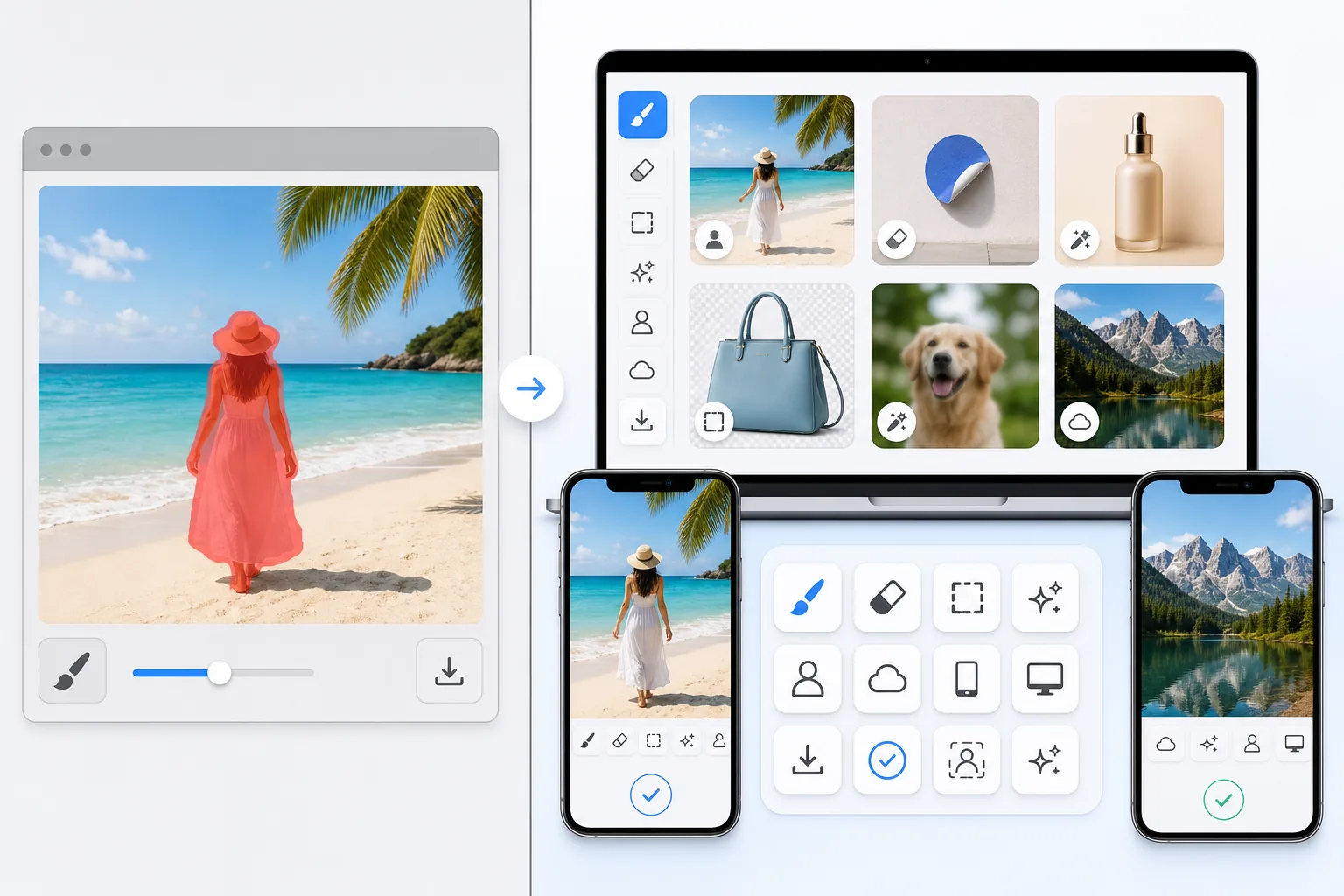
概要
Magic Eraserは、不要物の削除、背景の切り抜き、画質向上、画像拡張、AI塗りつぶし、AIフィルター、一括処理が可能な無料のウェブベースAI写真エディターです。ブラウザさえあればどのデバイスでも使用でき、インストール不要です。
magic-eraser.io is a separate online eraser tool with a similar name, operated by a different company. It is not affiliated with Magic Eraser (magiceraser.live). For its exact current features, pricing, and terms, please check magic-eraser.io directly — we describe it only in general terms and make no claims about its specifics.
機能比較
Magic Eraserは、不要物の削除、背景の切り抜き、画質向上、画像拡張、AI塗りつぶし、AIフィルター、一括処理が可能な無料のウェブベースAI写真エディターです。ブラウザさえあればどのデバイスでも使用でき、インストール不要です。
magic-eraser.io is a separate online eraser tool with a similar name, operated by a different company. It is not affiliated with Magic Eraser (magiceraser.live). For its exact current features, pricing, and terms, please check magic-eraser.io directly — we describe it only in general terms and make no claims about its specifics.
| Feature | Magic Eraser | magic-eraser.io |
|---|---|---|
| Price | Limited free edits | Check their site |
| Watermark on results | No watermark | Varies — check their site |
| Signup required | Sign-in required to start | Varies — check their site |
| Task-specific removal tools | 100+ dedicated tools | Web tool |
| Mobile apps | Native iOS and Android apps | Check their site |
| Object, people & text removal | Yes — AI-powered | Web-based eraser |
| Background removal | Yes — instant | Varies — check their site |
| User rating | 4.9 across 559,700 reviews | Check their site |
Feature rows summarize visible product positioning and should be rechecked against official product pages before purchase, migration, or compliance decisions.
- Last content review June 20, 2026
- magic-eraser.io source: official product site (https://magic-eraser.io/)
- Magic Eraser source: https://magiceraser.live/ja/product/magic-eraser
- Pricing, feature availability, platform support, and limits can change; recheck official sources before relying on a buying decision.
Magic Eraserの強み
Limited free edits with no watermark
Magic Eraser includes limited free edits after sign-in and adds no watermark to exported images. Upload a photo, brush over what you want gone, and download a clean result — no credit card and no stamped logo across your image.
100+ task-specific removal tools
Beyond a general eraser, Magic Eraser offers more than 100 dedicated tools built for specific jobs — removing people, text, watermarks, objects, glare, reflections, stickers, date stamps, and more. Each tool is tuned for its task so you can jump straight to what you need.
Native iOS and Android apps
Edit on the web or on the go. Magic Eraser ships native apps for iOS and Android, so you can clean up photos directly on your phone with the same AI removal tools available on desktop.
Trusted by users at scale
Magic Eraser holds a 4.9 rating across 559,700 reviews on the app stores. That track record reflects a tool people return to for fast, reliable photo cleanup across a wide range of everyday removal tasks.
よくある質問
Magic Eraserは無料ですか?
+
はい、Magic Eraserではすぐに無料で写真を編集できます。登録やインストールは不要です。無制限に処理するにはProプランにアップグレードできます。
Magic Eraserはmagic-eraser.ioと比べてどうですか?
+
Magic Eraserは8つのAIツール(不要物削除、背景削除、画質向上、拡張、AI塗りつぶし、AIフィルター、AI画像生成、デザイン)を1つのプラットフォームに統合しています。magic-eraser.ioと比べ、ソフトウェアのインストールなしでより多くの機能を提供します。
Magic Eraserはスマートフォンで使えますか?
+
はい、Magic EraserはiOS、Android、ウェブで利用可能です。デバイスを切り替えてもツールを変更する必要はありません。
アカウント作成は必要ですか?
+
いいえ、アカウントを作成せずにすぐ編集を始められます。ブラウザを開いて開始するだけです。
関連するユースケース
プロフェッショナルが実際のワークフローでこれらのツールをどのように活用しているかをご覧ください。
生活感あふれる私物や路上駐車、工事機材が写り込んだ物件写真は、内見意欲を下げてしまいます。Magic Eraserを使えば、Photoshopのスキルがなくても瞬時にきれいな物件写真に仕上がります。
背景がごちゃごちゃした商品写真では、お客様はすぐにスクロールして通り過ぎてしまいます。Magic Eraserなら、プロ品質の商品画像を数秒で作成できます。Photoshopのスキルは不要。アップロードして、不要な部分を消して、すぐに出品しましょう。
旅行写真に知らない人が写り込んでいませんか?自撮りの背景がごちゃごちゃしていませんか?Photoshopで何時間もかける必要はもうありません。Magic Eraserなら不要なオブジェクトの除去、背景のクリーンアップ、各プラットフォーム向けのリサイズがワンタップで完了します。
他の比較
Magic Eraserが他の写真編集ツールとどう比較されるかをご覧ください。
主要なAI写真編集ツールをテスト・比較しました。オブジェクト除去から背景置換まで、あなたのワークフローに最適なエディターを見つけましょう。
Adobe Photoshopは強力ですが、ほとんどの人はその機能のごく一部しか使っていません。Magic Eraserは、本当に必要な写真クリーンアップツール — オブジェクト除去、背景除去、AIによる画質向上、生成塗りつぶし — を、よりシンプルなインターフェースで提供します。Webとモバイルで動作し、開始するのにサブスクリプションは不要です。
Tried to remove an object or background and hit a Pro paywall in Canva, Adobe Express/Photoshop, or Fotor? Magic Eraser does the same job — object removal, background removal, watermark cleanup, and enhancement — for free. No subscription, and no watermark stamped on your download.
Magic EraserとPixelcutを比較。機能、価格、使いやすさを並べて確認。AI写真編集にMagic Eraserが最適な理由をご覧ください。
Adobe Express は、Adobe Firefly に連携したデザイン・コンテンツ制作スイートの中に写真編集機能をまとめています。Magic Eraser は AI 写真クリーンアップに特化して作られています:オブジェクト除去、背景置き換え、生成塗りつぶし、画質向上です。この比較では、各ツールが最も適している場面を示します。
Magic EraserとPixelcutはどちらも、web、iOS、Androidで無料プランと有料のProプランを備えたAI搭載の写真編集を提供します。Pixelcutはテンプレートを使ったeコマースの商品写真に大きく傾倒しています。Magic Eraserは、写真作業の全範囲にわたるAIクリーンアップ作業のために専用に作られています。この比較では、それぞれのツールがどこで優れているかを示します。