
日常的な写真編集のための、より高速なPhotoshopの代替ツール
Adobe Photoshopは強力ですが、ほとんどの人はその機能のごく一部しか使っていません。Magic Eraserは、本当に必要な写真クリーンアップツール — オブジェクト除去、背景除去、AIによる画質向上、生成塗りつぶし — を、よりシンプルなインターフェースで提供します。Webとモバイルで動作し、開始するのにサブスクリプションは不要です。
Last updated
Magic Eraserを無料で試すComparison rows are editorial summaries from the latest page review, not a guarantee of current pricing, limits, watermark policy, batch support, speed, or platform availability.
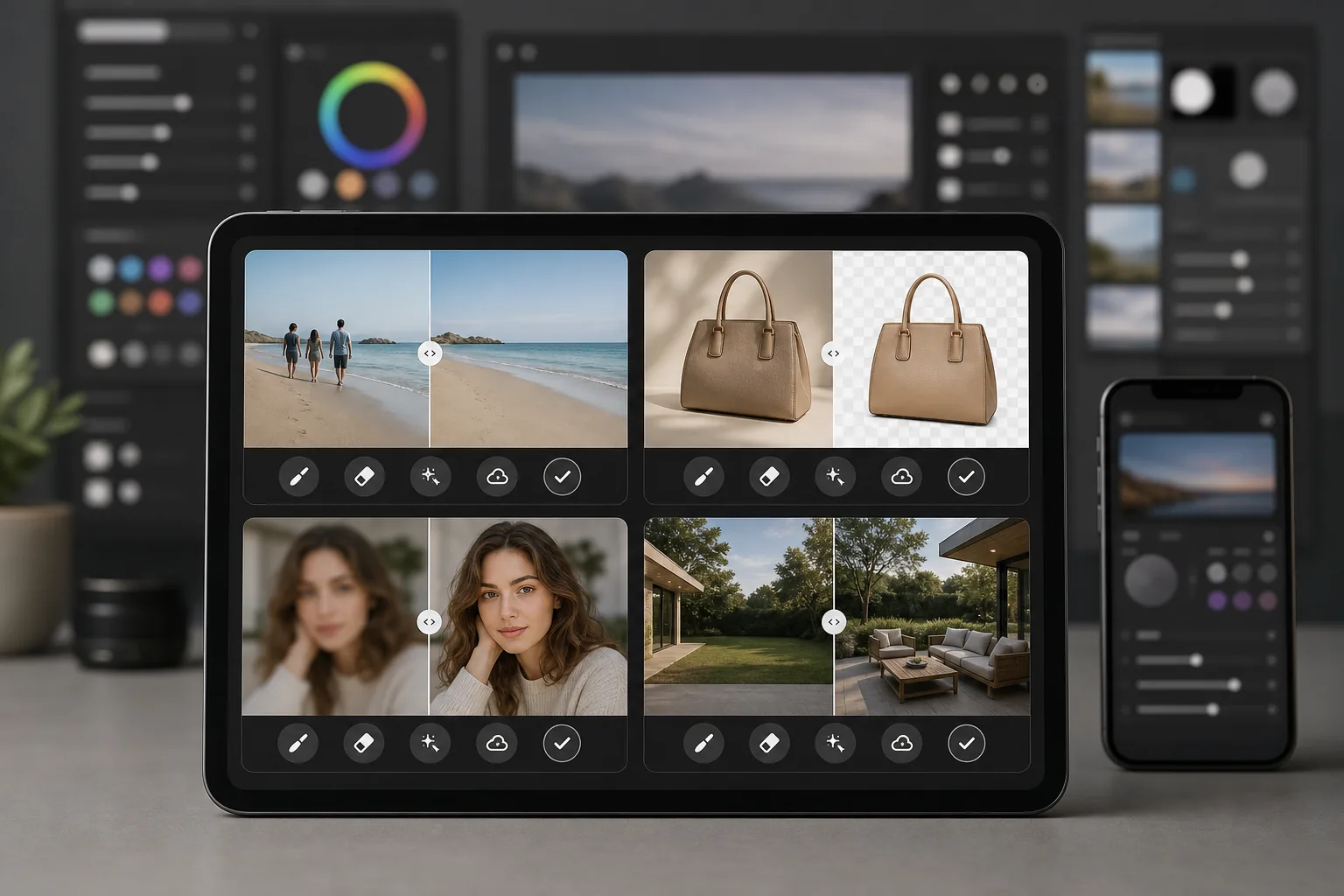
概要
Magic Eraserは、高速で実用的な写真クリーンアップのために専用に作られたAI搭載の写真エディターです。オブジェクトの除去、背景の消去、画質の向上、欠けた部分の補完まで — すべてブラウザやスマートフォンから、重いデスクトップソフトウェアをインストールすることなく行えます。
Adobe Photoshopは、レイヤー、マスク、合成、レタッチ、生成AIツールを備えた業界標準のプロ向け画像編集スイートです。Creative Cloudのサブスクリプションが必要で、習得にはかなりの時間を要します。
機能比較
Magic Eraserは、高速で実用的な写真クリーンアップのために専用に作られたAI搭載の写真エディターです。オブジェクトの除去、背景の消去、画質の向上、欠けた部分の補完まで — すべてブラウザやスマートフォンから、重いデスクトップソフトウェアをインストールすることなく行えます。
Adobe Photoshopは、レイヤー、マスク、合成、レタッチ、生成AIツールを備えた業界標準のプロ向け画像編集スイートです。Creative Cloudのサブスクリプションが必要で、習得にはかなりの時間を要します。
| Feature | Magic Eraser | Adobe Photoshop |
|---|---|---|
| オブジェクト除去 | 対応 — AI搭載、ブラシでひと塗り | 対応 — コンテンツに応じた塗りつぶし、手動マスキング |
| 背景除去 | 対応 — ワンクリックで即時 | 対応 — 被写体を選択 + 手動で調整 |
| AIによる画質向上 | 対応 — 自動アップスケールとシャープ化 | 対応 — ニューラルフィルター |
| 生成塗りつぶし | 対応 — シンプルなプロンプトベース | 対応 — レイヤー制御による高度な機能 |
| 習得のしやすさ | 数分で習得 | 数週間から数か月 |
| プラットフォーム | Web + iOS + Android | デスクトップ + iPad + Web(ベータ版) |
| 開始時の料金 | 無料で試用可能、サブスクリプション不要 | 月額サブスクリプションが必要 |
| 最適な用途 | 手軽な写真クリーンアップと画質向上 | プロ向けのクリエイティブ制作 |
Feature rows summarize visible product positioning and should be rechecked against official product pages before purchase, migration, or compliance decisions.
- Last content review May 8, 2026
- Adobe Photoshop source: official product site (https://www.adobe.com/products/photoshop.html)
- Magic Eraser source: https://magiceraser.live/ja/product/magic-eraser
- Pricing, feature availability, platform support, and limits can change; recheck official sources before relying on a buying decision.
PhotoshopではなくMagic Eraserを選ぶ理由
数時間ではなく数秒で結果を得る
Magic Eraserは複雑さを省きます。オブジェクトの上をブラシでなぞって除去し、クリックして背景を消去し、タップして画質を向上させます。レイヤーもマスクも、設定するパネルもありません — 難しい作業をこなすAIから、ただ素早く結果が得られます。
開始するのにサブスクリプションは不要
Photoshopはファイルを開く前にCreative Cloudのサブスクリプションが必要です。Magic Eraserなら、すべてのツールを無料で試せるので、契約する前に結果を確認できます。アップグレードする際も料金体系はシンプルなままです。
どんなデバイスでも、どこでも動作
ブラウザ、iPhone、Androidデバイスから、同じフル機能のツールで写真を編集できます。インストールが必要な重いソフトウェアも、満たすべきデスクトップのハードウェア要件もないため、外出先での編集に最適です。
すべてのクリーンアップツールが一か所に
Magic Eraserは、オブジェクト除去、背景除去、AIによる画質向上、生成塗りつぶしなどを、ひとつの専用エディターにまとめています。すべてを使いこなすことのないフル機能のクリエイティブスイートに料金を払うことなく、日常に必要なツールが手に入ります。
よくある質問
Magic Eraserは本当にPhotoshopの代わりになりますか?
+
オブジェクト除去、背景除去、画質向上といった日常的な写真クリーンアップ作業については、はい。高度な合成、詳細なレイヤーベースのレタッチ、専門的な印刷制作ツールが必要な場合は、Photoshopの方がより深い機能を備えています。
Magic EraserはPhotoshopより使いやすいですか?
+
格段に使いやすいです。Magic Eraserは、誰でも数秒でプロ並みの仕上がりを得られるように設計されています。基本的な作業に学習曲線はありません — ブラシで除去、クリックで画質向上、それで完了です。
Magic Eraserを使うのに何かインストールする必要はありますか?
+
いいえ。Magic EraserはWebブラウザで直接動作し、iOSとAndroid向けのモバイルアプリとしても利用できます。ダウンロードや更新が必要なデスクトップソフトウェアはありません。
Magic Eraserの料金はPhotoshopと比べてどうですか?
+
Magic Eraserはクレジットカード不要で無料で始められます。Photoshopは月額$22.99 per monthほどから始まるCreative Cloudのサブスクリプションが必要で、基本的な編集機能しか使わない場合でも年間ではかなりの費用になります。
Magic Eraserを商品撮影に使えますか?
+
はい。Magic Eraserはeコマースの商品写真に広く使われています。背景を除去し、余計なものを整理し、画質を向上させ、さらに写真をまとめて処理することも、Photoshopで同じ作業をするよりはるかに速く行えます。
よりシンプルなPhotoshopの代替ツールをお探しですか?
Magic Eraserを無料で試して、AI搭載の写真編集がどれほど速いかをご体験ください。オブジェクトの除去、背景の消去、画像の向上が数秒で — サブスクリプションも学習曲線もありません。
Magic Eraserを無料で試す関連するユースケース
プロフェッショナルが実際のワークフローでこれらのツールをどのように活用しているかをご覧ください。
生活感あふれる私物や路上駐車、工事機材が写り込んだ物件写真は、内見意欲を下げてしまいます。Magic Eraserを使えば、Photoshopのスキルがなくても瞬時にきれいな物件写真に仕上がります。
背景がごちゃごちゃした商品写真では、お客様はすぐにスクロールして通り過ぎてしまいます。Magic Eraserなら、プロ品質の商品画像を数秒で作成できます。Photoshopのスキルは不要。アップロードして、不要な部分を消して、すぐに出品しましょう。
旅行写真に知らない人が写り込んでいませんか?自撮りの背景がごちゃごちゃしていませんか?Photoshopで何時間もかける必要はもうありません。Magic Eraserなら不要なオブジェクトの除去、背景のクリーンアップ、各プラットフォーム向けのリサイズがワンタップで完了します。
他の比較
Magic Eraserが他の写真編集ツールとどう比較されるかをご覧ください。
主要なAI写真編集ツールをテスト・比較しました。オブジェクト除去から背景置換まで、あなたのワークフローに最適なエディターを見つけましょう。
Tried to remove an object or background and hit a Pro paywall in Canva, Adobe Express/Photoshop, or Fotor? Magic Eraser does the same job — object removal, background removal, watermark cleanup, and enhancement — for free. No subscription, and no watermark stamped on your download.
Magic Eraserとmagic-eraser.ioを比較。機能、価格、使いやすさを並べて確認。AI写真編集にMagic Eraserが最適な理由をご覧ください。
Magic EraserとPixelcutを比較。機能、価格、使いやすさを並べて確認。AI写真編集にMagic Eraserが最適な理由をご覧ください。
Adobe Express は、Adobe Firefly に連携したデザイン・コンテンツ制作スイートの中に写真編集機能をまとめています。Magic Eraser は AI 写真クリーンアップに特化して作られています:オブジェクト除去、背景置き換え、生成塗りつぶし、画質向上です。この比較では、各ツールが最も適している場面を示します。
Magic EraserとPixelcutはどちらも、web、iOS、Androidで無料プランと有料のProプランを備えたAI搭載の写真編集を提供します。Pixelcutはテンプレートを使ったeコマースの商品写真に大きく傾倒しています。Magic Eraserは、写真作業の全範囲にわたるAIクリーンアップ作業のために専用に作られています。この比較では、それぞれのツールがどこで優れているかを示します。