
The Inpaint Alternative That's Free and Does More
Magic EraserとInpaintを比較。機能、価格、使いやすさを並べて確認。AI写真編集にMagic Eraserが最適な理由をご覧ください。
Last updated
Magic Eraserを無料で試すComparison rows are editorial summaries from the latest page review, not a guarantee of current pricing, limits, watermark policy, batch support, speed, or platform availability.
概要
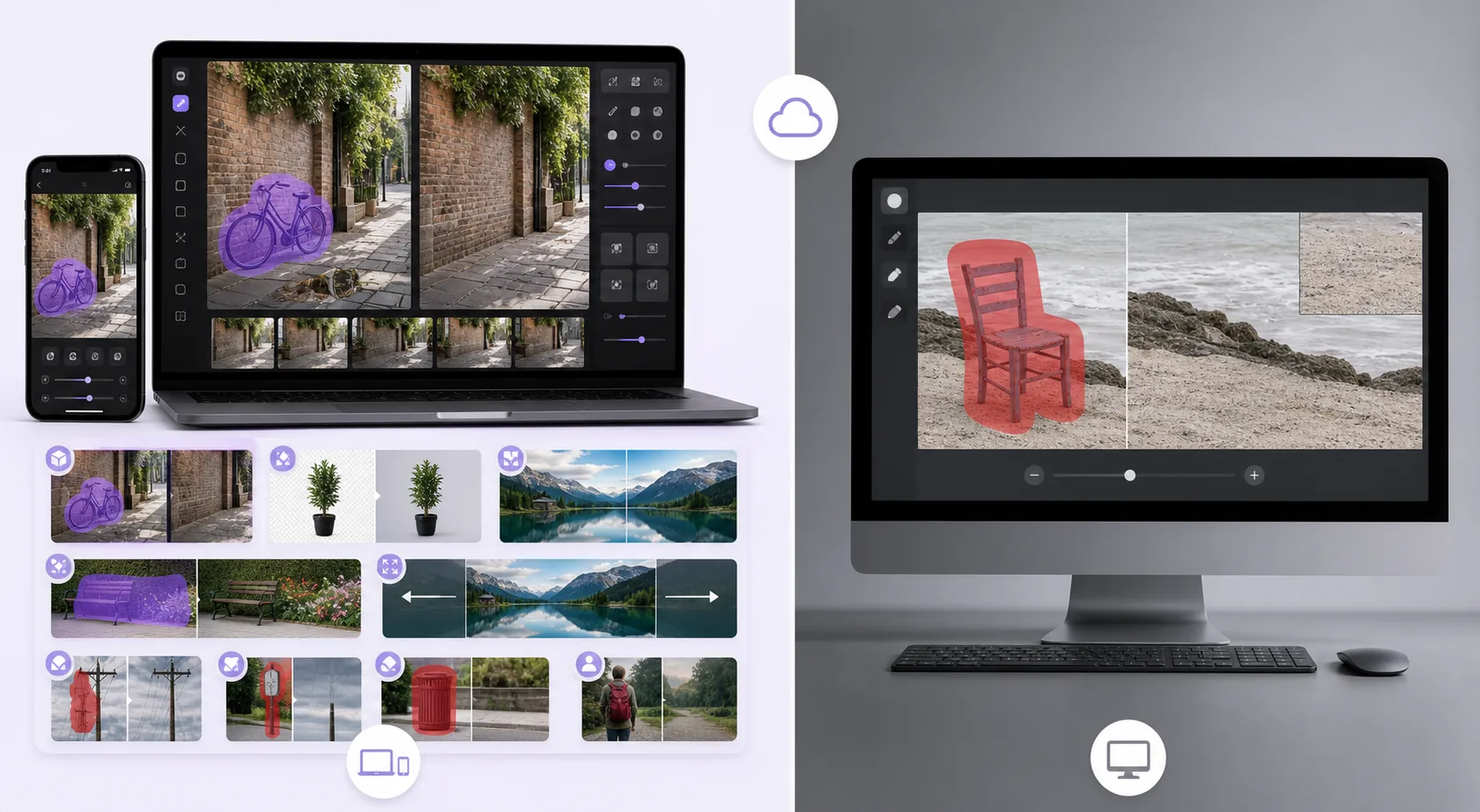
Magic Eraserは、不要物の削除、背景の切り抜き、画質向上、画像拡張、AI塗りつぶし、AIフィルター、一括処理が可能な無料のウェブベースAI写真エディターです。ブラウザさえあればどのデバイスでも使用でき、インストール不要です。
Inpaint is a focused object-removal tool available as desktop software (Windows/macOS) and an online version. It removes objects, people, and watermarks with a marker-based workflow, but it's single-purpose, and the online version uses a per-image credit/purchase model rather than a free tier.
機能比較
Magic Eraserは、不要物の削除、背景の切り抜き、画質向上、画像拡張、AI塗りつぶし、AIフィルター、一括処理が可能な無料のウェブベースAI写真エディターです。ブラウザさえあればどのデバイスでも使用でき、インストール不要です。
Inpaint is a focused object-removal tool available as desktop software (Windows/macOS) and an online version. It removes objects, people, and watermarks with a marker-based workflow, but it's single-purpose, and the online version uses a per-image credit/purchase model rather than a free tier.
| Feature | Magic Eraser | Inpaint |
|---|---|---|
| Object removal | Yes — cloud AI + generative fill | Yes — patch-based |
| Background removal | Yes | No |
| AI enhancement / upscale | Yes | No |
| Generative fill | Yes | No |
| Task-specific tools (130+) | Yes — emoji, watermark, sticker, etc. | No — general remover |
| Web + mobile apps | Yes — web, iOS, Android | Desktop + web (no native apps) |
| Pricing model | Free tier, sign-in required | Desktop license / per-image online credits |
| Best for | All-in-one AI editing, free | One-off desktop object removal |
Feature rows summarize visible product positioning and should be rechecked against official product pages before purchase, migration, or compliance decisions.
- Last content review June 21, 2026
- Inpaint source: official product site (https://theinpaint.com/)
- Magic Eraser source: https://magiceraser.live/ja/product/magic-eraser
- Pricing, feature availability, platform support, and limits can change; recheck official sources before relying on a buying decision.
Magic Eraserの強み
Free with no per-image credits
Inpaint's desktop app is a paid license and its online version charges per image. Magic Eraser's object removal is free with sign-in required and no per-image cost — you only upgrade if you want batch processing and higher limits.
Generative reconstruction, not just patching
Inpaint fills a removed area largely by sampling surrounding pixels. Magic Eraser's generative-fill AI understands scene content and rebuilds complex structures — brick, foliage, faces behind overlays — more convincingly on hard backgrounds.
A full toolkit, not one tool
Inpaint only removes. Magic Eraser adds background removal, enhancement, upscaling, generative fill, and 130+ dedicated removers (emoji, watermark, sticker, date stamp), so you handle the whole edit in one place.
Works everywhere, instantly
Inpaint's full capability is the desktop install; the web version is credit-gated. Magic Eraser runs free in any browser plus native iOS and Android apps — no install, no license, no credits to start.
よくある質問
Magic Eraserは無料ですか?
+
はい、Magic Eraserではすぐに無料で写真を編集できます。登録やインストールは不要です。無制限に処理するにはProプランにアップグレードできます。
Magic EraserはInpaintと比べてどうですか?
+
Magic Eraserは8つのAIツール(不要物削除、背景削除、画質向上、拡張、AI塗りつぶし、AIフィルター、AI画像生成、デザイン)を1つのプラットフォームに統合しています。Inpaintと比べ、ソフトウェアのインストールなしでより多くの機能を提供します。
Magic Eraserはスマートフォンで使えますか?
+
はい、Magic EraserはiOS、Android、ウェブで利用可能です。デバイスを切り替えてもツールを変更する必要はありません。
アカウント作成は必要ですか?
+
いいえ、アカウントを作成せずにすぐ編集を始められます。ブラウザを開いて開始するだけです。
関連するユースケース
プロフェッショナルが実際のワークフローでこれらのツールをどのように活用しているかをご覧ください。
生活感あふれる私物や路上駐車、工事機材が写り込んだ物件写真は、内見意欲を下げてしまいます。Magic Eraserを使えば、Photoshopのスキルがなくても瞬時にきれいな物件写真に仕上がります。
背景がごちゃごちゃした商品写真では、お客様はすぐにスクロールして通り過ぎてしまいます。Magic Eraserなら、プロ品質の商品画像を数秒で作成できます。Photoshopのスキルは不要。アップロードして、不要な部分を消して、すぐに出品しましょう。
旅行写真に知らない人が写り込んでいませんか?自撮りの背景がごちゃごちゃしていませんか?Photoshopで何時間もかける必要はもうありません。Magic Eraserなら不要なオブジェクトの除去、背景のクリーンアップ、各プラットフォーム向けのリサイズがワンタップで完了します。
他の比較
Magic Eraserが他の写真編集ツールとどう比較されるかをご覧ください。
異なる強みを持つ2つの強力なAI写真エディター。Magic Eraserはより幅広いジェネレーティブAIツールを提供し、Photoroomはeコマース商品撮影とバッチ処理に優れています。あなたのワークフローに合うのはどちらか確認しましょう。
主要なAI写真編集ツールをテスト・比較しました。オブジェクト除去から背景置換まで、あなたのワークフローに最適なエディターを見つけましょう。
Pixlr はレイヤーやエフェクトを備えた、クラシックなブラウザベースの編集環境をユーザーに提供します。Magic Eraser は、本格的な編集インターフェースなしで洗練された仕上がりを求めるユーザーのために、AIを最優先したクリーンアップ、強調、背景処理に特化しています。
Adobe Photoshopは強力ですが、ほとんどの人はその機能のごく一部しか使っていません。Magic Eraserは、本当に必要な写真クリーンアップツール — オブジェクト除去、背景除去、AIによる画質向上、生成塗りつぶし — を、よりシンプルなインターフェースで提供します。Webとモバイルで動作し、開始するのにサブスクリプションは不要です。
remove.bgは背景削除という1つのことに優れています。Magic Eraserはそれと同様に優れているだけでなく、不要なオブジェクトの削除、画質の向上、AIによる欠損領域の補完、そして写真編集ワークフロー全体を1か所で処理できます。
Tried to remove an object or background and hit a Pro paywall in Canva, Adobe Express/Photoshop, or Fotor? Magic Eraser does the same job — object removal, background removal, watermark cleanup, and enhancement — for free. No subscription, and no watermark stamped on your download.