
Pet Portrait Studio
Turn a living room snapshot of your pet into a studio-quality portrait. This template solves the hardest challenges of animal photography — isolating fuzzy fur edges from busy backgrounds, removing visible leashes and handler hands, and sharpening those expressive eyes that make pet portraits irresistible.
Try this template freePortrait template preview
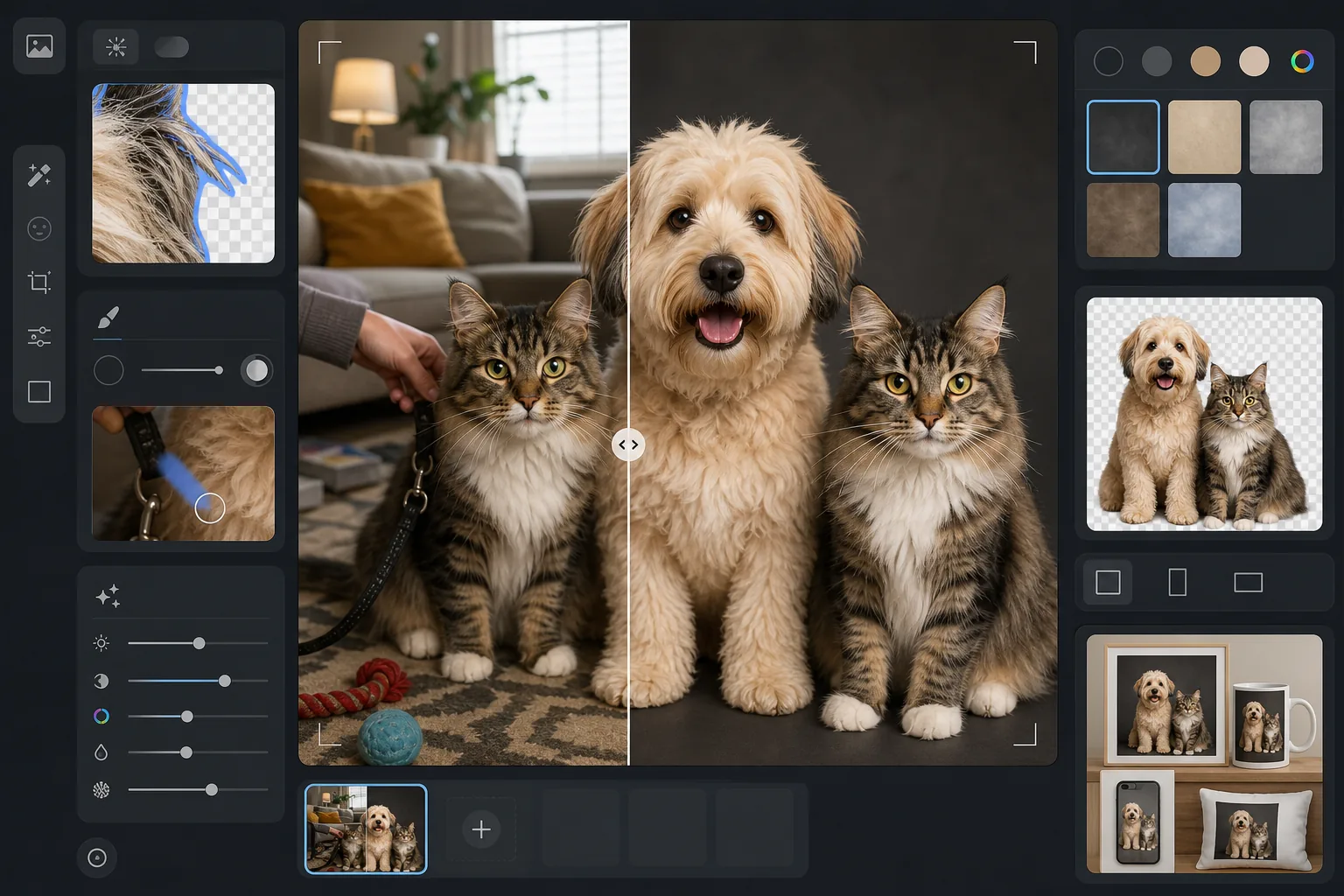
What this template does
Creates professional pet portraits from casual photos by handling the unique challenges animals present. Background Eraser uses fur-aware edge detection to cleanly separate wispy fur, whiskers, and feathered ears from any background. Magic Eraser removes leashes, harnesses, handler hands, and distracting objects. AI Enhance sharpens eye detail for that soulful look, brings out coat texture and color, and corrects the motion blur common in pet photography.
Template settings
| Edge detection | Fur-aware — preserves individual hair strands, whiskers, and feathered edges |
| Background | Studio backdrop (charcoal, cream, or sky blue) or transparent PNG |
| Eye enhancement | Sharpening with catchlight restoration for expressive, clear eyes |
| Output size | 2000×2000px (square, ideal for prints and social media) |
| Motion correction | Light deblur — compensates for slight pet movement during capture |
| Coat enhancement | Texture sharpening and color richness for fur, feathers, or scales |
How to use this template
Capture your pet's photo
Get down to your pet's eye level for the most engaging perspective. Use natural light and a fast shutter speed (or burst mode on your phone) to freeze movement. A treat held just above the camera lens is the best way to get direct eye contact.
Remove the background
Background Eraser isolates your pet using fur-aware edge detection that preserves wispy fur, whiskers, and the soft outline of ears — the details that flat edge detection typically destroys. The result looks naturally separated, not cut out.
Remove leashes and distractions
Magic Eraser removes visible leashes, harnesses, handler hands, and any objects in the frame. The AI reconstructs the fur or background behind removed objects so the portrait looks like your pet posed independently.
Enhance and export
AI Enhance sharpens eye detail, enriches coat color and texture, and corrects slight motion blur. Choose a studio backdrop color or export with a transparent background for custom use in cards, prints, or gifts.
Pro tips for best results
- ✓Shoot in burst mode and pick the sharpest frame — pets blink and shift constantly, so volume is your friend.
- ✓For dark-furred pets (black dogs, dark cats), photograph against a lighter background to give the AI maximum contrast for edge detection.
- ✓Have an assistant hold a treat right above your phone or camera to get direct eye contact — this creates the engaging, soulful look that makes the best portraits.
- ✓For cats, wait until they settle in a sunbeam or on a favorite perch — relaxed cats produce the most natural-looking portraits with open, alert eyes.
Common questions
Can it handle long or fluffy fur without making edges look choppy?
+
Yes. The fur-aware edge detection is specifically designed for animal coats. It preserves individual hair strands, the soft gradient of undercoat, and wispy details like ear tufts and whiskers — the result looks like a natural photograph, not a digital cutout.
Will it remove a leash without leaving artifacts?
+
Yes. Magic Eraser removes leashes, harnesses, and collars cleanly. The AI reconstructs the fur pattern behind the removed object using the surrounding coat texture, so there is no visible trace of the leash in the final image.
Does this work for animals other than dogs and cats?
+
Yes. The template works with any animal — rabbits, birds, horses, reptiles, and more. The fur-aware edge detection adapts to feathers, smooth skin, and scales as well as fur. Eye enhancement works on any animal with visible eyes.
Give your pet the portrait they deserve
Upload any photo of your pet and get a studio-quality portrait in seconds. Perfect for prints, gifts, social media, and holiday cards.
Try it freeRelated templates
More portrait templates for your workflow.
Age-appropriate school portrait retouching template. Natural blemish removal, consistent backgrounds, and yearbook-standard output with batch processing for entire classes.
Natural skin retouching template that removes blemishes while preserving pores and texture. Even lighting, no plastic look — just better skin on camera.
Enhance newborn and baby photos with soft warm tones, gentle skin smoothing, prop and distraction removal, and print-ready sizing for announcements and wall art.
Retouch maternity photos with gentle skin smoothing, soft glow lighting, background simplification, and warm color grading for a timeless pregnancy portrait look.
Clean up family portraits by removing background distractions, fixing uneven exposure, smoothing skin naturally, and ensuring everyone looks their best in the same frame.