
قم بإزالة الخلفيات من الصور باستخدام الذكاء الاصطناعي للحصول على قصاصات نظيفة وصور PNG شفافة
استخدم مزيل الخلفية المدعم بالذكاء الاصطناعي الخاص بـ Magic Eraser لفصل المواضيع عن الخلفيات المزدحمة في ثوانٍ. قم بإنشاء صور PNG شفافة لصور المنتج والصور الشخصية والشعارات وصور الملف الشخصي ومحتوى الوسائط الاجتماعية.
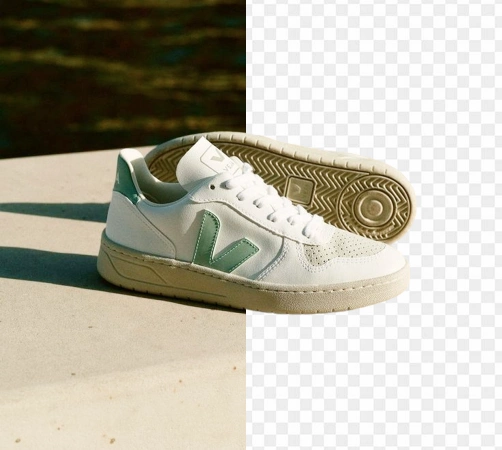

Design templates
Start from an app template
Browse Magic Eraser design templates from the app catalog before opening the editor.
قم بإزالة الخلفيات من صور المنتج باستخدام الذكاء الاصطناعي
قم بإنشاء صور منتجات أكثر وضوحًا لـ Amazon وShopify والأسواق والإعلانات دون قضاء الوقت في القص اليدوي. قم بتحميل صورتك، ودع الذكاء الاصطناعي يكتشف الموضوع، واحصل على نتيجة شفافة أو جاهزة للاستوديو في ثوانٍ.
افتح محرر إزالة الخلفية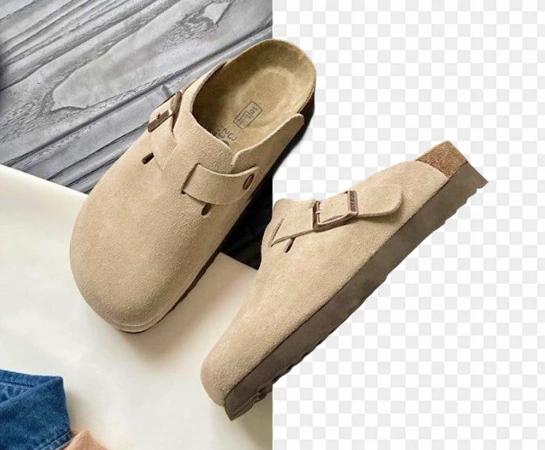
تحرك بشكل أسرع مع إزالة الخلفية المدعومة بالذكاء الاصطناعي على نطاق واسع
تعد عملية إزالة الخلفية يدويًا بطيئة ومكلفة ويصعب توسيع نطاقها بشكل متسق عبر كتالوج متزايد. باستخدام مزيل الخلفية المدعم بالذكاء الاصطناعي، يمكن للتجار والمبدعين وفرق التصميم الداخلية إعداد صور أنظف للمنتجات بشكل أسرع وإطلاق أصول جديدة دون اختناقات.
افتح محرر إزالة الخلفية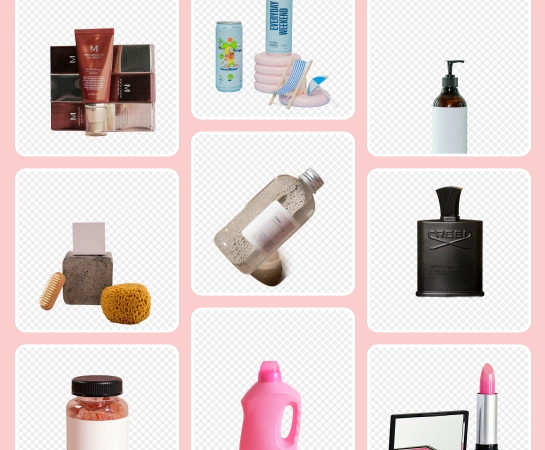
استخدم مزيل الخلفية بالذكاء الاصطناعي لكل نوع من الصور
بدءًا من صور منتجات التجارة الإلكترونية والصور الشخصية وحتى الشعارات وصور الملفات الشخصية وتصميمات الوسائط الاجتماعية، قم بإزالة الخلفيات وعزل الموضوعات لتصدير PNG الشفافة وتخطيطات الكتالوجات وتصميمات الإعلانات والمرئيات الجاهزة للعلامة التجارية.
افتح محرر إزالة الخلفية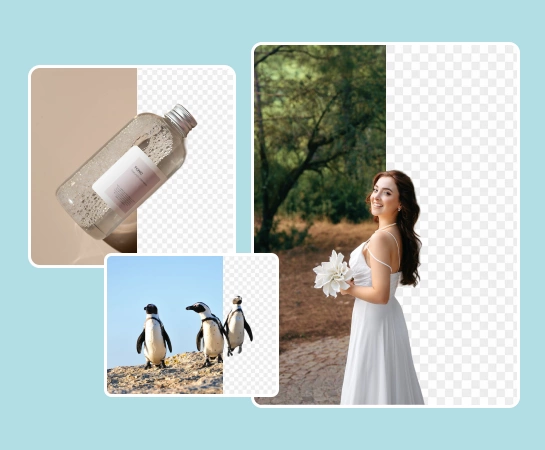
أنشئ سير عمل كاملًا لصورة المنتج بدءًا من إزالة الخلفية
غالبًا ما تكون إزالة الخلفية مجرد خطوة أولى. بمجرد أن يصبح المقطع جاهزًا، يمكنك استبدال المشهد أو تحسين جودة الصورة أو توسيع اللوحة القماشية أو تكييف الأصل مع الأسواق والإعلانات والمحتوى الاجتماعي. وهذا يجعل من السهل إنتاج مرئيات متسقة على غرار الاستوديو عبر الكتالوج بأكمله.
افتح محرر إزالة الخلفية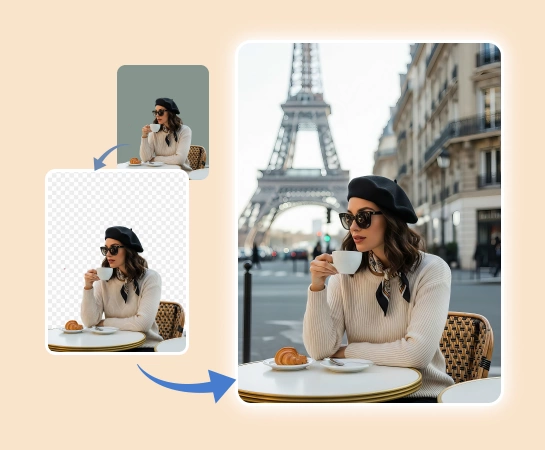
كيفية إزالة الخلفيات من الصور باستخدام الذكاء الاصطناعي
حدد صورة
اختر صورة المنتج أو الصورة الشخصية أو الشعار أو الصورة التي تريد قطعها. قم بتحميل ملف PNG أو JPG إلى المحرر.
إزالة الخلفية تلقائيا
يكتشف Magic Eraser الهدف الرئيسي ويزيل الخلفية لك، مما يمنحك مقطعًا أكثر وضوحًا دون تتبع يدوي.
صقل انقطاع إذا لزم الأمر
استخدم عناصر التحكم في التحرير السريع لضبط الحواف وإصلاح الأخطاء الصغيرة وجعل القطع النهائي يبدو أكثر وضوحًا وطبيعية.
قم بتنزيل PNG شفافة أو تابع التحرير
قم بتصدير صورتك الخالية من الخلفية لقوائم البيانات والإعلانات والكتالوجات ووسائل التواصل الاجتماعي، أو تابع بخلفيات جديدة وتعديلات إضافية.
جميع أدوات تحرير الصور بالذكاء الاصطناعي التي تحتاجها
اكتشف إمكانات التحرير الرئيسية المتوفرة حاليًا في Magic Eraser Web، بدءًا من التنظيف والتحسين ووصولاً إلى الإنشاء والتصميم.

إزالة الخلفية
افصل الموضوع عن الخلفية وأنشئ مقطعًا أكثر وضوحًا وجاهزًا للاستخدام.

AI Enhance
قم بتحسين جودة الصورة والتفاصيل والوضوح العام باستخدام أدوات AI Enhancement السريعة.

إزالة الكائنات
قم بتنظيف الدعائم أو النصوص أو عوامل التشتيت المتبقية بعد إزالة الخلفية.

قم بتوسيع الذكاء الاصطناعي
قم بتوسيع حواف الصورة وإنشاء مساحة أكبر للتخطيطات الجديدة أو التراكيب الأوسع.

تصميم
أضف نصًا وقم بإنشاء تخطيطات تصميم خفيفة الوزن مباشرةً أعلى صورك.

إنشاء الذكاء الاصطناعي
قم بإنشاء صور مرئية جديدة من المطالبات لإنشاء اتجاهات صور جديدة باستخدام الذكاء الاصطناعي.

مرشح الذكاء الاصطناعي
قم بتطبيق أسلوب مدعوم بالذكاء الاصطناعي وانظر إلى التحولات لتحديث الحالة المزاجية لصورتك.

ملء الذكاء الاصطناعي
استبدل المناطق المحددة وأعد بناء الأجزاء المفقودة بنتيجة بصرية أكثر طبيعية.
الأسئلة المتداولة
قم بتحميل صورة، ودع Magic Eraser يكتشف الموضوع، وسيقوم التطبيق بإزالة الخلفية تلقائيًا. يمكنك بعد ذلك تصدير المقطع بصيغة PNG شفافة أو الاستمرار في التحرير.
نعم. تم تصميم سير عمل إزالة الخلفية لصور المنتج والشعارات والصور الشخصية وصور الملف الشخصي والصور الأخرى التي تحتاج فيها إلى مقطع واضح للموضوع على خلفية شفافة.
نعم. بعد الإزالة التلقائية للخلفية، يمكنك تحسين الحواف وإجراء تصحيحات صغيرة حتى تبدو الخطوط العريضة للشعر والملابس والكائنات أكثر نظافة.
نعم. بمجرد إزالة الخلفية، يمكنك متابعة التحرير باستخدام الخلفيات البديلة وAI Enhancement والتوسيع والأدوات الأخرى داخل Magic Eraser Web.
يعتبر التدفق الأساسي بسيطًا: قم بتحميل صورتك، وإزالة الخلفية تلقائيًا، وتحسين المقطع إذا لزم الأمر، وتصدير الأصل النهائي لموقعك على الويب، أو السوق، أو الإعلان، أو المنشور الاجتماعي.