
قم بتحسين الصور باستخدام الذكاء الاصطناعي للحصول على تفاصيل أكثر وضوحًا وألوان أفضل وجودة أعلى
استخدم أداة Magic Eraser AI Enhance لتحسين الوضوح واللون وتفاصيل الوجه ودقة الصورة في ثوانٍ. قم بترقية صور المنتج والصور الشخصية وصور الوسائط الاجتماعية والمرئيات منخفضة الجودة من خلال سير عمل تحرير أسرع.
يستخدم Magic Eraser AI Enhance الذكاء الاصطناعي لتكبير الصور وتحسين الوضوح الظاهر والألوان وتفاصيل الوجه. قد يفيد الصور القديمة أو الضبابية أو منخفضة الدقة، لكن النتيجة تعتمد على الصورة الأصلية ويجب مراجعتها قبل الطباعة أو النشر.

قم بتحسين صور المنتج والصور اليومية باستخدام الذكاء الاصطناعي
قم بترقية الصور الناعمة أو المعتمة أو المسطحة دون إعادة بنائها يدويًا. يساعد AI Enhance على استعادة ألوان أكثر وضوحًا وتفاصيل أكثر وضوحًا ومظهر أكثر صقلًا للتجارة الإلكترونية والمحتوى الاجتماعي والصور الشخصية.
فتح AI Enhance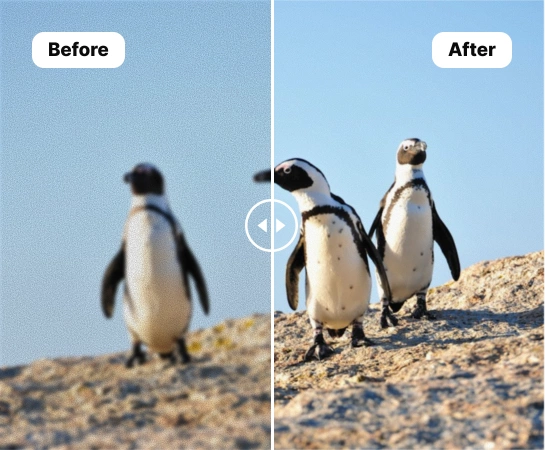
قم بترقية الصور الضعيفة دون الحاجة إلى سير عمل تنقيح كثيف
عندما تكون الصور المصدر ناعمة جدًا أو باهتة أو غير متناسقة، فإن AI Enhance يساعد المبدعين والبائعين والمسوقين على تحسينها بشكل أسرع دون فتح حزمة تحرير معقدة. إنها طريقة عملية لتنظيف الصور اليومية قبل نشرها أو إدراجها أو إعادة توظيفها.
فتح AI Enhance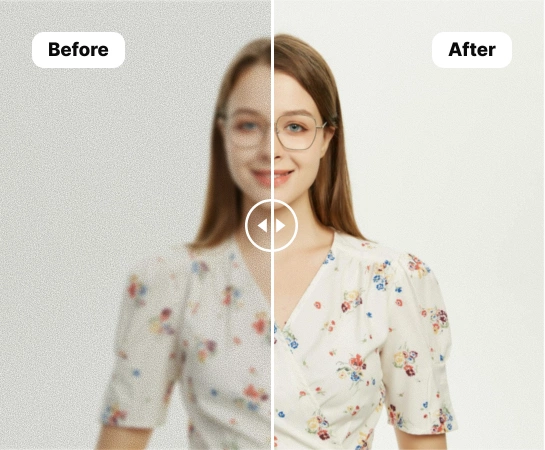
استخدم AI Enhance عبر صور المنتج والصور الشخصية والمحتوى الاجتماعي
بدءًا من لقطات منتجات التجارة الإلكترونية والصور الشخصية وحتى قوائم السوق والمرئيات الاجتماعية، يساعد AI Enhance على تحسين الحدة والإضاءة ووضوح الهدف. إنه مفيد بشكل خاص للصور التي تحتاج إلى استعادة الألوان أو تفاصيل الوجه أو تصدير أكثر وضوحًا ودقة عالية.
فتح AI Enhance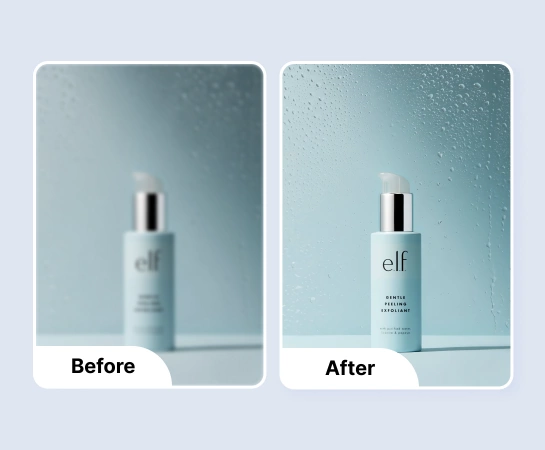
استمر في التحرير بعد تحسين الصورة
غالبًا ما يكون التحسين مجرد خطوة تنظيف قبل بقية سير العمل. بمجرد أن تبدو صورتك أكثر وضوحًا وصقلًا، يمكنك الانتقال إلى إزالة الخلفية أو التصميم أو تغيير الحجم أو توسيع اللوحة القماشية. يؤدي هذا إلى إنشاء مسار أسرع من الصورة المصدر المتوسطة إلى الأصول الجاهزة للإنتاج.
فتح AI Enhance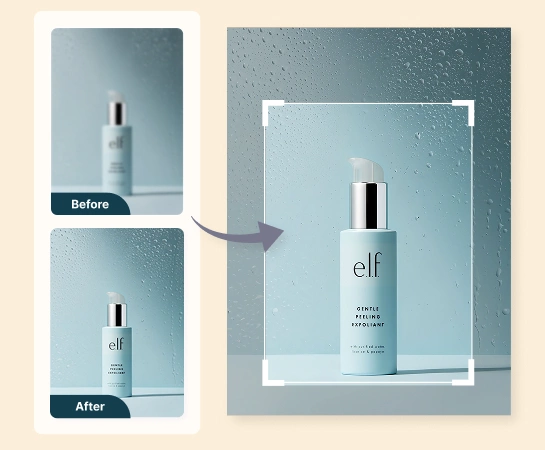
كيفية تحسين الصور باستخدام الذكاء الاصطناعي
تحميل صورة
اختر صورة منتج أو صورة شخصية أو أي صورة تحتاج إلى دقة أو لون أو وضوح عام أفضل.
اختر خيارات التحسين
قم بتشغيل تحسين الألوان أو تحسين الوجه أو المعالجة عالية الدقة بناءً على ما تحتاجه الصورة.
تشغيل AI Enhance
اسمح لـ Magic Eraser بمعالجة الصورة وتحسين التفاصيل والسطوع واللون ووضوح الوجه تلقائيًا.
قم بالتنزيل أو متابعة التحرير
قم بتصدير الصورة المحسنة أو تابع إلى مهام سير عمل أخرى مثل إزالة الخلفية أو التصميم أو AI Expand.
جميع أدوات تحرير الصور بالذكاء الاصطناعي التي تحتاجها
اكتشف إمكانات التحرير الرئيسية المتوفرة حاليًا في Magic Eraser Web، بدءًا من التنظيف والتحسين ووصولاً إلى الإنشاء والتصميم.

AI Enhance
قم بتحسين وضوح الصورة وتحسينها بشكل عام من خلال سير عمل تحسين أسرع قائم على الذكاء الاصطناعي.
تعزيز اللون
استرجع لونًا أنظف وحيوية بصرية أفضل للحصول على صور أكثر اتساعًا أو باهتة المظهر.
تعزيز الوجه
احصل على تفاصيل أكثر وضوحًا للوجه للصور الشخصية وصور الملف الشخصي ومحتوى المنشئ.

دقة عالية
قم بتحسين دقة الصورة حتى تعمل النتيجة بشكل أفضل في التخطيطات والصادرات الأكبر حجمًا.

إزالة الخلفية
انقل الصورة المحسنة إلى سير عمل مقطوع عندما تحتاج إلى تركيبة أكثر وضوحًا أو أصلًا شفافًا.
قم بتوسيع الذكاء الاصطناعي
قم بتوسيع الصورة المحسنة إلى تخطيطات أوسع للإعلانات واللافتات وتنسيقات العروض التقديمية.

تصميم
استخدم الصورة المحسنة داخل تدفقات التصميم البسيطة لإضافة نص وعناصر تخطيط جاهزة للنشر.

إزالة الكائنات
قم بتنظيف عوامل التشتيت بعد التحسين عندما تريد رؤية نهائية أكثر بساطة أو تركيزًا.
الأسئلة المتداولة
قم بتحميل صورة، واختر خيارات التحسين التي تريدها، واسمح لـ Magic Eraser بتحسين الوضوح أو اللون أو تفاصيل الوجه أو الدقة تلقائيًا. يمكنك بعد ذلك تنزيل النتيجة أو متابعة تحريرها.
يعمل AI Enhance بشكل جيد مع صور المنتج والصور الشخصية وصور الملف الشخصي والمحتوى الاجتماعي والمرئيات اليومية التي تحتاج إلى دقة أو إضاءة أو جودة صورة إجمالية أفضل.
تركز الأوضاع الرئيسية حاليًا على تحسين الألوان وتحسين الوجه والإخراج عالي الدقة حتى تتمكن من تحسين الصورة بناءً على نوع المشكلة التي تقوم بإصلاحها.
نعم. بعد التحسين، يمكنك المتابعة إلى أدوات الويب Magic Eraser الأخرى مثل إزالة الخلفية أو توسيع الذكاء الاصطناعي أو إزالة الكائنات أو التصميم وفقًا لسير عملك.
التدفق النموذجي بسيط: قم بتحميل الصورة، واختر إعدادات التحسين، وقم بتشغيل التحرير، والمقارنة قبل وبعد، وتصدير النسخة المحسنة.