
تعبئة إبداعية لصور المنتج والتصميمات الاجتماعية وتعديلات التسويق
استخدم AI fill لاستبدال المناطق المحددة وإعادة بناء التفاصيل المفقودة وإنشاء المزيد من النتائج الطبيعية عندما تحتاج الصورة إلى التنظيف أو إصلاح المشهد أو التوسع البصري.
Magic Eraser تعمل ميزة AI fill على إعادة بناء مناطق الصورة المفقودة أو المحذوفة باستخدام تعبئة إنشاءية تراعي السياق. بعد إزالة كائن ما، يقوم AI fill بإعادة بناء المنطقة الفارغة بمحتوى يتطابق مع المشهد المحيط - يُستخدم عادةً لإصلاح المناطق التي تم تحريرها، واستبدال الكائنات المحذوفة بخلفيات طبيعية، وإصلاح الصور التالفة.
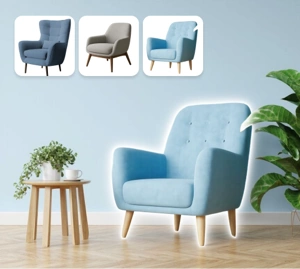

استخدم التعبئة التوليدية لإعادة بناء الأجزاء المفقودة من الصورة
يساعدك AI fill على استبدال المناطق غير المرغوب فيها وتجديد المعلومات المرئية المفقودة بدون علامات تصحيح واضحة. إنه مفيد لتصوير المنتجات والتنظيف الإبداعي وإنتاج المحتوى السريع عندما تحتاج إلى نتائج ذات مظهر واقعي دون تنقيح كبير.
جرب تعبئة الذكاء الاصطناعي الآن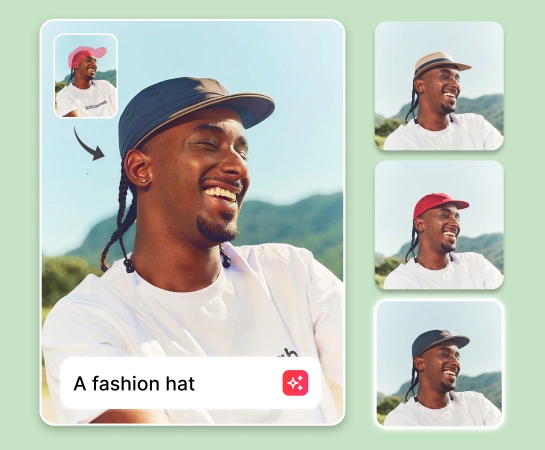
قم بتسريع عملية تحرير الصور باستخدام التعبئة الإبداعية بدلاً من التنقيح اليدوي
بدلاً من تصحيح كل منطقة صغيرة يدويًا، حدد المنطقة التي تريد تغييرها ودع AI File ينشئ تطابقًا أفضل. يعمل هذا بشكل جيد عندما تحتاج إلى إصلاح الحواف، أو إزالة عناصر التشتيت، أو إكمال مشهد غير مكتمل مع الاحتفاظ بالصورة القابلة للاستخدام في الأعمال التجارية.
جرب تعبئة الذكاء الاصطناعي الآن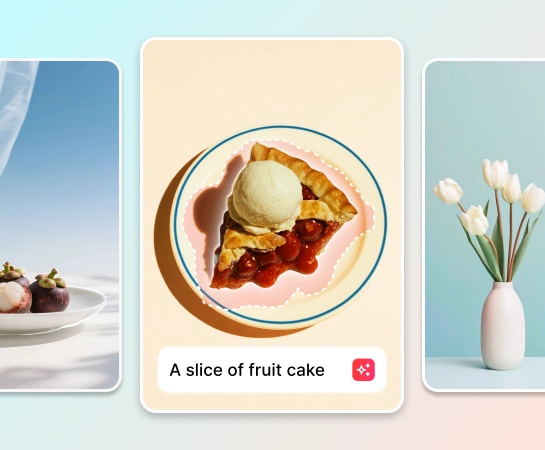
استخدم التعبئة التوليدية عبر سيناريوهات تحرير الصور المتعددة
يعمل AI fill بشكل جيد عندما تريد ملء مساحة فارغة بعد إزالة الكائن، أو استبدال جزء من الخلفية، أو تحسين حواف الصورة، أو إضافة المزيد من سياق المشهد. إنه مفيد لصور التجارة الإلكترونية وأصول الوسائط الاجتماعية والتنظيف السريع للحملة.
جرب تعبئة الذكاء الاصطناعي الآن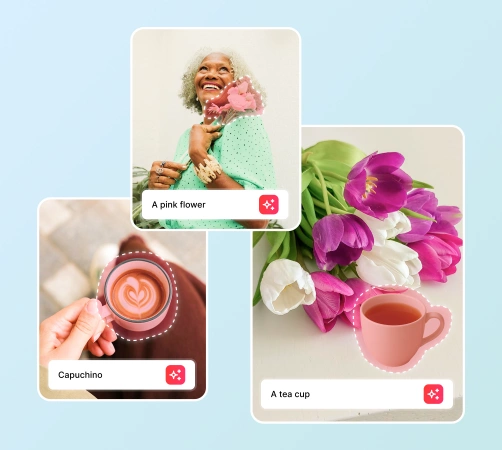
قم بإقران AI File مع سير عمل كامل لتحرير الصور AI
تصبح تعبئة AI أكثر فائدة عند دمجها مع إزالة الكائنات وإزالة الخلفية وAI Enhance وAI Expand. قم بتنظيف الصورة، وإعادة بناء المناطق المفقودة، وشحذ النتيجة، وإعداد الأصل النهائي للإعلانات والأسواق والقنوات الاجتماعية داخل سير عمل واحد.
جرب تعبئة الذكاء الاصطناعي الآن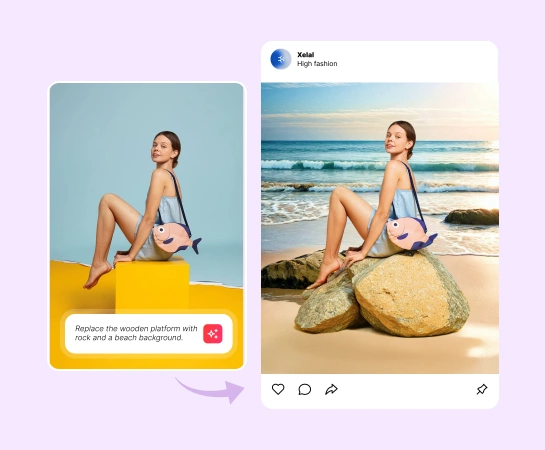
كيفية استخدام التعبئة التوليدية
قم بتحميل صورتك
ابدأ بصورة المنتج، أو الصورة المرئية الاجتماعية، أو صورة نمط الحياة، أو أي أصل يحتاج إلى إعادة بناء جزئي.
حدد المنطقة المراد تغييرها
قم بالفرشاة فوق المنطقة التي تريد استبدالها أو إصلاحها أو تجديدها باستخدام AI fill.
صف ما تريد بالنص
أدخل مطالبة قصيرة تصف المحتوى الجديد، أو الخلفية، أو التفاصيل المرئية التي تريد أن ينشئها AI File.
قم بتشغيل التعبئة التوليدية
اسمح للذكاء الاصطناعي بإعادة بناء المنطقة المحددة بحيث يمتزج المحتوى الجديد بشكل طبيعي أكثر مع بقية الصورة.
جميع أدوات تحرير الصور بالذكاء الاصطناعي التي تحتاجها
اكتشف إمكانات التحرير الرئيسية المتوفرة في Magic Eraser Web، بدءًا من التنظيف والتحسين وحتى الإنشاء والتوسيع والتصميم.

ملء الذكاء الاصطناعي
استبدل المناطق المحددة وأعد إنشاء المحتوى المفقود بنتائج ذات مظهر طبيعي.

إزالة الكائنات
امسح الأشخاص أو الدعائم أو النصوص أو عناصر التشتيت قبل إعادة بناء المنطقة التي تم تطهيرها.

إزالة الخلفية
اعزل موضوعك أولاً، ثم استخدم AI fill لتحسين الحواف أو إعادة بناء تفاصيل المشهد.

AI Enhance
تحسين الوضوح والتفاصيل والتلميع الشامل بعد إنشاء نتيجة التعبئة.

قم بتوسيع الذكاء الاصطناعي
قم بتوسيع اللوحة القماشية ودمجها مع التعبئة التوليدية لإنشاء مساحة أكبر قابلة للاستخدام.

تصميم
انقل العناصر المرئية المعدلة إلى التخطيطات أو تصميمات الإعلانات أو الصور المصغرة أو تركيبات التصميم البسيطة.

مرشح الذكاء الاصطناعي
قم بتغيير المزاج أو النمط المرئي بعد اكتمال تحرير التعبئة التوليدي الرئيسي.

إنشاء الذكاء الاصطناعي
أنشئ أفكارًا مرئية جديدة من المطالبات واستمر في تحسينها باستخدام AI fill.
الأسئلة المتداولة
AI fill عبارة عن سير عمل تعبئة توليدي يستبدل المناطق المحددة ويعيد بناء المحتوى المرئي المفقود بحيث يمتزج التحرير بشكل طبيعي مع بقية الصورة.
استخدم التعبئة التوليدية عندما تحتاج إلى إعادة بناء المنطقة التي تم مسحها، أو استبدال جزء من الخلفية، أو إصلاح المحتوى المفقود، أو إنشاء مشهد أكثر اكتمالاً بعد التحرير.
نعم. إنه مفيد لتصوير المنتجات، ومرئيات التجارة الإلكترونية، وتصميمات الوسائط الاجتماعية، والصور المصغرة، وأصول التسويق حيث تحتاج إلى تنظيف سريع ونتائج أكثر مصقولة.
نعم. تعمل العديد من مسارات العمل بشكل أفضل عندما تقوم أولاً بإزالة الكائنات أو الخلفيات، ثم تستخدم AI fill لإعادة بناء المناطق، وأخيرًا تحسين الصورة أو توسيعها للتصدير النهائي.
التدفق المعتاد بسيط: قم بتحميل صورة، ثم قم بالفرشاة فوق المنطقة التي تريد تغييرها، وقم بتشغيل AI Fill، ومراجعة النتيجة التي تم إنشاؤها، وتصدير الصورة النهائية.