
Magic Eraser مقابل Canva: أي محرر أفضل لتنظيف الصور؟
Canva ممتاز للتخطيطات والرسوميات الاجتماعية، لكن كثيرًا من المستخدمين يحتاجون إلى إزالة كائنات أسرع وتعديلات خلفية أنظف وأدوات صور أقوى بالذكاء الاصطناعي. توضح هذه المقارنة أين يكون Magic Eraser أنسب لسير العمل الذي يركز على الصور.
Last updated
جرّب Magic Eraser مجانًاComparison rows are editorial summaries from the latest page review, not a guarantee of current pricing, limits, watermark policy, batch support, speed, or platform availability.
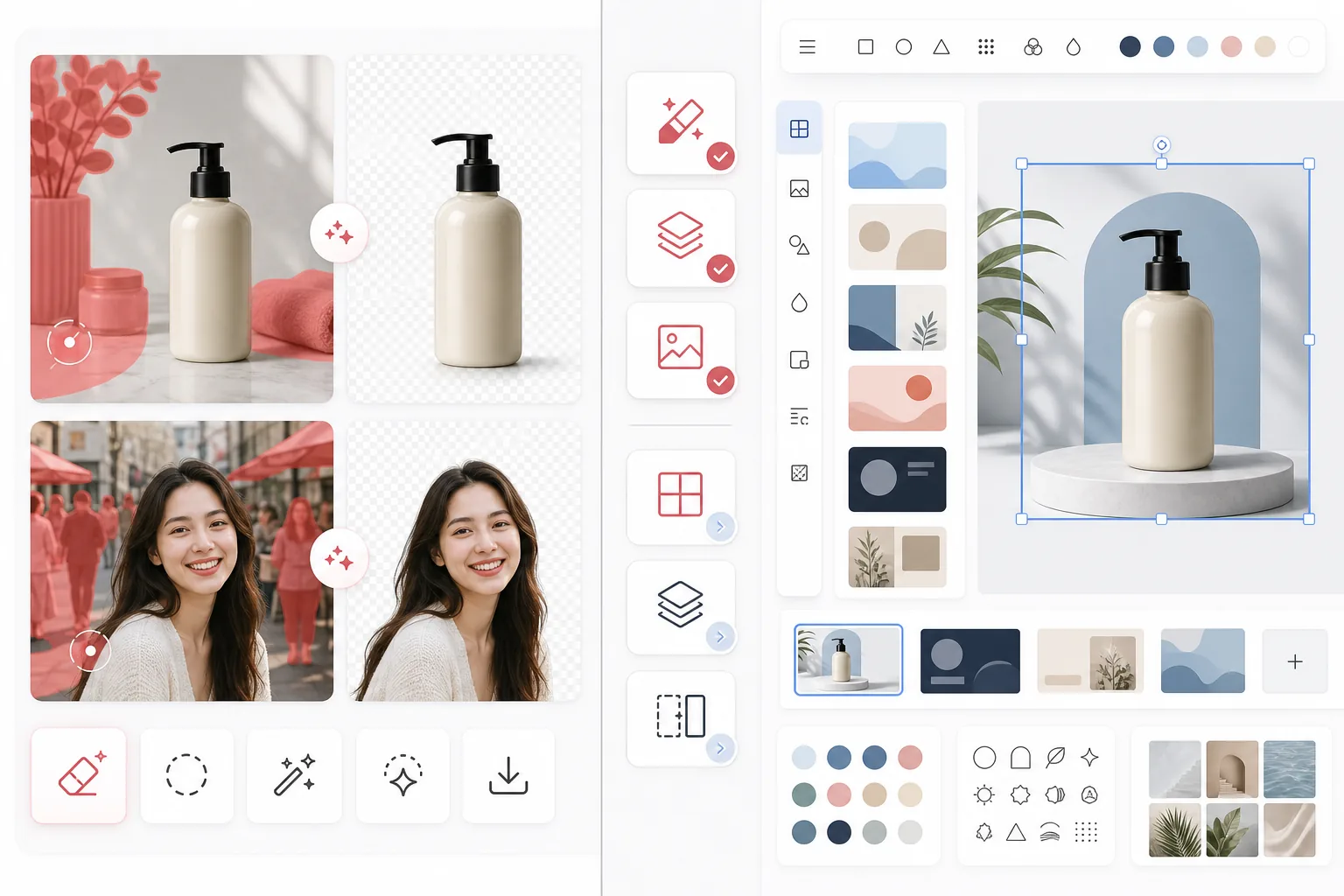
نظرة عامة
يركز Magic Eraser على مهام تحرير الصور بالذكاء الاصطناعي مثل إزالة الكائنات وتنظيف الخلفية وتحسين الصور والتعبئة التوليدية والتعديلات السريعة عبر الويب والهاتف المحمول.
Canva منصة تصميم واسعة مصممة للعروض التقديمية والمنشورات الاجتماعية والأصول التسويقية والقوالب. تتضمن بعض أدوات تحرير الصور، لكن هذه الأدوات جزء من سير عمل تصميم أوسع.
مقارنة الميزات
يركز Magic Eraser على مهام تحرير الصور بالذكاء الاصطناعي مثل إزالة الكائنات وتنظيف الخلفية وتحسين الصور والتعبئة التوليدية والتعديلات السريعة عبر الويب والهاتف المحمول.
Canva منصة تصميم واسعة مصممة للعروض التقديمية والمنشورات الاجتماعية والأصول التسويقية والقوالب. تتضمن بعض أدوات تحرير الصور، لكن هذه الأدوات جزء من سير عمل تصميم أوسع.
| Feature | Magic Eraser | Canva |
|---|---|---|
| إزالة الكائنات | نعم — أداة ذكاء اصطناعي مخصصة | محدودة |
| إزالة الخلفية | نعم — ميزة أساسية | نعم — غالبًا مقيدة بـ Pro |
| تحسين الصور | نعم | أساسي |
| قوالب التصميم | لا | نعم — واسعة |
| التعبئة التوليدية | نعم | محدودة |
| أفضل سير عمل | تنظيف الصور | التصميم الجرافيكي |
| المنصة | Web + iOS + Android | Web + iOS + Android |
| الوقت حتى أول تعديل | سريع جدًا | يعتمد على مسار التصميم |
Feature rows summarize visible product positioning and should be rechecked against official product pages before purchase, migration, or compliance decisions.
- Last content review May 1, 2026
- Canva source: official product site (https://www.canva.com/)
- Magic Eraser source: https://magiceraser.live/ar/product/magic-eraser
- Pricing, feature availability, platform support, and limits can change; recheck official sources before relying on a buying decision.
مقارنة الأسعار
| Plan | Magic Eraser | Canva |
|---|---|---|
| الفئة المجانية | مجاني — تعديلات محدودة | مجاني — ميزات أساسية |
| شهري | $9.99/mo | $14.99/mo (Pro) |
| سنوي | $4.99/mo (يُفوتر سنويًا) | $12.99/mo (Pro، يُفوتر سنويًا) |
الأسعار اعتبارًا من May 2026. تحقق من كل مزود للاطلاع على الأسعار الحالية.
Pricing rows are snapshots from review time. Free tiers, subscriptions, trials, export limits, and regional availability can change without notice.
- Last content review May 1, 2026
- Canva source: official product site (https://www.canva.com/)
- Magic Eraser source: https://magiceraser.live/ar/product/magic-eraser
- Pricing, feature availability, platform support, and limits can change; recheck official sources before relying on a buying decision.
لماذا تختار Magic Eraser
مصمم خصيصًا لتحرير الصور
يضع Magic Eraser إجراء التحرير في المقام الأول. لست بحاجة إلى الدخول إلى لوحة تصميم أو اختيار تخطيط أو التنقل بين عناصر تحكم القوالب قبل تنظيف صورة.
سير عمل تنظيف أقوى
لإزالة الأشخاص والنصوص والأسلاك والفوضى والخلفيات المزدحمة، يوفر Magic Eraser تدفق تحرير بالذكاء الاصطناعي أكثر مباشرة واتساقًا من محرر Canva متعدد الأغراض الأوسع.
أنسب للفرق التي تعمل بكثرة على الصور
غالبًا ما يهتم البائعون والمسوقون والمبدعون والوكالات الذين يعالجون أعدادًا كبيرة من الصور بسرعة التنظيف أكثر من تنوع القوالب. تم تحسين Magic Eraser لهذه الحالة الاستخدامية.
تسليم أنظف إلى الإنتاج الإبداعي
تستخدم فرق كثيرة Magic Eraser لإعداد أصول صور مصقولة أولًا، ثم تجلب تلك الأصول إلى Canva أو أدوات تصميم أخرى لأعمال التخطيط النهائية.
الأسئلة الشائعة
هل Magic Eraser أفضل من Canva لإزالة الخلفية؟
+
بالنسبة لتنظيف الخلفية المخصص وسير العمل الذي يركز على الصور، يكون Magic Eraser عادةً الخيار الأسرع. Canva أفضل عندما تحتاج أيضًا إلى تحويل الصورة إلى أصل مصمم على الفور.
هل يمكن لـ Canva إزالة الكائنات من الصور؟
+
يتضمن Canva بعض أدوات التحرير، لكن Magic Eraser أكثر تركيزًا على إزالة الكائنات بالذكاء الاصطناعي الموثوقة ومهام التنظيف الدقيقة.
هل ينبغي أن أستخدم الأداتين معًا؟
+
نعم. تستخدم فرق كثيرة Magic Eraser لتنظيف الصور، ثم تنقل الأصل النهائي إلى Canva للعروض التقديمية والإعلانات والرسوميات الاجتماعية وأعمال التصميم القائمة على القوالب.
أي أداة أفضل لصور منتجات التجارة الإلكترونية؟
+
غالبًا ما يكون Magic Eraser أفضل لتنظيف صور التجارة الإلكترونية لأن إزالة عناصر التشتيت وعزل المنتجات هما سير العمل الأساسي له.
هل يدعم Magic Eraser التحرير على الهاتف المحمول؟
+
نعم. يعمل Magic Eraser على iOS وAndroid والويب حتى تتمكن من التحرير من أي جهاز.
هل تريد صورًا أنظف قبل أن تصمم؟
استخدم Magic Eraser لإزالة عناصر التشتيت وتحسين الخلفيات وإعداد الصور قبل أن تصل إلى لوحة التصميم لديك.
جرّب Magic Eraser مجانًاحالات استخدام ذات صلة
شاهد كيف يستخدم المحترفون هذه الأدوات في مهام العمل الفعلية.
صور الإعلانات المزدحمة بالأغراض الشخصية أو السيارات المركونة أو معدات البناء قد تنفّر المشترين. يستخدم Magic Eraser الذكاء الاصطناعي لتنظيف صور عقارك فورًا — دون الحاجة إلى مهارات Photoshop.
الخلفيات المشوشة ولقطات المنتجات الفوضوية تكلفك مبيعات كل يوم. يساعدك Magic Eraser على إنشاء صور منتجات احترافية ونظيفة في ثوانٍ — دون الحاجة إلى مهارات Photoshop. ما عليك سوى الرفع، ومسح العناصر المشتتة، والإدراج بثقة.
متطفلون يفسدون صور سفرك؟ خلفيات فوضوية تدمّر صور السيلفي؟ توقف عن إضاعة الساعات في Photoshop. يزيل Magic Eraser المشتتات، وينظّف اللقطات المزدحمة، ويوسّع صورك لتناسب أي تنسيق منصة — كل ذلك بنقرة واحدة.
أدلة ذات صلة
استكشف المزيد من الأدلة والمحتوى المتعلق بسير العمل هذا.
استكشف كيف يغيّر الذكاء الاصطناعي عمليات الأعمال، من الأتمتة وتحليل البيانات إلى تجارب عملاء أكثر تخصيصًا.
تعرّف على كيفية استخدام Magic Eraser لإزالة العناصر والأشخاص والنصوص والمشتتات من الصور بنتائج ذكاء اصطناعي أنظف.
تعلّم كيفية إزالة الأشخاص من الصور بالذكاء الاصطناعي في ثوانٍ. دليل لصور السفر والعقارات والمنتجات.
مقارنات أخرى
شاهد كيف يقارن Magic Eraser بأدوات تحرير الصور الأخرى.
اختبرنا وقارنا أبرز أدوات تحرير الصور بالذكاء الاصطناعي حتى لا تضطر لذلك. من إزالة الكائنات إلى استبدال الخلفية، تعرّف على المحرر الذي يقدّم أفضل النتائج لسير عملك.
يركز PhotoRoom على إزالة الخلفية وقوالب تصوير المنتجات. يضاهي Magic Eraser هذه الإمكانات ويضيف أدوات AI قوية لإزالة الكائنات، وتحسين الصور، والتعبئة التوليدية، والتصميم الإبداعي — مما يمنحك قدرة تحرير أكبر على الويب والجوال.
Canva منصة تصميم متعددة الاستخدامات، لكن أدوات تحرير الصور فيها ثانوية مقارنة بتركيزها على التصميم. صُمم Magic Eraser خصيصًا لتحرير الصور المدعوم بالذكاء الاصطناعي — حيث يوفر إزالة أفضل للكائنات وإزالة الخلفية وتحسين الصور والتعبئة التوليدية للمستخدمين الذين يحتاجون أدوات متخصصة لتنظيف الصور.
اختبرنا أبرز مولّدات الخلفيات بالذكاء الاصطناعي من حيث جودة الإزالة وخيارات الاستبدال والمرونة الإبداعية وسهولة الاستخدام. اطّلع على الأداة التي تجعل إزالة الخلفيات واستبدالها وتوليد خلفيات جديدة لصورك أسهل ما يكون.
اختبرنا أبرز مولدات صور البورتريه بالذكاء الاصطناعي من حيث الجودة والواقعية والتخصيص والقيمة. سواء كنت بحاجة إلى صور بورتريه لـ LinkedIn أو صور الفريق أو صور بورتريه احترافية، شاهد أي أداة تقدم أفضل النتائج.
TouchRetouch هو تطبيق جوال مدفوع شائع لإزالة الكائنات والعيوب. يوفّر Magic Eraser تحريرًا مجانيًا مدعومًا بالذكاء الاصطناعي على أي جهاز دون الحاجة إلى التثبيت. اطّلع على كيفية مقارنتهما من حيث الميزات والأسعار وسهولة الاستخدام.