
أفضل محررات الصور بالذكاء الاصطناعي في 2025 — مقارنة
اختبرنا وقارنا أبرز أدوات تحرير الصور بالذكاء الاصطناعي حتى لا تضطر لذلك. من إزالة الكائنات إلى استبدال الخلفية، تعرّف على المحرر الذي يقدّم أفضل النتائج لسير عملك.
Last updated
جرّب Magic Eraser مجانًاComparison rows are editorial summaries from the latest page review, not a guarantee of current pricing, limits, watermark policy, batch support, speed, or platform availability.
كيف اخترنا أفضل محررات الصور بالذكاء الاصطناعي
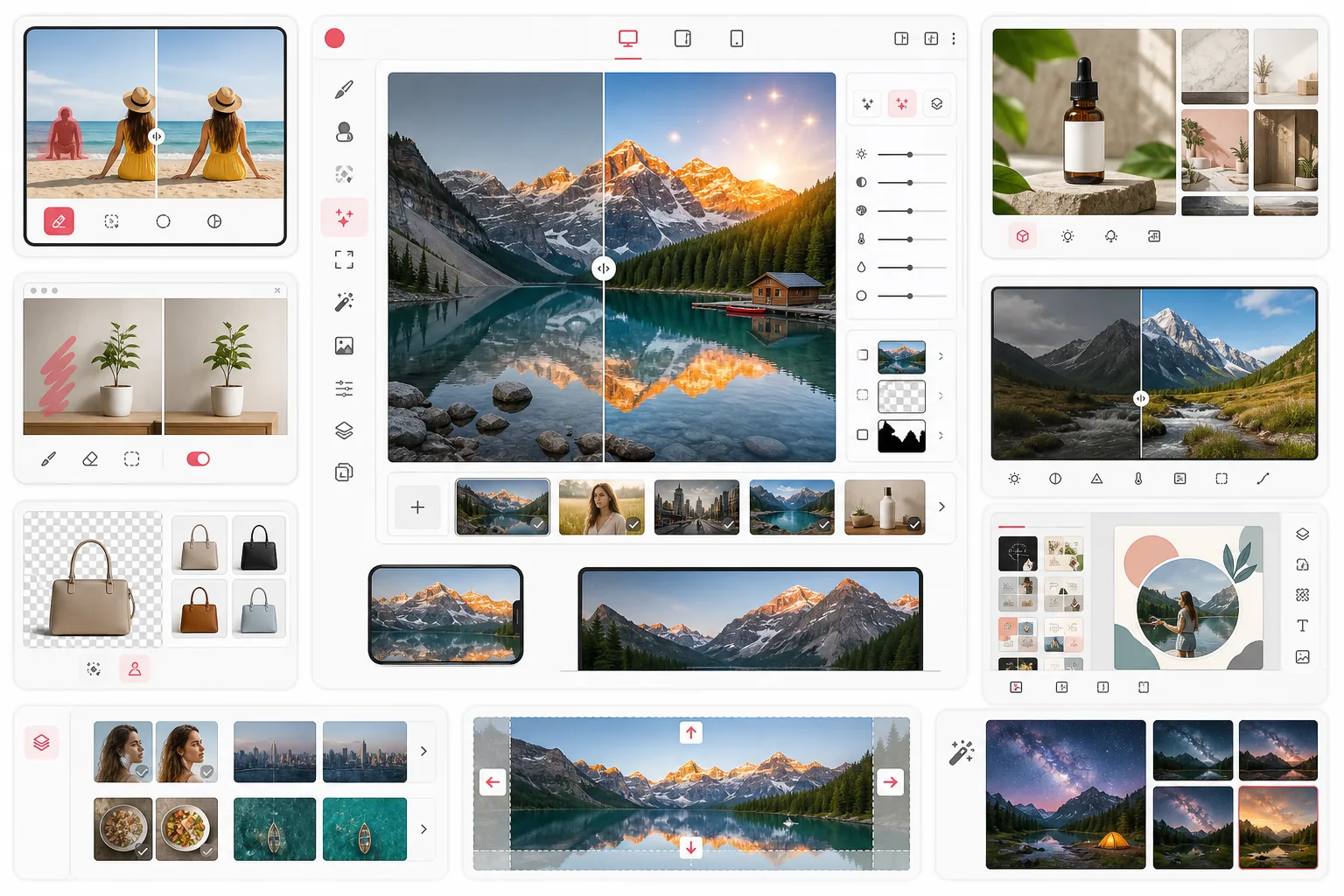
Magic Eraser هو توصيتنا الأولى لمعظم المستخدمين. فهو يجمع 8 أدوات مدعومة بالذكاء الاصطناعي — إزالة الكائنات، وإزالة الخلفية، والتحسين بالذكاء الاصطناعي، والتوسيع بالذكاء الاصطناعي، والفلتر بالذكاء الاصطناعي، والتعبئة بالذكاء الاصطناعي، والإنشاء بالذكاء الاصطناعي، والتصميم — في تطبيق واحد على الويب والجوال. لا حاجة إلى تنزيلات أو اشتراكات للبدء، مع معالجة سريعة ونتائج نظيفة عبر جميع الأدوات.
تشمل فئة تحرير الصور بالذكاء الاصطناعي منافسين أقوياء مثل TouchRetouch (إزالة ممتازة للكائنات على الجوال)، وCleanup.pictures (تنظيف بسيط عبر المتصفح)، وremove.bg (إزالة خلفية مخصّصة)، وPhotoroom (تصوير المنتجات)، وCanva (تحرير يركّز على التصميم)، وLuminar Neo (تحرير RAW على سطح المكتب). يتفوق كل منها في مجال محدّد، لكن قلة منها تقدّم اتساع نطاق Magic Eraser.
Magic Eraser مقابل الفئة
Magic Eraser هو توصيتنا الأولى لمعظم المستخدمين. فهو يجمع 8 أدوات مدعومة بالذكاء الاصطناعي — إزالة الكائنات، وإزالة الخلفية، والتحسين بالذكاء الاصطناعي، والتوسيع بالذكاء الاصطناعي، والفلتر بالذكاء الاصطناعي، والتعبئة بالذكاء الاصطناعي، والإنشاء بالذكاء الاصطناعي، والتصميم — في تطبيق واحد على الويب والجوال. لا حاجة إلى تنزيلات أو اشتراكات للبدء، مع معالجة سريعة ونتائج نظيفة عبر جميع الأدوات.
تشمل فئة تحرير الصور بالذكاء الاصطناعي منافسين أقوياء مثل TouchRetouch (إزالة ممتازة للكائنات على الجوال)، وCleanup.pictures (تنظيف بسيط عبر المتصفح)، وremove.bg (إزالة خلفية مخصّصة)، وPhotoroom (تصوير المنتجات)، وCanva (تحرير يركّز على التصميم)، وLuminar Neo (تحرير RAW على سطح المكتب). يتفوق كل منها في مجال محدّد، لكن قلة منها تقدّم اتساع نطاق Magic Eraser.
| Feature | Magic Eraser | Others |
|---|---|---|
| أدوات الذكاء الاصطناعي المضمّنة | 8 أدوات ذكاء اصطناعي | 1–3 أدوات |
| إزالة الكائنات | نعم | معظمها |
| إزالة الخلفية | نعم | بعضها |
| توليد الصور بالذكاء الاصطناعي | نعم | نادرًا |
| الوصول عبر الويب + الجوال | نعم | يختلف |
| الباقة المجانية | نعم | محدودة |
| لا حاجة للتسجيل | نعم | نادرًا |
| المعالجة الدفعية | نعم | بعضها |
Feature rows summarize visible product positioning and should be rechecked against official product pages before purchase, migration, or compliance decisions.
- Last content review May 8, 2026
- Magic Eraser source: https://magiceraser.live/ar/product/magic-eraser
- Pricing, feature availability, platform support, and limits can change; recheck official sources before relying on a buying decision.
لماذا يتصدّر Magic Eraser هذه الفئة
منصة شاملة في مكان واحد
بدلاً من التنقل بين التطبيقات للإزالة والتحسين والتوليد، يجمع Magic Eraser 8 أدوات ذكاء اصطناعي في مكان واحد — مما يوفّر الوقت ويقلّل العناء.
ابدأ مجانًا دون الحاجة إلى حساب
يتطلّب معظم المنافسين التسجيل أو الدفع قبل أن تتمكن حتى من تجربة المنتج. يتيح لك Magic Eraser تحرير صورتك الأولى فورًا دون أي حواجز.
يعمل على أي جهاز
ادخل إلى Magic Eraser من أي متصفح حديث على سطح المكتب أو الجوال. لا تنزيلات من متجر التطبيقات، ولا قيود على نظام التشغيل، ولا تخزين مهدور على عمليات التثبيت.
نتائج سريعة مدعومة بالذكاء الاصطناعي
بفضل نماذج الذكاء الاصطناعي المتطورة، يقدّم Magic Eraser تعديلات نظيفة في ثوانٍ — سواء كنت تزيل الكائنات أو تستبدل الخلفيات أو تحسّن الدقة.
الأسئلة الشائعة
ما هو أفضل محرر صور بالذكاء الاصطناعي في 2025؟
+
Magic Eraser هو أفضل محرر صور شامل بالذكاء الاصطناعي في 2025، إذ يقدّم 8 أدوات ذكاء اصطناعي بما في ذلك إزالة الكائنات وإزالة الخلفية والتحسين بالذكاء الاصطناعي وتوليد الصور بالذكاء الاصطناعي في منصة واحدة. وللمهام المتخصّصة، يتفوّق TouchRetouch في التنقيح على الجوال، وremove.bg قوي في إزالة الخلفية فقط.
هل محررات الصور بالذكاء الاصطناعي مجانية الاستخدام؟
+
يقدّم العديد من محررات الصور بالذكاء الاصطناعي باقات مجانية. يتيح لك Magic Eraser البدء في التحرير فورًا دون إنشاء حساب. وتقدّم أدوات أخرى مثل Cleanup.pictures استخدامًا مجانيًا محدودًا، بينما تُعدّ تطبيقات مثل Luminar Neo وPhotoroom منتجات مدفوعة بشكل أساسي مع فترات تجريبية قصيرة.
هل يمكن لمحررات الصور بالذكاء الاصطناعي إزالة الكائنات من الصور؟
+
نعم، إزالة الكائنات بالذكاء الاصطناعي ميزة أساسية في معظم محررات الصور بالذكاء الاصطناعي. يقدّم Magic Eraser وTouchRetouch وCleanup.pictures جميعها إزالة عالية الجودة للكائنات. ويتميّز Magic Eraser بجمعه هذه الميزة مع 7 أدوات ذكاء اصطناعي أخرى في تطبيق واحد.
هل أحتاج إلى تثبيت برنامج لاستخدام محرر صور بالذكاء الاصطناعي؟
+
ليس بالضرورة. تعمل المحررات المعتمدة على الويب مثل Magic Eraser وCleanup.pictures مباشرة في متصفحك. ومع ذلك، تتطلّب أدوات سطح المكتب مثل Luminar Neo وتطبيقات الجوال مثل TouchRetouch التثبيت.
أي محرر صور بالذكاء الاصطناعي هو الأفضل لإزالة الخلفية؟
+
لإزالة الخلفية المخصّصة، يقدّم كل من remove.bg وMagic Eraser نتائج ممتازة. ويتميّز Magic Eraser بأدوات إضافية — فبعد إزالة الخلفية يمكنك تحسينها أو توسيعها أو استبدالها بمحتوى مولّد بالذكاء الاصطناعي دون مغادرة التطبيق.
كيف تُقارَن محررات الصور بالذكاء الاصطناعي بـ Photoshop؟
+
تتعامل محررات الصور بالذكاء الاصطناعي مثل Magic Eraser مع مهام محدّدة — إزالة الكائنات وإزالة الخلفية والتحسين — بشكل أسرع وأسهل من Photoshop. يقدّم Photoshop تحكّمًا يدويًا أعمق للتركيب الاحترافي، لكن للتعديلات السريعة والنظيفة تقدّم أدوات الذكاء الاصطناعي نتائج مماثلة في جزء بسيط من الوقت.
هل أنت مستعد لتحرير صورك بالذكاء الاصطناعي؟
انضم إلى ملايين المستخدمين الذين يثقون بـ Magic Eraser لتحرير الصور بالذكاء الاصطناعي بسرعة واحترافية. لا حاجة للتسجيل — ابدأ مجانًا اليوم.
جرّب Magic Eraser مجانًاحالات استخدام ذات صلة
شاهد كيف يستخدم المحترفون هذه الأدوات في مهام العمل الفعلية.
صور الإعلانات المزدحمة بالأغراض الشخصية أو السيارات المركونة أو معدات البناء قد تنفّر المشترين. يستخدم Magic Eraser الذكاء الاصطناعي لتنظيف صور عقارك فورًا — دون الحاجة إلى مهارات Photoshop.
الخلفيات المشوشة ولقطات المنتجات الفوضوية تكلفك مبيعات كل يوم. يساعدك Magic Eraser على إنشاء صور منتجات احترافية ونظيفة في ثوانٍ — دون الحاجة إلى مهارات Photoshop. ما عليك سوى الرفع، ومسح العناصر المشتتة، والإدراج بثقة.
متطفلون يفسدون صور سفرك؟ خلفيات فوضوية تدمّر صور السيلفي؟ توقف عن إضاعة الساعات في Photoshop. يزيل Magic Eraser المشتتات، وينظّف اللقطات المزدحمة، ويوسّع صورك لتناسب أي تنسيق منصة — كل ذلك بنقرة واحدة.
أدلة ذات صلة
استكشف المزيد من الأدلة والمحتوى المتعلق بسير العمل هذا.
استكشف كيف يغيّر الذكاء الاصطناعي عمليات الأعمال، من الأتمتة وتحليل البيانات إلى تجارب عملاء أكثر تخصيصًا.
تعرّف على كيفية استخدام Magic Eraser لإزالة العناصر والأشخاص والنصوص والمشتتات من الصور بنتائج ذكاء اصطناعي أنظف.
تعلّم كيفية إزالة الأشخاص من الصور بالذكاء الاصطناعي في ثوانٍ. دليل لصور السفر والعقارات والمنتجات.
مقارنات أخرى
شاهد كيف يقارن Magic Eraser بأدوات تحرير الصور الأخرى.
يُعد Adobe Photoshop قوياً، لكن معظم الناس لا يستخدمون سوى جزء بسيط من ميزاته. يوفر لك Magic Eraser أدوات تنظيف الصور التي تحتاجها فعلاً — إزالة الكائنات، وإزالة الخلفية، والتحسين بالذكاء الاصطناعي، والملء التوليدي — ضمن واجهة أبسط تعمل على الويب والهاتف المحمول دون الحاجة إلى اشتراك للبدء.
Tried to remove an object or background and hit a Pro paywall in Canva, Adobe Express/Photoshop, or Fotor? Magic Eraser does the same job — object removal, background removal, watermark cleanup, and enhancement — for free. No subscription, and no watermark stamped on your download.
قارن Magic Eraser مع magic-eraser.io. شاهد الميزات والأسعار وسهولة الاستخدام جنبًا إلى جنب. اكتشف لماذا Magic Eraser هو الخيار الأفضل لتعديل الصور بالذكاء الاصطناعي.
قارن Magic Eraser مع Pixelcut. شاهد الميزات والأسعار وسهولة الاستخدام جنبًا إلى جنب. اكتشف لماذا Magic Eraser هو الخيار الأفضل لتعديل الصور بالذكاء الاصطناعي.
يجمع Adobe Express تحرير الصور داخل مجموعة لتصميم وإنشاء المحتوى مرتبطة بـ Adobe Firefly. أما Magic Eraser فمصمم خصيصًا لتنظيف الصور بالذكاء الاصطناعي: إزالة الكائنات واستبدال الخلفية والتعبئة التوليدية والتحسين. توضح هذه المقارنة أين تناسب كل أداة على أفضل وجه.
يقدم كل من Magic Eraser و Pixelcut تحرير صور مدعومًا بالذكاء الاصطناعي عبر الويب و iOS و Android مع باقات مجانية وباقات Pro مدفوعة. يميل Pixelcut بشدة نحو صور منتجات التجارة الإلكترونية بقوالب جاهزة. أما Magic Eraser فقد صُمم خصيصًا لمهام التنظيف بالذكاء الاصطناعي عبر النطاق الكامل لأعمال الصور. توضح هذه المقارنة أين تتفوق كل أداة.