Skip to content
オブジェクト除去

写真からテキストを削除

Magic Eraserで写真からテキストを数秒で削除。AIが背景を自動的に再構築します。iOS、Android、Webで無料で利用可能。

Last updated

今すぐ試す
10M+ users4.9 App Store ratingPhotos processed on-device — never stored
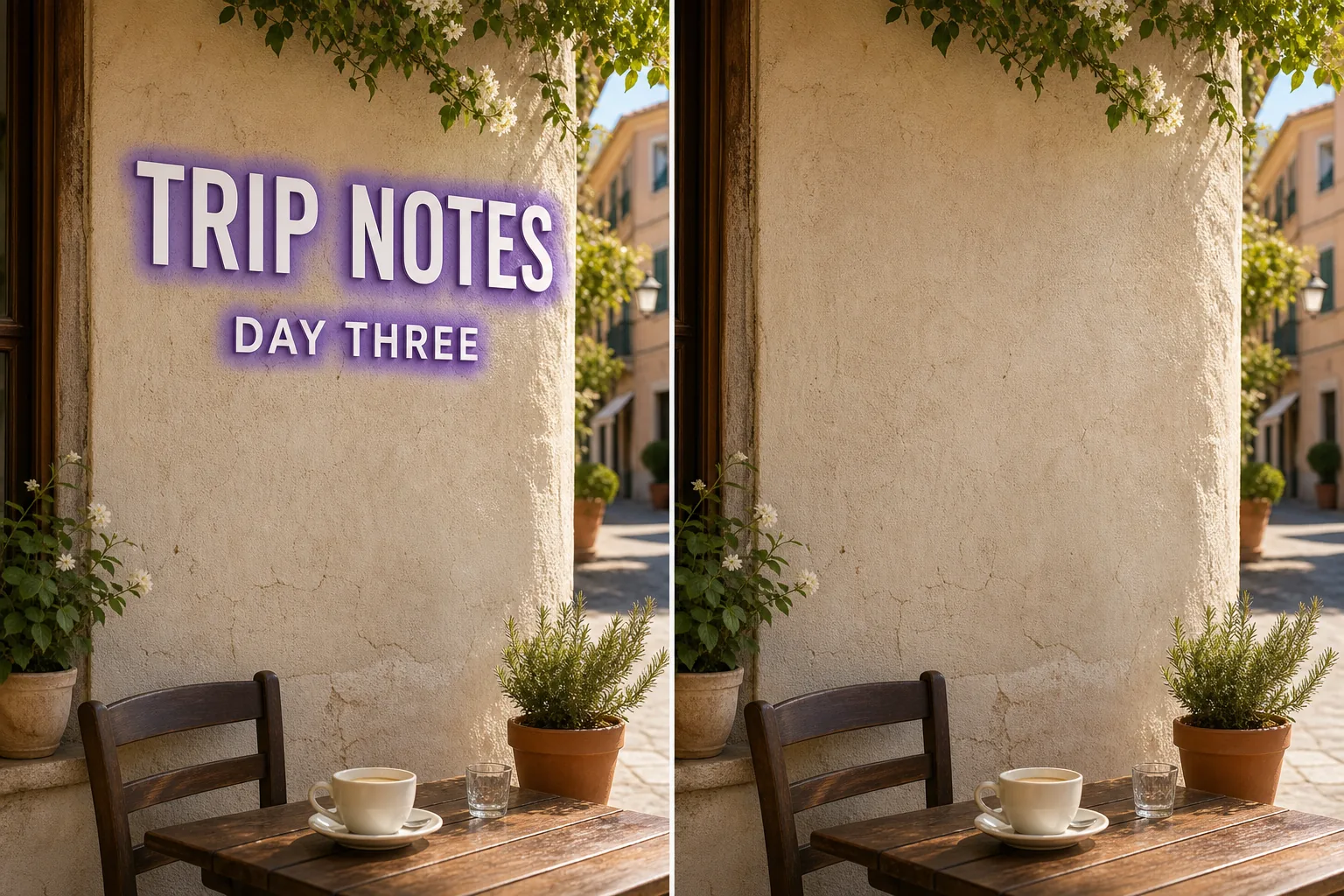
Photo before removing text with Magic Eraser
Before
Photo after removing text with Magic Eraser
After

AIによるテキスト削除の仕組み

Text on a photo is rarely just a flat sticker — it sits on top of skies, faces, brick walls, menus, and signage, and each letter hides a slightly different patch of background. Removing it cleanly means rebuilding what every stroke and serif was covering, then matching the colour, lighting, and texture of the surrounding area. Done by hand with a clone stamp, that is slow and usually leaves smears or repeated patterns. Magic Eraser handles it in one pass: you mark the words — a meme caption across the top, a watermark-style line of credit text, a street sign, a product label, or subtitles baked into a screenshot — and the AI paints them out and fills the gap with a plausible continuation of the background. The result depends heavily on what the text was sitting on, which is the honest part most tools skip over.

ステップバイステップ手順

  1. 1

    写真をアップロード

    Web、iOS、AndroidでMagic Eraserを開き、テキストが写っている写真をドロップ。JPEG、PNG、WebPに対応。

  2. 2

    削除したい部分をブラシ

    削除したいテキストの上をブラシで塗ります。対象より少し広めに塗ると、AIがきれいなエッジを作ります。

  3. 3

    消去してダウンロード

    AIが数秒で背景を再構築。結果を確認し、必要に応じてタッチアップブラシで調整、フル解像度でエクスポート。

こんな方におすすめ

注意事項

Text removal is only as good as the background under the letters, and Magic Eraser is candid about that. Words sitting on a plain, even surface — a clear sky, a solid wall, a blurred backdrop, flat-colour packaging — reconstruct almost invisibly, because the AI only has to extend a simple, predictable texture. Words sitting on detailed or unique content are different: text laid over a person's face, dense text, fine print over a patterned fabric, or a sign whose underlying shopfront is fully hidden cannot be recovered, because that information genuinely is not in the image. There the AI estimates a plausible fill rather than restoring the true pixels, so treat the patch as a believable reconstruction, not a reveal of what was actually behind the words. For best results, brush tightly around each character, include outlines and shadows, and run a second pass on any ghosting. Note this is distinct from a semi-transparent watermark or a graphic logo — here you are removing readable, opaque lettering, which the AI can isolate cleanly but must rebuild from scratch underneath.

よくある質問

写真からテキストを削除するのは無料ですか?
はい。Magic Eraserの無料プランでテキストの削除が可能です(1日の使用制限あり)。Premium($29.99/年)にアップグレードすると制限が解除され、高解像度エクスポートが可能になります。
テキストの削除にはどのくらい時間がかかりますか?
通常数秒です。AIが塗った領域を処理し、背景をほぼ瞬時に再構築します。
スマートフォンでも使えますか?
はい。Magic EraserはiOS、Android、Webブラウザで動作します。どのデバイスからでもテキストを削除できます。
画質は劣化しますか?
いいえ。AIは写真の元の解像度と品質を維持します。再構築された領域は周囲の明るさ、色、テクスチャに合わせます。