
Magic Eraser vs Snapseed:AIの手軽さか、手動の精密さか?
Snapseedは依然として人気の無料モバイル編集アプリですが、手動調整や従来型の写真ツールへの依存度が高めです。Magic Eraserは、より少ない手間で素早くクリーンアップや補正を行いたいユーザー向けに、最新のAIワークフローを追加します。
Last updated
Magic Eraserを無料で試すComparison rows are editorial summaries from the latest page review, not a guarantee of current pricing, limits, watermark policy, batch support, speed, or platform availability.
概要
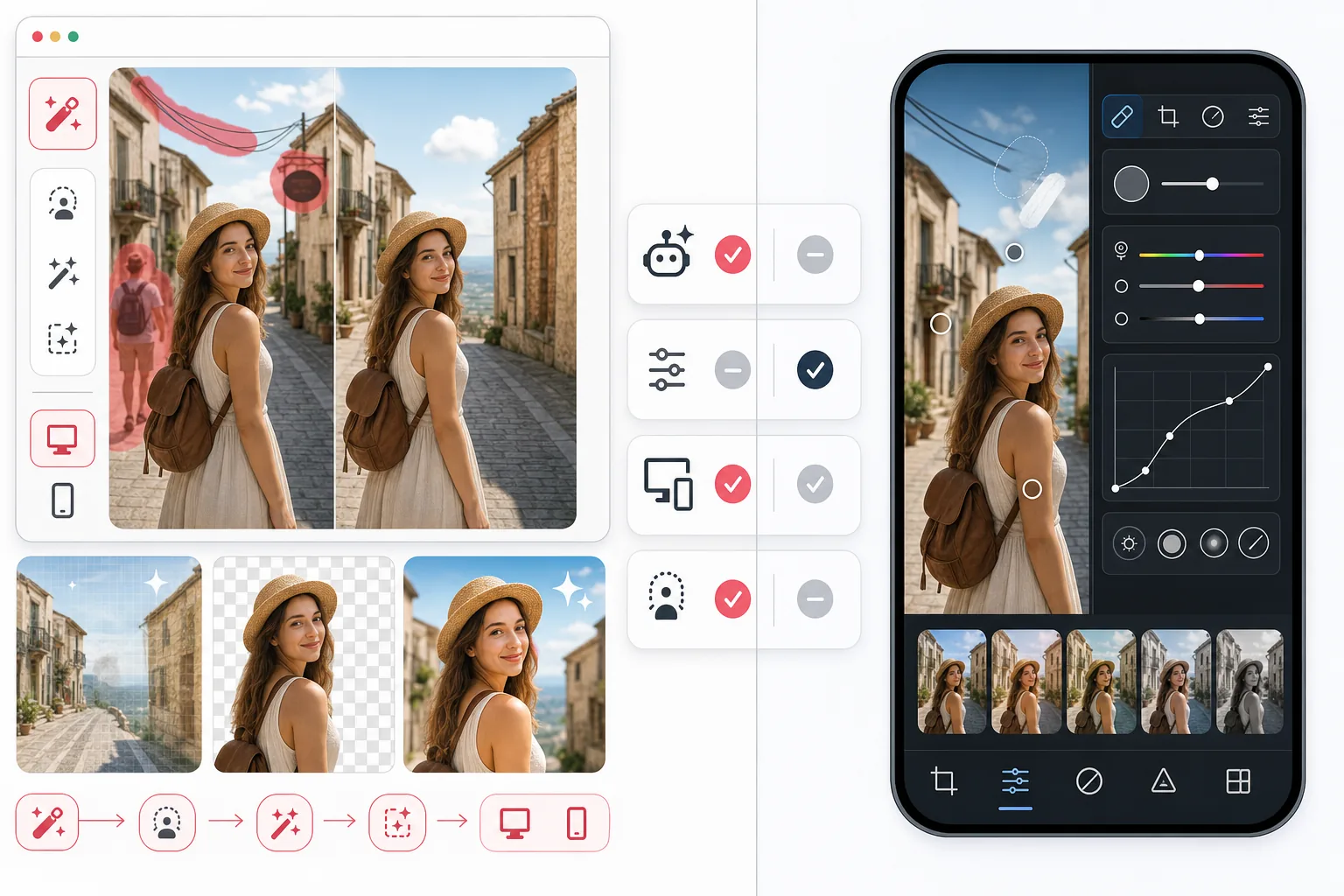
Magic Eraserは、人物やオブジェクトの除去、背景のクリーンアップ、ディテールの補正、欠けた部分の補完といったAI支援編集タスクを、最小限の手作業で行えるよう設計されています。
SnapseedはGoogleが提供する無料のモバイル写真編集アプリで、色彩、ストラクチャ、カーブ、修復、部分調整といった強力な手動ツールを備えていますが、ワークフローの中心がAIによるクリーンアップにあるわけではありません。
機能比較
Magic Eraserは、人物やオブジェクトの除去、背景のクリーンアップ、ディテールの補正、欠けた部分の補完といったAI支援編集タスクを、最小限の手作業で行えるよう設計されています。
SnapseedはGoogleが提供する無料のモバイル写真編集アプリで、色彩、ストラクチャ、カーブ、修復、部分調整といった強力な手動ツールを備えていますが、ワークフローの中心がAIによるクリーンアップにあるわけではありません。
| Feature | Magic Eraser | Snapseed |
|---|---|---|
| オブジェクト除去 | 対応 — AIブラシ | 対応 — 修復ツール |
| 背景除去 | 対応 | 非対応 |
| AI補正 | 対応 | 非対応 |
| 手動カラーグレーディング | 基本機能 | 充実 |
| ウェブ版 | 対応 | 非対応 |
| 生成塗りつぶし | 対応 | 非対応 |
| 習得のしやすさ | 易しい | 普通 |
| 最適な用途 | 素早いAI編集 | 手動モバイルレタッチ |
Feature rows summarize visible product positioning and should be rechecked against official product pages before purchase, migration, or compliance decisions.
- Last content review June 21, 2026
- Snapseed source: official product site (https://snapseed.online/)
- Magic Eraser source: https://magiceraser.live/ja/product/magic-eraser
- Pricing, feature availability, platform support, and limits can change; recheck official sources before relying on a buying decision.
料金比較
| Plan | Magic Eraser | Snapseed |
|---|---|---|
| 無料プラン | 無料 — 編集回数に制限あり | 無料 — 完全無料 |
| 月額 | $9.99/mo | 無料 — 有料プランなし |
| 年額 | $4.99/mo(年額請求) | 無料 — 有料プランなし |
料金は2026年5月時点のものです。最新の料金は各提供元でご確認ください。
Pricing rows are snapshots from review time. Free tiers, subscriptions, trials, export limits, and regional availability can change without notice.
- Last content review June 21, 2026
- Snapseed source: official product site (https://snapseed.online/)
- Magic Eraser source: https://magiceraser.live/ja/product/magic-eraser
- Pricing, feature availability, platform support, and limits can change; recheck official sources before relying on a buying decision.
Magic Eraserを選ぶ理由
AIが面倒な作業の多くを肩代わり
複数の調整ツールを手動でバランス調整する代わりに、Magic EraserはAI主導のオブジェクト除去、補完、補正ワークフローにより、よりきれいな仕上がりをより速く実現できるようサポートします。
クリーンアップ中心のタスクにより便利
背景に写り込んだ観光客、乱雑なケーブル、邪魔なテキスト、いまいちな背景といった問題には、Snapseedの従来型の修復アプローチよりもMagic Eraserのワークフローのほうが強力です。
モバイル以外でも利用可能
Snapseedはモバイル専用です。Magic Eraserはモバイルとウェブの両方で動作するため、スマートフォンでの手軽な編集からノートパソコンでの本格的な制作作業へ簡単に移行できます。
編集の専門家でない人に最適
Magic Eraserは、プロの編集者ではないものの、出品ページ、商品写真、SNS、広告向けに洗練された仕上がりを必要とするユーザーにより適しています。
よくある質問
オブジェクト除去ではMagic EraserはSnapseedより優れていますか?
+
素早いオブジェクト除去や背景の再構築においては、ワークフローが手動修復だけでなくAI支援によるクリーンアップを中心に構築されているため、Magic Eraserのほうが信頼できる場合が多いです。
Snapseedにはウェブ版がありますか?
+
いいえ。Snapseedはモバイル専用です。Magic Eraserはウェブブラウザとモバイル端末の両方で動作します。
手動の色調整にはどちらの編集アプリが優れていますか?
+
手動の色調やトーン調整にはSnapseedのほうが強力です。AIクリーンアップ、補正、実用的な編集スピードにはMagic Eraserのほうが優れています。
Magic Eraserは低画質の写真を補正できますか?
+
はい。Magic EraserにはディテールとクリアさをAIで向上させる補正ツールが搭載されており、特に写真を素早くクリーンアップしてシャープにしたい場合に役立ちます。
頻繁に編集するクリエイターにはどちらのアプリが向いていますか?
+
編集作業で邪魔な要素の除去や構図の問題の修正が多い場合は、通常Magic Eraserのほうが適しています。主に手動での色調整を行う場合は、Snapseedも引き続き役立つでしょう。
手動の修復ツールより速い編集をお望みですか?
Magic Eraserを無料で試して、AIで邪魔な要素を除去し、ディテールを補正し、より短時間で編集を仕上げましょう。
Magic Eraserを無料で試す関連するユースケース
プロフェッショナルが実際のワークフローでこれらのツールをどのように活用しているかをご覧ください。
生活感あふれる私物や路上駐車、工事機材が写り込んだ物件写真は、内見意欲を下げてしまいます。Magic Eraserを使えば、Photoshopのスキルがなくても瞬時にきれいな物件写真に仕上がります。
背景がごちゃごちゃした商品写真では、お客様はすぐにスクロールして通り過ぎてしまいます。Magic Eraserなら、プロ品質の商品画像を数秒で作成できます。Photoshopのスキルは不要。アップロードして、不要な部分を消して、すぐに出品しましょう。
旅行写真に知らない人が写り込んでいませんか?自撮りの背景がごちゃごちゃしていませんか?Photoshopで何時間もかける必要はもうありません。Magic Eraserなら不要なオブジェクトの除去、背景のクリーンアップ、各プラットフォーム向けのリサイズがワンタップで完了します。
他の比較
Magic Eraserが他の写真編集ツールとどう比較されるかをご覧ください。
Cleanup.picturesはオブジェクト除去に特化した無料ウェブツールです。Magic Eraserは8つのAI編集ツール、モバイルアプリ、高度な処理機能を備えています。両者の違いをご覧ください。
異なる強みを持つ2つの強力なAI写真エディター。Magic Eraserはより幅広いジェネレーティブAIツールを提供し、Photoroomはeコマース商品撮影とバッチ処理に優れています。あなたのワークフローに合うのはどちらか確認しましょう。
主要なAI写真編集ツールをテスト・比較しました。オブジェクト除去から背景置換まで、あなたのワークフローに最適なエディターを見つけましょう。
Fotorはテンプレートと美顔ツールを備えた幅広いオンライン写真エディターを提供します。Magic Eraserは実用的なAIクリーンアップ、背景除去、補正、生成編集に特化し、日々のワークフローをより速くします。
Pixlr はレイヤーやエフェクトを備えた、クラシックなブラウザベースの編集環境をユーザーに提供します。Magic Eraser は、本格的な編集インターフェースなしで洗練された仕上がりを求めるユーザーのために、AIを最優先したクリーンアップ、強調、背景処理に特化しています。
Luminar Neoは、深い強化とクリエイティブ制御を求めるデスクトップ写真家にとって強力です。Magic Eraserは、より高速なクリーンアップ、より軽量なワークフロー、Webとモバイル全体での柔軟な編集のために作られています。