
Magic Eraser 対 Luminar Neo:どちらのAIエディターが日常作業に適しているか?
Luminar Neoは、深い強化とクリエイティブ制御を求めるデスクトップ写真家にとって強力です。Magic Eraserは、より高速なクリーンアップ、より軽量なワークフロー、Webとモバイル全体での柔軟な編集のために作られています。
Last updated
Magic Eraserを無料で試すComparison rows are editorial summaries from the latest page review, not a guarantee of current pricing, limits, watermark policy, batch support, speed, or platform availability.
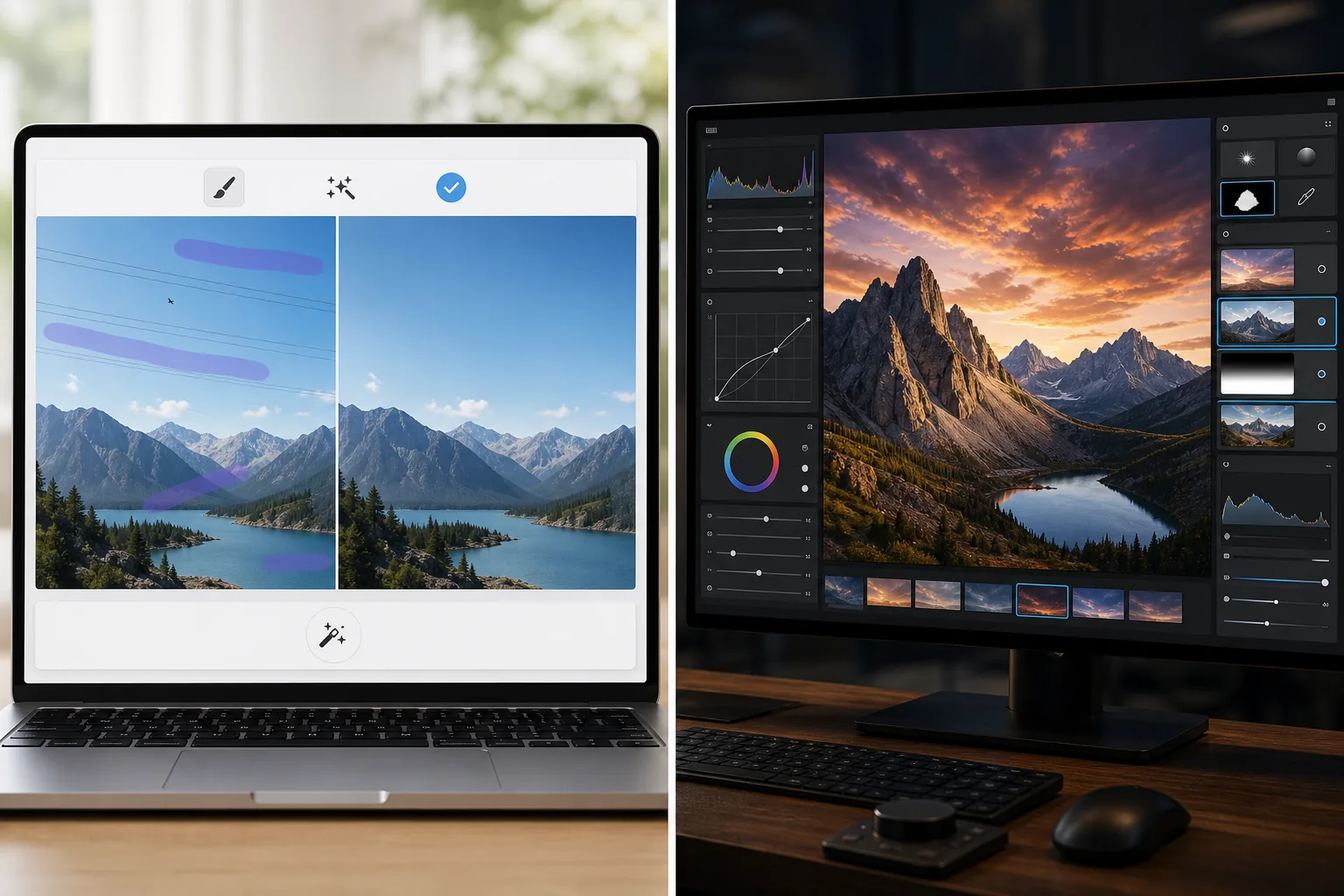
概要
Magic Eraserは実用的なAIタスクに焦点を当てています:邪魔な要素の除去、背景の消去、写真の強化、そしてあらゆるデバイスから素早く洗練されたビジュアルを作成。
Luminar Neoは、高度な強化、リライティング、空の置換、マスキング、写真家向けのクリエイティブ制御を備えたデスクトップ優先のAI写真エディターです。
機能比較
Magic Eraserは実用的なAIタスクに焦点を当てています:邪魔な要素の除去、背景の消去、写真の強化、そしてあらゆるデバイスから素早く洗練されたビジュアルを作成。
Luminar Neoは、高度な強化、リライティング、空の置換、マスキング、写真家向けのクリエイティブ制御を備えたデスクトップ優先のAI写真エディターです。
| Feature | Magic Eraser | Luminar Neo |
|---|---|---|
| AIオブジェクト除去 | あり | あり |
| 背景除去 | あり | 限定的 |
| クリエイティブなリライティング | なし | あり |
| AI強化 | あり | あり — 高度 |
| Web編集 | あり | なし |
| モバイルアクセス | あり | 限定的 |
| 最適な用途 | 高速で実用的な編集 | 写真家のデスクトップワークフロー |
| セットアップの複雑さ | 低い | 中程度から高い |
Feature rows summarize visible product positioning and should be rechecked against official product pages before purchase, migration, or compliance decisions.
- Last content review June 21, 2026
- Luminar Neo source: official product site (https://skylum.com/luminar)
- Magic Eraser source: https://magiceraser.live/ja/product/magic-eraser
- Pricing, feature availability, platform support, and limits can change; recheck official sources before relying on a buying decision.
価格比較
| Plan | Magic Eraser | Luminar Neo |
|---|---|---|
| 無料枠 | 無料 — 編集制限あり | 7日間トライアル |
| 月額 | $9.99/mo | $14.95/mo |
| 年額 | $4.99/mo(年払い) | $9.95/mo(年払い) |
価格は2026年5月時点。現在の料金は各プロバイダーをご確認ください。
Pricing rows are snapshots from review time. Free tiers, subscriptions, trials, export limits, and regional availability can change without notice.
- Last content review June 21, 2026
- Luminar Neo source: official product site (https://skylum.com/luminar)
- Magic Eraser source: https://magiceraser.live/ja/product/magic-eraser
- Pricing, feature availability, platform support, and limits can change; recheck official sources before relying on a buying decision.
Magic Eraserを選ぶ理由
写真家でないチームにはより速い
マーケティングチーム、販売者、クリエイターは、プロ級のデスクトップ制御よりも速度と一貫性を重視することが多いです。Magic Eraserはその現実に最適化されています。
より強力なブラウザワークフロー
Luminar Neoはデスクトップ使用を中心にしています。Magic Eraserはワークステーションのセットアップを必要とせず、ブラウザとモバイルデバイスから編集をアクセス可能に保ちます。
クリーンアップ優先の作業に最適
主なニーズが雑然としたものの除去、製品のクリーンアップ、リスティング写真の修正、またはテキストや人物の消去である場合、Magic Eraserはより速く到達します。
チーム全体で簡単に採用
Magic Eraserは、写真家向けインターフェースの深いトレーニングなしに、繰り返しの画像クリーンアップ作業のためのよりシンプルな標準ワークフローをチームに提供します。
よくある質問
Luminar NeoはMagic Eraserより強力ですか?
+
高度なデスクトップ写真撮影とクリエイティブ制御については、はい。高速なAIクリーンアップとより簡単なクロスデバイス編集については、Magic Eraserがしばしばより適しています。
Magic EraserはLuminar Neoのように写真を強化できますか?
+
はい。Magic Eraserは、ディテールをシャープにし画像品質を向上させるためのAI強化ツールを含みますが、Luminar Neoはより広範なプロフェッショナルな強化ツールキットを提供します。
Eコマースチームにはどちらのツールが優れていますか?
+
Magic Eraserは、繰り返し可能なクリーンアップ、背景編集、プレゼンテーション対応の画像準備に高速であるため、Eコマースとマーケティングチームにしばしば優れています。
Luminar Neoはブラウザで動作しますか?
+
いいえ。Luminar Neoは主にデスクトップ重視です。Magic Eraserはブラウザベースで、モバイルでも利用できます。
どちらのエディターが初心者に簡単ですか?
+
Magic Eraserは初心者により簡単です。より複雑な写真ワークフローではなく、明確なAI編集タスクを中心に作られているからです。
デスクトップの複雑さなしでAI編集をしたいですか?
Magic Eraserを無料で試して、あらゆるデバイスからよりきれいな写真、より速い背景修正、よりシャープなビジュアルを手に入れましょう。
Magic Eraserを無料で試す関連するユースケース
プロフェッショナルが実際のワークフローでこれらのツールをどのように活用しているかをご覧ください。
生活感あふれる私物や路上駐車、工事機材が写り込んだ物件写真は、内見意欲を下げてしまいます。Magic Eraserを使えば、Photoshopのスキルがなくても瞬時にきれいな物件写真に仕上がります。
背景がごちゃごちゃした商品写真では、お客様はすぐにスクロールして通り過ぎてしまいます。Magic Eraserなら、プロ品質の商品画像を数秒で作成できます。Photoshopのスキルは不要。アップロードして、不要な部分を消して、すぐに出品しましょう。
旅行写真に知らない人が写り込んでいませんか?自撮りの背景がごちゃごちゃしていませんか?Photoshopで何時間もかける必要はもうありません。Magic Eraserなら不要なオブジェクトの除去、背景のクリーンアップ、各プラットフォーム向けのリサイズがワンタップで完了します。
他の比較
Magic Eraserが他の写真編集ツールとどう比較されるかをご覧ください。
Fotorはテンプレートと美顔ツールを備えた幅広いオンライン写真エディターを提供します。Magic Eraserは実用的なAIクリーンアップ、背景除去、補正、生成編集に特化し、日々のワークフローをより速くします。
RetouchMe はポートレートや体型の編集に人のレタッチャーを起用し、数分で結果を届けます。Magic Eraser はAIを活用し、オブジェクト除去、背景編集、補正、生成ツールにわたって即座に結果を提供します。これにより、より高い操作性とより速い納品を実現します。
AirBrushは、ポートレートのレタッチとフィルターに特化したセルフィー・美容編集ツールです。Magic Eraserは、あらゆる種類の写真に対応するオブジェクト除去、背景除去、高画質化、生成編集のために作られた多用途のAI写真編集ツールです。
AI編集、オブジェクト除去、補正、クリエイティブエフェクトで最高の結果をもたらすアプリを見つけるため、iPhone向けのトップ写真編集アプリをテストしました。今年のベストiPhone写真エディターの選定結果をご紹介します。
Androidで利用できるトップ写真編集アプリをテストし、AI編集、オブジェクト除去、画質向上、クリエイティブツールを比較しました。今年のベストAndroid写真エディターと、それぞれの比較をご紹介します。
Meituは豊富なポートレートフィルターを備えた人気の美顔・セルフィー編集アプリです。Magic Eraserは、AIによるオブジェクト除去、背景除去、画質向上、生成塗りつぶし、クリエイティブツールなど、より幅広い編集ニーズに対応します。セルフィー以外の編集も行うユーザーにとって、より良い選択肢となります。