
Magic Eraser 対 Adobe Lightroom:クリーンアップAI対RAW現像とカタログ
Adobe Lightroomは、RAW現像、色とトーンの補正、プリセット、大規模なカタログ管理のための写真家のワークフロー標準であり、写真家が撮影セッションから数百枚から数千枚の写真を処理し、セット全体に一貫したグローバル調整を適用する必要があるという前提を中心に設計されています。Magic Eraserは逆の問題を解決します:邪魔な要素の除去、背景の交換、生成塗りつぶし、品質回復が作業となる個々の写真でのAI駆動のクリーンアップを、Web、iOS、Androidで無料枠とともに。2つのツールは写真ワークフローの異なるステーションに存在し、正しい選択は作業の形がカタログ規模のRAW現像か写真ごとのクリーンアップと編集かによります。
Last updated
Magic Eraserを無料で試すComparison rows are editorial summaries from the latest page review, not a guarantee of current pricing, limits, watermark policy, batch support, speed, or platform availability.
概要
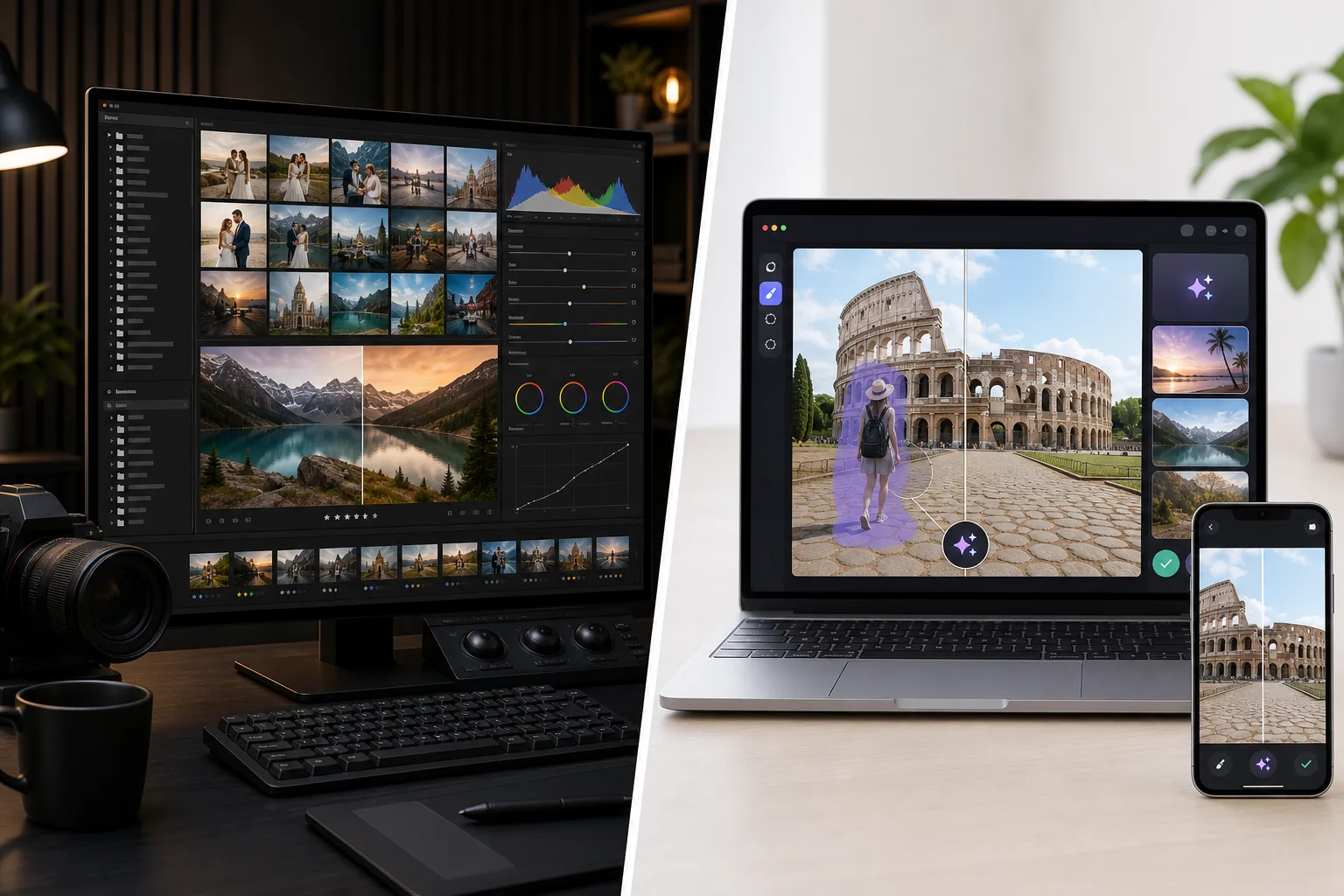
Magic Eraserはクリーンアップ作業に最適化されたAIファーストの写真エディターです:邪魔な要素を除去するMagic Eraserブラシ、背景を交換するBackground Eraser、生成塗りつぶしとアウトペインティングのためのAI Fill、シャープ化・ノイズ除去・アップスケールのためのAI Enhance、カラーグレーディングのためのAI Filter。全機能セットがWeb、iOS、Androidで動作し、すべてのプラットフォームに無料枠と年額$29.99のPremium枠があります。各ツールはカタログ管理なし、写真ごとのメタデータなし、RAW現像パイプラインなしの単一キャンバスアクションです — 製品は結果までのスピードが最適化目標である個々の編集を中心に作られています。Magic Eraserは、LightroomがRAWを現像した後のクリーンアップと編集のステーションとして、またはスマホカメラからのJPEG / HEICソースで作業する写真家やクリエイター向けのスタンドアロンエディターとして、写真家のワークフローに収まります。
Adobe Lightroom(Classicデスクトップカタログ版とLightroomクラウド版の両方)は写真家のRAW現像とカタログツールであり、セッションあたり100〜2000枚以上の写真を取り込み、並べ替え、色補正、トーン調整、露出バランス、ホワイトバランス補正し、一貫したプリセットをセット全体に適用してエクスポートする撮影ワークフローを中心に設計されています。Lightroom Classicはローカルカタログストレージを備えたデスクトップ専用(Windows / macOS)で、ほとんどのプロ写真家が使用するバージョンです。Lightroom(クラウド版、別製品)はクラウド同期でデスクトップ / iPad / iOS / Androidで動作します。価格はAdobe Photography Plan(Photoshopとバンドルで月額$9.99-19.99)またはLightroom単体(1TBクラウドストレージ付き月額$9.99)です。LightroomのAI機能は成長していますが(AI Denoise、AI Masking、2024-2025の生成削除)、製品の重心はRAW現像と大規模なカタログ管理のままです。
機能比較
Magic Eraserはクリーンアップ作業に最適化されたAIファーストの写真エディターです:邪魔な要素を除去するMagic Eraserブラシ、背景を交換するBackground Eraser、生成塗りつぶしとアウトペインティングのためのAI Fill、シャープ化・ノイズ除去・アップスケールのためのAI Enhance、カラーグレーディングのためのAI Filter。全機能セットがWeb、iOS、Androidで動作し、すべてのプラットフォームに無料枠と年額$29.99のPremium枠があります。各ツールはカタログ管理なし、写真ごとのメタデータなし、RAW現像パイプラインなしの単一キャンバスアクションです — 製品は結果までのスピードが最適化目標である個々の編集を中心に作られています。Magic Eraserは、LightroomがRAWを現像した後のクリーンアップと編集のステーションとして、またはスマホカメラからのJPEG / HEICソースで作業する写真家やクリエイター向けのスタンドアロンエディターとして、写真家のワークフローに収まります。
Adobe Lightroom(Classicデスクトップカタログ版とLightroomクラウド版の両方)は写真家のRAW現像とカタログツールであり、セッションあたり100〜2000枚以上の写真を取り込み、並べ替え、色補正、トーン調整、露出バランス、ホワイトバランス補正し、一貫したプリセットをセット全体に適用してエクスポートする撮影ワークフローを中心に設計されています。Lightroom Classicはローカルカタログストレージを備えたデスクトップ専用(Windows / macOS)で、ほとんどのプロ写真家が使用するバージョンです。Lightroom(クラウド版、別製品)はクラウド同期でデスクトップ / iPad / iOS / Androidで動作します。価格はAdobe Photography Plan(Photoshopとバンドルで月額$9.99-19.99)またはLightroom単体(1TBクラウドストレージ付き月額$9.99)です。LightroomのAI機能は成長していますが(AI Denoise、AI Masking、2024-2025の生成削除)、製品の重心はRAW現像と大規模なカタログ管理のままです。
| Feature | Magic Eraser | Adobe Lightroom |
|---|---|---|
| RAW現像(CR3 / NEF / ARW / DNG) | 主な用途ではない | あり — 主な機能、現像モジュール |
| カタログ管理(数千枚の写真) | なし — 単一キャンバス編集 | あり — Lightroom Classicのコア機能 |
| プリセットライブラリ + 写真間の同期 | 写真ごとのAI Filterプリセット | 現像プリセットがカタログバッチ間で同期 |
| オブジェクト / 邪魔な要素の除去 | ワンクリックMagic Eraserブラシ | Generative Remove(2024-2025以降、AI駆動) |
| 背景の除去 / 交換 | ワンクリックBackground Eraser | AI Masking + 手動選択(より遅い) |
| 生成AI塗りつぶし(テキストプロンプト) | あり — テキストプロンプト付きAI Fill | テキストプロンプト制御なしのGenerative Remove |
| AIシャープ化 / ノイズ除去 / アップスケール | AI Enhance、単一アクション | AI Denoise(Lightroom固有、別のスライダー) |
| カラーグレーディング / フィルター | AI Filterプリセット + 調整 | 現像モジュール + カラーグレーディングモジュール |
| トーン / 露出 / ホワイトバランス補正 | AI Filterが広範なカラーグレードを処理 | あり — 精密なスライダー付きの主な機能 |
| モバイル(iOS / Android) | あり — 両方で完全な機能セット | Lightroomモバイル(クラウド版)、Lightroom Classicはデスクトップのみ |
| Webアプリ(インストール不要) | あり | Lightroom Web(機能限定) |
| 価格 | 無料 + Premium年額$29.99 | 月額$9.99-19.99 + モバイル$0.99-9.99 |
| 最適なワークフローの形 | 写真ごとのクリーンアップと編集 | カタログ規模のRAW現像と色 |
| 典型的なユーザー | 写真を編集する誰でも、特にモバイルとJPEG | セッション規模でRAW撮影する写真家 |
Feature rows summarize visible product positioning and should be rechecked against official product pages before purchase, migration, or compliance decisions.
- Last content review May 16, 2026
- Adobe Lightroom source: official product site (https://www.adobe.com/products/photoshop-lightroom.html)
- Magic Eraser source: https://magiceraser.live/ja/product/magic-eraser
- Pricing, feature availability, platform support, and limits can change; recheck official sources before relying on a buying decision.
価格比較
| Plan | Magic Eraser | Adobe Lightroom |
|---|---|---|
| 無料枠 | 無料 — 編集制限あり | 7日間トライアル |
| 月額 | $9.99/mo | $9.99/mo |
| 年額 | $4.99/mo(年払い) | $9.99/mo(年払い) |
価格は2026年5月時点。現在の料金は各プロバイダーをご確認ください。
Pricing rows are snapshots from review time. Free tiers, subscriptions, trials, export limits, and regional availability can change without notice.
- Last content review May 16, 2026
- Adobe Lightroom source: official product site (https://www.adobe.com/products/photoshop-lightroom.html)
- Magic Eraser source: https://magiceraser.live/ja/product/magic-eraser
- Pricing, feature availability, platform support, and limits can change; recheck official sources before relying on a buying decision.
Magic Eraserを選ぶ理由
LightroomのGenerative Removeより高速でシンプルなクリーンアップ作業
Lightroomは2024-2025にGenerative Removeを追加し、これはすでにLightroomを使っている写真家にとって意味のあるAIクリーンアップ機能です。トレードオフはワークフローの形です:Lightroomでは、クリーンアップはカタログコンテキストでRAWファイルを処理していることを前提とする現像モジュールパイプラインの1ノードです。クリーンアップブラシは、正しいモジュールに入り、正しいツールを選択し、注意深く塗り、評価し、カタログに保存し直す必要があります。Magic Eraserのクリーンアップブラシは製品全体です — 写真を開く、ブラシ、タップ、完了 — スマホやWebで写真1枚あたり30〜60秒。クリーンアップ作業がボトルネックの写真家(邪魔な車のある不動産リスティング写真、見知らぬ人のいる旅行写真、反射やほこりのある製品写真)にとって、AIファーストの単一キャンバスワークフローは、各クリーンアップパスでLightroomの完全なモジュール階層をナビゲートするよりも大幅に高速です。
Lightroomが公開しないテキストプロンプト付き生成塗りつぶし
LightroomのGenerative Removeは裏でAdobe Fireflyによって駆動されるコンテンツ認識塗りつぶしですが、写真家にテキストプロンプト制御を公開していません。クリーンアップまたは置換操作は「これを除去してFireflyがあるべきと考えるもので埋める」に束縛されています。Magic EraserのAI Fillはテキストプロンプト制御を公開します:「前景に合う暖かい木目テクスチャ」「既存の地平線の上の夕焼け空」「3つのアーチ窓のあるベージュの石灰岩のファサード」。既存コンテンツをよりきれいにするだけでなく写真に新しいコンテンツを生成する必要があるワークフロー(不動産バーチャルステージング、テキストプロンプトによるファサード再構築での足場で覆われたランドマークのクリーンアップ、製品写真のライフスタイルコンテキスト生成)には、Magic Eraserのプロンプト駆動の生成が正しい形です。LightroomのプロンプトなしのGenerative Removeはクリーンアップの場合を処理しますが、生成コンテンツの場合は処理しません。
iOSとAndroidでネイティブに動作 — Lightroom Classicはデスクトップのみ
Lightroomは異なるプラットフォームサポートを持つ2つの製品があります:Lightroom Classic(ほとんどのプロ写真家が使うカタログベースのデスクトップ版)はWindows / macOSのみ。Lightroom(クラウド版、別製品)はクラウド同期でデスクトップ / iPad / iOS / Androidで動作します。真剣なワークフローを実行するほとんどの写真家はLightroom Classicを使用しており、これはスマホやタブレットでのモバイル編集には同期付きのクラウド版を使う(追加の複雑さ)か、モバイルで編集しないかのどちらかを意味します。Magic Eraserは完全な機能パリティを持つネイティブのiOSおよびAndroidアプリを提供し、構成するクラウド同期なし、ライセンスする第2の製品なしです。主な編集面がスマホの写真家やクリエイター(2026年の大多数のパターン)にとって、Magic Eraserのモバイルファーストの形は、Lightroomクラウド版の構成なしにワークフローに収まります。
無料枠が無期限 vs Lightroomの7日間トライアル後にサブスクリプションが必要
Adobe Photography Planは7日間の無料トライアル終了後に月額$9.99-19.99であり、Lightroom単体は月額$9.99 — 無期限の無料枠なし。Magic Eraserの無料枠は、日次使用制限付きで透かしのない画像を無期限にエクスポートします。週に5〜15枚の写真を編集するユーザー(典型的なクリエイターと中小企業のボリューム)にとって、無料枠は支払うことなく実際の作業をサポートします。アップグレードするユーザーには、Premium年額$29.99はAdobe Photography Planの3か月未満です。価格は公平な直接比較ではありません(AdobeはPhotoshop、完全なRAW現像、クラウドストレージをバンドル;Magic Eraserは異なる製品の形)が、Adobeが課金しているRAW現像とカタログ管理を必要としない作業のユーザーにとって、主にAIクリーンアップ機能を使うためにAdobeに年額$120-240を支払うのは意味のある過払いです。
カタログの規律が不要 — 写真を開く、編集、エクスポート
Lightroomの強み(大規模なカタログ管理)はその運用上のオーバーヘッドでもあります:カタログのセットアップ、正しい構造での写真のインポート、タグ付けと評価、同期するプリセットの構築、正しい命名規則でのエクスポート。セッションあたり500〜2000枚の写真を撮影する写真家にとって、そのオーバーヘッドはセット全体で生み出す一貫性で報われます。複数写真セットなしで一度に1〜20枚の写真を編集するユーザーには、カタログのオーバーヘッドは純粋な摩擦です。Magic Eraserにはカタログがありません — 写真を開く、編集、エクスポート、完了。「一回限りのスマホ編集」と「プロの撮影納品物」の間の編集ボリューム層には、カタログなしの形が正しい運用上の適合です。
よくある質問
Magic EraserはLightroomの代替ですか?
+
いいえ — 異なる問題を解決します。Lightroomは写真家のRAW現像とカタログツールで、一貫したグローバル調整で撮影から数百枚から数千枚の写真を処理するために最適化されています。Magic EraserはAIクリーンアップと編集ツールで、個々の画像での写真ごとのクリーンアップ、背景交換、生成塗りつぶし、AI Enhanceに最適化されています。セッション規模でRAW撮影するプロ写真家にはLightroomが正しいツールです。スマホカメラからのJPEG / HEICソースを編集するユーザーや写真ごとのクリーンアップ作業をするユーザーにはMagic Eraserが正しいツールです。多くの写真家は両方を実行します — 現像とカタログのレッグにLightroom、クリーンアップと編集のレッグにMagic Eraser。
旅行のランドマーク写真から足場をクリーンアップするための正しいツールは何ですか?
+
Magic Eraserがこのワークフローにより効率的な選択です。LightroomのGenerative Removeはオブジェクト除去を処理しますが、カタログベースの操作を伴う現像モジュールコンテキストです。Magic Eraserのブラシは写真1枚あたり30〜60秒で1タップ1ストロークです。密な足場がファサードを覆う場合、Magic EraserのAI Fillとテキストプロンプト制御(「双塔と中央のバラ窓を持つベージュの石灰岩ゴシック大聖堂のファサード」)は、LightroomのプロンプトなしのGenerative Removeができない調整された再構築を生成します — Lightroomはファサードを推測しますが、再構築を操作する建築様式のガイダンスを受け入れません。
一貫したカラーグレーディングで500枚の結婚式写真を処理するための正しいツールは何ですか?
+
Lightroomがこのワークフローの正しいツールです。500枚の写真セット全体でのカタログ規模の色とトーン作業は、まさにLightroomのプリセットと同期モデルが作られたものです:1枚の写真をターゲットの見た目に現像し、選択全体に現像設定を同期し、写真ごとの露出 / ホワイトバランス調整を手動で微調整し、命名規則でバッチをエクスポートします。Magic Eraserは写真ごとのAI Filterカラーグレーディングを処理しますが、500枚の写真を単一のバッチ操作としてカタログ規模で同期するために作られていません。結婚式写真家のユースケースには、Lightroomがワークフローツールです。Magic Eraserは、邪魔な要素の除去や背景交換が必要な個々の写真のクリーンアップパスとして収まります(Lightroomもできますがより遅い)。
Magic EraserはRAWファイル(.CR3、.NEF、.ARW、.DNG)を処理しますか?
+
直接は処理しません。Magic EraserはJPEG、PNG、WebP、HEICを受け付けます — スマホとほとんどのデジタルカメラが最終納品物として生成する形式です。RAWファイルには、まずLightroom(またはCapture One、Affinity Photoなど)で現像し、Magic Eraser編集用にJPEGまたはHEICをエクスポートします。2段階のワークフローはRAW撮影する写真家にとって最もきれいなパターンです:現像パスにLightroom、クリーンアップパスにMagic Eraser。ソースファイルがすでにスマホや自動JPEGキャプチャカメラからのJPEGまたはHEICであるユーザーには、変換は不要です。
両方のツールを一緒に実行できますか?
+
はい、ハイブリッドワークフローは真剣な実践を行う写真家の間で一般的です。Lightroomは現像とカタログのレッグ(RAW現像、露出 / ホワイトバランス / トーン補正、セット全体のプリセット同期、カタログ整理、命名規則でのエクスポート)を処理します。Magic Eraserはクリーンアップと編集のレッグ(オブジェクト除去、背景交換、生成塗りつぶし、個々の写真のAI Enhance)を処理します。2つのツールはワークフローの異なるステーションに存在し、それらの間の引き継ぎ(LightroomからJPEG/PNGをエクスポート、Magic Eraserで編集、最終保存)は運用上きれいです。コスト:Adobe Photography Plan年額$120-240 + Magic Eraser Premium年額$29.99 = 両方で年額$300未満、中級カメラレンズ1本に相当します。
Lightroomのモバイルアプリは — それは分析を変えますか?
+
はい、部分的に。iPad / iOS / AndroidのLightroom(クラウド版)は、デスクトップカタログへのクラウド同期、AI Denoise、AI Masking、現像モジュール機能のサブセットを備えた意味のあるモバイルエディターです。とにかくAdobeのCreative Cloudサブスクリプションを実行している写真家にとって、Lightroomモバイルは外出先での良いエディターです。残るモバイル編集のギャップ:Lightroomモバイルはクラウド版(ほとんどのプロがデスクトップで使うLightroom Classicとは別)であり、AIクリーンアップツールはMagic Eraserのブラシとタップの形ほど高速でも柔軟でもなく、ワークフローはモバイル編集を一回限りの編集として扱うのではなくクラウドカタログに戻すことを前提としています。クラウドカタログコンテキストなしのJPEG / HEICソースでのスマホネイティブ編集には、Magic Eraserが運用上よりシンプルなツールです。
3〜5年の総コスト分析は何ですか?
+
Adobe Photography Plan:月額$9.99-19.99 = ユーザーあたり年額$120-240 × 5年 = $600-1200にプランティアのアップグレードを加えたもの。Adobe Lightroom単体:月額$9.99 = 年額$120 × 5年 = $600。Magic Eraser Premium:年額$29.99 × 5年 = $150。コストギャップは本物ですが、価格モデルは異なる対象を狙い、異なる製品をバンドルしています:Adobeの価格にはPhotoshop、Lightroom Classic、Lightroomクラウド版、完全なRAW現像、クラウド同期、20GB-1TBのクラウドストレージが含まれます。Magic Eraserの価格はAIクリーンアップと編集ツール単独です。RAW現像 / カタログ管理 / クラウドストレージ / Photoshopを必要としない作業のユーザーにとって、主にAIクリーンアップ機能を使うために5年間でAdobeに$600-1200を支払うのは意味のある過払いです。完全なRAW現像カタログワークフローを必要とする作業のユーザーには、Lightroomが正しいツールであり、価格は製品の範囲を反映しています。
RAW現像とカタログのオーバーヘッドなしのAIクリーンアップ
Magic Eraserは写真ワークフローのクリーンアップと編集のレッグ — 邪魔な要素の除去、背景交換、生成AI塗りつぶし、AI Enhance — をWeb、iOS、Androidで30〜90秒の単一アクションワークフローで処理します。すべてのプラットフォームに無料枠。Premium年額$29.99はAdobe Photography Planの3か月未満です。
Magic Eraserを無料で試す関連するユースケース
プロフェッショナルが実際のワークフローでこれらのツールをどのように活用しているかをご覧ください。
生活感あふれる私物や路上駐車、工事機材が写り込んだ物件写真は、内見意欲を下げてしまいます。Magic Eraserを使えば、Photoshopのスキルがなくても瞬時にきれいな物件写真に仕上がります。
背景がごちゃごちゃした商品写真では、お客様はすぐにスクロールして通り過ぎてしまいます。Magic Eraserなら、プロ品質の商品画像を数秒で作成できます。Photoshopのスキルは不要。アップロードして、不要な部分を消して、すぐに出品しましょう。
旅行写真に知らない人が写り込んでいませんか?自撮りの背景がごちゃごちゃしていませんか?Photoshopで何時間もかける必要はもうありません。Magic Eraserなら不要なオブジェクトの除去、背景のクリーンアップ、各プラットフォーム向けのリサイズがワンタップで完了します。
他の比較
Magic Eraserが他の写真編集ツールとどう比較されるかをご覧ください。
主要なAI写真編集ツールをテスト・比較しました。オブジェクト除去から背景置換まで、あなたのワークフローに最適なエディターを見つけましょう。
Adobe Photoshopは強力ですが、ほとんどの人はその機能のごく一部しか使っていません。Magic Eraserは、本当に必要な写真クリーンアップツール — オブジェクト除去、背景除去、AIによる画質向上、生成塗りつぶし — を、よりシンプルなインターフェースで提供します。Webとモバイルで動作し、開始するのにサブスクリプションは不要です。
Tried to remove an object or background and hit a Pro paywall in Canva, Adobe Express/Photoshop, or Fotor? Magic Eraser does the same job — object removal, background removal, watermark cleanup, and enhancement — for free. No subscription, and no watermark stamped on your download.
Magic Eraserとmagic-eraser.ioを比較。機能、価格、使いやすさを並べて確認。AI写真編集にMagic Eraserが最適な理由をご覧ください。
Magic EraserとPixelcutを比較。機能、価格、使いやすさを並べて確認。AI写真編集にMagic Eraserが最適な理由をご覧ください。
Adobe Express は、Adobe Firefly に連携したデザイン・コンテンツ制作スイートの中に写真編集機能をまとめています。Magic Eraser は AI 写真クリーンアップに特化して作られています:オブジェクト除去、背景置き換え、生成塗りつぶし、画質向上です。この比較では、各ツールが最も適している場面を示します。