
Magic Eraser 対 GIMP:AIファーストのクラウドエディター vs オープンソースのデスクトップの伝統
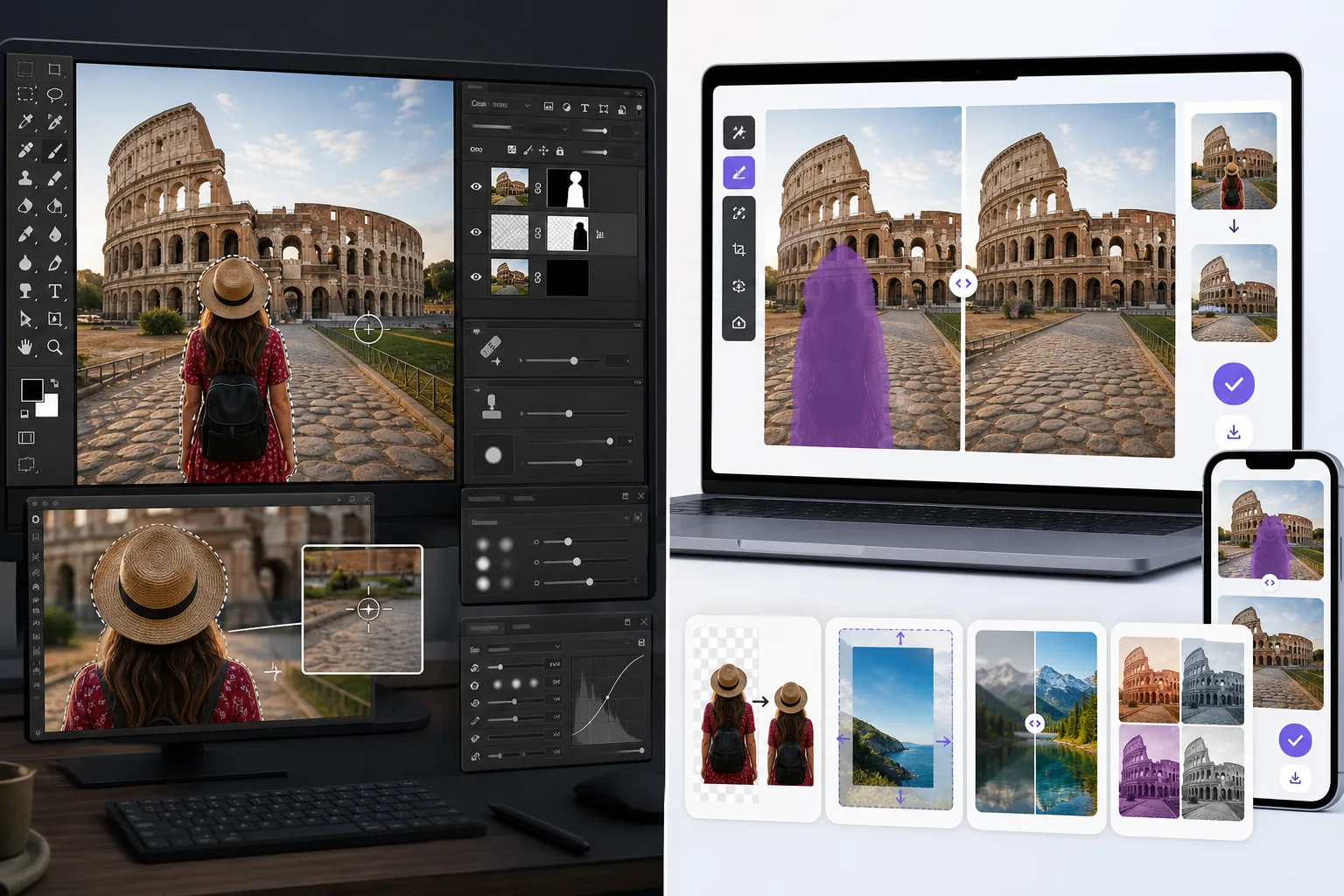
GIMP(GNU Image Manipulation Program)は1996年以来、予算重視のデザイナー、写真家、いじり好きにとって定番の無料オープンソース画像エディターでした — 完全なレイヤーベース編集、マスク、ブレンドモード、Script-FuとPythonによるスクリプト、サードパーティのプラグインエコシステム、そして永久にサブスク費用ゼロ。Magic Eraserは逆の位置づけです:結果のスピードに最適化されたAIファーストのクラウドエディターで、ワンクリック除去、生成塗りつぶし、AI Enhance、クロスプラットフォームのモバイル編集を備え、Premiumは年額$29.99。2つのツールは同じ問題空間の正反対の両端に位置し、正しい選択は、オープンソースのデスクトップソフトウェアによるピクセルレベルの手動制御を望むか、サブスクのクラウド編集によるAI駆動のスピードを望むかによります。
Last updated
Magic Eraserを無料で試すComparison rows are editorial summaries from the latest page review, not a guarantee of current pricing, limits, watermark policy, batch support, speed, or platform availability.
概要
Magic Eraserは結果のスピードに焦点を当てたAIファーストの写真エディターです:邪魔な要素を除去するMagic Eraserブラシ、背景を入れ替えるBackground Eraser、生成塗りつぶしとアウトペインティングのためのAI Fill、シャープ化・ノイズ除去・アップスケールのためのAI Enhance、カラーグレーディングのためのAI Filter。全機能セットがweb、iOS、Androidで動作し、すべてのプラットフォームに無料枠と年額$29.99のPremium枠があります。各ツールは単一キャンバスのアクションです — レイヤーパネルなし、手動マスクなし、学ぶべきスクリプト言語なし、ナビゲートすべきプラグインエコシステムなし。製品は、写真1枚あたり30〜90秒で編集を完了したいユーザー向けに作られており、レイヤースタックのエンジニアリングを通じて編集を構成したいユーザー向けではありません。
GIMPは支配的な無料オープンソースのラスター画像エディターで、1996年からGNUプロジェクトとして維持され、Windows、macOS、Linuxで利用可能です。機能セットは、調整レイヤーとマスクを備えたレイヤーベース編集、ブレンドモード、パスと選択、色とトーンの補正、JPEG・PNG・TIFF・GIF・PSD(読み込み)・XCF(ネイティブ)などにまたがるファイル形式サポート、Script-Fu(Schemeベース)とPython-Fuによるスクリプト、サードパーティのプラグインエコシステム(高度なフィルタリング用のG'MIC、コンテンツ認識塗りつぶし用のResynthesizer、バッチ処理用のBIMP)を網羅します。製品はGPLライセンスの下で無料で、サブスクなし、アカウントなし、クラウド同期なし — ダウンロードしてローカルで実行するデスクトップアプリケーションで、ソースコードは公開されています。GIMP 3.0(長らく待たれたメジャーバージョン)は2024〜2025年に、非破壊編集、GTK3の近代化、CMYK / 広色域サポートの改善を伴って登場しました。
機能比較
Magic Eraserは結果のスピードに焦点を当てたAIファーストの写真エディターです:邪魔な要素を除去するMagic Eraserブラシ、背景を入れ替えるBackground Eraser、生成塗りつぶしとアウトペインティングのためのAI Fill、シャープ化・ノイズ除去・アップスケールのためのAI Enhance、カラーグレーディングのためのAI Filter。全機能セットがweb、iOS、Androidで動作し、すべてのプラットフォームに無料枠と年額$29.99のPremium枠があります。各ツールは単一キャンバスのアクションです — レイヤーパネルなし、手動マスクなし、学ぶべきスクリプト言語なし、ナビゲートすべきプラグインエコシステムなし。製品は、写真1枚あたり30〜90秒で編集を完了したいユーザー向けに作られており、レイヤースタックのエンジニアリングを通じて編集を構成したいユーザー向けではありません。
GIMPは支配的な無料オープンソースのラスター画像エディターで、1996年からGNUプロジェクトとして維持され、Windows、macOS、Linuxで利用可能です。機能セットは、調整レイヤーとマスクを備えたレイヤーベース編集、ブレンドモード、パスと選択、色とトーンの補正、JPEG・PNG・TIFF・GIF・PSD(読み込み)・XCF(ネイティブ)などにまたがるファイル形式サポート、Script-Fu(Schemeベース)とPython-Fuによるスクリプト、サードパーティのプラグインエコシステム(高度なフィルタリング用のG'MIC、コンテンツ認識塗りつぶし用のResynthesizer、バッチ処理用のBIMP)を網羅します。製品はGPLライセンスの下で無料で、サブスクなし、アカウントなし、クラウド同期なし — ダウンロードしてローカルで実行するデスクトップアプリケーションで、ソースコードは公開されています。GIMP 3.0(長らく待たれたメジャーバージョン)は2024〜2025年に、非破壊編集、GTK3の近代化、CMYK / 広色域サポートの改善を伴って登場しました。
| Feature | Magic Eraser | GIMP |
|---|---|---|
| オブジェクト / 邪魔な要素の除去 | ワンクリックMagic Eraserブラシ | Heal Tool + Clone Stamp + Resynthesizerプラグイン(手動) |
| 背景の除去 / 入れ替え | ワンクリックBackground Eraser | Foreground Select + 手動マスク |
| 生成AI塗りつぶし(テキストプロンプト) | あり — テキストプロンプト付きAI Fill | なし(Resynthesizerプラグインがコンテンツ認識塗りつぶしを処理するがAI生成はなし) |
| AIシャープ化 / ノイズ除去 / アップスケール | AI Enhance、単一アクション | フィルター経由で手動(Unsharp Mask、NL Means denoise) |
| カラーグレーディング / フィルター | AI Filterプリセット + 調整 | Curves、Levels、Color Balance、加えてG'MICプラグイン |
| レイヤーベース編集 + マスク + ブレンドモード | なし — 単一キャンバスのAIアクション | あり — 完全なレイヤーパネル、主要機能 |
| スクリプト / 自動化 | 公開なし | Script-Fu(Scheme)+ Python-Fu |
| プラグインエコシステム | 該当なし | 豊富(G'MIC、Resynthesizer、BIMP、その他) |
| ファイル形式サポート | JPEG、PNG、WebP、HEIC | 豊富:JPEG、PNG、TIFF、GIF、PSD読み込み、XCFネイティブ、その他多数 |
| モバイル(iOS / Android) | あり — 両方で完全な機能セット | なし — デスクトップのみ |
| Webアプリ(インストール不要) | あり | なし — デスクトップインストールが必要 |
| 価格 | 無料 + Premium年額$29.99 | GPLの下で無料 — 永久にサブスクなし |
| 最適なワークフローの形 | 数秒で電話から公開まで | 完全な制御によるデスクトップ合成作業 |
| 典型的なユーザー | 写真を編集する誰でも、特にモバイル | いじり好き、予算重視のデザイナー、Linuxユーザー、オープンソース支持者 |
Feature rows summarize visible product positioning and should be rechecked against official product pages before purchase, migration, or compliance decisions.
- Last content review May 16, 2026
- GIMP source: official product site (https://www.gimp.org/)
- Magic Eraser source: https://magiceraser.live/ja/product/magic-eraser
- Pricing, feature availability, platform support, and limits can change; recheck official sources before relying on a buying decision.
価格比較
| Plan | Magic Eraser | GIMP |
|---|---|---|
| 無料枠 | 無料 — 編集制限あり | 無料 — オープンソース |
| 月額 | $9.99/mo | 無料 — 有料プランなし |
| 年額 | $4.99/mo(年払い) | 無料 — 有料プランなし |
価格は2026年5月時点。現在の料金は各プロバイダーをご確認ください。
Pricing rows are snapshots from review time. Free tiers, subscriptions, trials, export limits, and regional availability can change without notice.
- Last content review May 16, 2026
- GIMP source: official product site (https://www.gimp.org/)
- Magic Eraser source: https://magiceraser.live/ja/product/magic-eraser
- Pricing, feature availability, platform support, and limits can change; recheck official sources before relying on a buying decision.
Magic Eraserを選ぶ理由
GIMPレベルの操作スキルを必要としないAIファーストの除去
GIMPのHeal Tool、Clone Stamp、Resynthesizerプラグインは優れた除去結果を生み出します — どのツールをどのユースケースに選ぶか、ソース領域の設定方法、選択のフェザリング方法、複数パスでのブレンド方法を知っている経験豊富なGIMP操作者の手にかかれば。学習曲線は現実です:GIMPは機能の深さでPhotoshop相当であり、熟練レベルに達するには40〜80時間の集中的な練習が必要です。Magic Eraserのブラシは1ストローク、1タップ — AIがソース選択、ブレンド、再構築を単一のアクションで処理します。技術を学ばずに結果を望むユーザーにとって、その差は大きいです。正しい枠組みは「GIMPが悪い」ではなく、「GIMPはあなたが操る必要のあるパワーツール、Magic Eraserはあなたが委任するAIアシスタント」です。
GIMPが根本的に持たない生成AI塗りつぶし
GIMPのコンテンツ認識塗りつぶし機能はResynthesizerプラグイン(サードパーティのインストールが必要)から来ており、マークされた領域を埋めるために既存のピクセルをサンプリングします — 生成AIではありません。Resynthesizerは写真のどこかに既に存在していないコンテンツを生成できず、塗りつぶしを操作するテキストプロンプトの仕組みもありません。Magic EraserのAI Fillはテキストプロンプト(「前景に合う暖かい木目テクスチャ」「既存の地平線の上の夕焼け空」「3つのアーチ窓のあるベージュの石灰岩のファサード」)で新しいコンテンツを生成し、風景写真を縦または正方形のアスペクト比にアウトペインティングします。既存コンテンツをよりきれいにするだけでなく新しいコンテンツの生成を必要とするワークフローでは、Magic Eraserがこの作業をする唯一のツールです。
クラウド同期付きでiOSとAndroidにネイティブで動作 — GIMPはデスクトップのみ
GIMPはWindows、macOS、Linuxのデスクトップのみです。iOS版なし、Android版なし、Webアプリなし、クラウド同期なし、モバイルからデスクトップへの引き継ぎなし。主にAndroidスマホ、iPhone、iPad、ブラウザで写真を編集するユーザーにとって、GIMPは選択肢ではありません — AirDropまたはデスクトップに同期し、GIMPで編集し、結果を投稿用に電話に戻す必要があります。Magic EraserはWebアプリと完全な機能パリティとデバイス間のクラウド同期を備えたネイティブのiOSとAndroidアプリを提供します。2026年に支配的なモバイルファーストの編集パターンに対し、Magic EraserはGIMPが根本的に持たないワークフローの形に適合します。
30〜90秒で編集を完了する単一アクションのワークフロー
ランドマーク写真から観光客を除去するGIMPのワークフロー:GIMPを起動、ファイルを開く、正しいツール(ケースに応じてHeal ToolまたはClone StampまたはResynthesizer)を選択、Ctrl-clickでソースポイントを設定、ブラシストロークを描く、結果を評価、必要ならツールを切り替え、観光客の全シルエットにわたって繰り返し、エッジを手動で滑らかに、エクスポート。経験豊富な操作者で写真1枚あたり8〜20分、学習中の人はさらに長い。同じタスクのMagic Eraserのワークフロー:写真を開く、観光客の上をブラシで塗る、Applyをタップ、完了。30〜60秒。1セッションで10〜50枚の写真を処理するユーザー(休暇の振り返り、製品カタログ、不動産リスト、ソーシャルプロモのバッチ)にとって、スピードの差はセッションあたり数時間の節約に積み重なります。
ダウンロードなし、インストールなし、互換性の驚きなし
GIMPのインストールはWindowsとmacOSでは簡単ですが、Linuxディストリビューション間でばらつきがあり、macOSのメジャーバージョン更新との互換性問題が時折あり(GIMPは伝統的にAppleのリリースサイクルより遅れる)、1.5〜2GBのインストールフットプリントがあります。初回起動のUIは歴史的に賛否両論でした — GIMP 2.xのシングルウィンドウモードの切り替え、パネル配置、メニュー階層 — そして多くの新規ユーザーが学習曲線で離脱します。Magic Eraserはインストールなしでブラウザで動作します — URLを開く、編集、完了。iOSとAndroidアプリはApp Store / Play Storeのダウンロードで標準的なインストールパターンです。インストール + 初回起動オリエンテーションのサイクルなしで30秒で編集を開始したいユーザーにとって、インストール不要のWebアプリが運用上よりシンプルな形です。
よくある質問
GIMPは本当に無料ですか、それとも隠れたコストがある無料ですか?
+
GIMPはGPL(GNU General Public License)の下で真に無料です — サブスクなし、アカウントなし、プレミアム枠なし、テレメトリなし、広告なし。ソースコードは公開されており、自己ホスト、改変、再配布が可能です。ソフトウェア自体に隠れたコストはありません。GIMP批判者が時々挙げる「隠れたコスト」は操作時間のコストです:熟練に達するための学習曲線(40〜80時間の集中的な練習)、AI駆動ツールの30〜60秒に対し熟練レベルで写真1枚あたり8〜20分かかる除去ワークフロー、Resynthesizer / G'MIC / BIMPを見つけてインストールするプラグイン探索時間。これらは時間に他の価値ある用途があるユーザーにとって本当のコストですが、ソフトウェアのコストではありません — GIMPが最適化するワークフローの形のコストです。
GIMPは真のPhotoshop代替ですか?
+
ほとんどの写真家とデザイナーのワークフローにとっては、条件付きで「はい」。GIMPは調整レイヤーとマスクを備えたレイヤー、ブレンドモード、パスと選択、色とトーンの補正、PSD読み込みを含む広範なファイル形式サポート、Script-FuとPython-Fuによるスクリプト、コア機能セットのほとんどのギャップを埋めるサードパーティのプラグインエコシステムをサポートします。GIMPに対するPhotoshopの明確な優位性:完全な機能パリティを備えた業界標準のPSDラウンドトリップ(GIMPはPSDを読めるが一部のSmart Objectと効果レイヤーの忠実度を失う)、Adobe Camera RawのRAW現像パイプライン(GIMPはdarktableまたはRawTherapeeを別ツールとして必要)、Photoshopのプラグインエコシステム(GIMPのプラグインエコシステムよりはるかに大きい)、デスクトップ / iPad / モバイル間のAdobe Cloud同期。それらの特定機能を必要としない80%以上の写真編集タスクには、GIMPはコストゼロの完全な代替です。
GIMPが無料なのになぜMagic Eraserを選ぶのですか?
+
公平な枠組みは「GIMPは無料、Magic Eraserは有料、だからGIMPがコストで勝つ」ではありません。公平な枠組みは「GIMPは制御と無料に最適化、Magic EraserはスピードとAIに最適化、どの最適化があなたの作業に合うか?」です。編集を素早く終えて次に進むことが目標で、電話やラップトップで週に5〜20枚の写真を編集するユーザーにとって、Magic EraserのAI駆動の単一アクションワークフローは写真1枚あたり測定可能な時間を節約します。ピクセルレベルの制御が目標で時間投資が結果に見合う深いデスクトップ合成作業をするユーザーには、GIMPの深さは意味があります。多くのユーザーは両方を使います:時折の深いデスクトップ作業にはGIMP、日常の除去と編集の量にはMagic Eraser。合計コストは年額$29.99 — デザイン書1冊に相当します。
Magic EraserはGIMPのXCFファイルやPSDファイルを開けますか?
+
直接は開けません。Magic EraserはJPEG、PNG、WebP、HEICの入力を受け付けます — 電話、ほとんどのデジタルカメラ、ほとんどのWebプラットフォームが最終成果物として使う形式です。XCFファイル(GIMPのネイティブレイヤー形式)やPSDファイル(Photoshopのレイヤー形式)には、まずGIMPまたはPhotoshopからJPEG / PNGに平坦化してエクスポートし、その後Magic Eraserで編集する必要があります。ハイブリッドワークフローを実行するユーザーにとって、自然な引き継ぎは:深い合成作業はレイヤー付きXCFでGIMPで行い、平坦化されたエクスポートがMagic EraserでのあらゆるAI除去や背景入れ替えのソースになります。2段階のワークフローは両方の作業をするユーザーにとって運用上きれいです。
GIMPはMagic EraserのようにAIシャープ化やアップスケールができますか?
+
GIMPのコアのシャープ化ツール(Unsharp Mask、Sharpenフィルター)は手動の周波数領域調整で、AIベースのディテール復元ではありません。G'MICプラグインにはニューラルネットワークベースのフィルターがいくつか含まれますが、専用AIツールほど洗練されておらず速くもありません。AIアップスケール特に(低解像度のソース写真から印刷解像度のディテールを復元)については、GIMPユーザーは通常別ツールを実行します — Topaz Photo AI、Gigapixel AI、またはupscayl.org(予算重視のオープンソースワークフローでGIMPとよく組み合わさる無料オープンソースAIアップスケーラー)。Magic EraserのAI Enhanceはシャープ化、ノイズ除去、アップスケールを単一アクションにまとめ、専用ツールと競合する品質で、編集ワークフローの残りと同じ製品にあります。
GIMPとMagic Eraserを一緒に使えますか?
+
はい、多くのユーザーがそうしています。一般的なハイブリッド:レイヤー付き合成作業、RAW現像パイプライン(RAW用にdarktableまたはRawTherapeeと組み合わせ)、ピクセルレベルの制御が重要な詳細な手動レタッチにはGIMP;除去と編集の量(オブジェクト除去、背景入れ替え、AI生成塗りつぶし、AI Enhance)、ワークフローのモバイル編集の脚、深さより速度が重要なあらゆるタスクにはMagic Eraser。コスト:GIMPに$0 + Magic Eraser Premiumに年額$29.99 = 組み合わせたツールキットで年額$30未満、Adobe Creative Cloud Photography Planの年額コストの10%未満。Adobeをレンタルしたくない本格的な写真活動をするユーザーにとって、GIMP + Magic Eraserのハイブリッドは真に競争力のある代替です。
どちらがLinuxサポートが優れていますか?
+
GIMPがLinuxで勝ちます。GIMPはすべての主要なLinuxディストリビューション(Ubuntu、Fedora、Arch、Debian、openSUSE、ニッチなディストロのロングテール)でネイティブに動作し、各ディストロの標準リポジトリにパッケージがあります。Magic EraserはLinuxのブラウザで動作します(WebアプリはLinux上の任意の現代的なChromiumベースまたはFirefoxブラウザで動作)が、Linuxネイティブのデスクトップアプリはありません。デスクトップネイティブの画像エディターを特に望むLinuxユーザーには、GIMPが正しいツールです;ブラウザでのWebアプリ編集に慣れているLinuxユーザーには、Magic Eraserは問題なく機能します。Linuxネイティブ vs Webアプリの区別が、2つを選ぶLinuxユーザーにとって実用的な運用上の違いです。
GIMPの学習曲線なしのAI駆動の編集
Magic Eraserは一般的な写真編集タスク — 邪魔な要素の除去、背景の入れ替え、生成塗りつぶし、AI Enhance、カラーグレーディング — を写真1枚あたり30〜90秒で完了する単一アクションのワークフローで処理します。すべてのプラットフォームに無料枠を備えたweb、iOS、Android。
Magic Eraserを無料で試す関連するユースケース
プロフェッショナルが実際のワークフローでこれらのツールをどのように活用しているかをご覧ください。
生活感あふれる私物や路上駐車、工事機材が写り込んだ物件写真は、内見意欲を下げてしまいます。Magic Eraserを使えば、Photoshopのスキルがなくても瞬時にきれいな物件写真に仕上がります。
背景がごちゃごちゃした商品写真では、お客様はすぐにスクロールして通り過ぎてしまいます。Magic Eraserなら、プロ品質の商品画像を数秒で作成できます。Photoshopのスキルは不要。アップロードして、不要な部分を消して、すぐに出品しましょう。
旅行写真に知らない人が写り込んでいませんか?自撮りの背景がごちゃごちゃしていませんか?Photoshopで何時間もかける必要はもうありません。Magic Eraserなら不要なオブジェクトの除去、背景のクリーンアップ、各プラットフォーム向けのリサイズがワンタップで完了します。
他の比較
Magic Eraserが他の写真編集ツールとどう比較されるかをご覧ください。
主要なAI写真編集ツールをテスト・比較しました。オブジェクト除去から背景置換まで、あなたのワークフローに最適なエディターを見つけましょう。
Adobe Photoshopは強力ですが、ほとんどの人はその機能のごく一部しか使っていません。Magic Eraserは、本当に必要な写真クリーンアップツール — オブジェクト除去、背景除去、AIによる画質向上、生成塗りつぶし — を、よりシンプルなインターフェースで提供します。Webとモバイルで動作し、開始するのにサブスクリプションは不要です。
Tried to remove an object or background and hit a Pro paywall in Canva, Adobe Express/Photoshop, or Fotor? Magic Eraser does the same job — object removal, background removal, watermark cleanup, and enhancement — for free. No subscription, and no watermark stamped on your download.
Magic Eraserとmagic-eraser.ioを比較。機能、価格、使いやすさを並べて確認。AI写真編集にMagic Eraserが最適な理由をご覧ください。
Magic EraserとPixelcutを比較。機能、価格、使いやすさを並べて確認。AI写真編集にMagic Eraserが最適な理由をご覧ください。
Adobe Express は、Adobe Firefly に連携したデザイン・コンテンツ制作スイートの中に写真編集機能をまとめています。Magic Eraser は AI 写真クリーンアップに特化して作られています:オブジェクト除去、背景置き換え、生成塗りつぶし、画質向上です。この比較では、各ツールが最も適している場面を示します。