
Magic Eraser vs Facetune:汎用AIエディター vs セルフィー・ポートレート専門ツール
Facetune(PhotoleapとVideoleapの親会社であるLightricks製)は主力のセルフィー・ポートレートエディターであり、200M+のダウンロード数を誇り、顔のレタッチ、肌の滑らか化、歯のホワイトニング、目の強調、体型の補正、セルフィー専用の仕上げを中心に最適化されています。この製品は『セルフィーやポートレートを撮ったので、投稿前に磨き上げたい』というユースケースを中心に作られています。Magic Eraserはその逆を解決します。AI主導の汎用編集、つまりオブジェクト除去、背景入れ替え、生成塗りつぶし、AI Enhance、AI Filterを、商品写真、不動産写真、フード写真、ソーシャルプロモーション用グラフィック、そしてセルフィーにも対応しますが、それが主なユースケースではありません。両製品は一部のユーザーにとって重複する問題を解決しますが、非常に異なる意思決定ポイントに最適化されています。Facetuneはセルフィーの磨き上げ、Magic Eraserは顔のレタッチが多数の可能な操作の一つにすぎない汎用AI編集です。
Last updated
Magic Eraserを無料で試すComparison rows are editorial summaries from the latest page review, not a guarantee of current pricing, limits, watermark policy, batch support, speed, or platform availability.
概要
Magic Eraserは、クリーンアップと編集のワークフローを重心に据えた汎用AI写真エディターです。気が散る要素を除去するMagic Eraserブラシ、背景入れ替え用のBackground Eraser、生成塗りつぶしとアウトペインティング用のAI Fill、シャープ化/ノイズ除去/高解像度化用のAI Enhance、カラーグレーディング用のAI Filterを備えます。フル機能セットはweb、iOS、Androidで動作し、すべてのプラットフォームに無料プランと$29.99/yearのPremiumプランがあります。顔とポートレートの作業もサポートされており、Background Eraserはヘッドショットの背景をきれいにし、AI Enhanceは暗所のセルフィーのディテールを回復し、Magic Eraserブラシはシミや乱れた毛を除去しますが、この製品はFacetuneが作られている専門的なセルフィーレタッチのワークフロー(顔の形の調整、目の強調、体型の補正、特定の美顔フィルター)を中心に最適化されてはいません。
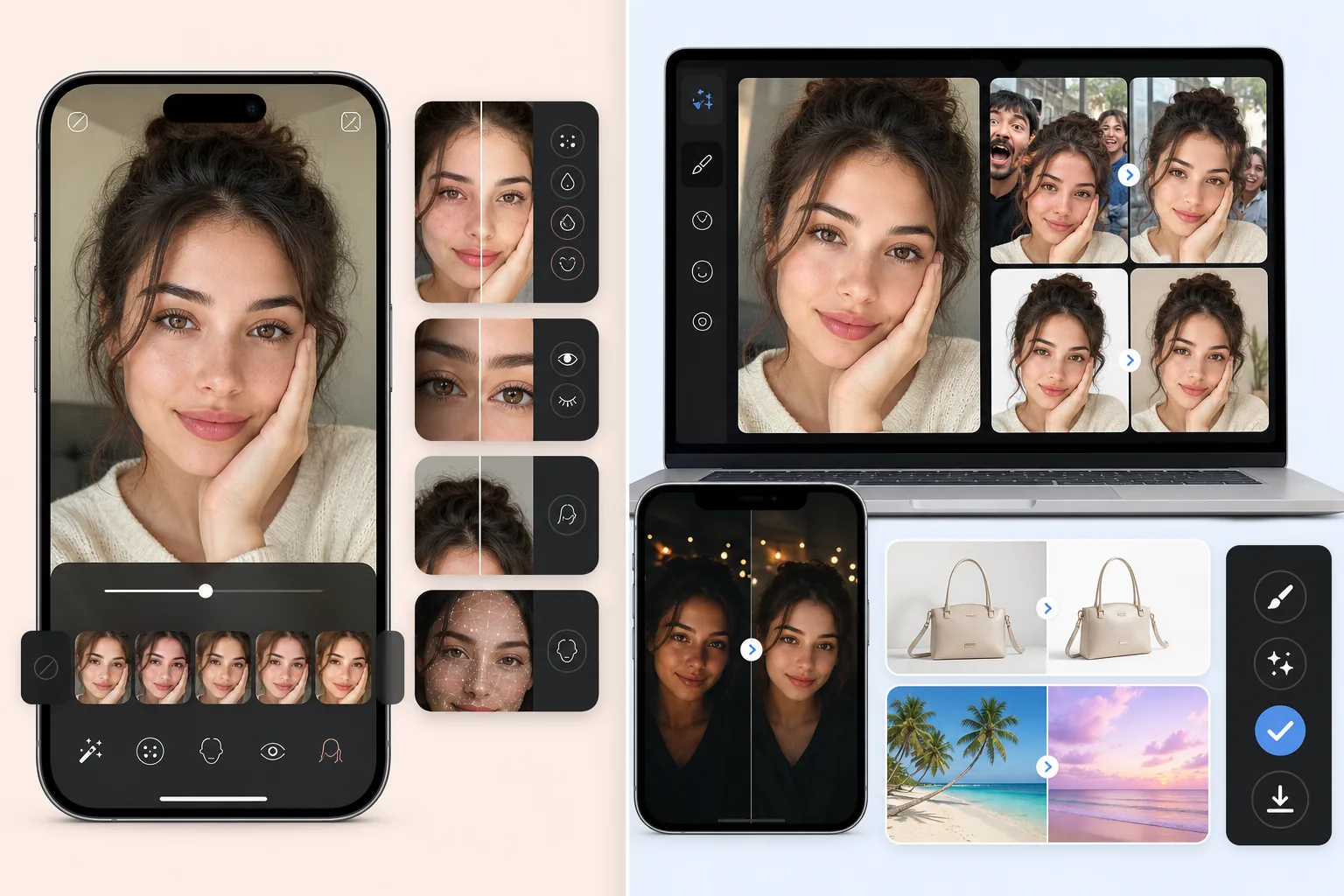
FacetuneはLightricksの主力セルフィー・ポートレートエディターであり、iOSとAndroidで200M+のダウンロード数を誇り、クリエイターやインフルエンサーの間で高いクロスインストール率を持ちます。製品の機能面は、顔のレタッチ(肌の滑らか化、シミ除去、トーン均一化補正)、顔の形の調整(あごのライン、鼻、頬骨)、目の強調(ホワイトニング、明るくする、色のシフト、メイク)、歯のホワイトニング、髪(色、スタイル、乱れた毛)、体型の補正(細く、広げる、姿勢)です。価格は$69.99/yearまたは$7.99/week(週次課金を続けると$415/year)で、追加のAI機能とFacetune Videoを含むFacetune+サブスクリプションがあります。この製品は、磨き上げが主目的となるセルフィー、ポートレート、個人ブランド写真を編集するユーザーを対象としています。
機能比較
Magic Eraserは、クリーンアップと編集のワークフローを重心に据えた汎用AI写真エディターです。気が散る要素を除去するMagic Eraserブラシ、背景入れ替え用のBackground Eraser、生成塗りつぶしとアウトペインティング用のAI Fill、シャープ化/ノイズ除去/高解像度化用のAI Enhance、カラーグレーディング用のAI Filterを備えます。フル機能セットはweb、iOS、Androidで動作し、すべてのプラットフォームに無料プランと$29.99/yearのPremiumプランがあります。顔とポートレートの作業もサポートされており、Background Eraserはヘッドショットの背景をきれいにし、AI Enhanceは暗所のセルフィーのディテールを回復し、Magic Eraserブラシはシミや乱れた毛を除去しますが、この製品はFacetuneが作られている専門的なセルフィーレタッチのワークフロー(顔の形の調整、目の強調、体型の補正、特定の美顔フィルター)を中心に最適化されてはいません。
FacetuneはLightricksの主力セルフィー・ポートレートエディターであり、iOSとAndroidで200M+のダウンロード数を誇り、クリエイターやインフルエンサーの間で高いクロスインストール率を持ちます。製品の機能面は、顔のレタッチ(肌の滑らか化、シミ除去、トーン均一化補正)、顔の形の調整(あごのライン、鼻、頬骨)、目の強調(ホワイトニング、明るくする、色のシフト、メイク)、歯のホワイトニング、髪(色、スタイル、乱れた毛)、体型の補正(細く、広げる、姿勢)です。価格は$69.99/yearまたは$7.99/week(週次課金を続けると$415/year)で、追加のAI機能とFacetune Videoを含むFacetune+サブスクリプションがあります。この製品は、磨き上げが主目的となるセルフィー、ポートレート、個人ブランド写真を編集するユーザーを対象としています。
| Feature | Magic Eraser | Facetune |
|---|---|---|
| 主なユースケース | 汎用AI写真編集 | セルフィー+ポートレートのレタッチ |
| オブジェクト/気が散る要素の除去 | ワンクリックのMagic Eraserブラシ | Patch tool、より限定的 |
| 背景の除去/入れ替え | ワンクリックのBackground Eraser | Background Mode(手動選択) |
| 生成AI塗りつぶし(テキストプロンプト) | 対応 — テキストプロンプト付きAI Fill | 限定的な生成機能 |
| AIシャープ化/ノイズ除去/高解像度化 | AI Enhance、単一操作 | フィルター+AI enhance(別フロー) |
| カラーグレーディング/フィルター | AI Filterプリセット+調整 | Looks+写真フィルター |
| 顔のレタッチ(肌/シミ/トーン) | Magic Eraserブラシ+AI Enhance | 対応 — 主要機能、専門ツール |
| 顔の形の調整(あご/鼻/頬骨) | 非対応(意図的) | 対応 — Reshape tool |
| 目/歯/髪の強調 | 専門化されていない | 対応 — 専用ツール |
| 体型の補正 | 非対応(意図的) | 対応 — 主要機能 |
| 最適なワークフローの形 | 多様な写真タイプにわたる汎用写真編集 | セルフィー+ポートレートの磨き上げ |
| モバイル(iOS/Android) | 対応 — フル機能セット | 対応 — 主要プラットフォーム |
| webアプリ | 対応 | 非対応(モバイルのみ) |
| 価格 | 無料+Premium $29.99/year | $69.99/year または $7.99/week |
Feature rows summarize visible product positioning and should be rechecked against official product pages before purchase, migration, or compliance decisions.
- Last content review May 16, 2026
- Facetune source: official product site (https://www.facetuneapp.com/)
- Magic Eraser source: https://magiceraser.live/ja/product/magic-eraser
- Pricing, feature availability, platform support, and limits can change; recheck official sources before relying on a buying decision.
価格比較
| Plan | Magic Eraser | Facetune |
|---|---|---|
| 無料プラン | 無料 — 編集制限あり | 無料 — 基本機能 |
| 月額 | $9.99/mo | $9.99/mo(VIP) |
| 年額 | $4.99/mo(年次課金) | $4.17/mo(VIP、年次課金) |
価格はMay 2026時点。現在の料金は各プロバイダーでご確認ください。
Pricing rows are snapshots from review time. Free tiers, subscriptions, trials, export limits, and regional availability can change without notice.
- Last content review May 16, 2026
- Facetune source: official product site (https://www.facetuneapp.com/)
- Magic Eraser source: https://magiceraser.live/ja/product/magic-eraser
- Pricing, feature availability, platform support, and limits can change; recheck official sources before relying on a buying decision.
Magic Eraserを選ぶ理由
セルフィーだけでなくあらゆる写真タイプを扱う汎用写真編集
Facetuneはその得意分野、つまりセルフィーとポートレートの磨き上げにおいて卓越していますが、その製品の形は商品写真、不動産リスティング、フード写真、ソーシャルプロモーション用グラフィック、あるいはポートレート以外の編集タスクには広がりません。個人のセルフィーと商品写真とライフスタイル画像を混在して撮影するユーザーは、複数の専門ツールを使う(セルフィーにはFacetune、商品には別のもの)か、セルフィー以外の写真で最適でない結果に甘んじるかのどちらかになります。Magic EraserはBackground Eraser+AI Enhance+Magic Eraserブラシでセルフィーとポートレートを扱い、同じ統一ワークフローで他のあらゆる写真タイプも扱います。写真作業にセルフィーが含まれるがそれに限られないユーザーにとって、汎用AIエディターが正しい形です。
クロスプラットフォームのweb+iOS+Android — Facetuneはモバイルのみ
FacetuneはiOSとAndroidのみでwebアプリがなく、デスクトップでの編集にはモバイルアプリを使う(バッチ作業には非現実的)か、デスクトップセッションのために別のツールに完全に切り替える必要があります。Magic Eraserはwebアプリと並んでネイティブのiOSおよびAndroidアプリを提供し、3つすべてで完全な機能の同等性を保ちます。デスクトップで編集するユーザー(商品カタログに取り組む小規模ビジネスオーナー、カバーを準備する独立系作家、エピソードごとのグラフィックをバッチ制作するポッドキャスター、レッスンのスクリーンショットを制作するコース作成者)にとって、webでの利用可能性は意味のある運用上の利点です。電話でのみ編集するユーザーにとっては、両ツールともプラットフォームをカバーしますが、webアプリによるデバイス間同期は、たまのデスクトップでの仕上げに依然として便利です。
Facetuneにはないテキストプロンプト制御付きの生成AI Fill
Facetuneの製品面はセルフィーとポートレートのレタッチ操作であり、AI機能はそのユースケース(肌の滑らか化、顔の補正、目の強調、美顔フィルター)に合わせて調整されています。Magic EraserのAI Fillは、写真への生成コンテンツの追加にテキストプロンプト制御を公開します。『前景に合う暖かい木目のテクスチャ』『既存の地平線の上の夕焼け空』『3つのアーチ型の窓があるベージュの石灰岩のファサード』。顔の磨き上げではなく写真に新しいコンテンツを生成する必要があるワークフロー(不動産のバーチャルステージング、商品写真の背景生成、ソーシャルプロモーション用背景、足場で覆われたランドマークの再構築)には、Magic Eraserのプロンプト主導の生成が正しい形です。Facetuneは異なる問題空間を扱います。
Premium $29.99/year vs Facetune $69.99/year — 汎用編集に半額未満
Facetuneは年次課金で$69.99/yearまたは$7.99/week(週次課金を続けると$415/year — そして週次がデフォルトで、ほとんどのカジュアルユーザーがそこに行き着きます)です。Magic Eraser Premiumは$29.99/yearで、クリーンアップ+背景入れ替え+AI Fill+AI Enhance+AI Filterのスタックを含むすべての機能を実質無制限に使用できます。Facetuneの専門的な顔の補正/目の強調/体型の補正ツールを必要としない作業のユーザーにとって、セルフィー専門の機能セットに$69.99-415/yearを払うのは、実際に行う汎用編集に対する払いすぎです。Facetuneのセルフィーレタッチの専門性を特に求めるユーザーはそれに払うべきですが、より広い写真作業を行うユーザーは、より広い汎用ツールに少なく払うべきです。
無期限の無料プラン vs Facetuneの7-day トライアル後サブスク必須
Facetuneは7-dayの無料トライアルを提供し、その後は製品を使い続けるためにサブスクリプションが必須です(無料プランは透かしが多く、機能が制限されています)。Magic Eraserの無料プランは、透かしのない画像を毎日の利用制限付きで無期限にエクスポートします。週に5-15 photosを編集するユーザー(典型的なクリエイターと小規模ビジネスの量)にとって、無料プランは支払いなしで実際の作業をサポートします。アップグレードするユーザーにとって、Premium $29.99/yearはFacetuneの年間サブスクリプションの半額未満です。価格は直接比較できません(Facetuneは専門的なポートレート製品、Magic Eraserは汎用エディター)が、セルフィーレタッチより広い作業を行うユーザーにとって、汎用エディターの価格設定が正しい形です。
よくある質問
Magic EraserはFacetuneの代替になりますか?
+
いいえ — 両者は異なる問題を解決します。Facetuneは、顔のレタッチ、肌の滑らか化、顔の形の調整、目の強調、歯のホワイトニング、髪、体型の補正に最適化された専門のセルフィー・ポートレートエディターです。Magic Eraserは、あらゆる写真タイプにわたるクリーンアップ、背景入れ替え、生成塗りつぶし、AI Enhance、AI Filterに最適化された汎用AI写真エディターです。主な写真作業が深いレタッチニーズ(顔の補正、体型の補正、特定の美顔フィルター)を伴うセルフィーと個人ポートレートであるユーザーには、Facetuneが正しいツールです。写真作業が商品写真、不動産、フード写真、ソーシャルプロモーション用グラフィック、そして基本的なクリーンアップとカラーグレードだけが必要なたまのセルフィーにまたがるユーザーには、Magic Eraserが正しいツールです。多くのユーザーは両方を使います — セルフィーセッションにはFacetune、残りの写真作業全般の汎用編集にはMagic Eraserです。
Magic EraserはFacetuneのような顔のレタッチをしますか?
+
部分的に。Magic Eraserのブラシは、シミ除去、乱れた毛のクリーンアップ、顔周りの気が散る要素のクリーンアップ、きれいなヘッドショット背景のための背景入れ替えを扱い、AI Enhanceは暗所のセルフィーのディテールを回復しシャープ化します。Magic Eraserが意図的に含まないもの:顔の形の調整(あごのライン、鼻、頬骨)、体型の補正、専門的な目の強調(ホワイトニング、色のシフト、メイクのオーバーレイ)、ワンタップ操作としての歯のホワイトニング、専門的な美顔フィルター。製品の位置づけは、顔の磨き上げが多数の可能な操作の一つであり中心的なユースケースではない汎用編集を中心としています。顔に特化した操作におけるFacetuneの深さを求めるユーザーには、Facetuneが正しいツールです。
電話のセルフィーからプロフェッショナルなLinkedInヘッドショットを作るのに適したツールは?
+
このワークフローにはMagic Eraserがより良い選択です。LinkedInヘッドショットの準備ワークフローは、背景をきれいにする(ブランドカラーの単色に入れ替え)、ソースの品質を高める(シャープ化、ノイズ除去、ディテール回復)、軽いシミのクリーンアップ、一貫したカラーグレードです。Magic EraserのBackground Eraser+AI Enhance+Magic Eraserブラシ+AI Filterは、この4つすべてを一つのワークフローで扱います。Facetuneの顔の補正と体型の補正機能は、プロフェッショナルなヘッドショットのユースケースに積極的に逆行します — リクルーターや採用担当者はヘッドショットを本物らしさの信号で精査し、明らかにレタッチされた顔の補正はしばしば『この写真はその人物を表していない』と読み取られ、ヘッドショットの製品マーケティングの役割を損ないます。特にプロフェッショナルなヘッドショットには、Magic Eraserのより軽いクリーンアップ重視のアプローチが、Facetuneの磨き上げ重視のデフォルトより良い結果を生みます。
投稿前にソーシャルメディア用に個人のセルフィーを編集するのに適したツールは?
+
このワークフローにはFacetuneがより効率的な選択です。特に、Facetuneが作られているInstagram投稿前にセルフィーを磨き上げるパターンがユースケースであればなおさらです。製品の専門ツール(ワンタップの肌の滑らか化、目の強調、歯のホワイトニング、望めば軽い顔の補正)は、まさにこのユースケースに合わせて調整され、Magic Eraserの汎用ワークフローより速く結果を生みます。Magic Eraserはクリーンアップとカラーグレードの工程はできますが、Facetuneのように深い磨き上げの工程には最適化されていません。ソーシャルメディアのワークフローが主なユースケースとして重いセルフィーレタッチを伴うユーザーには、Facetuneの専門性が正しい形です。
Magic EraserとFacetuneを一緒に使えますか?
+
はい、そしてこのハイブリッドワークフローは、写真作業が深いセルフィーレタッチとより広い編集ニーズの両方にまたがるクリエイターにとって理にかなっています。Facetuneは、顔のレタッチ/肌の滑らか化/目の強調/顔の補正が主な操作となるセルフィー・ポートレートセッションを扱います。Magic Eraserは、汎用AI編集が必要なより広い編集 — 商品写真、不動産写真、ソーシャルプロモーション用グラフィック、A+ Content、書籍カバー、フード写真、ライフスタイル画像、ブランドアセット — を扱います。コスト:Facetune $69.99/year+Magic Eraser Premium $29.99/year=両方でunder $100/yearであり、単一のAdobe Photography Planに匹敵しますが、非常に異なる運用の形をカバーします。
両者のプライバシーとデータ保持の違いは何ですか?
+
両製品とも、それぞれのクラウドまたはオンデバイスのパイプラインで写真を処理します。保持、モデル学習データの使用、データ削除の詳細については、各製品の現在のプライバシーポリシーをご確認ください。あらゆるAI写真エディターの一般的な運用原則として:機密性の高い個人情報を含む写真(識別可能な文脈のある子供、医療画像、私的な文書が写った写真)は、サービスのデータ取り扱いの取り組みを最初に確認せずに、いかなるクラウド処理サービスにもアップロードしないでください。特にMagic Eraserについては、同じサイトのmagic-eraser-privacy-retention-deletionブログ記事が、データ取り扱いの取り組みを詳細に文書化しています。
AIは重い美顔フィルタリングをめぐる倫理的懸念に対処しますか?
+
これは技術的能力の違いというより製品の位置づけの違いです。Facetuneの製品面(顔の補正、体型の補正、専門的な美顔フィルター)は、ユーザーが積極的に磨き上げ重視の結果を望むユースケースを中心に設計されています。Magic Eraserがそれらの操作を意図的に含まないことは、専門的な美顔フィルタリングではなく汎用編集に向けた製品の位置づけの選択を反映しています — この製品は、目標が『その人物の理想化されたバージョン』ではなく『きれいで、よく編集された写真』であるワークフローを対象としています。個人写真における本物らしい表現を懸念するユーザーやオーディエンスにとって、より軽いクリーンアップ重視のアプローチがより安全なデフォルトです。美顔の磨き上げのユースケースを明確に望むユーザーには、Facetuneの専門性が適切なツールであり、ツールの選択そのものを超えた開示上の配慮を伴います。
セルフィー専門化ではなく汎用AI編集
Magic Eraserは、あらゆる写真タイプにわたる写真作業の全範囲 — クリーンアップ、背景入れ替え、生成AI塗りつぶし、AI Enhance、AI Filter — を扱います。web、iOS、Androidで、すべてのプラットフォームに無料プラン。Premium $29.99/yearはFacetuneの年間サブスクリプションの半額未満です。
Magic Eraserを無料で試す関連するユースケース
プロフェッショナルが実際のワークフローでこれらのツールをどのように活用しているかをご覧ください。
生活感あふれる私物や路上駐車、工事機材が写り込んだ物件写真は、内見意欲を下げてしまいます。Magic Eraserを使えば、Photoshopのスキルがなくても瞬時にきれいな物件写真に仕上がります。
背景がごちゃごちゃした商品写真では、お客様はすぐにスクロールして通り過ぎてしまいます。Magic Eraserなら、プロ品質の商品画像を数秒で作成できます。Photoshopのスキルは不要。アップロードして、不要な部分を消して、すぐに出品しましょう。
旅行写真に知らない人が写り込んでいませんか?自撮りの背景がごちゃごちゃしていませんか?Photoshopで何時間もかける必要はもうありません。Magic Eraserなら不要なオブジェクトの除去、背景のクリーンアップ、各プラットフォーム向けのリサイズがワンタップで完了します。
他の比較
Magic Eraserが他の写真編集ツールとどう比較されるかをご覧ください。
主要なAI写真編集ツールをテスト・比較しました。オブジェクト除去から背景置換まで、あなたのワークフローに最適なエディターを見つけましょう。
Adobe Photoshopは強力ですが、ほとんどの人はその機能のごく一部しか使っていません。Magic Eraserは、本当に必要な写真クリーンアップツール — オブジェクト除去、背景除去、AIによる画質向上、生成塗りつぶし — を、よりシンプルなインターフェースで提供します。Webとモバイルで動作し、開始するのにサブスクリプションは不要です。
Tried to remove an object or background and hit a Pro paywall in Canva, Adobe Express/Photoshop, or Fotor? Magic Eraser does the same job — object removal, background removal, watermark cleanup, and enhancement — for free. No subscription, and no watermark stamped on your download.
Magic Eraserとmagic-eraser.ioを比較。機能、価格、使いやすさを並べて確認。AI写真編集にMagic Eraserが最適な理由をご覧ください。
Magic EraserとPixelcutを比較。機能、価格、使いやすさを並べて確認。AI写真編集にMagic Eraserが最適な理由をご覧ください。
Adobe Express は、Adobe Firefly に連携したデザイン・コンテンツ制作スイートの中に写真編集機能をまとめています。Magic Eraser は AI 写真クリーンアップに特化して作られています:オブジェクト除去、背景置き換え、生成塗りつぶし、画質向上です。この比較では、各ツールが最も適している場面を示します。