
Best Free Photo Erasers in 2026: 7 Tools Ranked on What's Actually Free
写真編集に最適なFree Photo Erasersを発見。機能、価格、AI性能を比較して、あなたに合ったツールを選びましょう。
Last updated
Magic Eraserを無料で試すComparison rows are editorial summaries from the latest page review, not a guarantee of current pricing, limits, watermark policy, batch support, speed, or platform availability.
概要
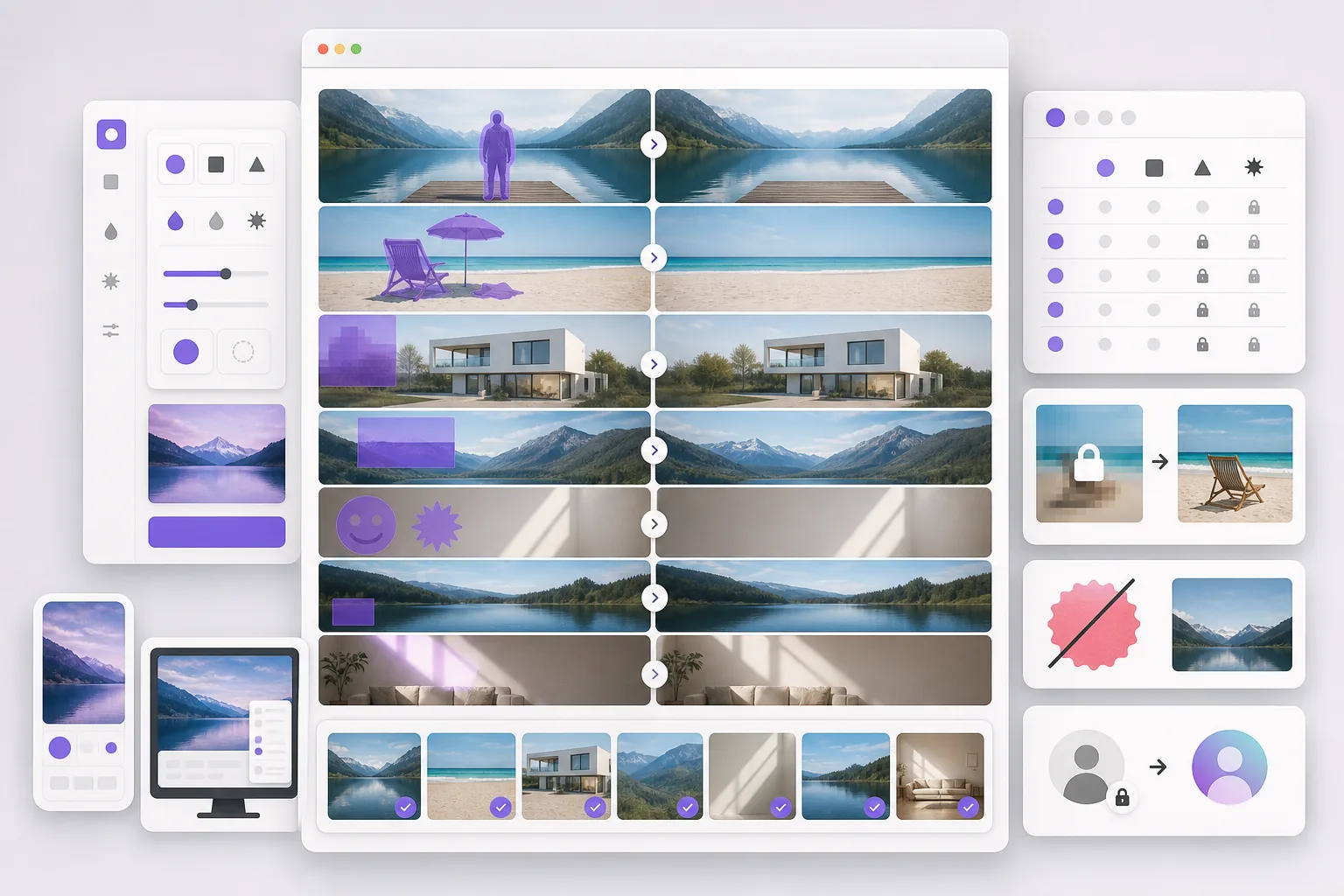
Magic Eraserは、不要物の削除、背景の切り抜き、画質向上、画像拡張、AI塗りつぶし、AIフィルター、一括処理が可能な無料のウェブベースAI写真エディターです。ブラウザさえあればどのデバイスでも使用でき、インストール不要です。
Most "free" photo erasers attach a catch: a watermark on the export, a reduced-resolution download, a daily cap that triggers fast, or a required account before you can save. The category ranges from simple single-task web erasers to design suites where erasing is one paywalled feature.
機能比較
Magic Eraserは、不要物の削除、背景の切り抜き、画質向上、画像拡張、AI塗りつぶし、AIフィルター、一括処理が可能な無料のウェブベースAI写真エディターです。ブラウザさえあればどのデバイスでも使用でき、インストール不要です。
Most "free" photo erasers attach a catch: a watermark on the export, a reduced-resolution download, a daily cap that triggers fast, or a required account before you can save. The category ranges from simple single-task web erasers to design suites where erasing is one paywalled feature.
| Feature | Magic Eraser | Others |
|---|---|---|
| Magic Eraser | Free to start after sign-in, no watermark | |
| Cleanup.pictures | Free, but low-res export free tier | |
| Snapedit | Free web tier, watermark/cap | |
| Photoroom | Free tier, watermark on some exports | |
| Fotor | Free tier, many tools Pro-gated | |
| Pixelcut | Free tier, Pro for full res | |
| Adobe Express | Free tier, Firefly credits paywall | |
| No watermark on result | Yes | Varies — several watermark |
| Sign-in required to start | Yes | Several require an account |
| Works on any device | Yes — web + iOS + Android | Varies |
Feature rows summarize visible product positioning and should be rechecked against official product pages before purchase, migration, or compliance decisions.
- Last content review June 21, 2026
- Magic Eraser source: https://magiceraser.live/ja/product/magic-eraser
- Pricing, feature availability, platform support, and limits can change; recheck official sources before relying on a buying decision.
Magic Eraserの強み
Free that stays free
No watermark on the output, sign-in required wall before you export, and a free tier that covers real everyday use. Many "free" erasers only reveal the watermark or resolution cap after you've done the work.
Not one eraser — 130+ removal tools
Most free erasers do one thing. Magic Eraser removes objects, people, backgrounds, watermarks, emoji, stickers, date stamps, glare, and more, each with a dedicated tool — all on the free tier.
Generative fill, not just deletion
Free erasers that only sample nearby pixels leave smears on complex backgrounds. Magic Eraser's generative fill reconstructs what was behind the object, so free results look clean, not patched.
No install, any device
Runs free in any browser plus native iOS and Android apps. No desktop license like GIMP or Photoshop, no platform lock-in like a phone-only feature.
ツール
よくある質問
Magic Eraserは無料ですか?
+
はい、Magic Eraserではすぐに無料で写真を編集できます。登録やインストールは不要です。無制限に処理するにはProプランにアップグレードできます。
Magic EraserはFree Photo Erasersと比べてどうですか?
+
Magic Eraserは8つのAIツール(不要物削除、背景削除、画質向上、拡張、AI塗りつぶし、AIフィルター、AI画像生成、デザイン)を1つのプラットフォームに統合しています。Free Photo Erasersと比べ、ソフトウェアのインストールなしでより多くの機能を提供します。
Magic Eraserはスマートフォンで使えますか?
+
はい、Magic EraserはiOS、Android、ウェブで利用可能です。デバイスを切り替えてもツールを変更する必要はありません。
アカウント作成は必要ですか?
+
いいえ、アカウントを作成せずにすぐ編集を始められます。ブラウザを開いて開始するだけです。
関連するユースケース
プロフェッショナルが実際のワークフローでこれらのツールをどのように活用しているかをご覧ください。
生活感あふれる私物や路上駐車、工事機材が写り込んだ物件写真は、内見意欲を下げてしまいます。Magic Eraserを使えば、Photoshopのスキルがなくても瞬時にきれいな物件写真に仕上がります。
背景がごちゃごちゃした商品写真では、お客様はすぐにスクロールして通り過ぎてしまいます。Magic Eraserなら、プロ品質の商品画像を数秒で作成できます。Photoshopのスキルは不要。アップロードして、不要な部分を消して、すぐに出品しましょう。
旅行写真に知らない人が写り込んでいませんか?自撮りの背景がごちゃごちゃしていませんか?Photoshopで何時間もかける必要はもうありません。Magic Eraserなら不要なオブジェクトの除去、背景のクリーンアップ、各プラットフォーム向けのリサイズがワンタップで完了します。
他の比較
Magic Eraserが他の写真編集ツールとどう比較されるかをご覧ください。
TouchRetouchはオブジェクトや傷の除去に特化した人気の有料モバイルアプリです。Magic Eraserはインストール不要で、あらゆるデバイスから無料でAI編集が利用できます。機能、価格、使いやすさを比較してみましょう。
Cleanup.picturesはオブジェクト除去に特化した無料ウェブツールです。Magic Eraserは8つのAI編集ツール、モバイルアプリ、高度な処理機能を備えています。両者の違いをご覧ください。
異なる強みを持つ2つの強力なAI写真エディター。Magic Eraserはより幅広いジェネレーティブAIツールを提供し、Photoroomはeコマース商品撮影とバッチ処理に優れています。あなたのワークフローに合うのはどちらか確認しましょう。
主要なAI写真編集ツールをテスト・比較しました。オブジェクト除去から背景置換まで、あなたのワークフローに最適なエディターを見つけましょう。
Photoshopは本格的な画像編集の業界標準ですが、多くの人は素早いオブジェクト削除、きれいな背景、AIによる補正だけを必要としています。Magic Eraserはそうした作業に特化し、ウェブとモバイルで数秒で動く軽快なワークフローを提供します。
Canva はレイアウトやソーシャルグラフィックに優れていますが、多くのユーザーはより高速なオブジェクト除去、よりきれいな背景編集、より強力な AI 写真ツールを必要としています。この比較では、画像優先のワークフローにおいて Magic Eraser がどこでより適しているかを示します。