
Magic Eraser + Figma: Aset Bersih untuk Setiap Desain
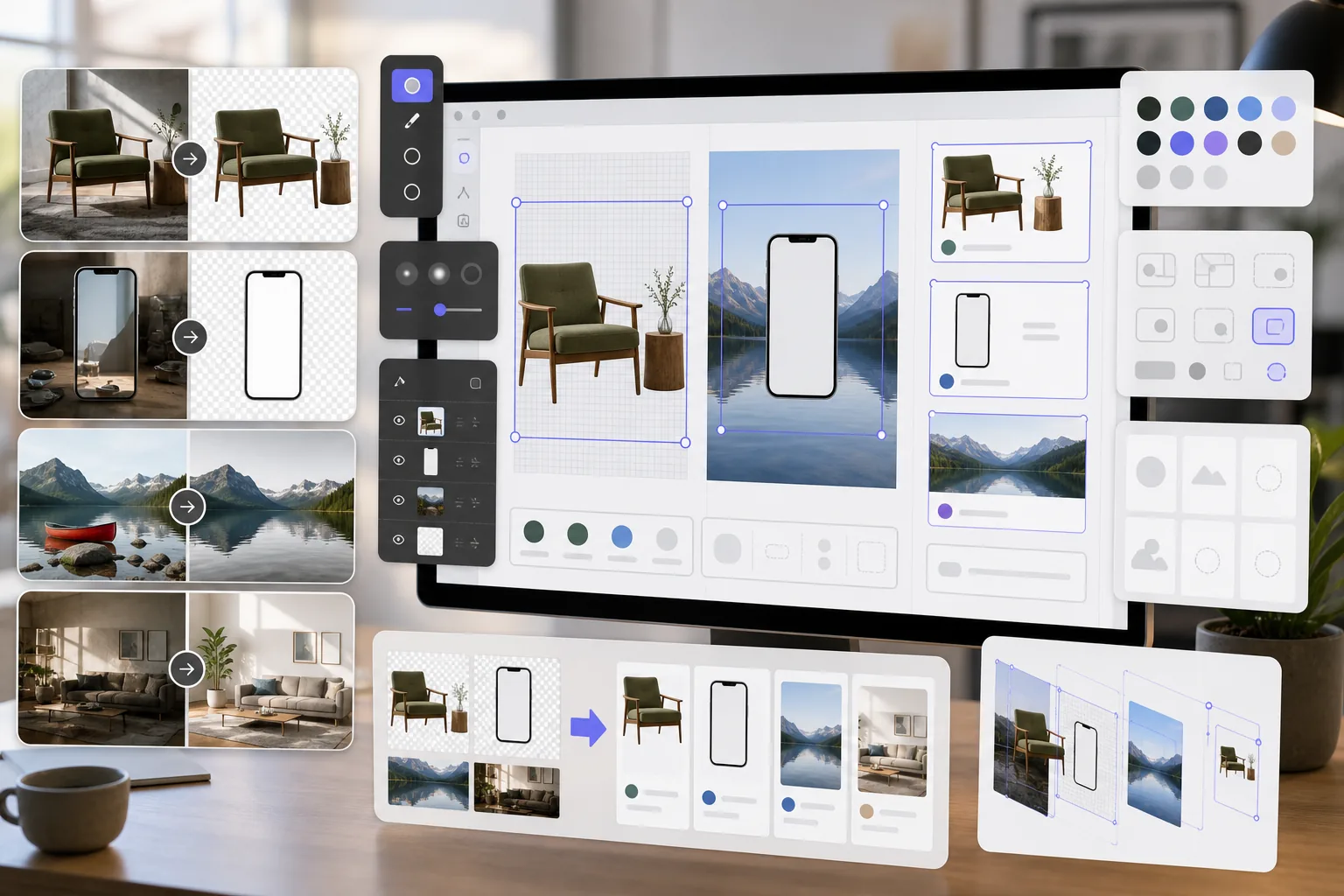
Desainer Figma memerlukan aset gambar yang bersih untuk maket, prototipe, dan desain produksi. Magic Eraser menghapus latar belakang untuk PNG transparan, membersihkan gambar referensi, dan menyiapkan aset foto sehingga proyek Figma Anda terlihat sempurna sejak awal.
Tentang Figma
Figma adalah alat desain berbasis browser kolaboratif yang digunakan oleh tim produk, desainer UI/UX, dan agensi untuk desain antarmuka, pembuatan prototipe, dan manajemen sistem desain. Ini mendukung kolaborasi waktu nyata dan integrasi plugin.
Manfaat
PNG transparan untuk maket dan prototipe
Hapus latar belakang dari foto produk, layar perangkat, dan elemen UI untuk membuat PNG transparan yang terlapis rapi di bingkai dan komponen Figma.
Gambar referensi yang sudah dibersihkan
Hapus tanda air, anotasi, dan elemen yang mengganggu dari gambar referensi dan tangkapan layar sebelum menempatkannya dalam file desain Figma.
Aset foto siap produksi
Tingkatkan kualitas gambar dan hapus objek yang tidak diinginkan dari foto sebelum mengimpornya sebagai aset dalam desain Figma, sehingga mengurangi siklus revisi dengan pemangku kepentingan.
Persiapan aset lebih cepat
Siapkan aset gambar dalam hitungan detik dengan alat yang didukung AI, alih-alih melakukan masking dan retouching secara manual di perangkat lunak terpisah sebelum mengimpor ke Figma.
Cara Menggunakan Magic Eraser dengan Figma
Unggah gambar Anda
Buka Magic Eraser dan unggah foto atau aset yang ingin Anda persiapkan untuk proyek desain Figma Anda.
Proses gambarnya
Hapus latar belakang untuk aset transparan, hapus elemen yang tidak diinginkan, atau tingkatkan kualitas tergantung kebutuhan desain Anda.
Unduh sebagai PNG
Ekspor gambar yang diproses sebagai PNG untuk menjaga transparansi, atau sebagai JPEG untuk gambar latar penuh.
Impor ke Figma
Seret gambar yang telah diproses ke dalam file Figma Anda atau gunakan fitur Tempatkan Gambar untuk menambahkannya ke bingkai dan komponen.
Pertanyaan yang Sering Diajukan
Apakah Magic Eraser terintegrasi langsung dengan Figma?
+
Magic Eraser dan Figma bekerja sama melalui alur kerja ekspor-impor. Siapkan gambar Anda di Magic Eraser, unduh, dan impor ke Figma dengan menyeret file ke kanvas.
Bisakah saya membuat PNG transparan untuk komponen Figma?
+
Ya. Penghapusan latar belakang Magic Eraser membuat PNG transparan yang diimpor ke Figma dengan dukungan saluran alfa penuh, ideal untuk komponen, maket, dan desain berlapis.
Resolusi apa yang harus saya ekspor untuk Figma?
+
Magic Eraser mempertahankan resolusi gambar asli. Untuk desain Figma, ini biasanya sudah cukup. Gunakan AI Enhancement untuk meningkatkan skala jika Anda memerlukan aset resolusi lebih tinggi untuk presentasi atau serah terima.
Bisakah saya menghapus tanda air dari stok foto untuk maket?
+
Magic Eraser dapat menghapus elemen visual dari gambar. Namun, selalu pastikan Anda memiliki lisensi yang tepat untuk stok foto apa pun sebelum menggunakannya dalam desain.
Apakah ini lebih cepat daripada menggunakan alat gambar bawaan Figma?
+
Ya. Alat gambar Figma terbatas pada pemotongan dasar dan penyesuaian warna. Magic Eraser menangani penghapusan latar belakang, penghapusan objek, dan AI Enhancement yang tidak dapat dilakukan Figma secara asli.
Siapkan aset yang lebih baik untuk desain Figma Anda
Coba Magic Eraser gratis untuk membuat PNG transparan, membersihkan gambar referensi, dan menyempurnakan aset foto untuk proyek Figma Anda.
Coba Magic Eraser gratisKasus penggunaan terkait
Lihat bagaimana profesional menggunakan alat ini dalam alur kerja nyata.
Foto listing yang penuh barang pribadi, mobil parkir, atau peralatan konstruksi dapat membuat pembeli menjauh. Magic Eraser menggunakan AI untuk membersihkan foto properti Anda secara instan — tanpa perlu keterampilan Photoshop.
Latar belakang buram dan foto produk berantakan membuat Anda kehilangan penjualan setiap hari. Magic Eraser membantu Anda membuat gambar produk yang bersih dan profesional dalam hitungan detik — tanpa perlu keahlian Photoshop. Cukup unggah, hapus gangguan, dan jual dengan percaya diri.
Kantor paspor dan visa menolak ribuan foto setiap hari karena latar belakang yang salah. Magic Eraser menghapus latar belakang apa pun dan menggantinya dengan warna persis yang Anda butuhkan — putih, abu-abu muda, atau biru — dalam hitungan detik.
Perbandingan terkait
Lihat bagaimana Magic Eraser dibandingkan dengan alat serupa.
TouchRetouch adalah aplikasi seluler berbayar populer untuk menghapus objek dan noda. Magic Eraser menawarkan pengeditan bertenaga AI gratis di perangkat apa pun tanpa perlu instalasi. Lihat perbandingannya dari segi fitur, harga, dan kemudahan penggunaan.
remove.bg adalah pemimpin pasar untuk penghapusan latar belakang, menawarkan API yang andal serta integrasi dengan Photoshop dan Figma. Magic Eraser melangkah lebih jauh dengan delapan alat penyuntingan bertenaga AI — mulai dari penghapusan objek dan pengisian generatif hingga peningkatan AI dan desain — semuanya dalam satu editor.
Dua editor foto AI yang kuat dengan kekuatan berbeda. Magic Eraser menawarkan set alat AI generatif yang lebih luas, sementara Photoroom unggul dalam fotografi produk e-commerce dan pemrosesan batch. Lihat mana yang cocok dengan alur kerja Anda.
Kami menguji dan membandingkan alat pengeditan foto AI teratas agar Anda tidak perlu melakukannya. Dari penghapusan objek hingga penggantian latar belakang, lihat editor mana yang memberikan hasil terbaik untuk alur kerja Anda.
Artikel terkait
Tips, panduan, dan tutorial terkait topik ini.
Telusuri bagaimana AI mengubah operasi bisnis, dari otomatisasi dan analisis data hingga pengalaman pelanggan yang lebih personal.
Pelajari cara menggunakan Magic Eraser untuk menghapus objek, orang, teks, dan gangguan dari foto dengan hasil edit AI yang lebih bersih.
Pelajari cara memakai plugin terjemahan Figma untuk melokalkan file desain lebih cepat sambil menjaga perubahan tata letak tetap terkendali.
Integrasi lainnya
Jelajahi lebih banyak platform yang bekerja dengan Magic Eraser.