
Buat visual yang lebih kuat dengan Hapus Objek
Gunakan Hapus Objek sebagai bagian dari alur kerja editing gambar yang lebih luas di Magic Eraser.
Magic Eraser Hapus Objek adalah alat bertenaga AI yang memungkinkan pengguna menghapus objek, orang, teks, dan elemen yang tidak diinginkan dari gambar. Penggunaan umum meliputi foto produk, potret, foto perjalanan, dan konten sosial.


What does Magic Eraser do?
Magic Eraser removes selected visual distractions from a photo. Upload an image, brush over the item to clean up, run the remove action, then review the AI-filled background before export. For focused cleanup paths, start with the remove hub or open a specific page such as emoji removal and rights-safe watermark cleanup.
Buat visual yang lebih kuat dengan Hapus Objek
Hapus Objek mendukung produksi lebih cepat saat Anda membutuhkan visual yang lebih bersih dan alur kerja publikasi yang lebih lancar.
Buka Hapus Objek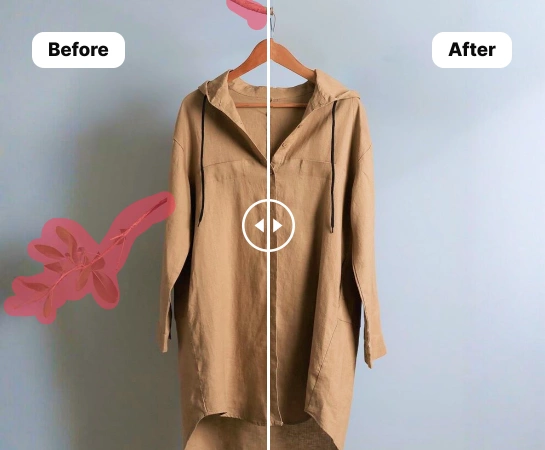
Bergerak lebih cepat dalam alur kerja editing praktis
Hapus Objek mendukung produksi lebih cepat saat Anda membutuhkan visual yang lebih bersih dan alur kerja publikasi yang lebih lancar.
Buka Hapus Objek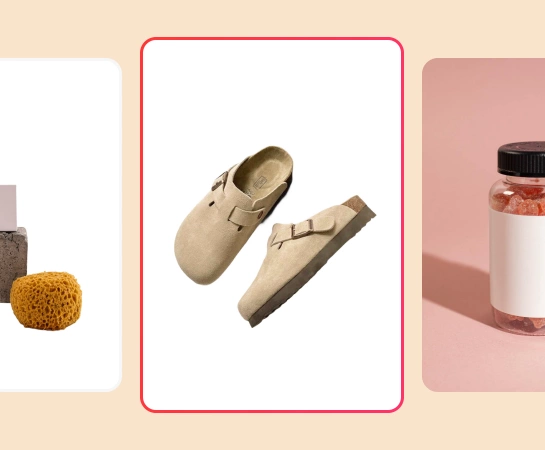
Gunakan Hapus Objek di e-commerce, sosial, dan pemasaran
Hapus Objek mendukung produksi lebih cepat saat Anda membutuhkan visual yang lebih bersih dan alur kerja publikasi yang lebih lancar.
Buka Hapus Objek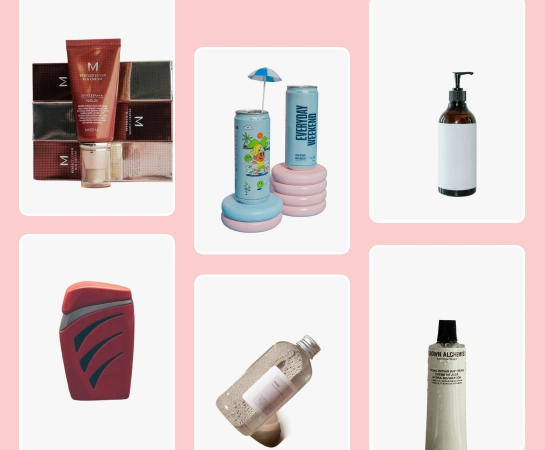
Hubungkan Hapus Objek dengan alat Magic Eraser lainnya
Hapus Objek mendukung produksi lebih cepat saat Anda membutuhkan visual yang lebih bersih dan alur kerja publikasi yang lebih lancar.
Buka Hapus Objek
Cara menggunakan Hapus Objek
Hapus Objek
Mulai dengan gambar sumber yang sesuai dengan alur kerja Anda.
Hapus Objek
Terapkan aksi utama Hapus Objek untuk membentuk hasil dengan cepat.
Hapus Objek
Tinjau output dan perbaiki detail jika diperlukan.
Hapus Objek
Ekspor gambar atau lanjutkan editing di alat Magic Eraser lainnya.
Kemampuan inti Hapus Objek
Gunakan Hapus Objek sebagai bagian dari alur kerja editing gambar yang lebih luas di Magic Eraser.

Hapus Objek
Hapus Objek mendukung produksi lebih cepat saat Anda membutuhkan visual yang lebih bersih dan alur kerja publikasi yang lebih lancar.

AI Enhance
Hapus Objek mendukung produksi lebih cepat saat Anda membutuhkan visual yang lebih bersih dan alur kerja publikasi yang lebih lancar.

Hapus Latar Belakang
Hapus Objek mendukung produksi lebih cepat saat Anda membutuhkan visual yang lebih bersih dan alur kerja publikasi yang lebih lancar.

AI Expand
Hapus Objek mendukung produksi lebih cepat saat Anda membutuhkan visual yang lebih bersih dan alur kerja publikasi yang lebih lancar.

Editor Desain
Hapus Objek mendukung produksi lebih cepat saat Anda membutuhkan visual yang lebih bersih dan alur kerja publikasi yang lebih lancar.

AI Create
Hapus Objek mendukung produksi lebih cepat saat Anda membutuhkan visual yang lebih bersih dan alur kerja publikasi yang lebih lancar.

AI Filter
Hapus Objek mendukung produksi lebih cepat saat Anda membutuhkan visual yang lebih bersih dan alur kerja publikasi yang lebih lancar.

AI Fill
Hapus Objek mendukung produksi lebih cepat saat Anda membutuhkan visual yang lebih bersih dan alur kerja publikasi yang lebih lancar.
Pertanyaan yang sering diajukan
Hapus Objek dibuat untuk membantu pengguna menghapus objek, orang, teks, dan elemen yang tidak diinginkan dari gambar.
Hapus Objek bekerja dengan baik untuk foto produk, potret, foto perjalanan, dan konten sosial.
Ya. Banyak tim menggabungkan Hapus Objek dengan alur kerja pembersihan, peningkatan, pembuatan, dan desain.
Ya. Hapus Objek cocok saat Anda membutuhkan output visual yang lebih cepat dan konsisten.
Alur umum sederhana: mulai dengan gambar, sapukan area yang ingin dihapus dan biarkan AI membangun ulang latar belakang, tinjau hasilnya, lalu ekspor atau lanjutkan editing.