
Hapus latar belakang dari gambar dengan AI untuk potongan yang bersih dan PNG transparan
Gunakan penghapus latar belakang AI Magic Eraser untuk memisahkan subjek dari latar belakang sibuk dalam hitungan detik. Buat gambar PNG transparan untuk foto produk, potret, logo, gambar profil, dan konten media sosial.

Design templates
Start from an app template
Browse Magic Eraser design templates from the app catalog before opening the editor.
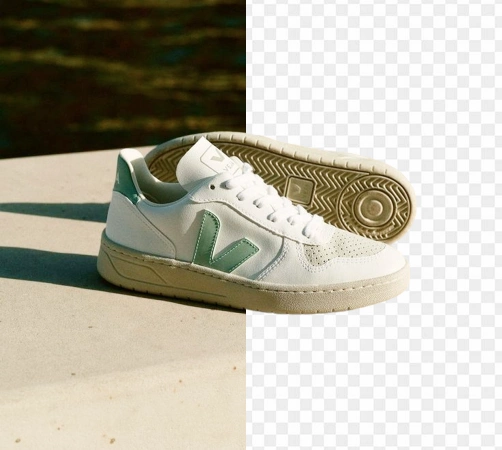
Hapus latar belakang dari foto produk dengan AI
Buat gambar produk yang lebih bersih untuk Amazon, Shopify, pasar, dan iklan tanpa menghabiskan waktu pada pemotongan manual. Unggah foto Anda, biarkan AI mendeteksi subjeknya, dan dapatkan hasil transparan atau siap studio dalam hitungan detik.
Buka hapus editor latar belakang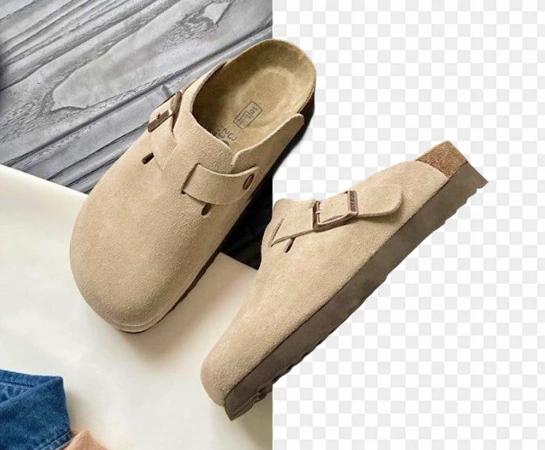
Bergerak lebih cepat dengan penghapusan latar belakang bertenaga AI dalam skala besar
Penghapusan latar belakang secara manual lambat, mahal, dan sulit untuk diskalakan secara konsisten di seluruh katalog yang terus berkembang. Dengan penghilang latar belakang AI, pedagang, pembuat konten, dan tim desain internal dapat menyiapkan gambar produk yang lebih bersih dengan lebih cepat dan meluncurkan aset baru tanpa hambatan.
Buka hapus editor latar belakang
Gunakan penghapus latar belakang AI untuk setiap jenis gambar
Dari foto dan potret produk e-niaga hingga logo, gambar profil, dan materi iklan media sosial, hapus latar belakang dan isolasi subjek untuk ekspor PNG transparan, tata letak katalog, materi iklan, dan visual siap merek.
Buka hapus editor latar belakang
Bangun alur kerja gambar produk yang lengkap dari penghapusan latar belakang
Penghapusan latar belakang seringkali hanya merupakan langkah pertama. Setelah potongannya siap, Anda dapat mengganti adegan, meningkatkan kualitas gambar, memperluas kanvas, atau menyesuaikan aset untuk pasar, iklan, dan konten sosial. Hal ini mempermudah produksi visual bergaya studio yang konsisten di seluruh katalog Anda.
Buka hapus editor latar belakang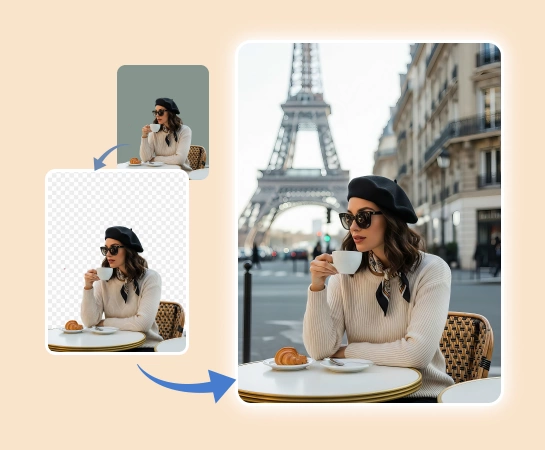
Cara menghapus latar belakang gambar dengan AI
Pilih gambar
Pilih foto produk, potret, logo, atau gambar yang ingin Anda gunting. Unggah file PNG atau JPG ke editor.
Hapus latar belakang secara otomatis
Magic Eraser mendeteksi subjek utama dan menghapus latar belakang untuk Anda, memberi Anda potongan yang lebih rapi tanpa penelusuran manual.
Perbaiki potongannya jika perlu
Gunakan kontrol edit cepat untuk menyempurnakan tepian, memperbaiki kesalahan kecil, dan membuat potongan akhir terlihat lebih tajam dan alami.
Unduh PNG transparan atau lanjutkan mengedit
Ekspor gambar Anda yang bebas latar belakang untuk listingan, iklan, katalog, dan media sosial, atau lanjutkan dengan latar belakang baru dan pengeditan tambahan.
Semua alat pengeditan gambar AI yang Anda perlukan
Jelajahi kemampuan pengeditan utama yang saat ini tersedia di Magic Eraser Web, mulai dari pembersihan dan penyempurnaan hingga pembuatan dan desain.

Hapus Latar Belakang
Pisahkan subjek dari latar belakang dan buat potongan yang lebih rapi dan siap digunakan.

AI Enhance
Tingkatkan kualitas gambar, detail, dan kejernihan keseluruhan dengan alat AI Enhancement yang cepat.

Hapus Objek
Bersihkan sisa alat peraga, teks, atau gangguan setelah latar belakang dihapus.

AI Perluas
Perluas tepi gambar dan ciptakan lebih banyak ruang untuk tata letak baru atau komposisi yang lebih luas.

Desain
Tambahkan teks dan buat tata letak desain ringan langsung di atas gambar Anda.

AI Buat
Hasilkan visual segar dari perintah untuk membuat arah gambar baru dengan AI.

Penyaring AI
Terapkan gaya bertenaga AI dan transformasi tampilan untuk menyegarkan suasana gambar Anda.

Isi AI
Ganti area yang dipilih dan bangun kembali bagian yang hilang dengan hasil visual yang lebih alami.
Pertanyaan yang sering diajukan
Unggah gambar, biarkan Magic Eraser mendeteksi subjeknya, dan aplikasi menghapus latar belakang secara otomatis. Anda kemudian dapat mengekspor potongan tersebut sebagai PNG transparan atau terus mengedit.
Ya. Alur kerja hapus latar belakang dirancang untuk foto produk, logo, potret, gambar profil, dan gambar lain yang memerlukan potongan subjek bersih pada latar belakang transparan.
Ya. Setelah penghapusan latar belakang otomatis, Anda dapat memperhalus tepian dan melakukan koreksi kecil sehingga garis rambut, pakaian, dan objek terlihat lebih bersih.
Ya. Setelah latar belakang dihapus, Anda dapat melanjutkan pengeditan dengan latar belakang pengganti, AI Enhancement, perluasan, dan alat lain di dalam Magic Eraser Web.
Alur intinya sederhana: unggah gambar Anda, hapus latar belakang secara otomatis, perbaiki potongannya jika diperlukan, dan ekspor aset akhir untuk situs web, pasar, iklan, atau postingan sosial Anda.