
Magic Eraser बनाम Adobe Lightroom: सफ़ाई AI बनाम RAW डेवलप और कैटलॉग
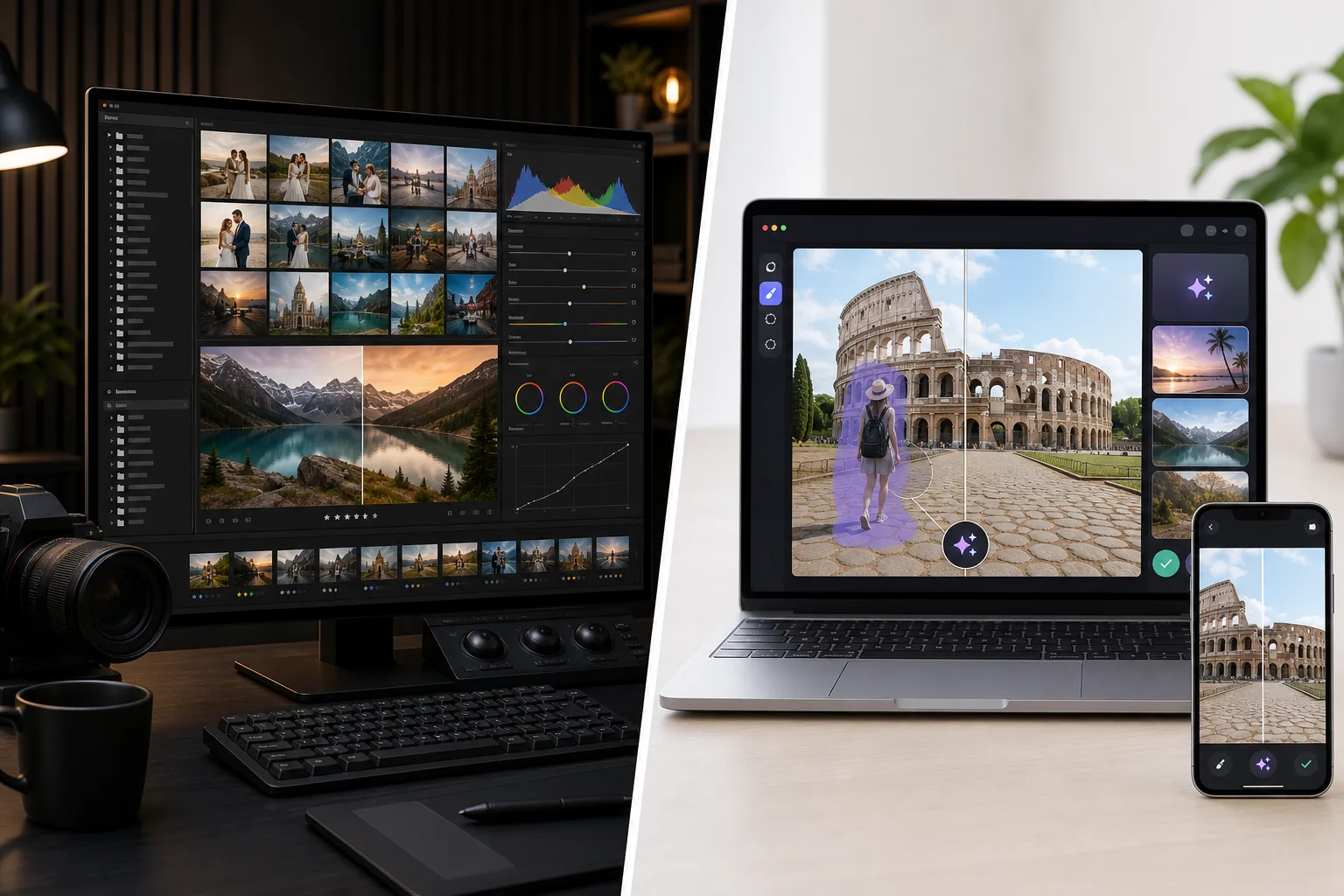
Adobe Lightroom RAW डेवलपमेंट, रंग और टोन सुधार, प्रीसेट और बड़े पैमाने पर कैटलॉग प्रबंधन के लिए फ़ोटोग्राफ़र का वर्कफ़्लो मानक है — इस धारणा के इर्द-गिर्द डिज़ाइन किया गया कि फ़ोटोग्राफ़र एक शूट सत्र से सैकड़ों से हज़ारों फ़ोटो संसाधित कर रहा है और सेट भर में सुसंगत वैश्विक समायोजन की ज़रूरत है। Magic Eraser उल्टी समस्या हल करता है: व्यक्तिगत फ़ोटो पर AI-संचालित सफ़ाई जहाँ काम ध्यान भटकाव हटाना, पृष्ठभूमि बदलना, जेनरेटिव फ़िल या गुणवत्ता पुनर्प्राप्ति है, वेब, iOS और Android पर मुफ़्त स्तर के साथ। दोनों उपकरण फ़ोटो वर्कफ़्लो के अलग-अलग स्टेशनों पर रहते हैं, और सही चुनाव इस पर निर्भर करता है कि आपके काम का रूप कैटलॉग-पैमाने का RAW डेवलप है या प्रति-फ़ोटो सफ़ाई-और-संपादन।
Last updated
Magic Eraser मुफ़्त आज़माएँComparison rows are editorial summaries from the latest page review, not a guarantee of current pricing, limits, watermark policy, batch support, speed, or platform availability.
अवलोकन
Magic Eraser सफ़ाई कार्य के लिए अनुकूलित एक AI-प्रथम फ़ोटो एडिटर है: ध्यान भटकाव हटाने के लिए Magic Eraser ब्रश, पृष्ठभूमि बदलने के लिए Background Eraser, जेनरेटिव फ़िल और आउटपेंटिंग के लिए AI Fill, शार्पनिंग / नॉइज़ हटाने / अपस्केलिंग के लिए AI Enhance, रंग ग्रेडिंग के लिए AI Filter। पूरा फ़ीचर सेट वेब, iOS और Android पर चलता है, हर प्लेटफ़ॉर्म पर मुफ़्त स्तर और $29.99/वर्ष के Premium स्तर के साथ। हर उपकरण बिना कैटलॉग प्रबंधन, बिना प्रति-फ़ोटो मेटाडेटा और बिना RAW डेवलप पाइपलाइन के एक एकल-कैनवास क्रिया है — उत्पाद व्यक्तिगत संपादनों के इर्द-गिर्द बनाया गया है जहाँ परिणाम तक गति अनुकूलन लक्ष्य है। Magic Eraser फ़ोटोग्राफ़र के वर्कफ़्लो में Lightroom द्वारा RAW डेवलप करने के बाद सफ़ाई-और-संपादन स्टेशन के रूप में, या फ़ोन कैमरों से JPEG / HEIC स्रोत के साथ काम करने वाले फ़ोटोग्राफ़रों और रचनाकारों के लिए स्वतंत्र एडिटर के रूप में फ़िट बैठता है।
Adobe Lightroom (Classic डेस्कटॉप कैटलॉग संस्करण और Lightroom क्लाउड संस्करण दोनों) फ़ोटोग्राफ़र का RAW डेवलपमेंट और कैटलॉग उपकरण है, शूटिंग वर्कफ़्लो के इर्द-गिर्द डिज़ाइन किया गया जहाँ प्रति सत्र 100-2000+ फ़ोटो को आयात, क्रमबद्ध, रंग-सुधारित, टोन-समायोजित, एक्सपोज़र-संतुलित, श्वेत-संतुलन-सुधारित और सेट भर में सुसंगत प्रीसेट लागू करके निर्यात करना होता है। Lightroom Classic स्थानीय कैटलॉग स्टोरेज के साथ केवल डेस्कटॉप (Windows / macOS) है और वह संस्करण है जिसे अधिकांश पेशेवर फ़ोटोग्राफ़र उपयोग करते हैं; Lightroom (क्लाउड संस्करण, अलग उत्पाद) क्लाउड सिंक के साथ डेस्कटॉप / iPad / iOS / Android पर चलता है। मूल्य Adobe Photography Plan (Photoshop के साथ बंडल $9.99-19.99/माह) या Lightroom स्वतंत्र ($9.99/माह 1TB क्लाउड स्टोरेज के साथ) है। Lightroom की AI सुविधाएँ बढ़ी हैं (AI Denoise, AI Masking, 2024-2025 में जेनरेटिव रिमूव) पर उत्पाद का गुरुत्वाकर्षण केंद्र बड़े पैमाने पर RAW डेवलप और कैटलॉग प्रबंधन बना रहता है।
फ़ीचर तुलना
Magic Eraser सफ़ाई कार्य के लिए अनुकूलित एक AI-प्रथम फ़ोटो एडिटर है: ध्यान भटकाव हटाने के लिए Magic Eraser ब्रश, पृष्ठभूमि बदलने के लिए Background Eraser, जेनरेटिव फ़िल और आउटपेंटिंग के लिए AI Fill, शार्पनिंग / नॉइज़ हटाने / अपस्केलिंग के लिए AI Enhance, रंग ग्रेडिंग के लिए AI Filter। पूरा फ़ीचर सेट वेब, iOS और Android पर चलता है, हर प्लेटफ़ॉर्म पर मुफ़्त स्तर और $29.99/वर्ष के Premium स्तर के साथ। हर उपकरण बिना कैटलॉग प्रबंधन, बिना प्रति-फ़ोटो मेटाडेटा और बिना RAW डेवलप पाइपलाइन के एक एकल-कैनवास क्रिया है — उत्पाद व्यक्तिगत संपादनों के इर्द-गिर्द बनाया गया है जहाँ परिणाम तक गति अनुकूलन लक्ष्य है। Magic Eraser फ़ोटोग्राफ़र के वर्कफ़्लो में Lightroom द्वारा RAW डेवलप करने के बाद सफ़ाई-और-संपादन स्टेशन के रूप में, या फ़ोन कैमरों से JPEG / HEIC स्रोत के साथ काम करने वाले फ़ोटोग्राफ़रों और रचनाकारों के लिए स्वतंत्र एडिटर के रूप में फ़िट बैठता है।
Adobe Lightroom (Classic डेस्कटॉप कैटलॉग संस्करण और Lightroom क्लाउड संस्करण दोनों) फ़ोटोग्राफ़र का RAW डेवलपमेंट और कैटलॉग उपकरण है, शूटिंग वर्कफ़्लो के इर्द-गिर्द डिज़ाइन किया गया जहाँ प्रति सत्र 100-2000+ फ़ोटो को आयात, क्रमबद्ध, रंग-सुधारित, टोन-समायोजित, एक्सपोज़र-संतुलित, श्वेत-संतुलन-सुधारित और सेट भर में सुसंगत प्रीसेट लागू करके निर्यात करना होता है। Lightroom Classic स्थानीय कैटलॉग स्टोरेज के साथ केवल डेस्कटॉप (Windows / macOS) है और वह संस्करण है जिसे अधिकांश पेशेवर फ़ोटोग्राफ़र उपयोग करते हैं; Lightroom (क्लाउड संस्करण, अलग उत्पाद) क्लाउड सिंक के साथ डेस्कटॉप / iPad / iOS / Android पर चलता है। मूल्य Adobe Photography Plan (Photoshop के साथ बंडल $9.99-19.99/माह) या Lightroom स्वतंत्र ($9.99/माह 1TB क्लाउड स्टोरेज के साथ) है। Lightroom की AI सुविधाएँ बढ़ी हैं (AI Denoise, AI Masking, 2024-2025 में जेनरेटिव रिमूव) पर उत्पाद का गुरुत्वाकर्षण केंद्र बड़े पैमाने पर RAW डेवलप और कैटलॉग प्रबंधन बना रहता है।
| Feature | Magic Eraser | Adobe Lightroom |
|---|---|---|
| RAW डेवलपमेंट (CR3 / NEF / ARW / DNG) | प्राथमिक उपयोग मामला नहीं | हाँ — प्राथमिक फ़ीचर, डेवलप मॉड्यूल |
| कैटलॉग प्रबंधन (हज़ारों फ़ोटो) | नहीं — एकल-कैनवास संपादन | हाँ — Lightroom Classic कोर फ़ीचर |
| प्रीसेट लाइब्रेरी + फ़ोटो भर में सिंक | प्रति-फ़ोटो AI Filter प्रीसेट | डेवलप प्रीसेट कैटलॉग बैच भर में सिंक होते हैं |
| ऑब्जेक्ट / ध्यान भटकाव हटाना | एक-क्लिक Magic Eraser ब्रश | Generative Remove (2024-2025 से, AI-संचालित) |
| पृष्ठभूमि हटाना / बदलना | एक-क्लिक Background Eraser | AI Masking + मैनुअल चयन (धीमा) |
| जेनरेटिव AI फ़िल (टेक्स्ट प्रॉम्प्ट) | हाँ — टेक्स्ट प्रॉम्प्ट के साथ AI Fill | टेक्स्ट प्रॉम्प्ट नियंत्रण के बिना Generative Remove |
| AI शार्पनिंग / नॉइज़ हटाना / अपस्केलिंग | AI Enhance, एकल क्रिया | AI Denoise (Lightroom-विशिष्ट, अलग स्लाइडर) |
| रंग ग्रेडिंग / फ़िल्टर | AI Filter प्रीसेट + समायोजन | डेवलप मॉड्यूल + रंग ग्रेडिंग मॉड्यूल |
| टोनल / एक्सपोज़र / श्वेत-संतुलन सुधार | AI Filter व्यापक रंग ग्रेड संभालता है | हाँ — सटीक स्लाइडर के साथ प्राथमिक फ़ीचर |
| मोबाइल (iOS / Android) | हाँ — दोनों पर पूर्ण फ़ीचर सेट | Lightroom मोबाइल (क्लाउड संस्करण), Lightroom Classic केवल डेस्कटॉप |
| वेब ऐप (बिना इंस्टॉल) | हाँ | Lightroom Web (सीमित सुविधाएँ) |
| मूल्य निर्धारण | मुफ़्त + Premium $29.99/वर्ष | $9.99-19.99/माह + $0.99-9.99 मोबाइल |
| इष्टतम वर्कफ़्लो रूप | प्रति-फ़ोटो सफ़ाई और संपादन | कैटलॉग-पैमाने का RAW डेवलप और रंग |
| विशिष्ट उपयोगकर्ता | कोई भी जो फ़ोटो संपादित करता है, विशेषकर मोबाइल और JPEG | सत्र पैमाने पर RAW शूट करने वाले फ़ोटोग्राफ़र |
Feature rows summarize visible product positioning and should be rechecked against official product pages before purchase, migration, or compliance decisions.
- Last content review May 16, 2026
- Adobe Lightroom source: official product site (https://www.adobe.com/products/photoshop-lightroom.html)
- Magic Eraser source: https://magiceraser.live/hi/product/magic-eraser
- Pricing, feature availability, platform support, and limits can change; recheck official sources before relying on a buying decision.
मूल्य तुलना
| Plan | Magic Eraser | Adobe Lightroom |
|---|---|---|
| मुफ़्त स्तर | मुफ़्त — सीमित संपादन | 7-दिवसीय परीक्षण |
| मासिक | $9.99/माह | $9.99/माह |
| वार्षिक | $4.99/माह (वार्षिक बिल) | $9.99/माह (वार्षिक बिल) |
मई 2026 तक की कीमतें। वर्तमान दरों के लिए प्रत्येक प्रदाता से जाँचें।
Pricing rows are snapshots from review time. Free tiers, subscriptions, trials, export limits, and regional availability can change without notice.
- Last content review May 16, 2026
- Adobe Lightroom source: official product site (https://www.adobe.com/products/photoshop-lightroom.html)
- Magic Eraser source: https://magiceraser.live/hi/product/magic-eraser
- Pricing, feature availability, platform support, and limits can change; recheck official sources before relying on a buying decision.
Magic Eraser क्यों चुनें
Lightroom के Generative Remove से तेज़ और सरल सफ़ाई कार्य
Lightroom ने 2024-2025 में Generative Remove जोड़ा, जो पहले से Lightroom में मौजूद फ़ोटोग्राफ़रों के लिए एक सार्थक AI सफ़ाई क्षमता है। समझौता वर्कफ़्लो रूप है: Lightroom में, सफ़ाई एक डेवलप-मॉड्यूल पाइपलाइन में एक नोड है जो मानता है कि आप कैटलॉग संदर्भ में RAW फ़ाइलें संसाधित कर रहे हैं। सफ़ाई ब्रश को सही मॉड्यूल में जाना, सही उपकरण चुनना, सावधानी से पेंट करना, मूल्यांकन करना और कैटलॉग में वापस सहेजना पड़ता है। Magic Eraser का सफ़ाई ब्रश पूरा उत्पाद है — फ़ोटो खोलें, ब्रश करें, टैप करें, हो गया — फ़ोन या वेब पर प्रति फ़ोटो 30-60 सेकंड में। जिन फ़ोटोग्राफ़रों का सफ़ाई कार्य अड़चन है (ध्यान भटकाने वाली कारों के साथ रियल-एस्टेट लिस्टिंग फ़ोटो, अजनबियों के साथ यात्रा फ़ोटो, परावर्तन या धूल के साथ उत्पाद फ़ोटो), उनके लिए AI-प्रथम एकल-कैनवास वर्कफ़्लो प्रत्येक सफ़ाई पास के लिए Lightroom के पूर्ण मॉड्यूल पदानुक्रम में नेविगेट करने से काफ़ी तेज़ है।
टेक्स्ट प्रॉम्प्ट के साथ जेनरेटिव फ़िल जो Lightroom उजागर नहीं करता
Lightroom का Generative Remove पर्दे के पीछे Adobe Firefly द्वारा संचालित कंटेंट-अवेयर फ़िल है, पर यह फ़ोटोग्राफ़र को टेक्स्ट प्रॉम्प्ट नियंत्रण उजागर नहीं करता। सफ़ाई-या-प्रतिस्थापन ऑपरेशन 'इसे हटाएँ और जो भी Firefly सोचता है वहाँ होना चाहिए उससे भरें' से बंधा है। Magic Eraser का AI Fill टेक्स्ट प्रॉम्प्ट नियंत्रण उजागर करता है: 'फ़ोरग्राउंड से मेल खाती गर्म लकड़ी की बनावट', 'मौजूदा क्षितिज के ऊपर सूर्यास्त आकाश', 'तीन मेहराबदार खिड़कियों वाला बेज चूना पत्थर का अग्रभाग'। उन वर्कफ़्लो के लिए जिन्हें केवल साफ़ मौजूदा सामग्री के बजाय फ़ोटो में नई सामग्री उत्पन्न करनी है (रियल-एस्टेट वर्चुअल स्टेजिंग, टेक्स्ट-प्रॉम्प्टेड अग्रभाग पुनर्निर्माण के साथ मचान-ढके स्थलचिह्न की सफ़ाई, उत्पाद फ़ोटो के लिए लाइफ़स्टाइल-संदर्भ निर्माण), Magic Eraser का प्रॉम्प्ट-संचालित निर्माण सही रूप है; Lightroom का प्रॉम्प्ट-रहित Generative Remove सफ़ाई मामले को संभालता है पर जेनरेटिव-सामग्री मामले को नहीं।
iOS और Android पर मूल रूप से चलता है — Lightroom Classic केवल डेस्कटॉप
Lightroom अलग प्लेटफ़ॉर्म समर्थन के साथ दो उत्पादों में आता है: Lightroom Classic (कैटलॉग-आधारित डेस्कटॉप संस्करण जिसे अधिकांश पेशेवर फ़ोटोग्राफ़र उपयोग करते हैं) केवल Windows / macOS; Lightroom (क्लाउड संस्करण, अलग उत्पाद) क्लाउड सिंक के साथ डेस्कटॉप / iPad / iOS / Android पर चलता है। गंभीर वर्कफ़्लो चलाने वाले अधिकांश फ़ोटोग्राफ़र Lightroom Classic उपयोग करते हैं, जिसका अर्थ है कि फ़ोन या टैबलेट पर मोबाइल संपादन के लिए सिंक के साथ क्लाउड संस्करण उपयोग करना (अतिरिक्त जटिलता) या मोबाइल पर बिल्कुल संपादन न करना पड़ता है। Magic Eraser पूर्ण फ़ीचर समानता के साथ मूल iOS और Android ऐप प्रदान करता है, कॉन्फ़िगर करने के लिए कोई क्लाउड सिंक नहीं, लाइसेंस करने के लिए कोई दूसरा उत्पाद नहीं। उन फ़ोटोग्राफ़रों और रचनाकारों के लिए जिनकी प्राथमिक संपादन सतह फ़ोन है (2026 में बहुसंख्य पैटर्न), Magic Eraser का मोबाइल-प्रथम रूप Lightroom क्लाउड संस्करण कॉन्फ़िगरेशन के बिना वर्कफ़्लो में फ़िट बैठता है।
अनिश्चितकालीन मुफ़्त स्तर बनाम Lightroom का 7-दिवसीय परीक्षण फिर सदस्यता आवश्यक
Adobe Photography Plan 7-दिवसीय मुफ़्त परीक्षण समाप्त होने के बाद $9.99-19.99/माह है, और Lightroom स्वतंत्र $9.99/माह है — कोई अनिश्चितकालीन मुफ़्त स्तर नहीं। Magic Eraser का मुफ़्त स्तर दैनिक उपयोग सीमाओं के साथ बिना वॉटरमार्क छवियाँ अनिश्चितकाल तक निर्यात करता है। प्रति सप्ताह 5-15 फ़ोटो संपादित करने वाले उपयोगकर्ताओं के लिए — विशिष्ट रचनाकार और छोटे-व्यवसाय मात्रा — मुफ़्त स्तर बिना भुगतान वास्तविक काम का समर्थन करता है। अपग्रेड करने वाले उपयोगकर्ताओं के लिए, Premium $29.99/वर्ष Adobe Photography Plan के 3 महीने से कम है। मूल्य उचित प्रत्यक्ष तुलना नहीं है (Adobe Photoshop, पूर्ण RAW डेवलप और क्लाउड स्टोरेज बंडल करता है; Magic Eraser एक अलग उत्पाद रूप है) पर जिन उपयोगकर्ताओं के काम को Adobe द्वारा चार्ज किए जा रहे RAW डेवलप और कैटलॉग प्रबंधन की ज़रूरत नहीं, उनके लिए मुख्यतः AI सफ़ाई सुविधाओं का उपयोग करने के लिए Adobe को $120-240/वर्ष देना एक सार्थक अधिक-भुगतान है।
कोई कैटलॉग अनुशासन आवश्यक नहीं — फ़ोटो खोलें, संपादित करें, निर्यात करें
Lightroom की ताकत (बड़े पैमाने पर कैटलॉग प्रबंधन) इसका परिचालन ओवरहेड भी है: कैटलॉग सेट करना, फ़ोटो को सही संरचना में आयात करना, टैग करना और रेटिंग देना, सिंक होने वाले प्रीसेट बनाना, सही नामकरण परंपराओं के साथ निर्यात करना। प्रति सत्र 500-2000 फ़ोटो शूट करने वाले फ़ोटोग्राफ़रों के लिए, वह ओवरहेड सेट भर में उत्पन्न होने वाली सुसंगतता में वापस मिलता है। बहु-फ़ोटो सेट के बिना एक बार में 1-20 फ़ोटो संपादित करने वाले उपयोगकर्ताओं के लिए, कैटलॉग ओवरहेड शुद्ध घर्षण है। Magic Eraser में कोई कैटलॉग नहीं है — फ़ोटो खोलें, संपादित करें, निर्यात करें, हो गया। 'एकमुश्त फ़ोन संपादन' और 'पेशेवर शूट डिलिवरेबल' के बीच संपादन-मात्रा स्तर के लिए, कैटलॉग-रहित रूप सही परिचालन फ़िट है।
अक्सर पूछे जाने वाले प्रश्न
क्या Magic Eraser Lightroom का प्रतिस्थापन है?
+
नहीं — वे अलग समस्याएँ हल करते हैं। Lightroom फ़ोटोग्राफ़र का RAW डेवलपमेंट और कैटलॉग उपकरण है, सुसंगत वैश्विक समायोजन के साथ एक शूट से सैकड़ों से हज़ारों फ़ोटो संसाधित करने के लिए अनुकूलित। Magic Eraser AI सफ़ाई-और-संपादन उपकरण है, व्यक्तिगत छवियों पर प्रति-फ़ोटो सफ़ाई, पृष्ठभूमि बदलने, जेनरेटिव फ़िल और AI Enhance के लिए अनुकूलित। सत्र पैमाने पर RAW शूट करने वाले पेशेवर फ़ोटोग्राफ़रों के लिए, Lightroom सही उपकरण है; फ़ोन कैमरों से JPEG / HEIC स्रोत संपादित करने वाले या प्रति-फ़ोटो सफ़ाई कार्य करने वाले उपयोगकर्ताओं के लिए, Magic Eraser सही उपकरण है। कई फ़ोटोग्राफ़र दोनों चलाते हैं — डेवलप-और-कैटलॉग चरण के लिए Lightroom, सफ़ाई-और-संपादन चरण के लिए Magic Eraser।
यात्रा स्थलचिह्न फ़ोटो से मचान साफ़ करने के लिए सही उपकरण क्या है?
+
इस वर्कफ़्लो के लिए Magic Eraser अधिक कुशल विकल्प है। Lightroom का Generative Remove ऑब्जेक्ट हटाने को संभालता है पर कैटलॉग-आधारित ऑपरेशन के साथ डेवलप-मॉड्यूल संदर्भ में; Magic Eraser का ब्रश प्रति फ़ोटो 30-60 सेकंड में एक टैप और एक स्ट्रोक है। घने मचान-अग्रभाग-ढकने वाले मामले के लिए, Magic Eraser का टेक्स्ट-प्रॉम्प्ट नियंत्रण के साथ AI Fill ('जुड़वां मीनारों और केंद्रीय गुलाब खिड़की वाला बेज चूना पत्थर गॉथिक कैथेड्रल अग्रभाग') कैलिब्रेटेड पुनर्निर्माण उत्पन्न करता है जो Lightroom का प्रॉम्प्ट-रहित Generative Remove नहीं कर सकता — Lightroom अग्रभाग का अनुमान लगाएगा पर पुनर्निर्माण को संचालित करने के लिए वास्तुशैली मार्गदर्शन स्वीकार नहीं करेगा।
सुसंगत रंग ग्रेडिंग के साथ 500 शादी फ़ोटो संसाधित करने के लिए सही उपकरण क्या है?
+
इस वर्कफ़्लो के लिए Lightroom सही उपकरण है। 500-फ़ोटो सेट भर में कैटलॉग-पैमाने का रंग और टोन कार्य ठीक वही है जिसके लिए Lightroom का प्रीसेट-और-सिंक मॉडल बना है: एक फ़ोटो को लक्ष्य लुक में डेवलप करें, डेवलप सेटिंग्स को पूरे चयन भर में सिंक करें, प्रति-फ़ोटो एक्सपोज़र / श्वेत-संतुलन समायोजन मैनुअल रूप से ठीक करें, नामकरण परंपराओं के साथ बैच निर्यात करें। Magic Eraser प्रति-फ़ोटो AI Filter रंग ग्रेडिंग संभालता है पर एकल बैच ऑपरेशन के रूप में 500 फ़ोटो भर में कैटलॉग-पैमाने सिंक के लिए नहीं बना है। शादी फ़ोटोग्राफ़र उपयोग मामले के लिए, Lightroom वर्कफ़्लो उपकरण है; Magic Eraser उन व्यक्तिगत फ़ोटो पर सफ़ाई पास के रूप में फ़िट बैठता है जिन्हें ध्यान भटकाव हटाने या पृष्ठभूमि बदलने की ज़रूरत हो (जिसे Lightroom भी कर सकता है पर धीमे)।
क्या Magic Eraser RAW फ़ाइलें (.CR3, .NEF, .ARW, .DNG) संभालता है?
+
सीधे नहीं। Magic Eraser JPEG, PNG, WebP और HEIC स्वीकार करता है — वे प्रारूप जिन्हें फ़ोन और अधिकांश डिजिटल कैमरे अंतिम डिलिवरेबल के रूप में उत्पन्न करते हैं। RAW फ़ाइलों के लिए, पहले Lightroom (या Capture One, Affinity Photo आदि) में डेवलप करें, फिर Magic Eraser संपादन के लिए JPEG या HEIC निर्यात करें। दो-चरणीय वर्कफ़्लो RAW शूट करने वाले फ़ोटोग्राफ़रों के लिए सबसे साफ़ पैटर्न है: डेवलप पास के लिए Lightroom, सफ़ाई पास के लिए Magic Eraser। उन उपयोगकर्ताओं के लिए जिनकी स्रोत फ़ाइलें पहले से फ़ोन या ऑटो-JPEG-कैप्चर कैमरों से JPEG या HEIC हैं, कोई रूपांतरण आवश्यक नहीं।
क्या मैं दोनों उपकरण एक साथ चला सकता हूँ?
+
हाँ, और गंभीर अभ्यास चलाने वाले फ़ोटोग्राफ़रों के बीच हाइब्रिड वर्कफ़्लो आम है। Lightroom डेवलप-और-कैटलॉग चरण संभालता है (RAW डेवलप, एक्सपोज़र / श्वेत-संतुलन / टोन सुधार, सेट भर में प्रीसेट सिंक, कैटलॉग संगठन, नामकरण परंपराओं के साथ निर्यात)। Magic Eraser सफ़ाई-और-संपादन चरण संभालता है (ऑब्जेक्ट हटाना, पृष्ठभूमि बदलना, जेनरेटिव फ़िल, व्यक्तिगत फ़ोटो पर AI Enhance)। दोनों उपकरण वर्कफ़्लो के अलग-अलग स्टेशनों पर रहते हैं और उनके बीच हैंडऑफ़ (Lightroom से JPEG/PNG निर्यात, Magic Eraser में संपादन, अंतिम सहेजें) परिचालन रूप से साफ़ है। लागत: Adobe Photography Plan $120-240/वर्ष + Magic Eraser Premium $29.99/वर्ष = दोनों के लिए $300/वर्ष से कम, एक मध्यम-स्तरीय कैमरा लेंस के बराबर।
Lightroom के मोबाइल ऐप के बारे में क्या — क्या वह विश्लेषण बदलता है?
+
हाँ, आंशिक रूप से। iPad / iOS / Android पर Lightroom (क्लाउड संस्करण) डेस्कटॉप कैटलॉग के साथ क्लाउड-सिंक, AI Denoise, AI Masking और डेवलप-मॉड्यूल सुविधाओं के उपसमुच्चय के साथ एक सार्थक मोबाइल एडिटर है। उन फ़ोटोग्राफ़रों के लिए जो वैसे भी Adobe का Creative Cloud सदस्यता चला रहे हैं, Lightroom मोबाइल एक अच्छा चलते-फिरते एडिटर है। शेष मोबाइल-संपादन अंतर: Lightroom मोबाइल क्लाउड संस्करण है (Lightroom Classic से अलग, जिसे अधिकांश पेशेवर डेस्कटॉप पर उपयोग करते हैं), AI सफ़ाई उपकरण Magic Eraser के ब्रश-और-टैप रूप जितने तेज़ या लचीले नहीं हैं, और वर्कफ़्लो मानता है कि आप मोबाइल संपादन को एकमुश्त संपादन मानने के बजाय क्लाउड कैटलॉग में वापस फ़ीड कर रहे हैं। क्लाउड-कैटलॉग संदर्भ के बिना JPEG / HEIC स्रोत पर फ़ोन-मूल संपादन के लिए, Magic Eraser परिचालन रूप से सरल उपकरण है।
3-5 वर्ष की कुल लागत विश्लेषण क्या है?
+
Adobe Photography Plan: $9.99-19.99/माह = $120-240/वर्ष प्रति उपयोगकर्ता × 5 वर्ष = $600-1200 साथ ही कोई भी प्लान-स्तर अपग्रेड। Adobe Lightroom स्वतंत्र: $9.99/माह = $120/वर्ष × 5 वर्ष = $600। Magic Eraser Premium: $29.99/वर्ष × 5 वर्ष = $150। लागत अंतर वास्तविक है पर मूल्य मॉडल अलग दर्शकों को लक्षित करते हैं और अलग उत्पाद बंडल करते हैं: Adobe के मूल्य में Photoshop, Lightroom Classic, Lightroom क्लाउड संस्करण, पूर्ण RAW डेवलप, क्लाउड सिंक और 20GB-1TB क्लाउड स्टोरेज शामिल हैं; Magic Eraser का मूल्य अकेले AI सफ़ाई-और-संपादन उपकरण है। जिन उपयोगकर्ताओं के काम को RAW डेवलप / कैटलॉग प्रबंधन / क्लाउड स्टोरेज / Photoshop की ज़रूरत नहीं, उनके लिए मुख्यतः AI सफ़ाई सुविधाओं का उपयोग करने के लिए 5 वर्ष में Adobe को $600-1200 देना एक सार्थक अधिक-भुगतान है। जिन उपयोगकर्ताओं के काम को पूर्ण RAW डेवलप कैटलॉग वर्कफ़्लो की ज़रूरत है, उनके लिए Lightroom सही उपकरण है और मूल्य उत्पाद की व्यापकता को दर्शाता है।
RAW-डेवलप और कैटलॉग ओवरहेड के बिना AI सफ़ाई
Magic Eraser फ़ोटो वर्कफ़्लो के सफ़ाई-और-संपादन चरण को — ध्यान भटकाव हटाना, पृष्ठभूमि बदलना, जेनरेटिव AI फ़िल, AI Enhance — वेब, iOS और Android पर 30-90 सेकंड के एकल-क्रिया वर्कफ़्लो में संभालता है। हर प्लेटफ़ॉर्म पर मुफ़्त स्तर; $29.99/वर्ष Premium Adobe Photography Plan के 3 महीने से कम है।
Magic Eraser मुफ़्त आज़माएँसंबंधित उपयोग के मामले
देखें कि पेशेवर इन उपकरणों का कैसे उपयोग करते हैं।
निजी सामान, खड़ी कारों या निर्माण उपकरणों से भरी लिस्टिंग तस्वीरें खरीदारों को दूर कर सकती हैं। Magic Eraser आपकी प्रॉपर्टी तस्वीरों को तुरंत साफ करने के लिए AI का उपयोग करता है — Photoshop कौशल की कोई जरूरत नहीं।
धुंधले बैकग्राउंड और बिखरी हुई प्रोडक्ट तस्वीरें हर दिन आपकी बिक्री घटाती हैं। Magic Eraser आपको सेकंडों में साफ, प्रोफेशनल प्रोडक्ट इमेज बनाने में मदद करता है — Photoshop की जरूरत नहीं। बस अपलोड करें, ध्यान भटकाने वाली चीजें मिटाएँ, और भरोसे के साथ लिस्ट करें।
अनचाहे लोग आपकी ट्रैवल तस्वीरें खराब कर रहे हैं? गंदा बैकग्राउंड आपकी सेल्फी बिगाड़ रहा है? Photoshop में घंटों बर्बाद करना बंद करें। Magic Eraser ध्यान भटकाने वाली चीज़ें हटाता है, बिखरी हुई तस्वीरें साफ करता है और आपकी फोटो को किसी भी प्लेटफॉर्म फॉर्मेट के लिए बढ़ाता है — सब एक टैप में।
संबंधित गाइड
इस वर्कफ़्लो से संबंधित और गाइड देखें।
जानें कि Magic Eraser से फ़ोटो में ऑब्जेक्ट, लोग, टेक्स्ट और ध्यान भटकाने वाली चीज़ें हटाकर साफ़ AI एडिटिंग परिणाम कैसे पाएँ।
AI से कुछ ही सेकंड में फ़ोटो से लोगों को हटाना सीखें। यात्रा, रियल एस्टेट और प्रोडक्ट फ़ोटो के लिए गाइड।
AI का उपयोग करके अपनी फ़ोटो से वॉटरमार्क हटाने की चरण-दर-चरण गाइड। कब उपयुक्त है, बेहतरीन तकनीकें, और Magic Eraser इसे कैसे संभालता है।
अन्य तुलनाएं
देखें कि Magic Eraser अन्य फोटो एडिटिंग टूल्स से कैसे तुलना करता है।
हमने शीर्ष AI फोटो एडिटिंग टूल्स का परीक्षण और तुलना की ताकि आपको ऐसा न करना पड़े। ऑब्जेक्ट हटाने से लेकर बैकग्राउंड बदलने तक, देखें कि कौन-सा एडिटर आपके वर्कफ़्लो के लिए सर्वोत्तम परिणाम देता है।
Adobe Photoshop शक्तिशाली है, लेकिन ज़्यादातर लोग इसकी सुविधाओं का सिर्फ़ एक छोटा हिस्सा ही इस्तेमाल करते हैं। Magic Eraser आपको वही फोटो क्लीनअप टूल देता है जिनकी आपको सचमुच ज़रूरत होती है — ऑब्जेक्ट रिमूवल, बैकग्राउंड रिमूवल, AI एन्हांसमेंट और जेनरेटिव फिल — एक सरल इंटरफ़ेस में जो वेब और मोबाइल पर काम करता है और शुरू करने के लिए किसी सब्सक्रिप्शन की ज़रूरत नहीं।
Tried to remove an object or background and hit a Pro paywall in Canva, Adobe Express/Photoshop, or Fotor? Magic Eraser does the same job — object removal, background removal, watermark cleanup, and enhancement — for free. No subscription, and no watermark stamped on your download.
Magic Eraser की magic-eraser.io से तुलना करें। फ़ीचर, कीमत और उपयोग में आसानी एक साथ देखें। जानें AI फ़ोटो एडिटिंग के लिए Magic Eraser बेहतर क्यों है।
Magic Eraser की Pixelcut से तुलना करें। फ़ीचर, कीमत और उपयोग में आसानी एक साथ देखें। जानें AI फ़ोटो एडिटिंग के लिए Magic Eraser बेहतर क्यों है।
Adobe Express फोटो एडिटिंग को Adobe Firefly से जुड़े डिज़ाइन और कंटेंट-क्रिएशन सूट के भीतर बंडल करता है। Magic Eraser विशेष रूप से AI फोटो क्लीनअप के लिए बनाया गया है: ऑब्जेक्ट रिमूवल, बैकग्राउंड रिप्लेसमेंट, जनरेटिव फिल और एन्हांसमेंट। यह तुलना दिखाती है कि प्रत्येक टूल कहाँ सबसे उपयुक्त है।