
Magic Eraser + Instagram : des photos soignées pour votre flux
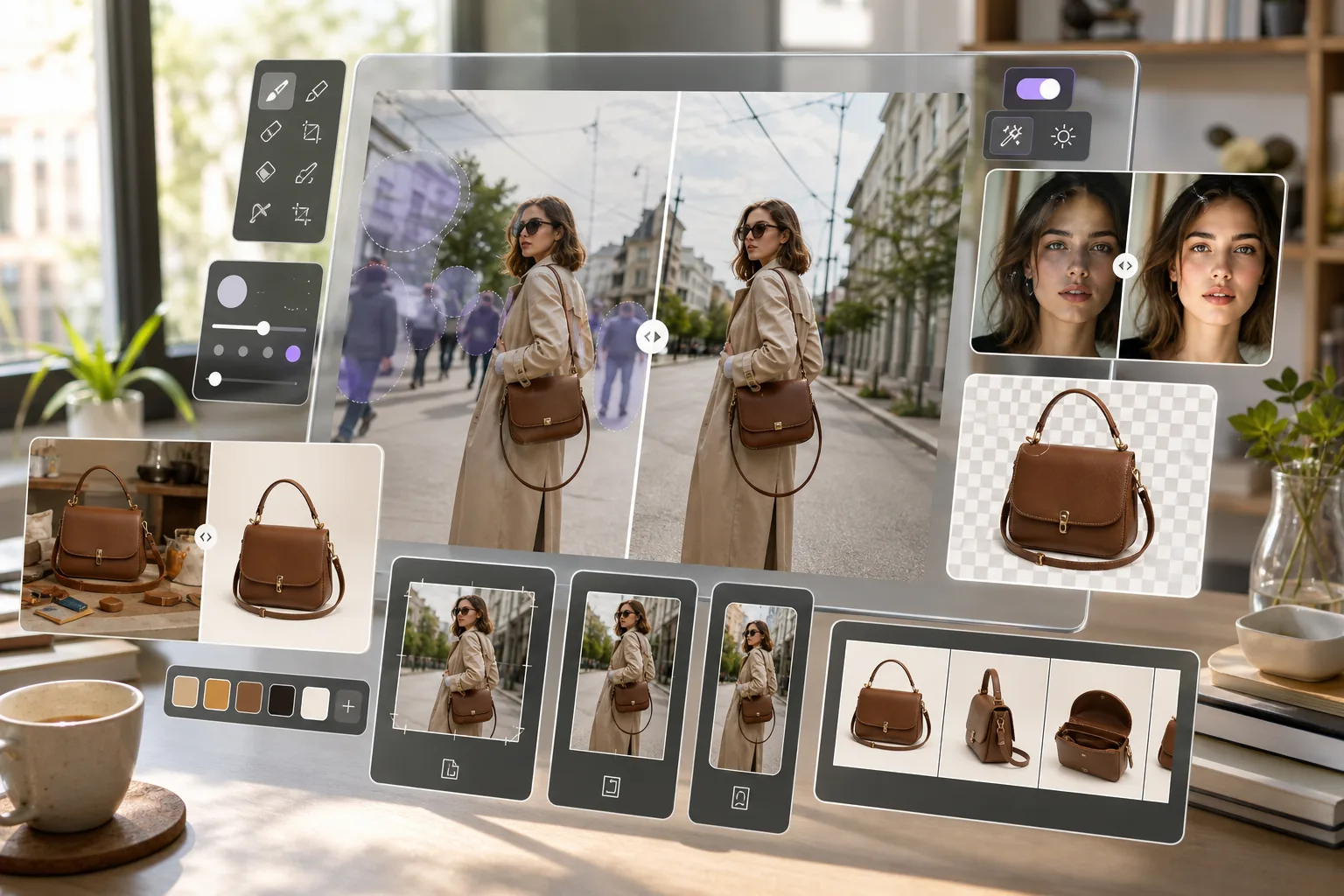
Un bon contenu Instagram commence par de superbes images. Magic Eraser supprime les arrière-plans des présentations de produits, efface les objets indésirables des photos et améliore la qualité de l'image afin que chaque publication, histoire et bobine ait un aspect professionnel.
À propos de Instagram
Instagram est une plateforme de médias sociaux visuels avec plus de deux milliards d'utilisateurs actifs par mois. Les créateurs, les marques et les entreprises l'utilisent pour partager des photos, des histoires, des bobines et du contenu commercial avec leur public.
Avantages
Photos de produits propres pour les publications d'achat
Supprimez les arrière-plans encombrés des photos de produits pour créer des images nettes et isolées qui se démarquent dans les publications d'achats Instagram et les publicités carrousel.
Des photos sans distraction pour votre flux
Effacez les photobombers, les lignes électriques, les poubelles et autres éléments indésirables des photos avant de les publier. Gardez l’esthétique de votre flux cohérente et soignée.
Qualité d'image améliorée pour les téléchargements mobiles
Affinez les détails, améliorez l'éclairage et augmentez la résolution avec AI Enhancement pour que les photos de smartphone soient nettes sur n'importe quelle taille d'écran.
Arrière-plans transparents pour les histoires et les bobines
Supprimez les arrière-plans des sujets et des objets pour créer des fichiers PNG découpés. Superposez-les sur des dégradés, des vidéos ou des modèles de marque dans vos histoires et bobines.
Comment utiliser Magic Eraser avec Instagram
Téléchargez votre photo
Ouvrez Magic Eraser sur votre téléphone ou votre navigateur et téléchargez la photo que vous souhaitez publier sur Instagram.
Modifier et améliorer
Supprimez les arrière-plans, effacez les objets indésirables ou améliorez la qualité de l'image en fonction des besoins de la photo.
Exporter le résultat
Téléchargez l'image modifiée au format PNG pour les arrière-plans transparents ou au format JPEG pour les publications standard.
Publier sur Instagram
Ouvrez Instagram et téléchargez l'image traitée dans votre flux, votre histoire, votre bobine ou votre publication d'achat.
Foire aux questions
Magic Eraser se connecte-t-il directement à Instagram ?
+
Magic Eraser fonctionne comme une étape de préparation. Modifiez et améliorez vos photos dans Magic Eraser, enregistrez-les sur votre appareil, puis téléchargez-les sur Instagram via l'application.
Puis-je utiliser Magic Eraser sur mon téléphone avant de publier ?
+
Oui. Magic Eraser fonctionne sur les navigateurs mobiles et l'application, vous pouvez donc éditer des photos sur le même appareil que celui que vous utilisez pour publier sur Instagram.
Quelle taille d’image fonctionne le mieux pour les publications Instagram ?
+
Instagram prend en charge les images jusqu'à 1 080 x 1 350 pixels pour les publications en portrait et 1 080 x 1 080 pour les publications carrées. Magic Eraser préserve votre résolution d'origine et AI Enhancement peut mettre à l'échelle des images plus petites.
Puis-je supprimer les arrière-plans des balises de produits Instagram ?
+
Oui. Utilisez la suppression d'arrière-plan de Magic Eraser pour créer des images de produits nettes sur des arrière-plans blancs ou transparents, idéales pour les publications d'achats sur Instagram et les balises de produits.
La retouche réduira-t-elle la qualité de mon image ?
+
La qualité d’exportation dépend de l’image source et des réglages de sortie choisis. AI Enhancement peut accentuer les détails ou réduire le bruit, mais le résultat varie selon l’image.
Faites ressortir chaque publication Instagram
Essayez Magic Eraser gratuitement pour supprimer les arrière-plans, effacer les distractions et améliorer vos photos avant de les partager sur Instagram.
Essayez Magic Eraser gratuitementCas d'utilisation associés
Découvrez comment les professionnels utilisent ces outils dans des workflows réels.
Des photos d'annonce encombrées d'effets personnels, de voitures garées ou de matériel de chantier font fuir les acheteurs. Magic Eraser nettoie vos photos de biens en un instant grâce à l'IA — aucune compétence Photoshop requise.
Des photos produits mal cadrées avec des arrière-plans encombrés vous font perdre des ventes chaque jour. Magic Eraser vous permet de créer des images produits professionnelles en quelques secondes — sans compétences Photoshop. Importez, effacez les distractions, et publiez en toute confiance.
Des inconnus qui gâchent vos photos de voyage ? Un arrière-plan en désordre qui ruine vos selfies ? Arrêtez de perdre des heures sur Photoshop. Magic Eraser supprime les distractions, nettoie vos clichés et adapte vos photos à tous les formats — en un clic.
Comparaisons associées
Découvrez comment Magic Eraser se compare à des outils similaires.
TouchRetouch est une application mobile payante populaire pour supprimer objets et imperfections. Magic Eraser propose l'édition IA gratuite sur tout appareil sans installation. Comparez les fonctionnalités, prix et facilité d'utilisation.
Cleanup.pictures est un outil web gratuit pour supprimer rapidement des objets. Magic Eraser propose 8 outils d'édition IA, des applications mobiles et un traitement avancé. Découvrez la comparaison.
remove.bg est le leader du marché pour la suppression d'arrière-plan, avec une API puissante et des intégrations Photoshop et Figma. Magic Eraser va plus loin avec huit outils IA — suppression d'objets, remplissage génératif, amélioration IA et design — réunis dans un seul éditeur.
Deux puissants éditeurs photo IA avec des forces différentes. Magic Eraser propose un ensemble plus large d'outils IA génératifs, tandis que Photoroom excelle en photographie e-commerce et traitement par lots. Découvrez lequel vous convient.
Articles associés
Astuces, guides et tutoriels sur ce sujet.
Apprenez à utiliser Magic Eraser pour supprimer objets, personnes, texte et distractions d’une photo avec un résultat IA plus propre.
Apprenez à supprimer des personnes de vos photos avec l'IA en quelques secondes. Guide pour photos de voyage, immobilier et produits.
Guide pour supprimer les filigranes de vos propres photos avec l'IA. Quand c'est approprié, techniques et utilisation de Magic Eraser.
Autres intégrations
Explorez d'autres plateformes compatibles avec Magic Eraser.