
Générez des images à partir d'invites avec l'IA pour une création rapide de contenu et de concepts
Utilisez le générateur d'images IA de Magic Eraser pour transformer les invites en nouveaux visuels pour les publicités, les réseaux sociaux, les miniatures, les affiches et les concepts de produits. Choisissez des styles, itérez plus rapidement et générez plusieurs idées d'images en un seul flux de travail.
Magic Eraser AI Create est un générateur de texte en image qui transforme les invites écrites en contenu visuel. Les utilisateurs décrivent l'image qu'ils souhaitent et l'IA produit de multiples variations dans différents styles – couramment utilisées pour les créations publicitaires, les visuels de réseaux sociaux, les miniatures, les maquettes de concepts et l'idéation visuelle rapide.
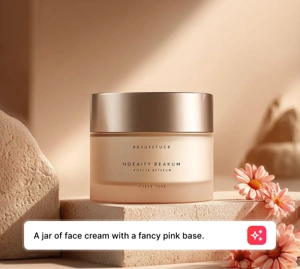
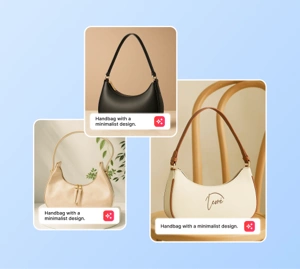
AI generate styles
Start from a generation style
Pick a popular AI Generate style, or browse the full style library for every creative direction.
Générez des visuels et des concepts de campagne à partir d'invites
Passez rapidement d’une idée approximative à une direction visuelle. Rédigez une invite, testez une scène, choisissez un style et générez des options d'image pour les concepts publicitaires, les miniatures, les affiches et les créations sociales sans attendre un cycle de production complet.
Créer une IA ouverte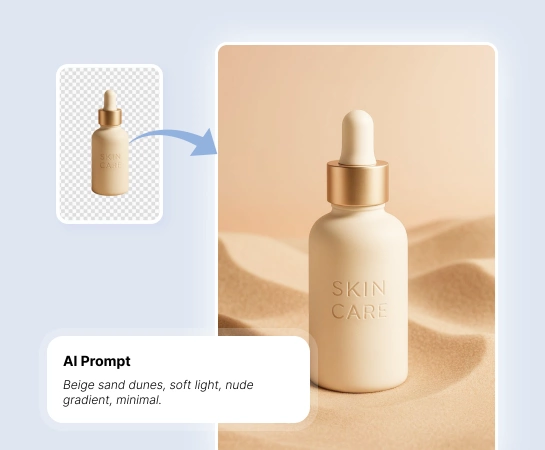
Réduisez le temps nécessaire entre le concept et l'élément visuel utilisable
Lorsque les équipes ont besoin de plus d'options créatives en moins de temps, AI Create aide les spécialistes du marketing, les créateurs et les vendeurs à explorer les directions visuelles avant la production complète. Il s'agit d'un moyen pratique de tester des idées, des ambiances et des angles de campagne à moindre coût et avec moins d'attente.
Créer une IA ouverte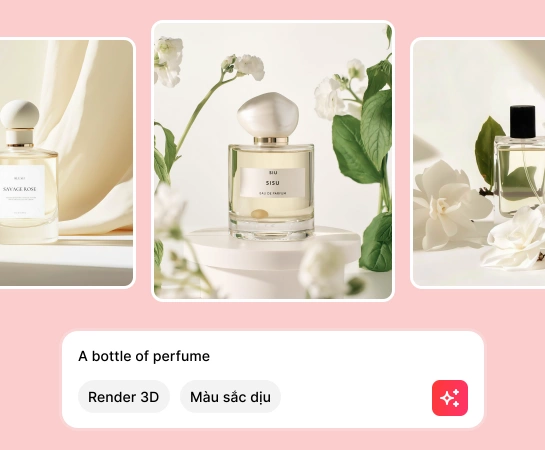
Utilisez AI Create pour tout, des publications sociales aux concepts de produits
Des créations publicitaires, miniatures, affiches et maquettes aux visuels sociaux et aux concepts artistiques, AI Create vous aide à générer de nouvelles images à partir d'invites textuelles et à modifier rapidement la direction visuelle grâce aux préréglages de style.
Créer une IA ouverte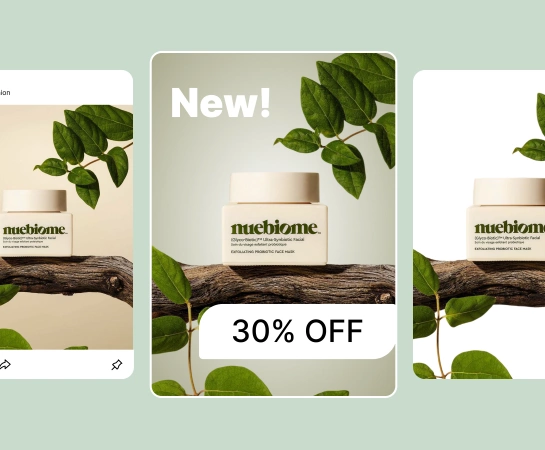
Étendez votre flux de travail après la génération d'images
La génération est généralement la première étape, pas la dernière. Une fois que vous avez une image forte, vous pouvez passer à la conception, supprimer l'arrière-plan, agrandir le canevas ou affiner l'élément pour les pages de destination, les marchés, les publicités et le contenu social. Cela crée un chemin plus rapide depuis l’idée préliminaire jusqu’au visuel prêt pour la production.
Créer une IA ouverte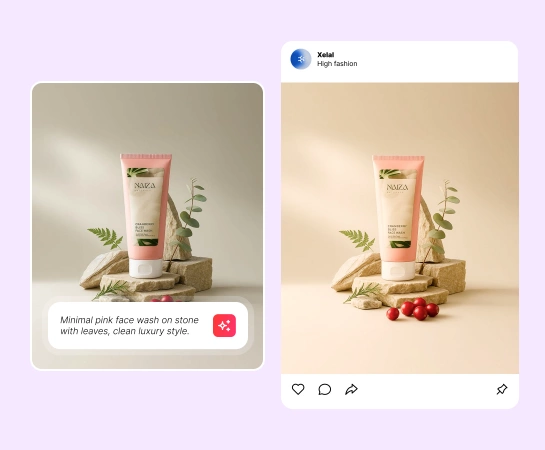
Comment créer des images IA à partir d'invites
Écrivez votre invite
Décrivez le sujet, la scène, l'éclairage et l'ambiance que vous souhaitez générer. Plus l’invite est claire, plus il est facile d’orienter le résultat.
Choisissez le style et les paramètres
Choisissez un style prédéfini, une résolution et des paramètres avancés facultatifs pour façonner la direction visuelle avant de générer.
Générer plusieurs résultats
Créez plusieurs options d'image à partir de la même invite afin de pouvoir comparer rapidement les compositions, l'orientation du style et la qualité.
Téléchargez ou continuez l'édition
Téléchargez l'image que vous aimez le plus ou déplacez-la vers d'autres outils Magic Eraser pour supprimer l'arrière-plan, concevoir ou affiner davantage.
Tous les outils d'édition d'images IA dont vous avez besoin
Explorez les principales fonctionnalités d'édition actuellement disponibles dans Magic Eraser Web, du nettoyage et de l'amélioration à la génération et à la conception.

Création d'IA
Générez de toutes nouvelles images à partir d'invites pour des concepts, des campagnes et la production de contenu.

Préréglages de style
Changez l'apparence de vos résultats avec des styles prêts à l'emploi pour une exploration créative plus rapide.

Conception
Intégrez les visuels générés dans des flux de conception légers pour ajouter du texte et créer des mises en page rapides.

Supprimer l'arrière-plan
Convertissez les images générées en découpes lorsque vous avez besoin de compositions plus propres ou d'éléments transparents.

IA Développer
Étendez les scènes générées pour les adapter à des mises en page, des publicités et des formats de présentation plus larges.

AI Enhance
Améliorez la clarté et le polissage lorsque vous souhaitez un actif final plus propre après génération.

Remplissage IA
Remplacez ou régénérez des régions spécifiques lorsqu'une partie de l'image nécessite un traitement différent.

Supprimer des objets
Nettoyez les détails supplémentaires après génération lorsque vous souhaitez un point focal visuel plus simple ou plus propre.
Questions fréquemment posées
Vous entrez une invite, choisissez un style ou des paramètres, et AI Create génère plusieurs résultats d'image à partir de votre description. Vous pouvez ensuite télécharger la meilleure option ou continuer à la modifier dans d'autres outils Magic Eraser.
Oui. AI Create est utile pour les concepts publicitaires, les miniatures, les affiches, le contenu social, les maquettes, les scènes de produits et l'exploration visuelle précoce des campagnes.
Oui. Vous pouvez diriger la sortie avec votre invite, choisir des préréglages de style, ajuster les paramètres de génération et itérer plusieurs fois pour vous rapprocher de la direction visuelle souhaitée.
Oui. Les images générées peuvent être utilisées avec d'autres outils Web Magic Eraser tels que Supprimer l'arrière-plan, AI Expand, AI Fill et Design en fonction de l'étape suivante de votre flux de travail.
Le flux habituel est simple : rédigez une invite, choisissez un style, générez plusieurs résultats, examinez le résultat, puis téléchargez ou continuez à affiner l'image sélectionnée.