
Shoe Product Photo
Present footwear like a major brand retailer. This template removes backgrounds from any shoe photo, enhances leather and fabric textures, sharpens sole tread detail, cleans up scuffs and dust from sample pairs, and outputs marketplace-compliant images with consistent framing across all angles.
Try this template freeE-commerce template preview
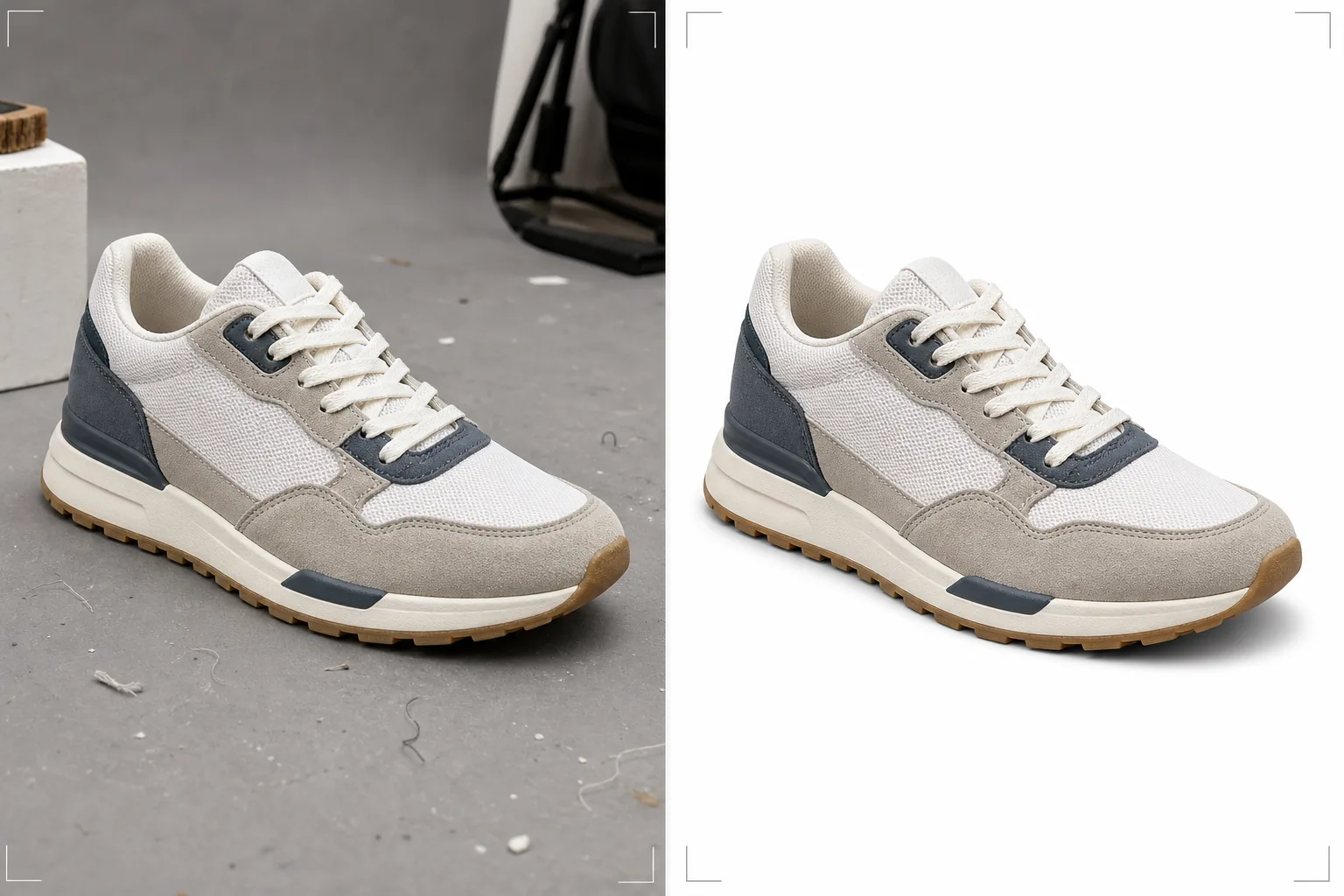
What this template does
Prepares footwear images for e-commerce platforms where buyers rely entirely on photos to evaluate shoe quality, materials, and construction. Background Eraser isolates the shoe with precise edge detection that handles complex outlines like open sandals, mesh sneakers, and fur-lined boots without losing fine material detail at the edges. Magic Eraser removes dust, minor scuffs on samples, loose threads, and surface imperfections that sample pairs accumulate before product photos are taken. AI Enhance sharpens material textures so buyers can see leather grain, canvas weave, stitching quality, and sole tread pattern clearly — the details that convert browsers into buyers.
Template settings
| Background | Pure white (#FFFFFF) for marketplaces or light gray for brand sites |
| Material enhancement | Texture sharpening for leather, suede, canvas, and mesh |
| Sole detail | Tread pattern clarity enhancement for bottom-view shots |
| Surface cleanup | Remove dust, scuffs, and loose threads from sample pairs |
| Output dimensions | 2000 × 2000 px (square, marketplace zoom-ready) |
How to use this template
Upload shoe photos from all angles
Upload side profile, three-quarter, top-down, heel, and sole views. The template processes each angle individually while maintaining consistent background, lighting, and color across the full set. Both individual shoes and pairs can be processed.
Background removal and edge refinement
Background Eraser isolates the shoe from any surface or backdrop. Edge detection is tuned for footwear materials — clean edges on leather, natural transitions on suede nap, and preserved transparency for mesh and open sandal straps. A subtle contact shadow is added beneath to ground the shoe.
Material and detail enhancement
AI Enhance sharpens leather grain, stitching detail, sole tread patterns, and hardware (buckles, eyelets, zippers). Magic Eraser removes sample-pair imperfections including dust, minor scuffs, adhesive residue near the sole, and loose thread ends.
Export for your store
Download the complete angle set at 2000 × 2000 px for marketplace listings with zoom capability, or at custom dimensions for your brand website. All images in the set share consistent framing, background, and color for a polished product page.
Pro tips for best results
- ✓Stuff shoes with tissue paper before photographing to maintain their natural shape. Shoes that collapse or lean because they are empty look less appealing than shoes with structure, and the template enhances the existing shape but cannot inflate a collapsed shoe.
- ✓Include a sole-view photo in every shoe listing. The sole tread is one of the top details buyers check for quality, slip resistance, and brand authenticity. The template sharpens tread patterns to make every detail visible.
- ✓For suede and nubuck shoes, brush the nap in one consistent direction before shooting all angles. The template preserves and enhances the natural nap texture, but shooting with random nap direction across angles creates visual inconsistency.
- ✓Photograph the shoe at a slight three-quarter angle for the hero image rather than a flat side profile. The three-quarter view shows depth, construction, and the transition between upper and sole — the template enhances all of these dimensional details.
E-commerce workflow
Product photo hub
Use this template with the full ecommerce product photo workflow for marketplace backgrounds, cleanup, compression, resizing, and listing-ready exports.
View ecommerce product photo workflowCommon questions
Can this handle all shoe types?
+
Yes. The template is calibrated for sneakers, dress shoes, boots, sandals, heels, and athletic shoes. Edge detection adapts to the specific material — smooth leather edges, fuzzy suede edges, transparent mesh, and open-toe sandal gaps are all handled with material-appropriate treatment.
Should I photograph single shoes or pairs?
+
Photograph at least the hero image as a single shoe (right foot, medial or lateral view depending on brand convention). Include one pair photo for the listing. The template processes both single shoes and pairs, maintaining consistent framing for each.
What about on-foot lifestyle photos?
+
This template is designed for product-on-white catalog shots. For on-foot lifestyle images, the template can enhance the shoe detail and color but works best when used as a product image processor rather than a lifestyle editor.
Present footwear that sells from the first image
Upload shoe photos from any angle and get marketplace-ready images with clean backgrounds, sharp material textures, and professional consistency.
Try it freeRelated templates
More e-commerce templates for your workflow.
Pure white background template for product photos. Amazon, Shopify, and marketplace-ready settings for clean, professional product images that convert.
Etsy-optimized listing photo template. Converts lifestyle shots to clean white backgrounds at 2000px, enhances handmade product details, and meets Etsy's image guidelines.
eBay-optimized listing photo template. White background for gallery images, condition documentation enhancement, and multi-angle layouts that meet eBay's image standards.
Professional jewelry photography template for rings, necklaces, and watches. Controls reflections, enhances gemstone sparkle, and delivers marketplace-ready images on clean backgrounds.
Professional furniture photo template for marketplace listings. Remove room clutter, show true dimensions, and present pieces on clean backgrounds or in styled room contexts.
Clean up clothing flat lay photos with wrinkle removal, lint cleanup, pure white backgrounds, and accurate fabric color. Ready for Shopify, Amazon, and boutique stores.