
Jewelry Product Photo
Turn any jewelry snapshot into a professional product image worthy of a luxury catalog. This template handles the unique challenges of photographing reflective metals and translucent gemstones — controlling unwanted reflections, enhancing sparkle, and ensuring accurate stone color reproduction.
Try this template freeE-commerce template preview
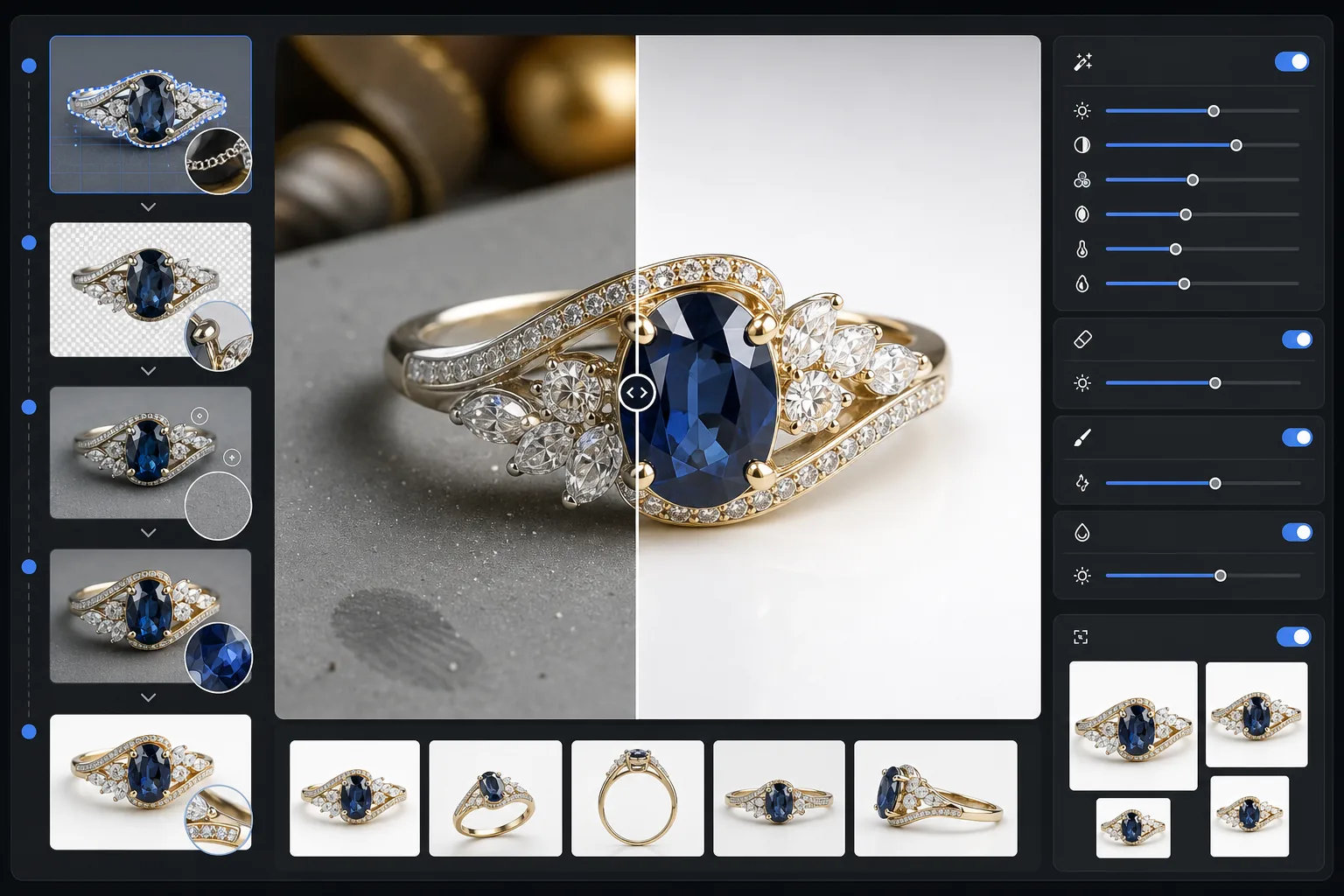
What this template does
Removes cluttered backgrounds from jewelry photos and replaces them with a clean, distraction-free surface. AI enhancement then sharpens facet details, balances metal highlights without blowing them out, and restores true gemstone color that indoor lighting often shifts. Magic Eraser cleans up dust specks, fingerprints on metal, and stray reflections that are nearly impossible to avoid when shooting small reflective objects.
Template settings
| Background | Pure white or gradient gray (selectable) |
| Output size | 2400×2400px (high-res zoom for fine detail) |
| Sparkle enhancement | Medium (preserves natural brilliance without artificial glare) |
| Reflection control | Soft — reduces harsh mirror reflections on polished metal |
| Color accuracy | Gemstone-calibrated sRGB (optimized for emerald, ruby, sapphire, diamond) |
| Detail sharpening | Macro-level — enhances facets, prongs, and engravings |
How to use this template
Photograph your jewelry piece
Place the piece on a non-reflective matte surface. Use diffused natural light or a lightbox to minimize harsh reflections on metal. Shoot from slightly above at a 30-45 degree angle to capture the face of gemstones.
Remove the background
Background Eraser isolates the jewelry from any surface, handling the tricky edges where thin prongs, delicate chains, and fine clasps meet the background — even on highly reflective pieces.
Enhance details and color
AI Enhance sharpens facet edges and engravings visible at zoom, corrects gemstone color shifted by artificial lighting, and balances metal highlights so gold looks warm and silver looks cool without blown-out spots.
Clean up and export
Use Magic Eraser to remove dust particles, fingerprint smudges, or unwanted reflections on the metal surface. Export at 2400px for marketplace zoom compatibility and accurate detail rendering.
Pro tips for best results
- ✓Shoot on a medium gray card rather than white — it gives the AI a cleaner edge separation on silver and white-gold pieces.
- ✓For diamond and clear gemstone pieces, place a small piece of white paper beneath the stone to capture light transmission and fire.
- ✓Photograph rings standing upright using museum wax or a ring holder, then erase the holder with Magic Eraser for a floating presentation.
- ✓Capture multiple angles of each piece and batch-process them with the same template settings for a consistent catalog look.
E-commerce workflow
Product photo hub
Use this template with the full ecommerce product photo workflow for marketplace backgrounds, cleanup, compression, resizing, and listing-ready exports.
View ecommerce product photo workflowCommon questions
Will the sparkle on my diamonds look natural?
+
Yes. The sparkle enhancement amplifies existing light reflections captured in your photo rather than adding artificial glare. The result looks like a professionally lit studio shot, preserving the natural fire pattern of each stone.
Can this handle highly reflective polished gold and platinum?
+
Absolutely. The reflection control setting reduces harsh mirror-like reflections while preserving the characteristic luster of each metal. Gold retains its warm glow and platinum keeps its cool sheen without blown-out white spots.
What background works best for luxury jewelry listings?
+
Pure white meets marketplace requirements for Amazon and Etsy. For your own website or high-end branding, the gradient gray option adds depth and a premium feel. Both options are included in this template.
Make your jewelry photos sell
Upload a photo of any ring, necklace, bracelet, or watch and get a catalog-quality product image in seconds. Every facet, every detail, perfectly presented.
Try it freeRelated templates
More e-commerce templates for your workflow.
Pure white background template for product photos. Amazon, Shopify, and marketplace-ready settings for clean, professional product images that convert.
Etsy-optimized listing photo template. Converts lifestyle shots to clean white backgrounds at 2000px, enhances handmade product details, and meets Etsy's image guidelines.
eBay-optimized listing photo template. White background for gallery images, condition documentation enhancement, and multi-angle layouts that meet eBay's image standards.
Professional furniture photo template for marketplace listings. Remove room clutter, show true dimensions, and present pieces on clean backgrounds or in styled room contexts.
Clean up clothing flat lay photos with wrinkle removal, lint cleanup, pure white backgrounds, and accurate fabric color. Ready for Shopify, Amazon, and boutique stores.
Create Amazon-compliant product photos with pure white backgrounds, proper lighting correction, and optimized dimensions for main and secondary listing images.