
Product 360 Spinner
Create professional 360-degree product spin views from turntable photos. This template removes backgrounds from every rotation angle, ensures consistent lighting and color across all frames, removes dust and surface imperfections, and outputs a uniform image set ready for interactive 360 viewers on your product pages.
Try this template freeE-commerce template preview
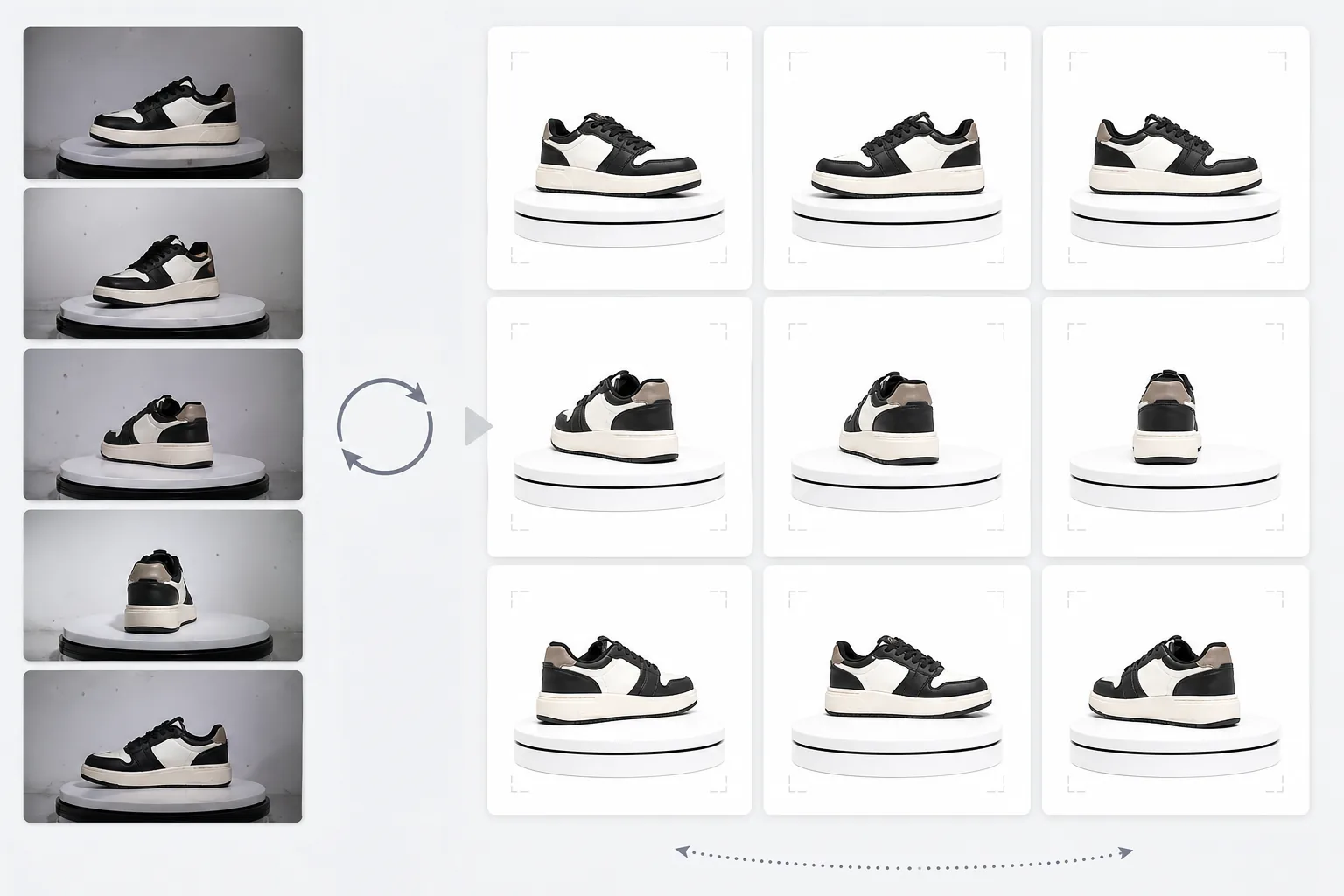
What this template does
Processes multi-angle product photos into a consistent set suitable for 360-degree interactive spin viewers on e-commerce sites. When you photograph a product on a turntable from 24 or 36 angles, small inconsistencies in background, lighting, and shadow accumulate and create a jittery, unprofessional spin experience. This template uses Background Eraser to isolate the product from every angle with consistent edge treatment, normalizes lighting and color temperature across all frames so the product does not flicker between warm and cool as it spins, and uses Magic Eraser to remove dust, fingerprints, and surface imperfections that become distracting when they appear on one frame but not the next.
Template settings
| Background | Pure white (#FFFFFF) — consistent across all rotation frames |
| Lighting normalization | Cross-frame consistency (eliminates flicker between angles) |
| Surface cleanup | Remove dust, fingerprints, and reflections per frame |
| Product centering | Auto-center product in each frame for smooth rotation axis |
| Output dimensions | 1500 × 1500 px per frame (optimized for web 360 viewers) |
| Frame count | Supports 12, 24, or 36 frame sequences |
How to use this template
Upload your turntable photos
Upload the full set of rotation photos (12, 24, or 36 frames) taken on a turntable with consistent intervals. Name files sequentially (001.jpg through 036.jpg) so the template processes them in the correct rotation order. The template handles photos from any background — white sweep, gray, or colored.
Background removal and consistency
Background Eraser removes the background from every frame using the same edge detection settings, ensuring the product outline is consistent across all angles. Product is auto-centered in each frame so the rotation axis remains stable and the spin does not wobble.
Cross-frame normalization
Lighting, color temperature, and exposure are normalized across all frames. This eliminates the subtle brightness and color fluctuations that occur when turntable lighting is not perfectly even from every angle. Surface imperfections visible in some angles are cleaned up for consistency.
Export frame sequence
Download the complete frame sequence at 1500 × 1500 px per frame in JPEG format. Files are numbered sequentially and ready for direct import into 360 viewer plugins like Magic 360, Sirv, or Webrotate 360. Total file size is optimized for fast web loading.
Pro tips for best results
- ✓Use a manual turntable with degree markings rather than freehand rotation. Consistent 10-degree intervals (36 frames) produce the smoothest spin. The template can handle slight rotation inconsistencies, but even spacing produces a noticeably smoother result.
- ✓Lock your camera on a tripod and use manual exposure settings for all frames. Auto-exposure causes the camera to adjust brightness differently at each angle, creating the flickering effect the template must then correct. Manual settings give the template a cleaner starting point.
- ✓Clean your product thoroughly before shooting — dust and fingerprints are more visible and distracting in a 360 spin than in a single static photo because they appear and disappear as the product rotates. The template removes these, but starting clean produces better results.
E-commerce workflow
Product photo hub
Use this template with the full ecommerce product photo workflow for marketplace backgrounds, cleanup, compression, resizing, and listing-ready exports.
View ecommerce product photo workflowCommon questions
How many frames do I need?
+
36 frames (10-degree intervals) produce the smoothest spin for most products. 24 frames (15-degree intervals) is acceptable for products without fine detail. 12 frames (30-degree intervals) is the minimum for a recognizable spin but will feel choppy for detailed products like watches or electronics.
Can I process frames from a video?
+
Yes, if you extract frames from a turntable video at even intervals. Export frames at the highest available resolution and ensure even angular distribution around the full 360 degrees. Video frames may be lower quality than dedicated still photos due to motion blur and video compression.
What 360 viewer plugins are compatible?
+
The sequential JPEG output is compatible with all major 360 viewer solutions including Magic 360, Sirv 360, Webrotate 360, jQuery Reel, and custom implementations. The consistent dimensions and naming convention make import straightforward.
Give shoppers the 360 product view they expect
Upload turntable photos and get a consistent, clean frame sequence ready for interactive 360 spin viewers on your product pages.
Try it freeRelated templates
More e-commerce templates for your workflow.
Pure white background template for product photos. Amazon, Shopify, and marketplace-ready settings for clean, professional product images that convert.
Etsy-optimized listing photo template. Converts lifestyle shots to clean white backgrounds at 2000px, enhances handmade product details, and meets Etsy's image guidelines.
eBay-optimized listing photo template. White background for gallery images, condition documentation enhancement, and multi-angle layouts that meet eBay's image standards.
Professional jewelry photography template for rings, necklaces, and watches. Controls reflections, enhances gemstone sparkle, and delivers marketplace-ready images on clean backgrounds.
Professional furniture photo template for marketplace listings. Remove room clutter, show true dimensions, and present pieces on clean backgrounds or in styled room contexts.
Clean up clothing flat lay photos with wrinkle removal, lint cleanup, pure white backgrounds, and accurate fabric color. Ready for Shopify, Amazon, and boutique stores.