
Nail Art Portfolio
Display your nail art with the detail and color accuracy it deserves. This template enhances close-up nail photos with macro-level sharpening that reveals every tiny design element, corrects polish and gel colors to their true shades under neutral light, and cleans up the surrounding skin and background so clients focus entirely on your artistry.
Try this template freeBusiness template preview
What this template does
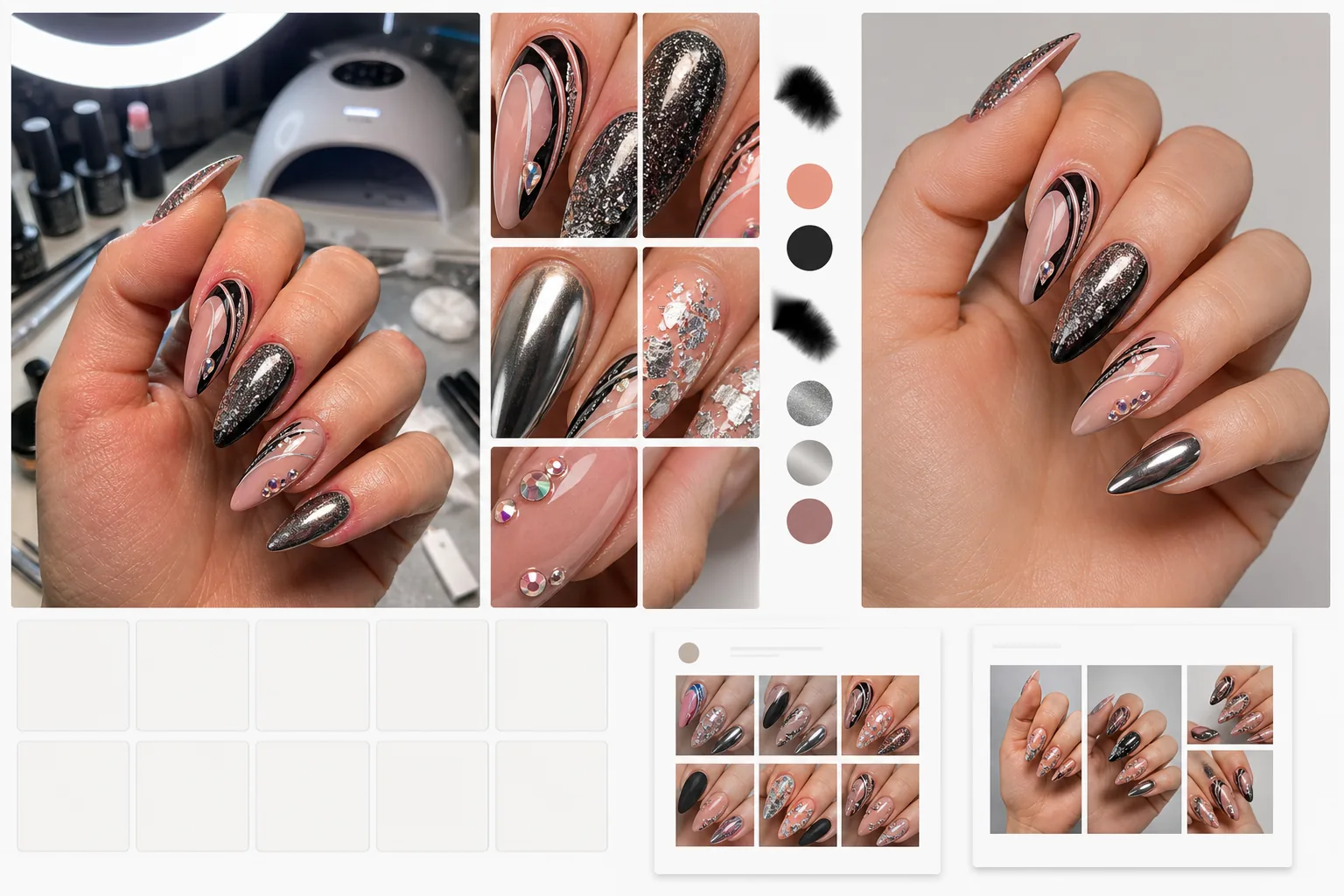
Transforms phone photos taken at the salon station into portfolio-quality images that showcase technical skill. AI Enhance applies macro-level sharpening that brings out fine details — glitter particles, hand-painted line work, foil patterns, chrome finishes, and tiny gem placements — that phone cameras blur at close range. Polish and gel colors are corrected to their true manufacturer shade by removing the warm or cool color cast from salon lighting, UV lamps, and ring lights. Magic Eraser cleans up the surrounding skin — removing cuticle redness, hangnails, and dry patches — and eliminates background clutter like UV lamps, polish bottles, and salon equipment so the portfolio image is entirely about the nail art.
Template settings
| Detail sharpening | Macro-level (glitter, line work, foils, gems, and texture visible) |
| Color correction | True polish/gel shade under D50 neutral lighting standard |
| Skin cleanup | Smooth cuticles, reduce redness, and even skin tone around nails |
| Background | Clean white, solid color, or blurred salon environment |
| Output resolution | 2000×2000px (1:1 square for Instagram grid) |
How to use this template
Upload your nail photo
Upload a close-up photo of the finished nail set. Phone photos taken at the salon station under any lighting — LED desk lamps, ring lights, UV curing lamps, or natural window light — all work. Get as close as your phone allows for maximum detail capture.
Enhance detail and color
AI Enhance sharpens the nail art to reveal micro details that phone cameras cannot resolve at close range. Polish and gel colors are corrected to their true shade by removing the color cast from salon lighting. Chrome, holographic, and cat-eye finishes are enhanced to show their light-shifting properties.
Clean up skin and background
Magic Eraser smooths cuticle redness and dry skin around the nails without making the hands look artificial. Background clutter — UV lamps, polish bottles, hand rests, and cotton pads — is removed or replaced with a clean backdrop. The focus is directed entirely to the nail art.
Export for portfolio
Download at 2000×2000px in square format for a consistent Instagram grid layout. Rectangular crops are available for Pinterest pins and website galleries. The consistent styling creates a cohesive portfolio that elevates your professional brand.
Pro tips for best results
- ✓Photograph nails immediately after completing the set, before the client touches anything. Fresh nail art has the cleanest polish lines, the most intact gems, and the highest gloss surface — all of which the AI enhancement amplifies.
- ✓Position the hand flat or gently curved on a clean surface. Fingers spread slightly apart show each nail individually and prevent shadows from one nail falling on the next, which obscures detail even after AI enhancement.
- ✓Use your phone's portrait mode or macro mode if available. These modes capture more close-up detail, giving the AI a higher-quality starting point for sharpening fine nail art elements.
Common questions
Will chrome and holographic finishes look accurate?
+
The enhancement preserves and amplifies the light-shifting properties of chrome, holographic, cat-eye, and duochrome finishes. Because these finishes look different under every light angle, the template displays them as they appear under neutral overhead light, which is the most universally recognizable representation.
Can I show before-and-after nail transformation?
+
Yes. Upload both the before (natural nails) and after (finished set) photos and the template enhances both with the same settings. The consistent styling makes before-and-after comparisons more impactful for marketing.
Does this work for nail art on tips or swatch sticks?
+
Yes. The template detects whether nails are on a human hand or on display tips and swatch sticks, and adjusts the skin cleanup accordingly. Swatch sticks are isolated and displayed on a clean background just like on-hand photos.
Show every detail of your nail artistry
Upload salon photos and get portfolio-quality images with true color, macro detail, and clean presentation.
Try it freeRelated templates
More business templates for your workflow.
Polish corporate team photos with consistent backgrounds, professional lighting correction, brand-appropriate color grading, and uniform image quality across the team.
Enhance gym and fitness photos with muscle definition enhancement, dynamic lighting correction, background cleanup, and high-contrast athletic color grading.
Enhance tattoo portfolio photos with ink color vibrancy, line detail sharpening, skin redness reduction, and clean backgrounds for artist portfolios and Instagram.
Create a polished resume headshot with background replacement, skin smoothing, and lighting correction. Ideal for CVs, job portals, and corporate directories.
Create professional team and individual player photos with background replacement, jersey color enhancement, and stadium or studio backdrops for rosters and programs.
Create professional band and musician promo photos with background replacement, dramatic lighting enhancement, and print-ready outputs for press kits and venue submissions.