
Logo Transparent Background
Extract logos from any background and export as transparent PNGs with pixel-perfect edge refinement. This template handles logos photographed on paper, scanned from business cards, screenshotted from websites, or exported from design tools with messy backgrounds. Multi-size output covers web favicons, social media profiles, email signatures, and high-resolution print use.
Try this template freeDesign template preview
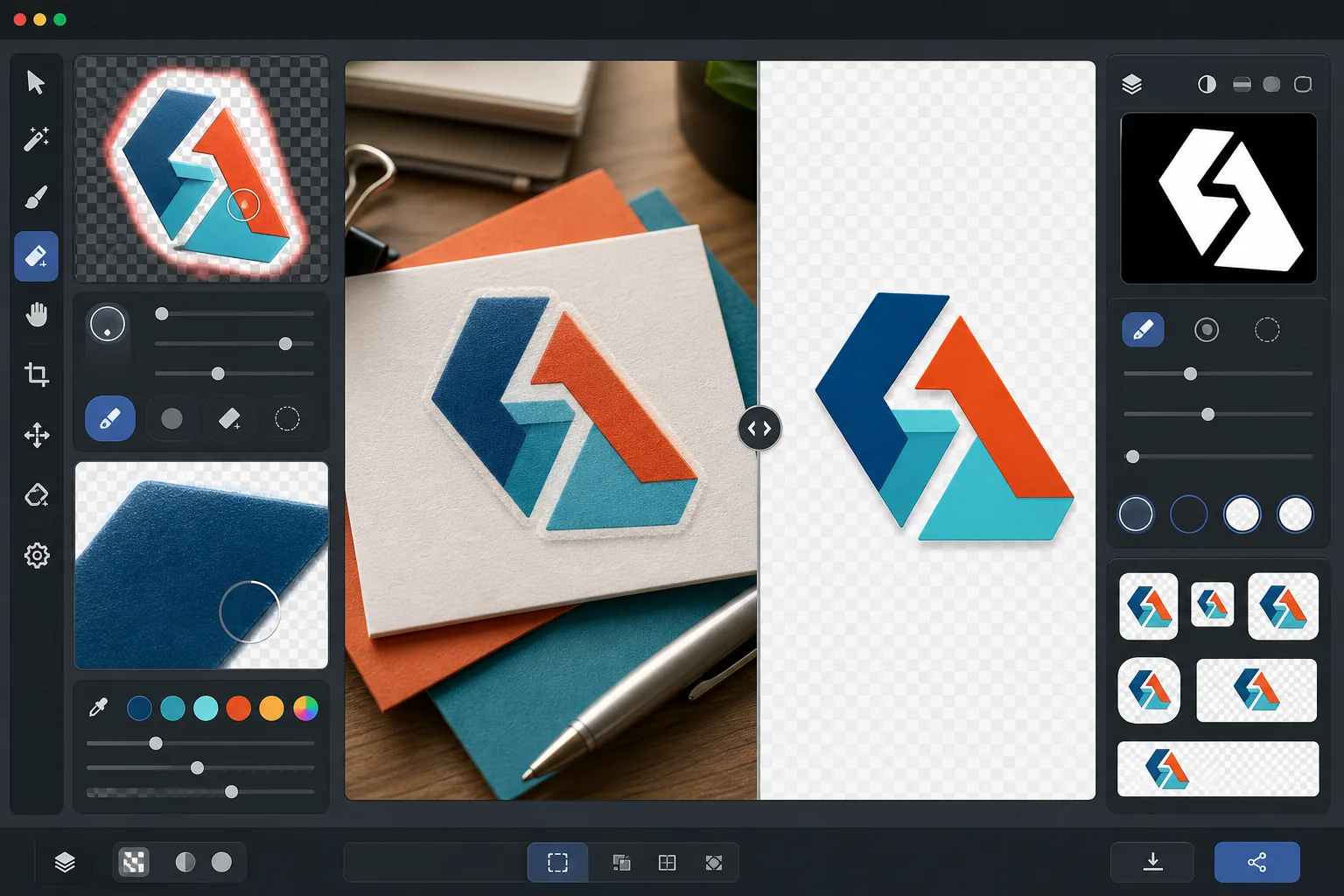
What this template does
Removes the background from logos and wordmarks to produce clean transparent PNG files ready for use across all media. Background Eraser isolates the logo from its original surface — whether that is a white paper scan, a colored website background, a photograph of a storefront sign, or a business card on a desk. AI Enhance refines the edges to eliminate jagged pixels, white fringing, and halo artifacts that commonly appear when background removal cuts too aggressively around fine type, thin lines, and detailed icon elements. The output is exported at multiple standard sizes for immediate use as web favicons, social profile images, email signature graphics, and print-resolution brand assets.
Template settings
| Background removal | Full transparency with 1px anti-aliased edge |
| Edge refinement | Sub-pixel smoothing (eliminates white fringe and halo artifacts) |
| Color preservation | Exact hex-value matching (no color shift from background bleed) |
| Multi-size export | 16px, 32px, 180px, 512px, 1024px, and original resolution |
| Format | PNG-32 with alpha channel (24-bit color + 8-bit transparency) |
How to use this template
Upload your logo image
Upload the logo in any format — a high-resolution design export, a scan of a business card, a screenshot from a website, or even a photograph of a printed sign. The template handles both vector-clean digital logos and imperfect real-world captures with shadows, perspective distortion, and uneven lighting.
Remove the background
Background Eraser isolates the logo from its original surface and creates a transparent alpha channel. The AI distinguishes between the logo's intentional design elements and the background, correctly handling interior negative space (like the hole in an O or A), thin lines, and fine serifs.
Refine edges and colors
AI Enhance smooths the edge anti-aliasing to eliminate jagged staircase pixels on curves and diagonals, removes any white or colored fringe from background bleed, and verifies that the logo colors have not shifted during extraction. Brand colors are preserved at their original hex values.
Export at multiple sizes
Download a complete set of logo files: 16x16px favicon, 32x32px browser tab icon, 180x180px Apple touch icon, 512x512px social media and app store, 1024x1024px high-resolution, and the full original resolution. All files are PNG-32 with transparent backgrounds.
Pro tips for best results
- ✓For the cleanest extraction, start with the highest resolution version of the logo you can find. A 2000px wide logo scaled down to 512px will have much cleaner edges than a 200px logo scaled up to 512px. If you only have a small version, the AI upscaling helps but cannot match the quality of a natively large source.
- ✓When photographing a printed logo (on a sign, product, or business card), shoot straight-on to minimize perspective distortion. The template can correct mild keystone distortion, but a head-on shot produces a geometrically accurate output without any correction artifacts.
- ✓Logos with very thin lines or delicate serifs at small sizes (below 32px) may lose fine detail. For favicon use, consider using a simplified mark or icon version of your logo rather than the full wordmark. The multi-size export lets you verify readability at each target size before downloading.
- ✓If your logo uses semi-transparent elements like shadows, glows, or glass effects, the background removal preserves these transparency levels in the alpha channel. The result composites correctly over any new background color without losing the dimensional effects of the original design.
Common questions
Can this extract a logo from a photograph of a sign?
+
Yes. The template handles real-world captures including photographs of storefront signs, vehicle wraps, product packaging, and trade show banners. The AI corrects for uneven lighting, mild perspective distortion, and surface texture (like vinyl grain or fabric weave) to produce a clean, flat logo file. Results are best when the photograph is sharp and taken from as close to straight-on as possible.
Will my brand colors be preserved exactly?
+
The color preservation algorithm maintains the original hex values of the logo colors without allowing background color to bleed into the edges. For logos extracted from photographs (as opposed to digital files), color accuracy depends on the lighting in the original photo. Under neutral lighting, extracted colors are typically within a delta-E of 2 from the true brand colors.
What is the difference between PNG-32 and regular PNG?
+
PNG-32 includes a full 8-bit alpha channel that supports 256 levels of transparency per pixel, allowing smooth anti-aliased edges and semi-transparent effects like drop shadows and glows. Regular PNG-8 with transparency only supports fully transparent or fully opaque pixels, resulting in jagged edges. All outputs from this template use PNG-32 for the highest quality transparency.
Get your logo ready for every platform in one click
Upload any logo image and get transparent PNG files at every size you need — from tiny favicons to high-resolution print assets — with perfectly clean edges.
Try it freeRelated templates
More design templates for your workflow.
Generate realistic book cover mockups with 3D perspective, shadow rendering, and lifestyle backgrounds for author marketing and publisher promotions.
Design podcast cover art that meets Apple Podcasts and Spotify specifications with background replacement, host portrait isolation, and typography-ready layouts.
Prepare digital art and photographs for large-format printing with AI upscaling, canvas expansion, color-accurate proofing, and print-ready file export.
Prepare photos for stock agency submission with trademark removal, model release compliance editing, technical quality checks, and agency-specific format requirements.