
Remove (or replace) the sky in a photo
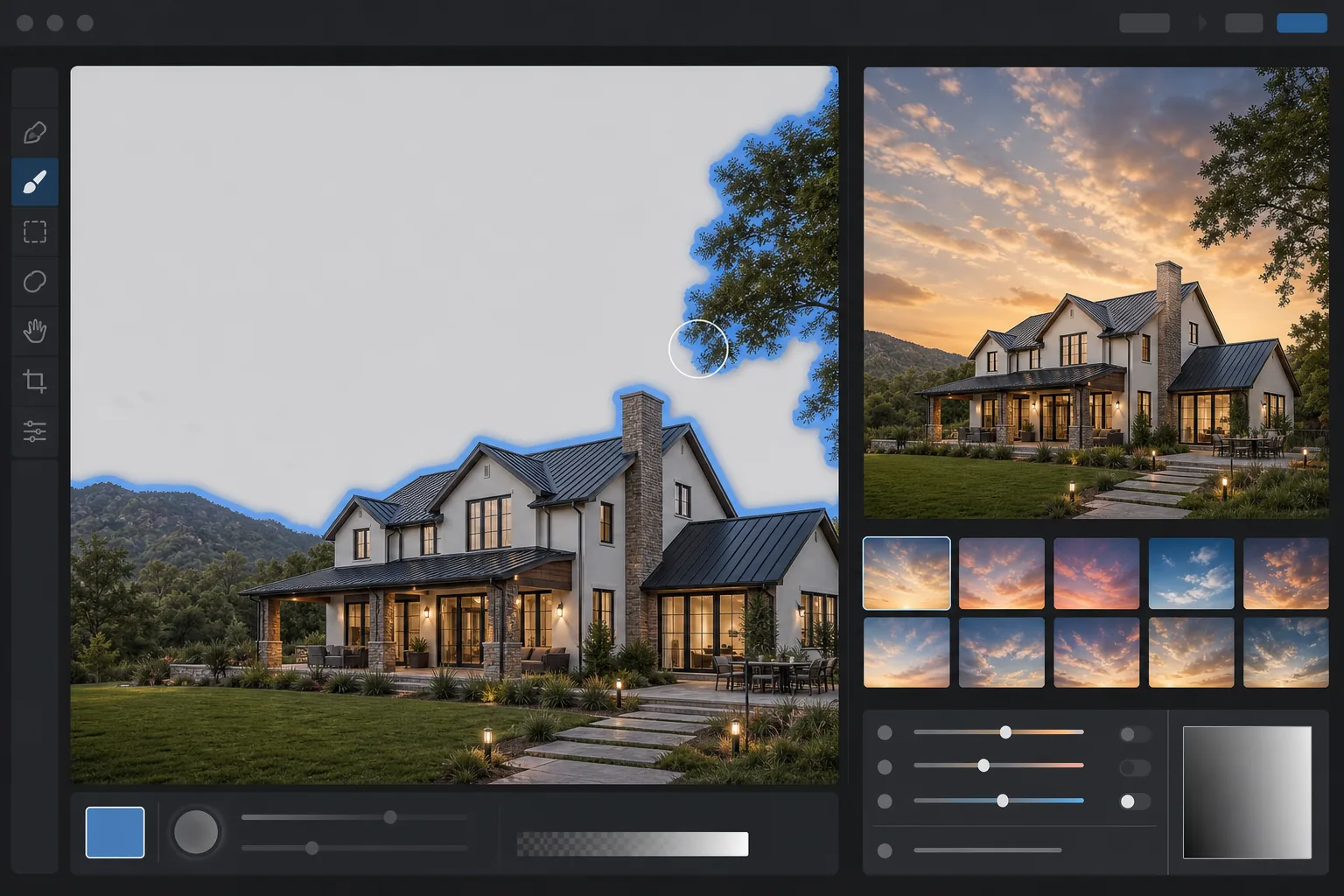
Trade a flat, overcast, or blown-out sky for a dramatic sunset, deep blue, or any custom backdrop. Magic Eraser detects the horizon, lifts out the original sky, and uses AI Fill to drop in a new one that matches the photo's lighting and color cast.
Last updated
How to remove or replace the sky in a photo
To remove the sky from a photo, open Magic Eraser on the web, iOS, or Android, upload the image, and the AI detects the sky region automatically — then erase it for a clean cutout or replace it with a new sky in one step. It includes limited free edits after sign-in. The auto-detection follows the horizon and traces tricky edges like branches, wires, and rooflines, so a flat grey or blown-out sky becomes a clear blue one (or any sky you choose) in seconds. Works on real-estate exteriors, landscapes, car shoots, and overcast travel photos. Traditional sky replacement in Photoshop or Luminar requires careful masking around buildings, trees, and the horizon line — a 20-minute job for a single photo. AI sky tools detect the sky region automatically and produce a clean edge in seconds, including tricky cases like wispy branches, scaffolding, and antenna lines. The same workflow handles real-estate exteriors, landscape photography, car shoots, and travel snapshots taken on overcast days.
Remove or replace the sky in three steps
- 1
Upload the photo
Open Magic Eraser AI Fill and drop in the photo. The AI scans the image and detects the sky region — including partially-occluded sky behind branches, wires, and architecture.
- 2
Pick a replacement (or leave it blank)
Choose a preset sky (sunset, deep blue, dramatic storm, golden hour), upload your own sky photo, or leave the prompt blank for a clean cutout you can composite later.
- 3
Run AI Fill and adjust
The AI swaps the sky and relights the foreground to match the new color temperature. If the new lighting feels off, dial back the relight intensity to keep the original foreground exposure.
Best for
- Real-estate exterior photos shot under flat, grey skies
- Landscape photography that needs dramatic late-light atmosphere
- Travel photos taken in overcast or rainy weather
- Car and product photos that need a cleaner backdrop
- Architecture shots where the sky is blown out or distractingly busy
Tips and limits
AI sky replacement is convincing when the new sky matches the time of day and direction of light in the rest of the scene. A bright sunset behind a building lit by harsh midday sun looks wrong even when the edge mask is perfect — pick a sky that fits the original lighting. For real-estate listings, MLS rules in some regions require disclosure of significant edits including sky replacement; check your local guidelines. For journalism and documentary photography, the standard practice is to avoid sky replacement entirely.
Frequently asked questions
- Is sky replacement allowed on real-estate listings?
- Most MLS regions allow sky replacement when disclosed, but rules vary. Several MLS associations require either disclosure or a no-modifications policy. Check your local rules before publishing.
- Does Magic Eraser relight the foreground after the swap?
- Yes. AI Fill adjusts the foreground color cast and shadow direction to match the new sky's lighting. You can dial the relight back if you prefer to keep the original foreground unchanged.
- Can I use my own sky photo?
- Yes. Upload a sky photo as the replacement and the AI will scale, color-match, and blend it into the cleared region.
- What happens to thin objects like wires and tree branches?
- The AI's edge detection handles wires, branches, and antennas in most cases. Very fine, low-contrast details may need a touch-up after the swap.
- How do I remove the sky from an image for free?
- Open Magic Eraser on the web, iOS, or Android and upload the photo. The AI detects the sky automatically, so you can erase it to a transparent or solid background, or swap in a new one — then export at no cost, with sign-in required or watermark. This is handy when you want just the foreground (a building, a tree line, a car) cut out cleanly from a dull or distracting sky.
- Can I replace the sky instead of just removing it?
- Yes. After the AI isolates the sky, choose a replacement — a clear blue sky, a dramatic sunset, an overcast mood, or your own sky photo — and Magic Eraser drops it in behind the horizon. For the most believable result, pick a sky whose light direction matches the foreground, and let the tool blend the horizon so the swap doesn't look pasted on.
- Will a replaced sky look fake or obviously edited?
- It looks natural when the new sky's lighting and color temperature match the scene — a warm sunset over warmly-lit buildings, a cool blue over a cool foreground. The giveaways are a mismatched horizon glow or foreground that's still lit for the old sky. Choose a sky that fits the existing light, and review the horizon edge at full zoom for any halo before exporting.