
Object Removal Without a Creative Cloud Subscription
Adobe Lightroom's content-aware / healing remove is excellent — but it's locked behind a Creative Cloud subscription and a desktop (or app) install, inside a RAW-development and catalog workflow built for processing whole shoots. If you just need to erase an object or distraction from one photo, Magic Eraser does it in your browser: free, no Creative Cloud, no download, on web, iOS, and Android. Lightroom is still the right tool for RAW develop, color/tone, and catalog-scale work; this is the no-subscription shortcut for quick cleanup.
Last updated
Try Magic Eraser freeComparison rows are editorial summaries from the latest page review, not a guarantee of current pricing, limits, watermark policy, batch support, speed, or platform availability.
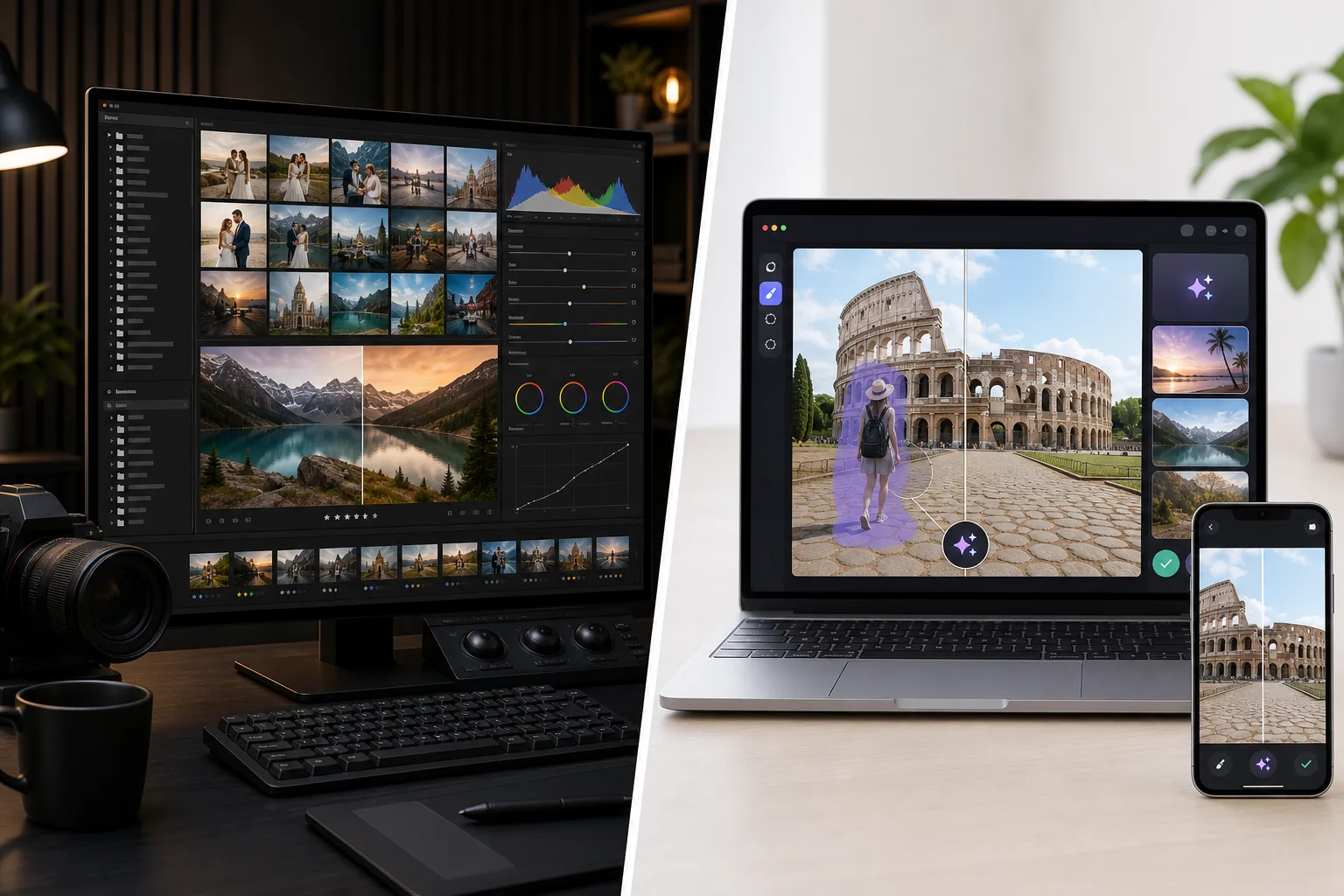
Overview
Magic Eraser is an AI-first photo editor optimized for cleanup work: Magic Eraser brush for distraction removal, Background Eraser for background swaps, AI Fill for generative fill and outpainting, AI Enhance for sharpening / denoising / upscaling, AI Filter for color grading. The full feature set runs on web, iOS, and Android with a free tier on every platform and a $29.99/year Premium tier. Each tool is a single-canvas action with no catalog management, no per-photo metadata, and no RAW develop pipeline — the product is built around individual edits where the speed-to-result is the optimization target. Magic Eraser slots into a photographer's workflow as the cleanup-and-edit station after Lightroom develops the RAW, or as the standalone editor for photographers and creators working with JPEG / HEIC source from phone cameras.
Adobe Lightroom (both the Classic desktop catalog version and the Lightroom cloud version) is the photographer's RAW development and catalog tool, designed around shooting workflows where 100-2000+ photos per session need to be ingested, sorted, color-corrected, tone-adjusted, exposure-balanced, white-balance-corrected, and exported with consistent presets applied across the set. Lightroom Classic is desktop-only (Windows / macOS) with local catalog storage and is the version most pro photographers use; Lightroom (the cloud version, distinct product) runs on desktop / iPad / iOS / Android with cloud sync. Pricing is Adobe Photography Plan ($9.99-19.99/month bundled with Photoshop) or Lightroom standalone ($9.99/month with 1TB cloud storage). Lightroom's AI features have grown (AI Denoise, AI Masking, generative remove in 2024-2025) but the product's center of gravity remains RAW develop and catalog management at scale.
Feature Comparison
Magic Eraser is an AI-first photo editor optimized for cleanup work: Magic Eraser brush for distraction removal, Background Eraser for background swaps, AI Fill for generative fill and outpainting, AI Enhance for sharpening / denoising / upscaling, AI Filter for color grading. The full feature set runs on web, iOS, and Android with a free tier on every platform and a $29.99/year Premium tier. Each tool is a single-canvas action with no catalog management, no per-photo metadata, and no RAW develop pipeline — the product is built around individual edits where the speed-to-result is the optimization target. Magic Eraser slots into a photographer's workflow as the cleanup-and-edit station after Lightroom develops the RAW, or as the standalone editor for photographers and creators working with JPEG / HEIC source from phone cameras.
Adobe Lightroom (both the Classic desktop catalog version and the Lightroom cloud version) is the photographer's RAW development and catalog tool, designed around shooting workflows where 100-2000+ photos per session need to be ingested, sorted, color-corrected, tone-adjusted, exposure-balanced, white-balance-corrected, and exported with consistent presets applied across the set. Lightroom Classic is desktop-only (Windows / macOS) with local catalog storage and is the version most pro photographers use; Lightroom (the cloud version, distinct product) runs on desktop / iPad / iOS / Android with cloud sync. Pricing is Adobe Photography Plan ($9.99-19.99/month bundled with Photoshop) or Lightroom standalone ($9.99/month with 1TB cloud storage). Lightroom's AI features have grown (AI Denoise, AI Masking, generative remove in 2024-2025) but the product's center of gravity remains RAW develop and catalog management at scale.
| Feature | Magic Eraser | Adobe Lightroom |
|---|---|---|
| RAW development (CR3 / NEF / ARW / DNG) | Not the primary use case | Yes — primary feature, develop module |
| Catalog management (1000s of photos) | No — single-canvas edits | Yes — Lightroom Classic core feature |
| Preset library + sync across photos | AI Filter presets per-photo | Develop presets sync across catalog batches |
| Object / distraction removal | One-click Magic Eraser brush | Generative Remove (since 2024-2025, AI-driven) |
| Background removal / swap | One-click Background Eraser | AI Masking + manual selection (slower) |
| Generative AI fill (text-prompt) | Yes — AI Fill with text prompts | Generative Remove without text-prompt control |
| AI sharpening / denoising / upscaling | AI Enhance, single action | AI Denoise (Lightroom-specific, separate sliders) |
| Color grading / filters | AI Filter presets + adjust | Develop module + Color Grading module |
| Tonal / exposure / white-balance correction | AI Filter handles broad color grade | Yes — primary feature with precise sliders |
| Mobile (iOS / Android) | Yes — full feature set on both | Lightroom mobile (cloud version), Lightroom Classic desktop only |
| Web app (no install) | Yes | Lightroom Web (limited features) |
| Pricing | Free + $29.99/year Premium | $9.99-19.99/month + $0.99-9.99 mobile |
| Best workflow shape | Per-photo cleanup and edit | Catalog-scale RAW develop and color |
| Typical user | Anyone editing photos, esp. mobile and JPEG | Photographers shooting RAW at session scale |
Feature rows summarize visible product positioning and should be rechecked against official product pages before purchase, migration, or compliance decisions.
- Last content review May 16, 2026
- Adobe Lightroom source: official product site (https://www.adobe.com/products/photoshop-lightroom.html)
- Magic Eraser source: https://magiceraser.live/en/product/magic-eraser
- Pricing, feature availability, platform support, and limits can change; recheck official sources before relying on a buying decision.
Pricing Comparison
| Plan | Magic Eraser | Adobe Lightroom |
|---|---|---|
| Free tier | Free — limited edits | 7-day trial |
| Monthly | $9.99/mo | $9.99/mo |
| Annual | $4.99/mo (billed yearly) | $9.99/mo (billed yearly) |
Prices as of May 2026. Check each provider for current rates.
Pricing rows are snapshots from review time. Free tiers, subscriptions, trials, export limits, and regional availability can change without notice.
- Last content review May 16, 2026
- Adobe Lightroom source: official product site (https://www.adobe.com/products/photoshop-lightroom.html)
- Magic Eraser source: https://magiceraser.live/en/product/magic-eraser
- Pricing, feature availability, platform support, and limits can change; recheck official sources before relying on a buying decision.
Why Choose Magic Eraser
Cleanup work that's faster and simpler than Lightroom's Generative Remove
Lightroom added Generative Remove in 2024-2025, which is a meaningful AI cleanup capability for photographers already in Lightroom. The tradeoff is workflow shape: in Lightroom, cleanup is one node in a develop-module pipeline that assumes you're processing RAW files in a catalog context. The cleanup brush requires entering the right module, selecting the right tool, painting carefully, evaluating, and saving back to the catalog. Magic Eraser's cleanup brush is the entire product — open photo, brush, tap, done — in 30-60 seconds per photo on phone or web. For photographers whose cleanup work is the bottleneck (real-estate listing photos with distracting cars, travel photos with strangers, product photos with reflection or dust), the AI-first single-canvas workflow is meaningfully faster than navigating Lightroom's full module hierarchy for each cleanup pass.
Generative fill with text prompts that Lightroom doesn't expose
Lightroom's Generative Remove is content-aware fill driven by Adobe Firefly under the hood, but it doesn't expose text-prompt control to the photographer. The cleanup-or-replace operation is bound to 'remove this and fill with whatever Firefly thinks should be there.' Magic Eraser's AI Fill exposes text-prompt control: 'warm wood texture matching the foreground,' 'sunset sky above the existing horizon,' 'beige limestone facade with three arched windows.' For workflows that need new content generated into the photo rather than just cleaner existing content (real-estate virtual staging, scaffolding-covered landmark cleanup with text-prompted facade reconstruction, lifestyle-context generation for product photos), Magic Eraser's prompt-driven generation is the right shape; Lightroom's prompt-less Generative Remove handles the cleanup case but not the generative-content case.
Runs natively on iOS and Android — Lightroom Classic is desktop-only
Lightroom comes in two products with different platform support: Lightroom Classic (the catalog-based desktop version most pro photographers use) is Windows / macOS only; Lightroom (the cloud version, a separate product) runs on desktop / iPad / iOS / Android with cloud sync. Most photographers running serious workflows use Lightroom Classic, which means mobile editing on a phone or tablet requires using the cloud version with sync (additional complexity) or not editing on mobile at all. Magic Eraser ships native iOS and Android apps with full feature parity, no cloud sync to configure, no second product to license. For photographers and creators whose primary edit surface is a phone (the majority pattern in 2026), Magic Eraser's mobile-first shape fits the workflow without the Lightroom-cloud-version configuration.
Free-tier indefinite vs Lightroom's 7-day trial then subscription required
Adobe Photography Plan is $9.99-19.99/month after the 7-day free trial expires, and Lightroom standalone is $9.99/month — no free tier indefinitely. Magic Eraser's free tier exports unwatermarked images with daily usage limits, indefinitely. For users editing 5-15 photos a week — the typical creator and small-business volume — the free tier supports real work without paying. For users who upgrade, $29.99/year Premium is less than 3 months of Adobe Photography Plan. The pricing isn't a fair direct comparison (Adobe bundles Photoshop, full RAW develop, and cloud storage; Magic Eraser is a different product shape) but for users whose work doesn't need the RAW develop and catalog management Adobe is charging for, paying $120-240/year for Adobe to mostly use AI cleanup features is a meaningful overpay.
No catalog discipline required — open photo, edit, export
Lightroom's strength (catalog management at scale) is also its operational overhead: setting up the catalog, importing photos in the right structure, tagging and rating, building presets that sync, exporting with the right naming conventions. For photographers shooting 500-2000 photos per session, that overhead pays back in the consistency it produces across the set. For users editing 1-20 photos at a time without a multi-photo set, the catalog overhead is pure friction. Magic Eraser has no catalog — open photo, edit, export, done. For the editing-volume tier between 'one-off phone edit' and 'professional shoot deliverable,' the no-catalog shape is the right operational fit.
Frequently Asked Questions
Is Magic Eraser a replacement for Lightroom?
+
No — they solve different problems. Lightroom is the photographer's RAW development and catalog tool, optimized for processing hundreds to thousands of photos from a shoot with consistent global adjustments. Magic Eraser is the AI cleanup-and-edit tool, optimized for per-photo cleanup, background swap, generative fill, and AI Enhance on individual images. For pro photographers shooting RAW at session scale, Lightroom is the right tool; for users editing JPEG / HEIC source from phone cameras or doing per-photo cleanup work, Magic Eraser is the right tool. Many photographers run both — Lightroom for the develop-and-catalog leg, Magic Eraser for the cleanup-and-edit leg.
What's the right tool for cleaning up scaffolding from a travel landmark photo?
+
Magic Eraser is the more efficient pick for this workflow. Lightroom's Generative Remove handles object removal but in a develop-module context with catalog-based operation; Magic Eraser's brush is one tap and one stroke in 30-60 seconds per photo. For the dense-scaffolding-covers-the-facade case, Magic Eraser's AI Fill with text-prompt control ('beige limestone Gothic cathedral facade with twin towers and central rose window') produces calibrated reconstruction that Lightroom's prompt-less Generative Remove cannot — Lightroom will guess at the facade but won't accept architectural-style guidance to steer the reconstruction.
What's the right tool for processing 500 wedding photos with consistent color grading?
+
Lightroom is the right tool for this workflow. Catalog-scale color and tone work across a 500-photo set is exactly what Lightroom's preset-and-sync model is built for: develop one photo to the target look, sync the develop settings across the entire selection, hand-tune the per-photo exposure / white-balance adjustments, export the batch with naming conventions. Magic Eraser handles per-photo AI Filter color grading but isn't built for catalog-scale sync across 500 photos as a single batch operation. For the wedding photographer use case, Lightroom is the workflow tool; Magic Eraser slots in as the cleanup pass on individual photos that need distraction removal or background swap (which Lightroom can also do but more slowly).
Does Magic Eraser handle RAW files (.CR3, .NEF, .ARW, .DNG)?
+
Not directly. Magic Eraser accepts JPEG, PNG, WebP, and HEIC — the formats phones and most digital cameras produce as final deliverables. For RAW files, develop in Lightroom (or Capture One, Affinity Photo, etc.) first, then export JPEG or HEIC for Magic Eraser editing. The two-stage workflow is the cleanest pattern for photographers shooting RAW: Lightroom for the develop pass, Magic Eraser for the cleanup pass. For users whose source files are already JPEG or HEIC from phones or auto-JPEG-capture cameras, no conversion is needed.
Can I run both tools together?
+
Yes, and the hybrid workflow is common among photographers running serious practices. Lightroom handles the develop-and-catalog leg (RAW develop, exposure / white-balance / tone correction, preset sync across the set, catalog organization, export with naming conventions). Magic Eraser handles the cleanup-and-edit leg (object removal, background swap, generative fill, AI Enhance on individual photos). The two tools live at different stations of the workflow and the handoff between them (export JPEG/PNG from Lightroom, edit in Magic Eraser, save final) is operationally clean. Cost: Adobe Photography Plan $120-240/year + Magic Eraser Premium $29.99/year = under $300/year for both, comparable to a single mid-tier camera lens.
What about Lightroom's mobile app — does that change the analysis?
+
Yes, partially. Lightroom (the cloud version) on iPad / iOS / Android is a meaningful mobile editor with cloud-sync to the desktop catalog, AI Denoise, AI Masking, and a subset of develop-module features. For photographers running Adobe's Creative Cloud subscription anyway, Lightroom mobile is a fine on-the-go editor. The mobile-editing gap that remains: Lightroom mobile is the cloud version (distinct from Lightroom Classic, which most pros use on desktop), the AI cleanup tools are not as fast or as flexible as Magic Eraser's brush-and-tap shape, and the workflow assumes you're feeding the mobile edit back into the cloud catalog rather than treating it as a one-off edit. For phone-native editing on JPEG / HEIC source without a cloud-catalog context, Magic Eraser is the operationally simpler tool.
What's the 3-5 year total cost analysis?
+
Adobe Photography Plan: $9.99-19.99/month = $120-240/year per user × 5 years = $600-1200 plus any plan-tier upgrades. Adobe Lightroom standalone: $9.99/month = $120/year × 5 years = $600. Magic Eraser Premium: $29.99/year × 5 years = $150. The cost gap is real but the price models target different audiences and bundle different products: Adobe's pricing includes Photoshop, Lightroom Classic, Lightroom cloud version, full RAW develop, cloud sync, and 20GB-1TB cloud storage; Magic Eraser's pricing is the AI cleanup-and-edit tool alone. For users whose work doesn't need RAW develop / catalog management / cloud storage / Photoshop, paying $600-1200 over 5 years for Adobe to mostly use AI cleanup features is a meaningful overpay. For users whose work does need the full RAW develop catalog workflow, Lightroom is the right tool and the price reflects the scope of the product.
AI cleanup without the RAW-develop and catalog overhead
Magic Eraser handles the cleanup-and-edit leg of the photo workflow — distraction removal, background swap, generative AI fill, AI Enhance — in 30-90 second single-action workflows on web, iOS, and Android. Free tier on every platform; $29.99/year Premium is less than 3 months of Adobe Photography Plan.
Try Magic Eraser freeRelated use cases
See how professionals use these tools in real-world workflows.
Listing photos cluttered with personal items, parked cars, or construction equipment can turn buyers away. Magic Eraser uses AI to clean up your property photos instantly — no Photoshop skills required.
Product listings need clear images before shoppers can judge the item. Magic Eraser helps sellers remove messy backgrounds, table edges, labels, props, glare, and other distractions so each product photo is easier to review before publishing.
Photobombers ruining your travel pics? Messy backgrounds killing your selfie game? Stop wasting hours in Photoshop. Magic Eraser removes distractions, cleans up cluttered shots, and expands your photos to fit any platform format — all in one tap.
Related guides
Explore more guides and editorial content related to this workflow.
Learn how to use Magic Eraser to remove objects, people, text, and distractions from photos with cleaner AI editing results.
Learn how to remove people from photos using AI in seconds. Step-by-step guide for travel photos, real estate shots, and product images.
Step-by-step guide to removing watermarks from your own photos using AI. Learn when it is appropriate, the best techniques, and how Magic Eraser handles it.
Other comparisons
See how Magic Eraser compares to other photo editing tools.
We tested and compared the top AI photo editing tools so you don't have to. From object removal to background replacement, see which editor delivers the best results for your workflow.
Adobe Photoshop is powerful, but most people only use a fraction of its features. Magic Eraser delivers the photo cleanup tools you actually need — object removal, background removal, AI enhancement, and generative fill — in a simpler interface that works on web and mobile with no subscription required to start.
Tried to remove an object or background and hit a Pro paywall in Canva, Adobe Express/Photoshop, or Fotor? Magic Eraser does the same job — object removal, background removal, watermark cleanup, and enhancement — for free. No subscription, and no watermark stamped on your download.
If you searched for magic-eraser.io and landed here, note that these are two separate, unaffiliated products with similar names. Magic Eraser at magiceraser.live offers limited free photo cleanup, watermark-free exports, 100+ task-specific removal tools, and iOS and Android apps. Try it as your alternative and decide which fits your workflow.
Pixelcut is a strong AI editor built around e-commerce product photography — and its object-removal feature is even called "Magic Eraser," which is where a lot of the confusion starts. If you're shopping for a Pixelcut alternative, Magic Eraser (at magiceraser.live) is a separate, general-purpose tool: erase objects, people, text, and backgrounds on any kind of photo, with a genuinely free tier that adds no watermark and asks for. Rated 4.9 from over 559,700 users, on web, iOS, and Android.
Adobe Express is built template-first — you start from a design, and the object/background erase tools live a few menus deep inside the content-creation suite. When you just need something gone from a photo, that's friction. Magic Eraser opens straight to the canvas: upload, brush over what you want removed, erase, download. A faster alternative when the job is photo cleanup, not designing a post.