
Remove an Object: GIMP's ~10 Steps vs Magic Eraser's 1 Click
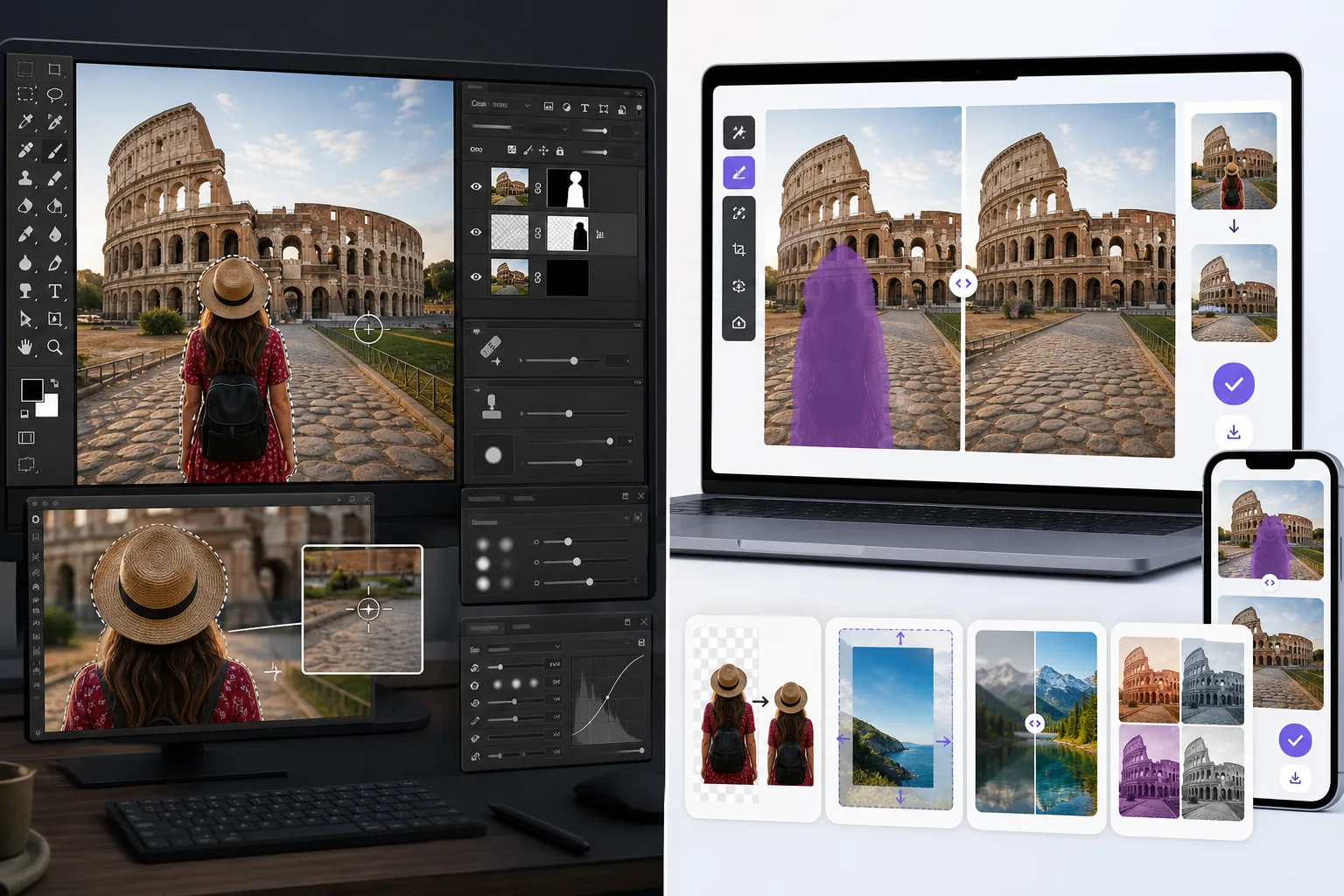
Removing one object in GIMP is a real workflow: add an alpha channel, pick the right selection tool, select the object, feather, then clone-stamp or heal across the gap and refine by hand — easily ten-plus steps and a learning curve. Magic Eraser collapses that to one: brush over the object, erase, done. GIMP is a genuinely powerful, free, open-source desktop editor and the better pick when you want pixel-level manual control; but if you just want the object gone fast, this is the shortcut — free, no install, in your browser.
Last updated
Erase an object freeComparison rows are editorial summaries from the latest page review, not a guarantee of current pricing, limits, watermark policy, batch support, speed, or platform availability.
Overview
Magic Eraser is an AI-first photo editor focused on speed-of-result: Magic Eraser brush for distraction removal, Background Eraser for background swaps, AI Fill for generative fill and outpainting, AI Enhance for sharpening / denoising / upscaling, AI Filter for color grading. The full feature set runs on web, iOS, and Android with a free tier on every platform and a $29.99/year Premium tier. Each tool is a single-canvas action — no layer panel, no manual masking, no scripting language to learn, no plugin ecosystem to navigate. The product is built for users who want the edit done in 30-90 seconds per photo, not for users who want to compose the edit through layer-stack engineering.
GIMP is the dominant free open-source raster image editor, maintained as a GNU project since 1996 and available on Windows, macOS, and Linux. The feature set covers layer-based editing with adjustment layers and masks, blend modes, paths and selections, color and tone correction, file format support spanning JPEG, PNG, TIFF, GIF, PSD (read), XCF (native), and many others, scripting via Script-Fu (Scheme-based) and Python-Fu, and a third-party plugin ecosystem (G'MIC for advanced filtering, Resynthesizer for content-aware fill, BIMP for batch processing). The product is free under the GPL license with no subscription, no required account, no cloud sync — it's a desktop application you download and run locally, with the source code openly available. GIMP 3.0 (the long-awaited major version) launched in 2024-2025 with non-destructive editing, GTK3 modernization, and improved CMYK / wide-gamut support.
Feature Comparison
Magic Eraser is an AI-first photo editor focused on speed-of-result: Magic Eraser brush for distraction removal, Background Eraser for background swaps, AI Fill for generative fill and outpainting, AI Enhance for sharpening / denoising / upscaling, AI Filter for color grading. The full feature set runs on web, iOS, and Android with a free tier on every platform and a $29.99/year Premium tier. Each tool is a single-canvas action — no layer panel, no manual masking, no scripting language to learn, no plugin ecosystem to navigate. The product is built for users who want the edit done in 30-90 seconds per photo, not for users who want to compose the edit through layer-stack engineering.
GIMP is the dominant free open-source raster image editor, maintained as a GNU project since 1996 and available on Windows, macOS, and Linux. The feature set covers layer-based editing with adjustment layers and masks, blend modes, paths and selections, color and tone correction, file format support spanning JPEG, PNG, TIFF, GIF, PSD (read), XCF (native), and many others, scripting via Script-Fu (Scheme-based) and Python-Fu, and a third-party plugin ecosystem (G'MIC for advanced filtering, Resynthesizer for content-aware fill, BIMP for batch processing). The product is free under the GPL license with no subscription, no required account, no cloud sync — it's a desktop application you download and run locally, with the source code openly available. GIMP 3.0 (the long-awaited major version) launched in 2024-2025 with non-destructive editing, GTK3 modernization, and improved CMYK / wide-gamut support.
| Feature | Magic Eraser | GIMP |
|---|---|---|
| Object / distraction removal | One-click Magic Eraser brush | Heal Tool + Clone Stamp + Resynthesizer plugin (manual) |
| Background removal / swap | One-click Background Eraser | Foreground Select + manual masking |
| Generative AI fill (text-prompt) | Yes — AI Fill with text prompts | No (Resynthesizer plugin handles content-aware fill but no AI generation) |
| AI sharpening / denoising / upscaling | AI Enhance, single action | Manual via filters (Unsharp Mask, NL Means denoise) |
| Color grading / filters | AI Filter presets + adjust | Curves, Levels, Color Balance, plus G'MIC plugin |
| Layer-based editing + masks + blend modes | No — single-canvas AI actions | Yes — full layer panel, primary feature |
| Scripting / automation | Not exposed | Script-Fu (Scheme) + Python-Fu |
| Plugin ecosystem | Not applicable | Extensive (G'MIC, Resynthesizer, BIMP, more) |
| File format support | JPEG, PNG, WebP, HEIC | Extensive: JPEG, PNG, TIFF, GIF, PSD read, XCF native, and many more |
| Mobile (iOS / Android) | Yes — full feature set on both | No — desktop only |
| Web app (no install) | Yes | No — desktop install required |
| Pricing | Free + $29.99/year Premium | Free under GPL — no subscription ever |
| Best workflow shape | Phone-to-publish in seconds | Desktop composite work with full control |
| Typical user | Anyone editing photos, esp. mobile | Tinkerers, budget designers, Linux users, open-source advocates |
Feature rows summarize visible product positioning and should be rechecked against official product pages before purchase, migration, or compliance decisions.
- Last content review May 16, 2026
- GIMP source: official product site (https://www.gimp.org/)
- Magic Eraser source: https://magiceraser.live/en/product/magic-eraser
- Pricing, feature availability, platform support, and limits can change; recheck official sources before relying on a buying decision.
Pricing Comparison
| Plan | Magic Eraser | GIMP |
|---|---|---|
| Free tier | Free — limited edits | Free — open source |
| Monthly | $9.99/mo | Free — no paid plans |
| Annual | $4.99/mo (billed yearly) | Free — no paid plans |
Prices as of May 2026. Check each provider for current rates.
Pricing rows are snapshots from review time. Free tiers, subscriptions, trials, export limits, and regional availability can change without notice.
- Last content review May 16, 2026
- GIMP source: official product site (https://www.gimp.org/)
- Magic Eraser source: https://magiceraser.live/en/product/magic-eraser
- Pricing, feature availability, platform support, and limits can change; recheck official sources before relying on a buying decision.
Why Choose Magic Eraser
AI-first cleanup that doesn't require GIMP-level operator skill
GIMP's Heal Tool, Clone Stamp, and Resynthesizer plugin produce excellent cleanup results — in the hands of an experienced GIMP operator who knows which tool to pick for which use case, how to set the source area, how to feather selections, and how to blend across passes. The learning curve is real: GIMP is a Photoshop-equivalent in feature depth, and reaching journeyman skill takes 40-80 hours of focused practice. Magic Eraser's brush is one stroke and one tap — the AI handles source selection, blending, and reconstruction in a single action. For users who want the result without learning the technique, the gap is significant. The right framing isn't 'GIMP is bad'; it's 'GIMP is a power tool you have to wield, Magic Eraser is an AI assistant you delegate to.'
Generative AI fill that GIMP fundamentally doesn't have
GIMP's content-aware fill capability comes from the Resynthesizer plugin (a third-party install required), which samples existing pixels to fill the marked area — not generative AI. Resynthesizer cannot generate content that wasn't already somewhere in the photo, and there's no text-prompt mechanism to steer the fill. Magic Eraser's AI Fill generates new content with text prompts ('warm wood texture matching the foreground,' 'sunset sky above the existing horizon,' 'beige limestone facade with three arched windows') and outpaints landscape photos to vertical or square aspect ratios. For workflows that need new content generated rather than just cleaner existing content, Magic Eraser is the only tool of the two that does this work.
Runs natively on iOS and Android with cloud sync — GIMP is desktop only
GIMP is Windows, macOS, and Linux desktop only. There is no iOS version, no Android version, no web app, no cloud sync, no mobile-to-desktop handoff. For users who edit photos primarily on Android phones, on iPhones, on iPads, or in the browser, GIMP is not an option — you'd have to AirDrop or sync to a desktop, edit in GIMP, then move the result back to the phone for posting. Magic Eraser ships native iOS and Android apps with full feature parity to the web app and cloud sync across devices. For the mobile-first editing pattern that dominates 2026, Magic Eraser fits the workflow shape that GIMP fundamentally doesn't.
Single-action workflows that finish the edit in 30-90 seconds
A GIMP workflow to remove a tourist from a landmark photo: launch GIMP, open the file, select the right tool (Heal Tool or Clone Stamp or Resynthesizer depending on the case), set the source point with Ctrl-click, paint the brush stroke, evaluate the result, switch tools if needed, repeat across the tourist's full silhouette, smooth edges manually, export. 8-20 minutes per photo for an experienced operator, longer for someone learning. A Magic Eraser workflow for the same task: open photo, brush over the tourist, tap Apply, done. 30-60 seconds. For users processing 10-50 photos in a session (vacation recap, product catalog, real-estate listing, social-promo batch), the speed difference compounds into hours saved per session.
No download, no installation, no compatibility surprises
GIMP installation is straightforward on Windows and macOS but has variability across Linux distributions, occasional compatibility issues with macOS major version updates (GIMP traditionally lags behind Apple's release cycle), and the 1.5-2GB install footprint. The first-launch UI has historically been polarizing — GIMP 2.x's single-window-mode toggle, the panel arrangement, the menu hierarchy — and many new users bounce off the learning curve. Magic Eraser runs in the browser with no install — open the URL, edit, done. The iOS and Android apps are App Store / Play Store downloads with the standard install pattern. For users who want to start editing in 30 seconds without an install + first-launch-orientation cycle, the no-install web app is the operationally simpler shape.
Frequently Asked Questions
Is GIMP really free, or is it free with hidden costs?
+
GIMP is genuinely free under the GPL (GNU General Public License) — no subscription, no required account, no premium tier, no telemetry, no ads. The source code is openly available; you can self-host, modify, redistribute. There are no hidden costs in the software itself. The 'hidden costs' that GIMP critics sometimes cite are operator-time costs: the learning curve to reach proficiency (40-80 hours of focused practice), the cleanup workflows that take 8-20 minutes per photo at journeyman level versus 30-60 seconds in AI-driven tools, and the plugin-discovery time to find and install Resynthesizer / G'MIC / BIMP. These are real costs for users whose time has alternative valuable uses, but they're not costs of the software — they're costs of the workflow shape GIMP optimizes for.
Is GIMP a true Photoshop replacement?
+
Yes for most photographer and designer workflows, with caveats. GIMP supports layers with adjustment layers and masks, blend modes, paths and selections, color and tone correction, extensive file format support including PSD read, scripting via Script-Fu and Python-Fu, and a third-party plugin ecosystem that fills most gaps in the core feature set. Photoshop's clear advantages over GIMP: industry-standard PSD round-trip with full feature parity (GIMP can read PSD but loses some Smart Object and effects layer fidelity), the Adobe Camera Raw RAW develop pipeline (GIMP requires darktable or RawTherapee as a separate tool), the Photoshop plugin ecosystem (much larger than GIMP's plugin ecosystem), and Adobe Cloud sync across desktop / iPad / mobile. For 80%+ of photo editing tasks that don't require those specific features, GIMP is a complete replacement at zero cost.
Why pick Magic Eraser if GIMP is free?
+
The fair framing isn't 'GIMP is free, Magic Eraser costs money, so GIMP wins on cost.' The fair framing is 'GIMP optimizes for control and free; Magic Eraser optimizes for speed and AI; which optimization fits your work?' For users editing 5-20 photos a week on a phone or laptop where the goal is to finish the edit quickly and move on, the AI-driven single-action workflows in Magic Eraser save measurable time per photo. For users doing deep desktop composite work where the goal is pixel-level control and the time investment is worth the result, GIMP's depth is meaningful. Many users run both: GIMP for the occasional deep desktop work, Magic Eraser for the everyday cleanup-and-edit volume. The combined cost is $29.99/year — comparable to a single design book.
Can Magic Eraser open GIMP's XCF files or PSD files?
+
Not directly. Magic Eraser accepts JPEG, PNG, WebP, and HEIC inputs — the formats phones, most digital cameras, and most web platforms use as final deliverables. For XCF files (GIMP's native layered format) or PSD files (Photoshop's layered format) you'd need to flatten and export from GIMP or Photoshop to JPEG / PNG first, then edit in Magic Eraser. For users running a hybrid workflow, the natural handoff is: deep composite work happens in GIMP with layered XCF, then the flattened export becomes the source for any AI cleanup or background swap in Magic Eraser. The two-stage workflow is operationally clean for users who do both kinds of work.
Can GIMP do AI sharpening or upscaling like Magic Eraser?
+
GIMP's core sharpening tools (Unsharp Mask, the Sharpen filter) are manual frequency-domain adjustments, not AI-based detail recovery. The G'MIC plugin includes some neural-network-based filters but they're not as polished or as fast as dedicated AI tools. For AI upscaling specifically (recovering print-resolution detail from low-resolution source photos), GIMP users typically run a separate tool — Topaz Photo AI, Gigapixel AI, or upscayl.org (a free open-source AI upscaler that pairs well with GIMP for the budget-conscious open-source workflow). Magic Eraser's AI Enhance bundles sharpening, denoising, and upscaling into a single action with quality competitive with the dedicated specialized tools, in the same product as the rest of the editing workflow.
Can I use both GIMP and Magic Eraser together?
+
Yes, and many users do. A common hybrid: GIMP for layered composite work, RAW development pipeline (paired with darktable or RawTherapee for RAW), and detailed manual retouch where pixel-level control matters; Magic Eraser for the cleanup-and-edit volume (object removal, background swap, AI generative fill, AI Enhance), the mobile editing leg of the workflow, and any task where speed matters more than depth. Cost: $0 for GIMP + $29.99/year for Magic Eraser Premium = under $30/year for the combined toolkit, less than 10% of an Adobe Creative Cloud Photography Plan annual cost. For users with a serious photo practice who don't want to rent Adobe, the GIMP + Magic Eraser hybrid is a genuinely competitive alternative.
Which has better Linux support?
+
GIMP wins on Linux. GIMP runs natively on every major Linux distribution (Ubuntu, Fedora, Arch, Debian, openSUSE, and the long tail of niche distros) with packages in every distro's standard repos. Magic Eraser runs in the browser on Linux (the web app works in any modern Chromium-based or Firefox browser on Linux), but there's no Linux-native desktop app. For Linux users who specifically want a desktop-native image editor, GIMP is the right tool; for Linux users comfortable with web-app editing in the browser, Magic Eraser works fine. The Linux-native vs web-app distinction is the practical operational difference for Linux users picking between the two.
AI-driven editing without the GIMP learning curve
Magic Eraser handles the common photo-editing tasks — distraction removal, background swaps, generative fill, AI Enhance, color grading — in single-action workflows that finish in 30-90 seconds per photo. Web, iOS, and Android with a free tier on every platform.
Try Magic Eraser freeRelated use cases
See how professionals use these tools in real-world workflows.
Listing photos cluttered with personal items, parked cars, or construction equipment can turn buyers away. Magic Eraser uses AI to clean up your property photos instantly — no Photoshop skills required.
Product listings need clear images before shoppers can judge the item. Magic Eraser helps sellers remove messy backgrounds, table edges, labels, props, glare, and other distractions so each product photo is easier to review before publishing.
Photobombers ruining your travel pics? Messy backgrounds killing your selfie game? Stop wasting hours in Photoshop. Magic Eraser removes distractions, cleans up cluttered shots, and expands your photos to fit any platform format — all in one tap.
Related guides
Explore more guides and editorial content related to this workflow.
Learn how to use Magic Eraser to remove objects, people, text, and distractions from photos with cleaner AI editing results.
Learn how to remove people from photos using AI in seconds. Step-by-step guide for travel photos, real estate shots, and product images.
Step-by-step guide to removing watermarks from your own photos using AI. Learn when it is appropriate, the best techniques, and how Magic Eraser handles it.
Other comparisons
See how Magic Eraser compares to other photo editing tools.
We tested and compared the top AI photo editing tools so you don't have to. From object removal to background replacement, see which editor delivers the best results for your workflow.
Adobe Photoshop is powerful, but most people only use a fraction of its features. Magic Eraser delivers the photo cleanup tools you actually need — object removal, background removal, AI enhancement, and generative fill — in a simpler interface that works on web and mobile with no subscription required to start.
Tried to remove an object or background and hit a Pro paywall in Canva, Adobe Express/Photoshop, or Fotor? Magic Eraser does the same job — object removal, background removal, watermark cleanup, and enhancement — for free. No subscription, and no watermark stamped on your download.
If you searched for magic-eraser.io and landed here, note that these are two separate, unaffiliated products with similar names. Magic Eraser at magiceraser.live offers limited free photo cleanup, watermark-free exports, 100+ task-specific removal tools, and iOS and Android apps. Try it as your alternative and decide which fits your workflow.
Pixelcut is a strong AI editor built around e-commerce product photography — and its object-removal feature is even called "Magic Eraser," which is where a lot of the confusion starts. If you're shopping for a Pixelcut alternative, Magic Eraser (at magiceraser.live) is a separate, general-purpose tool: erase objects, people, text, and backgrounds on any kind of photo, with a genuinely free tier that adds no watermark and asks for. Rated 4.9 from over 559,700 users, on web, iOS, and Android.
Adobe Express is built template-first — you start from a design, and the object/background erase tools live a few menus deep inside the content-creation suite. When you just need something gone from a photo, that's friction. Magic Eraser opens straight to the canvas: upload, brush over what you want removed, erase, download. A faster alternative when the job is photo cleanup, not designing a post.