
The Inpaint Alternative That's Free and Does More
قارن Magic Eraser مع Inpaint. شاهد الميزات والأسعار وسهولة الاستخدام جنبًا إلى جنب. اكتشف لماذا Magic Eraser هو الخيار الأفضل لتعديل الصور بالذكاء الاصطناعي.
Last updated
جرب Magic Eraser مجانًاComparison rows are editorial summaries from the latest page review, not a guarantee of current pricing, limits, watermark policy, batch support, speed, or platform availability.
نظرة عامة
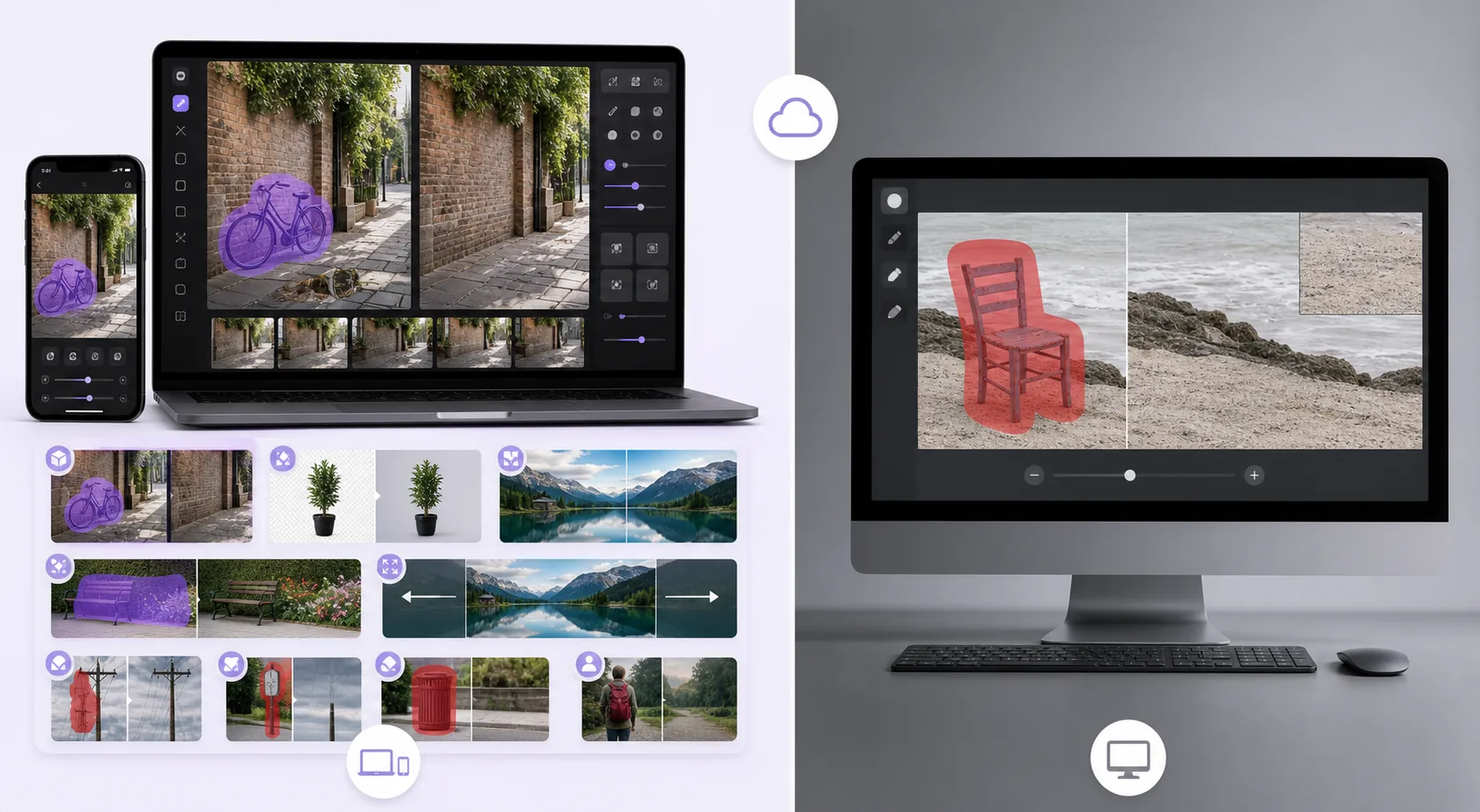
Magic Eraser هو محرر صور مجاني على الويب يعمل بالذكاء الاصطناعي مع إزالة الكائنات وإزالة الخلفية وتحسين الصور وتوسيع الصور وملء AI وفلاتر AI ومعالجة دفعية. يعمل على أي جهاز يحتوي على متصفح — بدون تثبيت.
Inpaint is a focused object-removal tool available as desktop software (Windows/macOS) and an online version. It removes objects, people, and watermarks with a marker-based workflow, but it's single-purpose, and the online version uses a per-image credit/purchase model rather than a free tier.
مقارنة الميزات
Magic Eraser هو محرر صور مجاني على الويب يعمل بالذكاء الاصطناعي مع إزالة الكائنات وإزالة الخلفية وتحسين الصور وتوسيع الصور وملء AI وفلاتر AI ومعالجة دفعية. يعمل على أي جهاز يحتوي على متصفح — بدون تثبيت.
Inpaint is a focused object-removal tool available as desktop software (Windows/macOS) and an online version. It removes objects, people, and watermarks with a marker-based workflow, but it's single-purpose, and the online version uses a per-image credit/purchase model rather than a free tier.
| Feature | Magic Eraser | Inpaint |
|---|---|---|
| Object removal | Yes — cloud AI + generative fill | Yes — patch-based |
| Background removal | Yes | No |
| AI enhancement / upscale | Yes | No |
| Generative fill | Yes | No |
| Task-specific tools (130+) | Yes — emoji, watermark, sticker, etc. | No — general remover |
| Web + mobile apps | Yes — web, iOS, Android | Desktop + web (no native apps) |
| Pricing model | Free tier, sign-in required | Desktop license / per-image online credits |
| Best for | All-in-one AI editing, free | One-off desktop object removal |
Feature rows summarize visible product positioning and should be rechecked against official product pages before purchase, migration, or compliance decisions.
- Last content review June 21, 2026
- Inpaint source: official product site (https://theinpaint.com/)
- Magic Eraser source: https://magiceraser.live/ar/product/magic-eraser
- Pricing, feature availability, platform support, and limits can change; recheck official sources before relying on a buying decision.
مزايا Magic Eraser
Free with no per-image credits
Inpaint's desktop app is a paid license and its online version charges per image. Magic Eraser's object removal is free with sign-in required and no per-image cost — you only upgrade if you want batch processing and higher limits.
Generative reconstruction, not just patching
Inpaint fills a removed area largely by sampling surrounding pixels. Magic Eraser's generative-fill AI understands scene content and rebuilds complex structures — brick, foliage, faces behind overlays — more convincingly on hard backgrounds.
A full toolkit, not one tool
Inpaint only removes. Magic Eraser adds background removal, enhancement, upscaling, generative fill, and 130+ dedicated removers (emoji, watermark, sticker, date stamp), so you handle the whole edit in one place.
Works everywhere, instantly
Inpaint's full capability is the desktop install; the web version is credit-gated. Magic Eraser runs free in any browser plus native iOS and Android apps — no install, no license, no credits to start.
الأسئلة الشائعة
هل Magic Eraser مجاني؟
+
نعم، يتيح لك Magic Eraser تعديل الصور مجانًا وفورًا. بدون تسجيل أو تثبيت. يمكنك الترقية إلى خطة Pro للمعالجة غير المحدودة.
كيف يقارن Magic Eraser مع Inpaint؟
+
يجمع Magic Eraser 8 أدوات ذكاء اصطناعي في منصة واحدة — إزالة الكائنات وإزالة الخلفية والتحسين والتوسيع وملء AI وفلاتر AI وتوليد الصور بالذكاء الاصطناعي والتصميم. مقارنة بـ Inpaint، يقدم Magic Eraser ميزات أكثر بدون تثبيت برامج.
هل يعمل Magic Eraser على الهاتف؟
+
نعم، Magic Eraser متاح على iOS وAndroid والويب. يمكنك التبديل بين الأجهزة بسلاسة.
هل أحتاج لإنشاء حساب؟
+
لا، يمكنك البدء في التعديل فورًا بدون إنشاء حساب. فقط افتح المتصفح وابدأ.
حالات استخدام ذات صلة
شاهد كيف يستخدم المحترفون هذه الأدوات في مهام العمل الفعلية.
صور الإعلانات المزدحمة بالأغراض الشخصية أو السيارات المركونة أو معدات البناء قد تنفّر المشترين. يستخدم Magic Eraser الذكاء الاصطناعي لتنظيف صور عقارك فورًا — دون الحاجة إلى مهارات Photoshop.
الخلفيات المشوشة ولقطات المنتجات الفوضوية تكلفك مبيعات كل يوم. يساعدك Magic Eraser على إنشاء صور منتجات احترافية ونظيفة في ثوانٍ — دون الحاجة إلى مهارات Photoshop. ما عليك سوى الرفع، ومسح العناصر المشتتة، والإدراج بثقة.
متطفلون يفسدون صور سفرك؟ خلفيات فوضوية تدمّر صور السيلفي؟ توقف عن إضاعة الساعات في Photoshop. يزيل Magic Eraser المشتتات، وينظّف اللقطات المزدحمة، ويوسّع صورك لتناسب أي تنسيق منصة — كل ذلك بنقرة واحدة.
أدلة ذات صلة
استكشف المزيد من الأدلة والمحتوى المتعلق بسير العمل هذا.
تعرّف على كيفية استخدام Magic Eraser لإزالة العناصر والأشخاص والنصوص والمشتتات من الصور بنتائج ذكاء اصطناعي أنظف.
تعلّم كيفية إزالة الأشخاص من الصور بالذكاء الاصطناعي في ثوانٍ. دليل لصور السفر والعقارات والمنتجات.
دليل خطوة بخطوة لإزالة العلامات المائية من صورك باستخدام الذكاء الاصطناعي. متى يكون ذلك مناسبًا، وأفضل التقنيات، وكيف يتعامل Magic Eraser معها.
مقارنات أخرى
شاهد كيف يقارن Magic Eraser بأدوات تحرير الصور الأخرى.
محرران قويان للصور بالذكاء الاصطناعي بنقاط قوة مختلفة. يقدم Magic Eraser مجموعة أوسع من أدوات الذكاء الاصطناعي التوليدية، بينما يتفوق Photoroom في تصوير منتجات التجارة الإلكترونية والمعالجة الدفعية. اعرف أيهما يناسب سير عملك.
اختبرنا وقارنا أبرز أدوات تحرير الصور بالذكاء الاصطناعي حتى لا تضطر لذلك. من إزالة الكائنات إلى استبدال الخلفية، تعرّف على المحرر الذي يقدّم أفضل النتائج لسير عملك.
يمنح Pixlr المستخدمين بيئة تحرير كلاسيكية تعمل عبر المتصفح مع الطبقات والتأثيرات. يركّز Magic Eraser على التنظيف والتحسين والعمل على الخلفية بالاعتماد على الذكاء الاصطناعي أولاً، للمستخدمين الذين يريدون نتائج متقنة دون واجهة تحرير كاملة.
يُعد Adobe Photoshop قوياً، لكن معظم الناس لا يستخدمون سوى جزء بسيط من ميزاته. يوفر لك Magic Eraser أدوات تنظيف الصور التي تحتاجها فعلاً — إزالة الكائنات، وإزالة الخلفية، والتحسين بالذكاء الاصطناعي، والملء التوليدي — ضمن واجهة أبسط تعمل على الويب والهاتف المحمول دون الحاجة إلى اشتراك للبدء.
remove.bg بارع في شيء واحد: إزالة الخلفيات. Magic Eraser يؤدي هذه المهمة بكفاءة مماثلة، بالإضافة إلى إزالة الكائنات غير المرغوب فيها، وتحسين جودة الصورة، وملء المناطق المفقودة بالذكاء الاصطناعي، وإدارة سير عمل تحرير الصور بالكامل — كل ذلك في مكان واحد.
Tried to remove an object or background and hit a Pro paywall in Canva, Adobe Express/Photoshop, or Fotor? Magic Eraser does the same job — object removal, background removal, watermark cleanup, and enhancement — for free. No subscription, and no watermark stamped on your download.