
Cách Xóa Nền Khỏi Ảnh Sản Phẩm: Hướng Dẫn Đầy Đủ
Học cách xóa nền khỏi ảnh sản phẩm cho Amazon, Shopify, Etsy và cửa hàng riêng. Hướng dẫn từng bước về xóa nền AI, dọn cạnh và xuất theo nền tảng.

Product Marketing
Đã rà soát bởi Magic Eraser Editorial ·
Mục lục
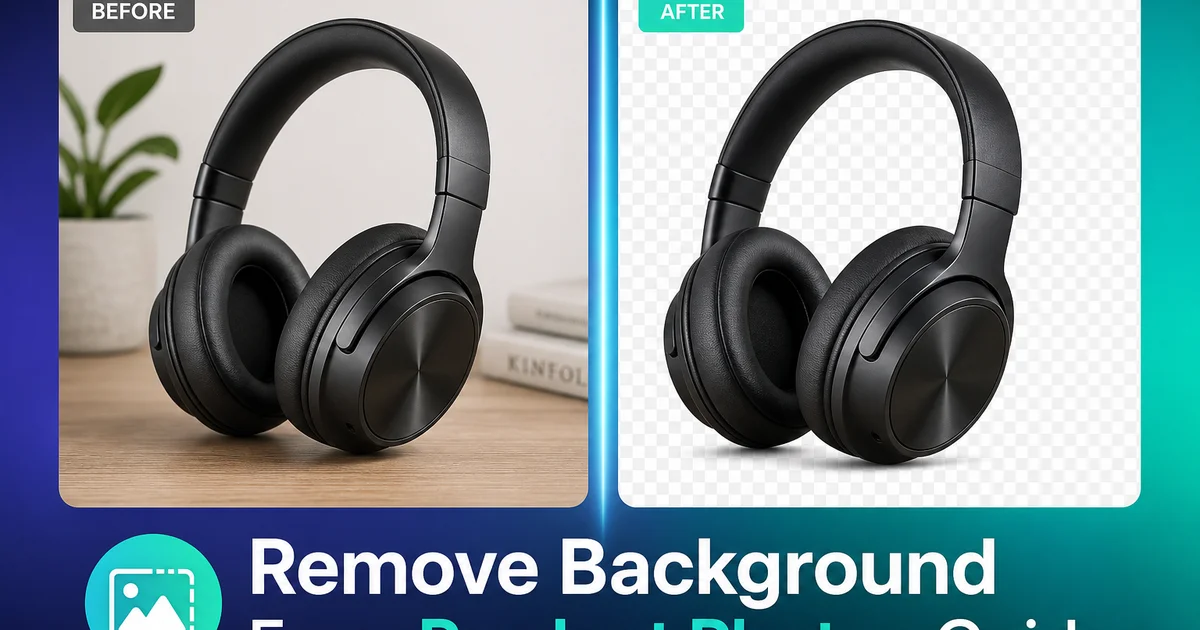
Ảnh sản phẩm sạch trên nền trắng là tiêu chuẩn thương mại điện tử. AI xóa nền nén quy trình từ phút xuống giây.
Hướng dẫn: chụp, xóa nền, dọn cạnh, chọn nền, xuất theo nền tảng. Xử lý hàng loạt cho catalog lớn.
- AI xóa nền trong giây thay vì giờ masking thủ công.
- Cạnh phức tạp: lông, ren, thủy tinh được xử lý tự động.
- Nền trắng tinh đáp ứng Amazon, eBay, Google Shopping.
- Xuất PNG trong suốt cho linh hoạt nền.
Tại sao xóa nền quan trọng
Nền sạch giúp khách tập trung vào sản phẩm, tăng niềm tin mua hàng.
Thuật toán Amazon và Google Shopping thưởng ảnh đạt chuẩn.
- Nền sạch = tăng niềm tin.
- Thuật toán thưởng ảnh đạt chuẩn.
AI xóa nền hoạt động thế nào
AI dùng deep learning phân biệt sản phẩm và nền. Background Eraser xóa trong giây.
Chụp trên bề mặt tương phản giúp AI phát hiện cạnh tốt hơn.
- AI xóa nền trong giây.
- Bề mặt tương phản giúp AI.
Dọn cạnh và xử lý bóng
Kiểm tra 100%. Magic Eraser dọn viền sáng và bóng sót.
Sản phẩm thủy tinh và vải xuyên thấu cần chú ý.
- Zoom 100% kiểm tra cạnh.
- Giữ bóng tiếp xúc tự nhiên.
Xuất theo nền tảng
Amazon: trắng #FFFFFF, 1000px+, sản phẩm 85% khung. Etsy: 2000px+. Shopify: 2048x2048.
Lưu master PNG trong suốt, xuất phiên bản riêng cho mỗi nền tảng.
- Amazon: trắng 1000px+.
- Etsy: 2000px+.
- Shopify: 2048x2048.
Xử lý hàng loạt
Tổ chức ảnh theo danh mục. Chạy Background Eraser hàng loạt. Kiểm tra 10-20% cần dọn.
Quy trình ống: sản phẩm mới → chụp → xóa nền → dọn → xuất → lên sàn.
- Xử lý hàng loạt catalog.
- Quy trình ống từ chụp đến lên sàn.
How to do it
- 1
Photograph your product on a contrasting surface
Place the product on a surface that contrasts with its color — light products on dark surfaces and vice versa. This gives the AI a clear edge to detect during background removal. Use even lighting to minimize shadows that complicate separation.
- 2
Upload and remove the background
Open the image in Background Eraser. The AI automatically detects the product boundary and removes everything behind it, producing a transparent or pure white background. For products with complex edges — hair, fur, lace, translucent materials — the tool preserves fine detail that manual masking would miss.
- 3
Clean up any remaining edge artifacts
Inspect the edges of the isolated product at 100% zoom. If any background fragments remain — a sliver of shadow, a reflection from the surface — brush them away with Magic Eraser. The AI blends the correction seamlessly with the product edge.
- 4
Choose your final background
For marketplace listings that require pure white (Amazon, eBay, Google Shopping), export with a white background. For your own website or social media, place the product on a branded color, gradient, or lifestyle scene that matches your visual identity.
- 5
Optimize and export for each platform
Save at each platform's required dimensions and file size. Amazon requires at least 1000 px on the longest side with pure white (#FFFFFF) background. Shopify recommends square images at 2048 x 2048 px. Export as PNG for transparency support or JPEG for white backgrounds.
Nguồn
- Amazon Product Image Requirements — Amazon Seller Central
- Product Photography Best Practices for E-Commerce — Shopify
- The Impact of Product Images on Conversion Rates — Baymard Institute