
Удалить камеры видеонаблюдения с фотографий
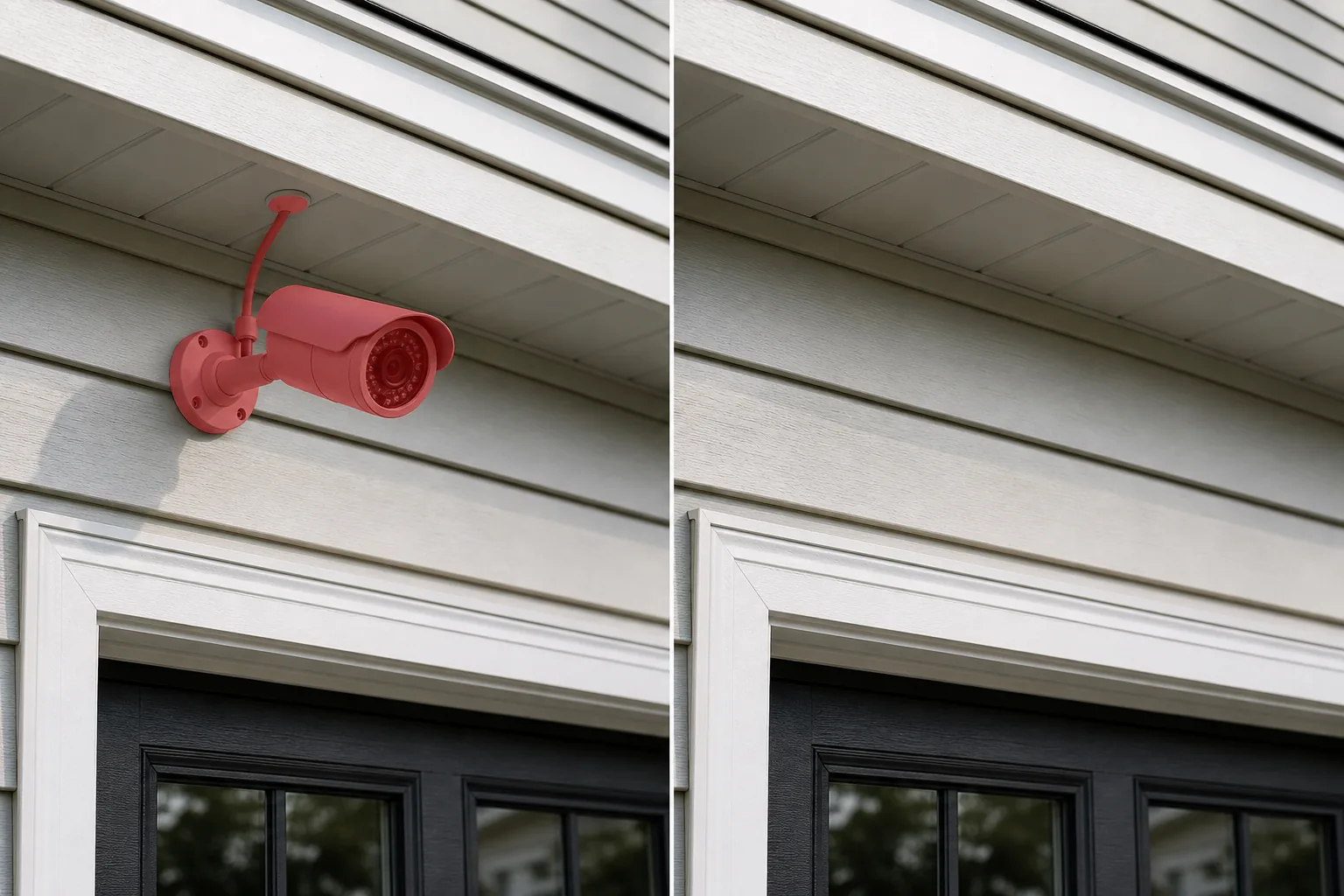
Купольная камера на потолке коммерческого вестибюля портит чистый кадр интерьера. Камера видеонаблюдения в форме пули, установленная под карнизом, добавит ощущение наблюдения в ваш жилой дом. Камера дверного звонка Ring на косяке входной двери отвлекает от композиции входа в дом. Благодаря видимым камерам наблюдения на фасадах зданий снимки архитектурного портфолио выглядят институционально. Magic Eraser удаляет камеры видеонаблюдения, блоки видеонаблюдения, камеры дверных звонков и их монтажные кронштейны, а затем реконструирует стену, потолок, карниз или отделку позади них.
Последнее обновление
Почему камеры видеонаблюдения создают неправильное впечатление на фотографиях недвижимости и архитектуры
Камеры видеонаблюдения намеренно размещаются в местах с хорошей видимостью — входах в здания, углах гаражей, карнизах, дверных проемах, опорах парковочных мест и потолках вестибюлей — потому что видимое размещение само по себе является сдерживающим фактором. Такая же заметность делает их одним из наиболее распространенных нежелательных элементов в фотографии объектов недвижимости и архитектуры. В объявлениях о недвижимости видимые камеры видеонаблюдения посылают неоднозначное сообщение: они сообщают покупателям, что в районе или в собственности есть проблемы с безопасностью, которые стоит решить с помощью наблюдения, даже если продавец установил их для предотвращения кражи посылок или для общего спокойствия. Снимок входной двери, на котором доминирует камера дверного звонка Ring или Nest, воспринимается как «забота о безопасности», а не как «приветствующий вход». Снимок заднего двора с видимой пулевой камерой на карнизе предполагает, что двор нуждается в наблюдении. Для архитектурной фотографии камеры видеонаблюдения представляют собой визуальный беспорядок на фасадах зданий — они представляют собой функциональные дополнения, которые датируются замыслом проекта, установлены с помощью утилитарных кронштейнов и проводов, которые нарушают оригинальные линии архитектора. Коммерческие интерьеры страдают еще больше: купольные камеры на потолках в вестибюлях, угловые устройства в коридорах и PTZ-камеры на столбах на парковках появляются почти в каждом кадре коммерческого помещения и придают изображениям из портфолио институциональный, государственный тон, а не желаемое ощущение, задуманное архитектором или дизайнером интерьера. Монтажное оборудование усугубляет проблему: большинство камер крепятся с помощью видимого кронштейна, имеют кабель или кабелепровод, идущий к ближайшей распределительной коробке, и иногда включают небольшой ИК-осветитель или светодиод состояния, который создает светящуюся точку на изображении. Удаление вручную требует реконструкции стены, потолка или карниза позади камеры и ее кронштейна, включая любую тень, которую отбрасывает камера. Magic Eraser обрабатывает всю сборку — корпус камеры, кронштейн, кабельную трассу, тень — как единую цель удаления и восстанавливает поверхность позади нее, используя окружающий материал в качестве эталона.
Удалить камеры видеонаблюдения за три шага
- 1
Загрузите свою фотографию
Откройте Magic Eraser в Интернете, iOS или Android и загрузите список недвижимости, снимок архитектурного портфолио, фотографию коммерческого интерьера или фотографию экстерьера здания, содержащую камеру видеонаблюдения, которую вы хотите удалить. Поддерживаются форматы JPEG, PNG, HEIC и WebP.
- 2
Кисть над камерой
Закрасьте всю камеру в сборе: корпус камеры (купол, пуля, турель или дверной звонок), монтажный кронштейн или кронштейн, любой видимый кабель или кабелепровод, идущий от камеры к стене или потолку, а также тень, которую отбрасывает устройство. При установке купольных камер на потолке почистите купол и его круглую опорную пластину. При использовании камер под карнизом очистите щеткой камеру, кронштейн кронштейна и короткий кабель, идущий к распределительной коробке. В случае камер дверных звонков на дверных коробках очистите щеткой устройство и его монтажную пластину. Включение всего оборудования одним мазком кисти дает ИИ чистый запас нетронутой поверхности, на который можно ориентироваться при заливке.
- 3
Стереть и просмотреть
Magic Eraser удаляет камеру и реконструирует поверхность за ней — краску стен, текстуру потолка, карнизный потолок, отделку, сайдинг или кирпич. Увеличьте масштаб до 100% и убедитесь, что текстура поверхности непрерывна в залитой области. Для камер, установленных на переходах материалов (где стена соединяется с перекрытием, где обшивка соединяется с сайдингом), убедитесь, что граница материала чистая. Если длинный кабель выходит за пределы зоны кисти, сделайте второй проход по оставшемуся пути кабеля. Экспортируйте в полном разрешении.
Лучшее для
- Внешний вид недвижимости, где пулевые или купольные камеры на карнизах, гаражах и дверных проемах создают впечатление наблюдения
- Фотографии входной двери и входа, где доминирует камера дверного звонка Ring, Nest или Arlo.
- Снимки архитектурного портфолио, на которых камеры видеонаблюдения на фасадах зданий нарушают линии дизайна
- Коммерческая интерьерная фотография, где купольные камеры на потолках вестибюля и коридора придают ощущение заведения.
- Маркетинг отелей и гостиничного бизнеса, где видимые камеры в местах общего пользования противоречат гостеприимной атмосфере.
- Списки объектов аренды для отпуска (Airbnb/Vrbo), где видимые наружные камеры могут беспокоить гостей по поводу конфиденциальности
- Фотосъемка офисов и коворкингов, где PTZ-камеры и настенные устройства создают ощущение наблюдения за пространством.
- Фотография исторического здания, где современное оборудование безопасности нарушает эстетику той эпохи.
Советы по снятию камеры наблюдения естественным образом
Камеры видеонаблюдения представляют собой небольшие объекты, установленные на больших однородных поверхностях — стенах, потолках, карнизах, — что делает их одной из наиболее простых целей для удаления. Основное внимание уделяется прокладке кабеля или кабелепровода. Многие камеры имеют видимый кабель, идущий от устройства к распределительной коробке, и этот кабель может простираться на несколько футов вдоль стены или потолка. Если почистить только корпус камеры и оставить кабель, на фотографии виден загадочный провод, идущий в никуда. Расчистите весь путь кабеля до точки, где он входит в стену, потолок или распределительную коробку. Для беспроводных камер (большинство современных устройств Ring, Arlo и Blink) не нужно беспокоиться о кабеле — только камера и ее крепление. Для купольных камер, установленных на подвесных потолках в коммерческих интерьерах, потолочная плитка представляет собой однородную сетку, и искусственный интеллект плавно заполняет площадь купола соответствующей текстурой плитки. Для камер на текстурированных наружных стенах (кирпич, камень, штукатурка) включите монтажные винты или точки крепления в область кисти — они небольшие, но при промахе могут оставить видимые точки. Одно важное замечание для Airbnb и хозяев, арендующих жилье на время отпуска: политика Airbnb требует раскрытия информации обо всех камерах видеонаблюдения на объекте, включая неактивные. Удаление камер из фотографий в объявлении не отменяет требования о раскрытии информации: фотографии должны соответствовать описанию в объявлении. Если вы удалите камеру с фотографии, убедитесь, что текст объявления по-прежнему точно описывает все камеры, присутствующие на объекте. При использовании архитектурного и коммерческого портфолио, где целью является демонстрация дизайна, а не представление текущей инфраструктуры безопасности, удаление камер является стандартной практикой.
Часто задаваемые вопросы
- Бесплатно ли удалить камеры видеонаблюдения с фотографии?
- Да. Уровень бесплатного пользования Magic Eraser позволяет удалять камеры видеонаблюдения с дневными ограничениями на использование. Премиум (29,99 долларов США в год) снимает ограничения и открывает возможность экспорта архитектурных портфолио, маркетинговых материалов и печатных материалов в более высоком разрешении.
- Можно ли удалить камеру дверного звонка Ring или Nest с фотографии входной двери?
- Да. Протрите блок камеры дверного звонка и его прямоугольную монтажную пластину на дверной коробке или стене. Искусственный интеллект заполняет область окружающей отделкой, сайдингом или поверхностью стены. Поскольку камеры дверных звонков компактны и располагаются на относительно однородной поверхности (окрашенная отделка, дверная коробка), заполнение обычно является бесшовным. Если исходный проводной дверной звонок был удален для установки умной камеры, ИИ заполняет поверхность стены — он не будет воссоздавать традиционную кнопку дверного звонка, если она не видна поблизости в качестве эталона.
- А как насчет кабеля, идущего от камеры к стене?
- Очистите весь путь кабеля от камеры до точки, где он входит в стену, распределительную коробку или потолок. Если оставить кабель при снятии камеры, образуется провод, идущий в никуда, что выглядит странно. Для беспроводных камер (Ring, Arlo, Blink) кабель не нужен — достаточно почистить камеру и ее крепление.
- Будет ли потолок выглядеть естественно после снятия купольной камеры?
- Да. Купольные камеры монтируются на однородных поверхностях потолка — гипсокартоне, плитке подвесного потолка, крашеной штукатурке — и ИИ заполняет круговой след соответствующей текстурой. Плитки с подвесным потолком и их регулярным рисунком сетки дают особенно точные результаты, поскольку ИИ продолжает текстуру сетки и плитки через заливку. Для декоративных потолков (кессонных, балочных, текстурированной штукатурки) прокрасьте край за пределами опорной пластины камеры, чтобы у ИИ было достаточно декоративного рисунка для ссылки.
- Уместно ли удалять камеры видеонаблюдения с фотографий объектов аренды?
- Что касается Airbnb и аренды на время отпуска, имейте в виду, что правила платформы (Airbnb, Vrbo) требуют от хозяев указывать в описании объявления обо всех наружных камерах видеонаблюдения, независимо от того, что изображено на фотографиях. Удаление камеры из фотографии объявления в эстетических целях допускается, но в тексте объявления все равно должно быть указано наличие и местонахождение камеры. При традиционных объявлениях о продаже недвижимости (продажах) видимые камеры видеонаблюдения являются личной собственностью, которая обычно остается у продавца, поэтому удаление их с фотографии является стандартной практикой — аналогично удалению личных вещей из внутренних снимков.