
Magic Eraser vs Canva: какой редактор лучше для очистки фото?
Canva отлично подходит для макетов и графики для соцсетей, но многим пользователям нужны более быстрое удаление объектов, более чистое редактирование фона и более мощные инструменты для фото с AI. Это сравнение показывает, где Magic Eraser лучше подходит для рабочих процессов, ориентированных на изображения.
Last updated
Попробовать Magic Eraser бесплатноComparison rows are editorial summaries from the latest page review, not a guarantee of current pricing, limits, watermark policy, batch support, speed, or platform availability.
Обзор
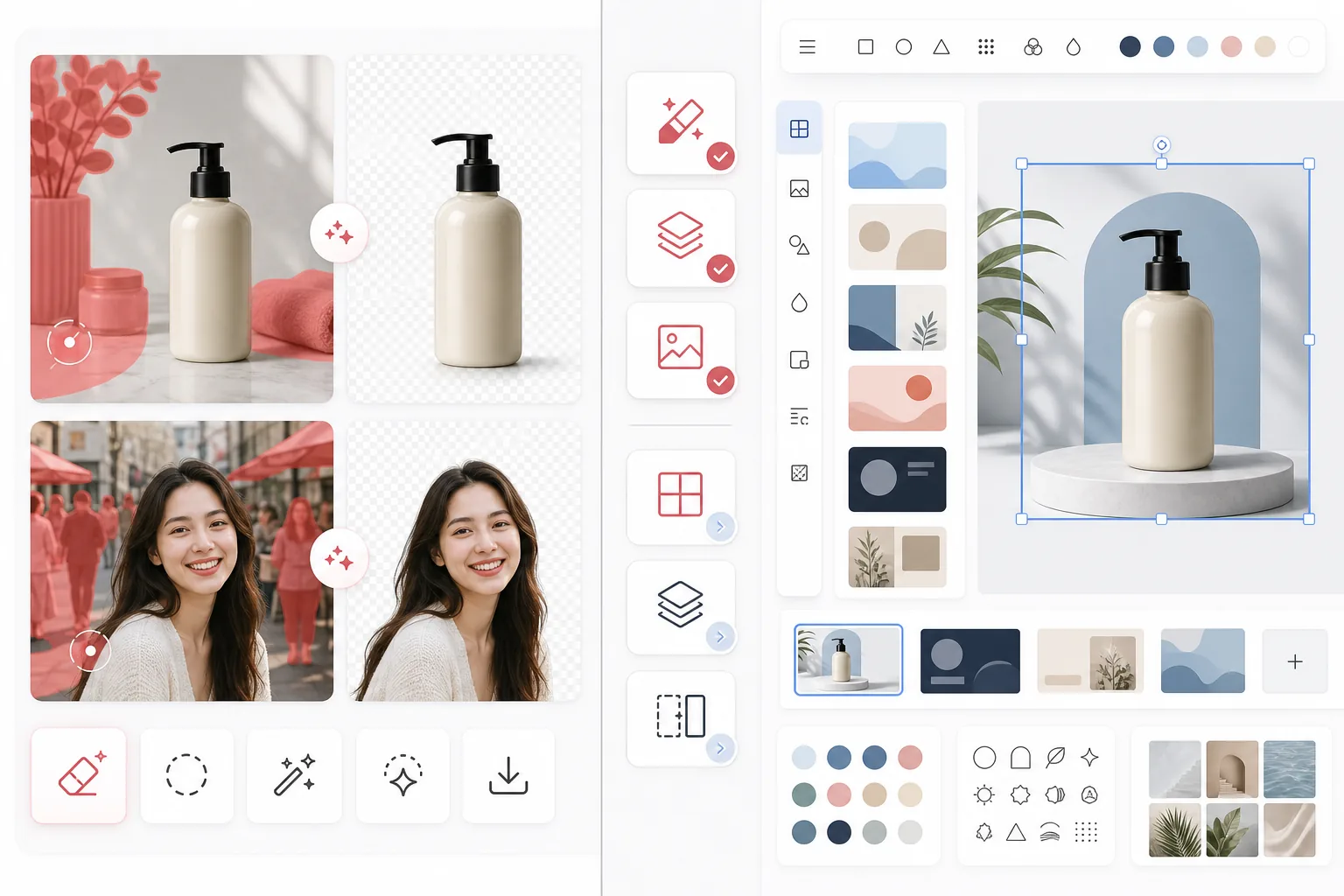
Magic Eraser сосредоточен на задачах редактирования фото с AI, таких как удаление объектов, очистка фона, улучшение изображений, генеративная заливка и быстрые правки в вебе и на мобильных устройствах.
Canva — это широкая дизайн-платформа, созданная для презентаций, постов в соцсетях, маркетинговых материалов и шаблонов. Она включает некоторые инструменты редактирования фото, но они являются частью более крупного дизайн-процесса.
Сравнение возможностей
Magic Eraser сосредоточен на задачах редактирования фото с AI, таких как удаление объектов, очистка фона, улучшение изображений, генеративная заливка и быстрые правки в вебе и на мобильных устройствах.
Canva — это широкая дизайн-платформа, созданная для презентаций, постов в соцсетях, маркетинговых материалов и шаблонов. Она включает некоторые инструменты редактирования фото, но они являются частью более крупного дизайн-процесса.
| Feature | Magic Eraser | Canva |
|---|---|---|
| Удаление объектов | Да — отдельный инструмент AI | Ограниченно |
| Удаление фона | Да — основная функция | Да — часто только в Pro |
| Улучшение изображения | Да | Базовое |
| Дизайн-шаблоны | Нет | Да — обширные |
| Генеративная заливка | Да | Ограниченно |
| Лучший рабочий процесс | Очистка фото | Графический дизайн |
| Платформа | Web + iOS + Android | Web + iOS + Android |
| Время до первой правки | Очень быстро | Зависит от дизайн-процесса |
Feature rows summarize visible product positioning and should be rechecked against official product pages before purchase, migration, or compliance decisions.
- Last content review May 1, 2026
- Canva source: official product site (https://www.canva.com/)
- Magic Eraser source: https://magiceraser.live/ru/product/magic-eraser
- Pricing, feature availability, platform support, and limits can change; recheck official sources before relying on a buying decision.
Сравнение цен
| Plan | Magic Eraser | Canva |
|---|---|---|
| Бесплатный уровень | Бесплатно — ограниченные правки | Бесплатно — базовые функции |
| Помесячно | $9.99/mo | $14.99/mo (Pro) |
| Ежегодно | $4.99/mo (при годовой оплате) | $12.99/mo (Pro, при годовой оплате) |
Цены по состоянию на May 2026. Уточняйте актуальные тарифы у каждого поставщика.
Pricing rows are snapshots from review time. Free tiers, subscriptions, trials, export limits, and regional availability can change without notice.
- Last content review May 1, 2026
- Canva source: official product site (https://www.canva.com/)
- Magic Eraser source: https://magiceraser.live/ru/product/magic-eraser
- Pricing, feature availability, platform support, and limits can change; recheck official sources before relying on a buying decision.
Почему стоит выбрать Magic Eraser
Создан специально для редактирования фото
Magic Eraser ставит действие редактирования на первое место. Вам не нужно входить в дизайн-холст, выбирать макет или ориентироваться в элементах управления шаблонами, прежде чем очистить фото.
Более мощный рабочий процесс очистки
Для удаления людей, текста, проводов, беспорядка и грязных фонов Magic Eraser обеспечивает более прямой и последовательный процесс редактирования с AI, чем более широкий универсальный редактор Canva.
Лучше подходит для команд с большим объемом изображений
Продавцы, маркетологи, креаторы и агентства, обрабатывающие большое количество фотографий, часто ценят скорость очистки больше, чем разнообразие шаблонов. Magic Eraser оптимизирован именно для такого сценария.
Более чистая передача в творческое производство
Многие команды используют Magic Eraser, чтобы сначала подготовить отполированные графические ресурсы, а затем переносят их в Canva или другие дизайн-инструменты для финальной работы над макетом.
Инструменты
Часто задаваемые вопросы
Лучше ли Magic Eraser, чем Canva, для удаления фона?
+
Для специализированной очистки фона и рабочих процессов, ориентированных на изображения, Magic Eraser обычно является более быстрым выбором. Canva лучше, когда вам также нужно сразу превратить изображение в оформленный ресурс.
Может ли Canva удалять объекты с фотографий?
+
Canva включает некоторые инструменты редактирования, но Magic Eraser более сосредоточен на надежном удалении объектов с AI и точных задачах очистки.
Стоит ли использовать оба инструмента вместе?
+
Да. Многие команды используют Magic Eraser для очистки изображений, а затем переносят готовый ресурс в Canva для презентаций, рекламы, графики для соцсетей и работы над дизайном на основе шаблонов.
Какой инструмент лучше для изображений товаров в электронной коммерции?
+
Magic Eraser часто лучше подходит для очистки фото в электронной коммерции, потому что удаление отвлекающих элементов и выделение товаров — это его основной рабочий процесс.
Поддерживает ли Magic Eraser редактирование на мобильных устройствах?
+
Да. Magic Eraser работает на iOS, Android и в вебе, поэтому вы можете редактировать с любого устройства.
Хотите получить более чистые фото перед дизайном?
Используйте Magic Eraser, чтобы убрать отвлекающие элементы, улучшить фон и подготовить изображения еще до того, как они попадут на ваш дизайн-холст.
Попробовать Magic Eraser бесплатноСвязанные сценарии использования
Узнайте, как профессионалы используют эти инструменты в реальных рабочих процессах.
Фотографии объявлений, заваленные личными вещами, припаркованными машинами или стройматериалами, отпугивают покупателей. Magic Eraser использует ИИ для мгновенной очистки ваших фото — навыки Photoshop не нужны.
Грязный фон и неопрятные фотографии товаров каждый день стоят вам продаж. Magic Eraser помогает создавать чистые, профессиональные изображения за секунды — без навыков Photoshop. Загрузите фото, удалите всё лишнее и размещайте с уверенностью.
Случайные прохожие портят ваши фото из путешествий? Беспорядок на фоне убивает ваши селфи? Хватит тратить часы в Фотошопе. Magic Eraser удаляет всё лишнее, очищает фон и адаптирует фото под любой формат — в одно касание.
Похожие руководства
Изучите другие руководства и редакционный контент, связанные с этим сценарием.
Узнайте, как ИИ меняет бизнес-операции: от автоматизации до анализа данных и более персонализированного клиентского опыта.
Узнайте, как с помощью Magic Eraser удалять объекты, людей, текст и отвлекающие детали с фото и получать более чистый результат ИИ.
Узнайте, как убрать людей с фото с помощью ИИ за секунды. Руководство для тревел-фото, недвижимости и товаров.
Другие сравнения
Узнайте, как Magic Eraser сравнивается с другими инструментами для редактирования фото.
Мы протестировали и сравнили лучшие инструменты для AI-редактирования фото. От удаления объектов до замены фона — узнайте, какой редактор лучше всего подходит для вашей работы.
PhotoRoom ориентирован на удаление фона и шаблоны для съёмки товаров. Magic Eraser обладает теми же возможностями и добавляет мощные AI-инструменты для удаления объектов, улучшения изображений, генеративной заливки и креативного дизайна — давая вам больше возможностей для редактирования в вебе и на мобильных устройствах.
Canva — это универсальная платформа для дизайна, но её инструменты редактирования фотографий вторичны по отношению к её дизайнерской направленности. Magic Eraser создан специально для редактирования фотографий на основе ИИ, обеспечивая лучшее удаление объектов, удаление фона, улучшение изображений и генеративную заливку для пользователей, которым нужны специализированные инструменты для очистки фотографий.
Мы протестировали ведущие AI-генераторы фона по качеству удаления, вариантам замены, творческой гибкости и простоте использования. Узнайте, какой инструмент проще всего справляется с удалением, заменой и генерацией нового фона для ваших фотографий.
Мы протестировали лучшие генераторы AI-портретов по качеству, реалистичности, возможностям настройки и выгодности. Нужны ли вам портреты для LinkedIn, фото команды или профессиональные снимки — узнайте, какой инструмент даёт лучшие результаты.
TouchRetouch — популярное платное мобильное приложение для удаления объектов и дефектов. Magic Eraser предлагает бесплатное AI-редактирование на любом устройстве без установки. Сравните функции, цены и удобство использования.