
Remove an Emoji From an iPhone Photo
Magic Eraser से iPhone पर इमोजी हटाएं करना सीखें। मुफ़्त AI टूल के साथ आसान स्टेप-बाय-स्टेप गाइड। वेब, iOS और Android पर काम करता है।
Last updated
अभी आज़माएं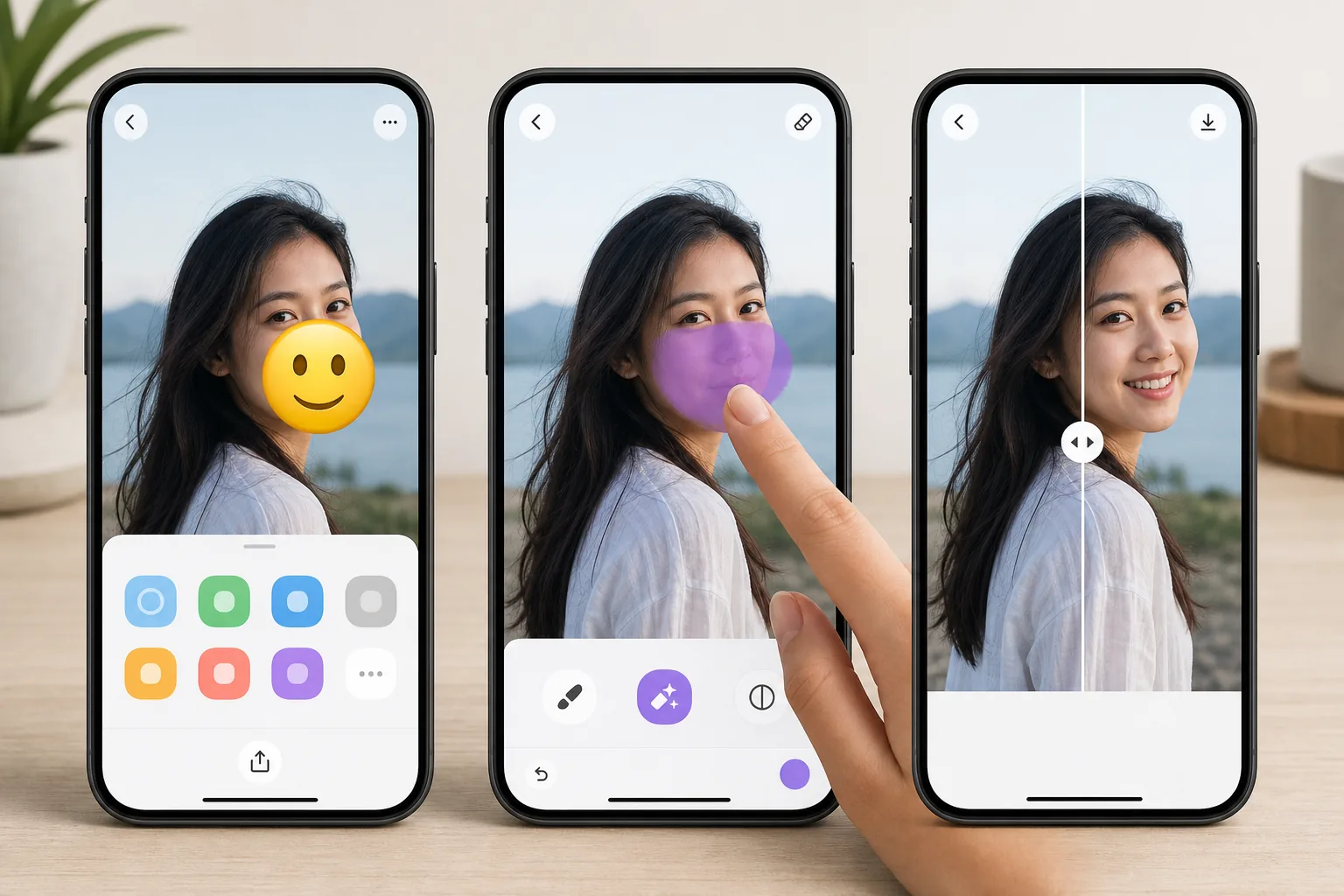
Erase emojis without leaving your iPhone — Magic Eraser
Emojis pile up on iPhone photos fast — a sticker you slapped on in Messages, a 😂 added in Markup, or a face cover someone dropped over a shot before AirDropping it to you. Once it is saved to your camera roll, that emoji is baked into the pixels, and iOS gives you no built-in way to peel it back off. Magic Eraser fixes that on-device. You open the photo in the iOS Photos app, send it to Magic Eraser through the standard share sheet (or the Magic Eraser app), brush over the emoji, and the AI inpainting reconstructs a plausible version of whatever was behind it. To be clear: the AI synthesizes a believable fill based on the surrounding texture — sky, wall, skin, grass — it does not recover the literal original pixels or reveal a hidden face. The result lands back in your Photos library at full resolution, free, and with no watermark on the free tier.
Before you start
स्टेप-बाय-स्टेप निर्देश
Start with फ़ोटो अपलोड करें. The result preview above and tips below use this guide's existing content; no separate before-and-after proof is assumed.
- 1
फ़ोटो अपलोड करें
वेब, iOS या Android पर Magic Eraser खोलें। JPEG, PNG, HEIC या WebP फ़ोटो ड्रैग एंड ड्रॉप करें। अकाउंट की ज़रूरत नहीं।
- 2
टूल और एरिया चुनें
सही टूल चुनें और प्रोसेस करने का एरिया मार्क करें। AI ऑटोमैटिक एनालाइज़ करेगा और कुछ सेकंड में बदलाव लागू करेगा।
- 3
रिज़ल्ट डाउनलोड करें
रिज़ल्ट का प्रीव्यू देखें और एडिटेड फ़ोटो डाउनलोड करें। हाई क्वालिटी PNG या JPEG में एक्सपोर्ट करें।
सबसे उपयुक्त
- Wiping a 😂 or 🔥 sticker you added in iMessage or Markup off a saved photo
- Clearing an emoji face-cover someone placed before AirDropping a picture to you
- Cleaning up a screenshot where an emoji landed over the part you actually wanted
- Prepping a camera-roll shot for posting after removing a playful sticker
- Removing an emoji from a downloaded or received iPhone photo without a Mac or laptop
सर्वोत्तम परिणामों के लिए टिप्स
Brush slightly past the emoji's edges — sticker outlines and soft shadows extend a few pixels beyond the visible art, and missing them leaves a faint halo. Emojis sitting on flat backgrounds (a clear sky, a solid-color wall, blurred bokeh) reconstruct almost invisibly; ones plastered over a face, fine text, or busy patterns are harder, since the AI is inventing a plausible fill rather than restoring true detail. If the first pass looks slightly soft, zoom in on your iPhone and re-brush just the rough area instead of redoing the whole thing. Always keep the original in Photos until you are happy — iOS makes duplicating a shot easy, so edit the copy.
अक्सर पूछे जाने वाले सवाल
- क्या iPhone पर इमोजी हटाएं फ़ीचर मुफ़्त है?
- हाँ, Magic Eraser आपको दैनिक सीमा के अंदर मुफ़्त में iPhone पर इमोजी हटाएं करने देता है। अनलिमिटेड प्रोसेसिंग के लिए Pro में अपग्रेड करें।
- iPhone पर इमोजी हटाएं में कितना समय लगता है?
- बस कुछ सेकंड। Magic Eraser का AI फ़ोटो तेज़ी से प्रोसेस करता है — ज़्यादातर रिज़ल्ट अपलोड के तुरंत बाद मिल जाते हैं।
- क्या मैं मोबाइल पर इस्तेमाल कर सकता/सकती हूं?
- हाँ, Magic Eraser iOS, Android और सभी वेब ब्राउज़र पर काम करता है। आप डिवाइस के बीच आसानी से स्विच कर सकते हैं।
- क्या इमेज क्वालिटी कम होती है?
- नहीं, Magic Eraser ओरिजिनल फ़ोटो क्वालिटी बनाए रखता है। AI स्मार्ट तरीके से प्रोसेस करता है ताकि डिटेल और शार्पनेस बनी रहे।