
Magic Eraser vs Google Magic Eraser
Magic Eraser की Google Magic Eraser से तुलना करें। फ़ीचर, कीमत और उपयोग में आसानी एक साथ देखें। जानें AI फ़ोटो एडिटिंग के लिए Magic Eraser बेहतर क्यों है।
Last updated
Magic Eraser मुफ़्त आज़माएंComparison rows are editorial summaries from the latest page review, not a guarantee of current pricing, limits, watermark policy, batch support, speed, or platform availability.
अवलोकन
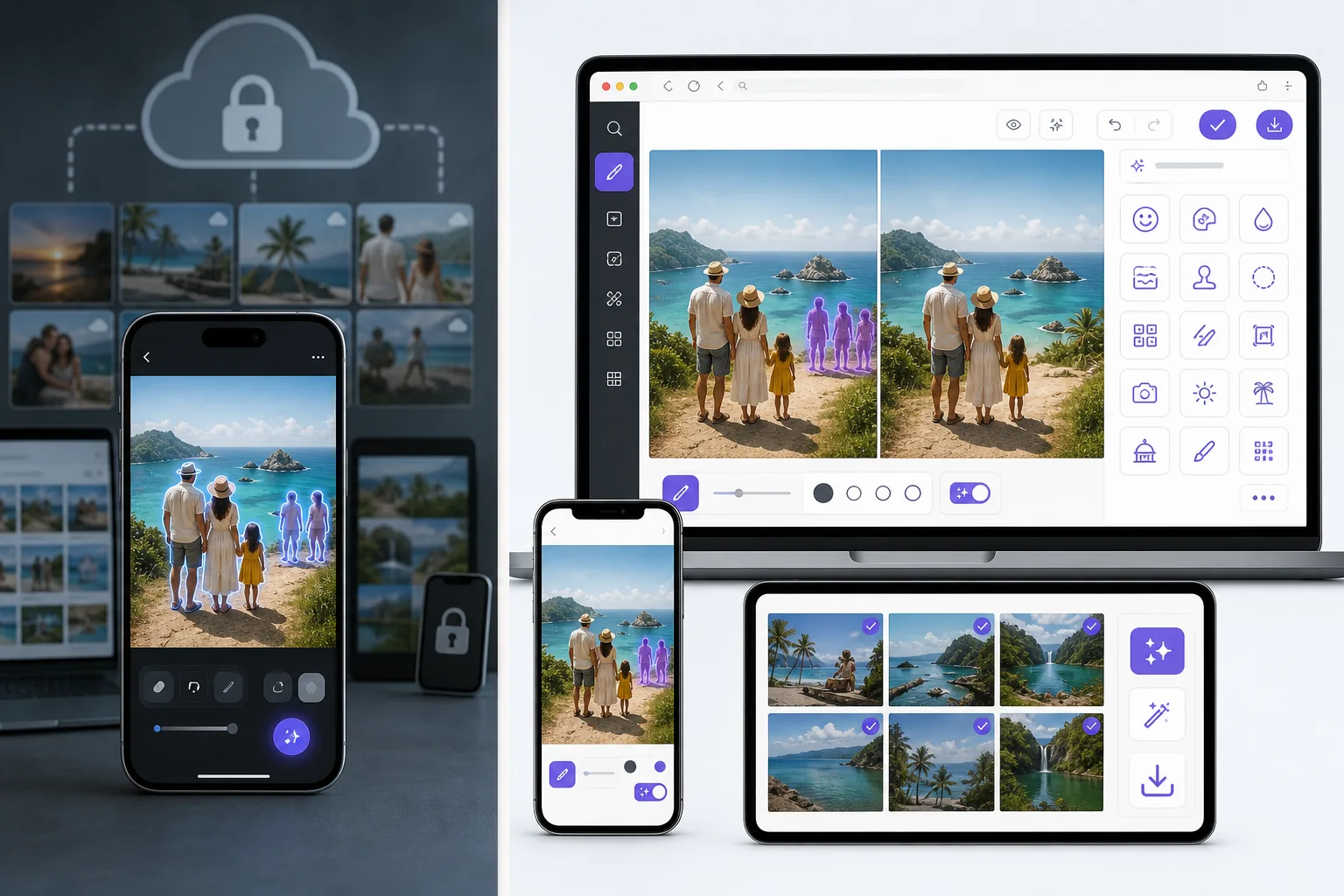
Magic Eraser एक मुफ़्त वेब-आधारित AI फ़ोटो एडिटर है जिसमें ऑब्जेक्ट रिमूवल, बैकग्राउंड रिमूवल, फ़ोटो एन्हांसमेंट, इमेज एक्सपेंशन, AI फ़िल, AI फ़िल्टर और बैच प्रोसेसिंग शामिल है। किसी भी ब्राउज़र वाले डिवाइस पर काम करता है — इंस्टॉलेशन ज़रूरी नहीं।
Google Magic Eraser is a feature inside Google Photos, available on Pixel phones for everyone and on other devices for Google One subscribers. It removes objects and recolors distractions well, but it lives inside Google Photos rather than as a standalone web tool, and its scope is the Photos editor's feature set.
फ़ीचर तुलना
Magic Eraser एक मुफ़्त वेब-आधारित AI फ़ोटो एडिटर है जिसमें ऑब्जेक्ट रिमूवल, बैकग्राउंड रिमूवल, फ़ोटो एन्हांसमेंट, इमेज एक्सपेंशन, AI फ़िल, AI फ़िल्टर और बैच प्रोसेसिंग शामिल है। किसी भी ब्राउज़र वाले डिवाइस पर काम करता है — इंस्टॉलेशन ज़रूरी नहीं।
Google Magic Eraser is a feature inside Google Photos, available on Pixel phones for everyone and on other devices for Google One subscribers. It removes objects and recolors distractions well, but it lives inside Google Photos rather than as a standalone web tool, and its scope is the Photos editor's feature set.
| Feature | Magic Eraser | Google Magic Eraser |
|---|---|---|
| Works without a Pixel phone | Yes — any browser/device | Limited — Pixel, or Google One elsewhere |
| Use in a desktop browser | Yes | Via Google Photos web (subscription) |
| Object / person removal | Yes | Yes |
| Task-specific tools (130+) | Yes — emoji, watermark, sticker, etc. | No — general eraser |
| Generative fill / expand | Yes | Limited |
| Batch processing | Yes | No |
| Sign-in required to start | Yes | Google account required |
| Best for | Anyone, any device, free | Pixel owners in Google Photos |
Feature rows summarize visible product positioning and should be rechecked against official product pages before purchase, migration, or compliance decisions.
- Last content review June 21, 2026
- Google Magic Eraser source: official product site (https://www.google.com/photos/)
- Magic Eraser source: https://magiceraser.live/hi/product/magic-eraser
- Pricing, feature availability, platform support, and limits can change; recheck official sources before relying on a buying decision.
Magic Eraser के फ़ायदे
No Pixel or subscription required
Google's Magic Eraser is free on Pixel phones, but on other devices it needs a Google One subscription. Magic Eraser works free in any browser on any phone or computer — no specific hardware, no subscription to unlock the core eraser.
Task-specific tools, not just a general eraser
Google Magic Eraser is one general object-removal tool. Magic Eraser adds 130+ dedicated removers — emoji, watermark, sticker, date stamp, glare, reflection, and more — each with guidance tuned to that job, plus enhancement and generative fill.
Lives on the open web, not inside one app
Google's feature is part of the Google Photos app and ecosystem. Magic Eraser is a standalone web tool you can open instantly and link to directly, without importing your library into a specific photos service.
Batch and production workflows
For cleaning many photos — a product catalog, an event shoot — Magic Eraser offers batch processing. Google Photos' eraser is a one-image-at-a-time manual edit.
अक्सर पूछे जाने वाले सवाल
क्या Magic Eraser मुफ़्त है?
+
हाँ, Magic Eraser आपको तुरंत मुफ़्त में फ़ोटो एडिट करने देता है। साइन अप या इंस्टॉलेशन ज़रूरी नहीं। अनलिमिटेड प्रोसेसिंग के लिए Pro प्लान में अपग्रेड कर सकते हैं।
Magic Eraser की तुलना Google Magic Eraser से कैसे होती है?
+
Magic Eraser एक प्लेटफ़ॉर्म पर 8 AI टूल्स को जोड़ता है — ऑब्जेक्ट रिमूवल, बैकग्राउंड रिमूवल, एन्हांसमेंट, एक्सपेंशन, AI फ़िल, AI फ़िल्टर, AI इमेज जनरेशन और डिज़ाइन। Google Magic Eraser की तुलना में, Magic Eraser बिना सॉफ़्टवेयर इंस्टॉल किए ज़्यादा फ़ीचर देता है।
क्या Magic Eraser मोबाइल पर काम करता है?
+
हाँ, Magic Eraser iOS, Android और वेब पर उपलब्ध है। आप डिवाइस के बीच आसानी से स्विच कर सकते हैं।
क्या मुझे अकाउंट बनाना होगा?
+
नहीं, आप बिना अकाउंट बनाए तुरंत एडिटिंग शुरू कर सकते हैं। बस ब्राउज़र खोलें और शुरू करें।
Magic Eraser आज़माने के लिए तैयार हैं?
अपनी पहली फ़ोटो मुफ़्त में एडिट करें — साइन अप ज़रूरी नहीं।
Magic Eraser मुफ़्त आज़माएंसंबंधित उपयोग के मामले
देखें कि पेशेवर इन उपकरणों का कैसे उपयोग करते हैं।
निजी सामान, खड़ी कारों या निर्माण उपकरणों से भरी लिस्टिंग तस्वीरें खरीदारों को दूर कर सकती हैं। Magic Eraser आपकी प्रॉपर्टी तस्वीरों को तुरंत साफ करने के लिए AI का उपयोग करता है — Photoshop कौशल की कोई जरूरत नहीं।
धुंधले बैकग्राउंड और बिखरी हुई प्रोडक्ट तस्वीरें हर दिन आपकी बिक्री घटाती हैं। Magic Eraser आपको सेकंडों में साफ, प्रोफेशनल प्रोडक्ट इमेज बनाने में मदद करता है — Photoshop की जरूरत नहीं। बस अपलोड करें, ध्यान भटकाने वाली चीजें मिटाएँ, और भरोसे के साथ लिस्ट करें।
अनचाहे लोग आपकी ट्रैवल तस्वीरें खराब कर रहे हैं? गंदा बैकग्राउंड आपकी सेल्फी बिगाड़ रहा है? Photoshop में घंटों बर्बाद करना बंद करें। Magic Eraser ध्यान भटकाने वाली चीज़ें हटाता है, बिखरी हुई तस्वीरें साफ करता है और आपकी फोटो को किसी भी प्लेटफॉर्म फॉर्मेट के लिए बढ़ाता है — सब एक टैप में।
संबंधित गाइड
इस वर्कफ़्लो से संबंधित और गाइड देखें।
जानें कि Magic Eraser से फ़ोटो में ऑब्जेक्ट, लोग, टेक्स्ट और ध्यान भटकाने वाली चीज़ें हटाकर साफ़ AI एडिटिंग परिणाम कैसे पाएँ।
AI से कुछ ही सेकंड में फ़ोटो से लोगों को हटाना सीखें। यात्रा, रियल एस्टेट और प्रोडक्ट फ़ोटो के लिए गाइड।
AI का उपयोग करके अपनी फ़ोटो से वॉटरमार्क हटाने की चरण-दर-चरण गाइड। कब उपयुक्त है, बेहतरीन तकनीकें, और Magic Eraser इसे कैसे संभालता है।
अन्य तुलनाएं
देखें कि Magic Eraser अन्य फोटो एडिटिंग टूल्स से कैसे तुलना करता है।
Cleanup.pictures त्वरित ऑब्जेक्ट रिमूवल के लिए एक मुफ़्त वेब टूल है. Magic Eraser 8 AI-संचालित एडिटिंग टूल, मोबाइल ऐप्स और उन्नत प्रोसेसिंग के साथ इससे आगे जाता है. देखें कि दोनों की तुलना कैसी है.
अलग-अलग ताकत वाले दो शक्तिशाली AI फ़ोटो एडिटर। Magic Eraser रचनात्मक संपादन के लिए जेनरेटिव AI उपकरणों का व्यापक सेट प्रदान करता है, जबकि Photoroom ई-कॉमर्स उत्पाद फ़ोटोग्राफ़ी और बैच प्रोसेसिंग में उत्कृष्ट है। देखें कौन-सा आपके वर्कफ़्लो में फ़िट बैठता है।
हमने शीर्ष AI फोटो एडिटिंग टूल्स का परीक्षण और तुलना की ताकि आपको ऐसा न करना पड़े। ऑब्जेक्ट हटाने से लेकर बैकग्राउंड बदलने तक, देखें कि कौन-सा एडिटर आपके वर्कफ़्लो के लिए सर्वोत्तम परिणाम देता है।
Fotor टेम्पलेट्स और ब्यूटी टूल्स के साथ एक व्यापक ऑनलाइन फोटो एडिटर प्रदान करता है। Magic Eraser व्यावहारिक AI सफाई, बैकग्राउंड हटाने, एन्हांसमेंट और तेज़ दैनिक वर्कफ़्लो के लिए जेनरेटिव एडिटिंग पर केंद्रित है।
Snapseed एक लोकप्रिय मुफ्त मोबाइल एडिटर बना हुआ है, लेकिन यह मैनुअल एडजस्टमेंट और पारंपरिक फोटो टूल्स पर अधिक निर्भर करता है। Magic Eraser उन यूज़र्स के लिए आधुनिक AI वर्कफ्लो जोड़ता है जो कम मेहनत में तेज़ सफाई और एन्हांसमेंट चाहते हैं।
Pixlr उपयोगकर्ताओं को लेयर्स और इफ़ेक्ट्स के साथ एक क्लासिक ब्राउज़र-आधारित संपादन वातावरण देता है। Magic Eraser उन उपयोगकर्ताओं के लिए AI-प्रथम सफ़ाई, एन्हांसमेंट और बैकग्राउंड कार्य पर ध्यान केंद्रित करता है जो पूर्ण संपादन इंटरफ़ेस के बिना परिष्कृत परिणाम चाहते हैं।