
The Inpaint Alternative That's Free and Does More
Magic Eraser की Inpaint से तुलना करें। फ़ीचर, कीमत और उपयोग में आसानी एक साथ देखें। जानें AI फ़ोटो एडिटिंग के लिए Magic Eraser बेहतर क्यों है।
Last updated
Magic Eraser मुफ़्त आज़माएंComparison rows are editorial summaries from the latest page review, not a guarantee of current pricing, limits, watermark policy, batch support, speed, or platform availability.
अवलोकन
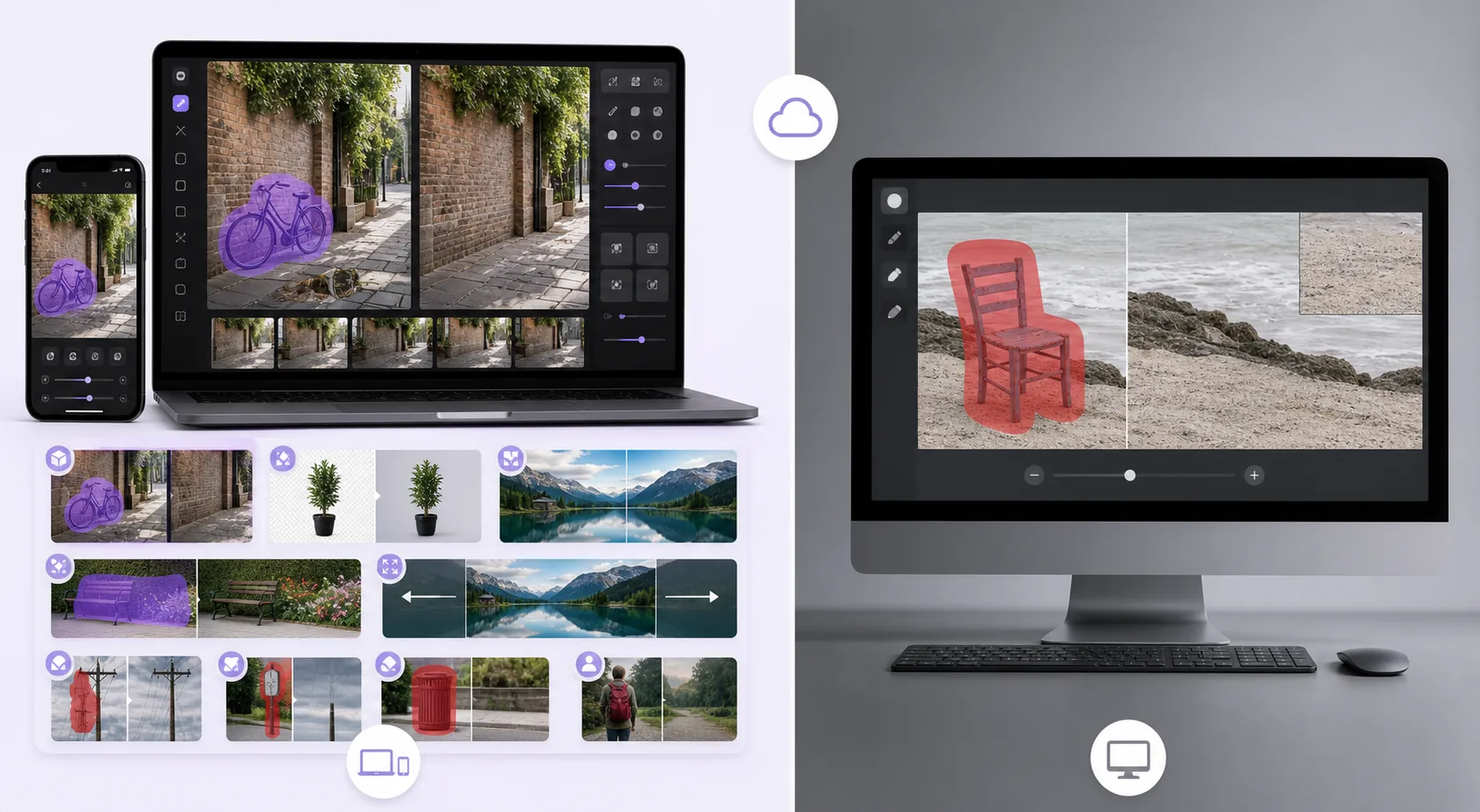
Magic Eraser एक मुफ़्त वेब-आधारित AI फ़ोटो एडिटर है जिसमें ऑब्जेक्ट रिमूवल, बैकग्राउंड रिमूवल, फ़ोटो एन्हांसमेंट, इमेज एक्सपेंशन, AI फ़िल, AI फ़िल्टर और बैच प्रोसेसिंग शामिल है। किसी भी ब्राउज़र वाले डिवाइस पर काम करता है — इंस्टॉलेशन ज़रूरी नहीं।
Inpaint is a focused object-removal tool available as desktop software (Windows/macOS) and an online version. It removes objects, people, and watermarks with a marker-based workflow, but it's single-purpose, and the online version uses a per-image credit/purchase model rather than a free tier.
फ़ीचर तुलना
Magic Eraser एक मुफ़्त वेब-आधारित AI फ़ोटो एडिटर है जिसमें ऑब्जेक्ट रिमूवल, बैकग्राउंड रिमूवल, फ़ोटो एन्हांसमेंट, इमेज एक्सपेंशन, AI फ़िल, AI फ़िल्टर और बैच प्रोसेसिंग शामिल है। किसी भी ब्राउज़र वाले डिवाइस पर काम करता है — इंस्टॉलेशन ज़रूरी नहीं।
Inpaint is a focused object-removal tool available as desktop software (Windows/macOS) and an online version. It removes objects, people, and watermarks with a marker-based workflow, but it's single-purpose, and the online version uses a per-image credit/purchase model rather than a free tier.
| Feature | Magic Eraser | Inpaint |
|---|---|---|
| Object removal | Yes — cloud AI + generative fill | Yes — patch-based |
| Background removal | Yes | No |
| AI enhancement / upscale | Yes | No |
| Generative fill | Yes | No |
| Task-specific tools (130+) | Yes — emoji, watermark, sticker, etc. | No — general remover |
| Web + mobile apps | Yes — web, iOS, Android | Desktop + web (no native apps) |
| Pricing model | Free tier, sign-in required | Desktop license / per-image online credits |
| Best for | All-in-one AI editing, free | One-off desktop object removal |
Feature rows summarize visible product positioning and should be rechecked against official product pages before purchase, migration, or compliance decisions.
- Last content review June 21, 2026
- Inpaint source: official product site (https://theinpaint.com/)
- Magic Eraser source: https://magiceraser.live/hi/product/magic-eraser
- Pricing, feature availability, platform support, and limits can change; recheck official sources before relying on a buying decision.
Magic Eraser के फ़ायदे
Free with no per-image credits
Inpaint's desktop app is a paid license and its online version charges per image. Magic Eraser's object removal is free with sign-in required and no per-image cost — you only upgrade if you want batch processing and higher limits.
Generative reconstruction, not just patching
Inpaint fills a removed area largely by sampling surrounding pixels. Magic Eraser's generative-fill AI understands scene content and rebuilds complex structures — brick, foliage, faces behind overlays — more convincingly on hard backgrounds.
A full toolkit, not one tool
Inpaint only removes. Magic Eraser adds background removal, enhancement, upscaling, generative fill, and 130+ dedicated removers (emoji, watermark, sticker, date stamp), so you handle the whole edit in one place.
Works everywhere, instantly
Inpaint's full capability is the desktop install; the web version is credit-gated. Magic Eraser runs free in any browser plus native iOS and Android apps — no install, no license, no credits to start.
अक्सर पूछे जाने वाले सवाल
क्या Magic Eraser मुफ़्त है?
+
हाँ, Magic Eraser आपको तुरंत मुफ़्त में फ़ोटो एडिट करने देता है। साइन अप या इंस्टॉलेशन ज़रूरी नहीं। अनलिमिटेड प्रोसेसिंग के लिए Pro प्लान में अपग्रेड कर सकते हैं।
Magic Eraser की तुलना Inpaint से कैसे होती है?
+
Magic Eraser एक प्लेटफ़ॉर्म पर 8 AI टूल्स को जोड़ता है — ऑब्जेक्ट रिमूवल, बैकग्राउंड रिमूवल, एन्हांसमेंट, एक्सपेंशन, AI फ़िल, AI फ़िल्टर, AI इमेज जनरेशन और डिज़ाइन। Inpaint की तुलना में, Magic Eraser बिना सॉफ़्टवेयर इंस्टॉल किए ज़्यादा फ़ीचर देता है।
क्या Magic Eraser मोबाइल पर काम करता है?
+
हाँ, Magic Eraser iOS, Android और वेब पर उपलब्ध है। आप डिवाइस के बीच आसानी से स्विच कर सकते हैं।
क्या मुझे अकाउंट बनाना होगा?
+
नहीं, आप बिना अकाउंट बनाए तुरंत एडिटिंग शुरू कर सकते हैं। बस ब्राउज़र खोलें और शुरू करें।
Magic Eraser आज़माने के लिए तैयार हैं?
अपनी पहली फ़ोटो मुफ़्त में एडिट करें — साइन अप ज़रूरी नहीं।
Magic Eraser मुफ़्त आज़माएंसंबंधित उपयोग के मामले
देखें कि पेशेवर इन उपकरणों का कैसे उपयोग करते हैं।
निजी सामान, खड़ी कारों या निर्माण उपकरणों से भरी लिस्टिंग तस्वीरें खरीदारों को दूर कर सकती हैं। Magic Eraser आपकी प्रॉपर्टी तस्वीरों को तुरंत साफ करने के लिए AI का उपयोग करता है — Photoshop कौशल की कोई जरूरत नहीं।
धुंधले बैकग्राउंड और बिखरी हुई प्रोडक्ट तस्वीरें हर दिन आपकी बिक्री घटाती हैं। Magic Eraser आपको सेकंडों में साफ, प्रोफेशनल प्रोडक्ट इमेज बनाने में मदद करता है — Photoshop की जरूरत नहीं। बस अपलोड करें, ध्यान भटकाने वाली चीजें मिटाएँ, और भरोसे के साथ लिस्ट करें।
अनचाहे लोग आपकी ट्रैवल तस्वीरें खराब कर रहे हैं? गंदा बैकग्राउंड आपकी सेल्फी बिगाड़ रहा है? Photoshop में घंटों बर्बाद करना बंद करें। Magic Eraser ध्यान भटकाने वाली चीज़ें हटाता है, बिखरी हुई तस्वीरें साफ करता है और आपकी फोटो को किसी भी प्लेटफॉर्म फॉर्मेट के लिए बढ़ाता है — सब एक टैप में।
संबंधित गाइड
इस वर्कफ़्लो से संबंधित और गाइड देखें।
जानें कि Magic Eraser से फ़ोटो में ऑब्जेक्ट, लोग, टेक्स्ट और ध्यान भटकाने वाली चीज़ें हटाकर साफ़ AI एडिटिंग परिणाम कैसे पाएँ।
AI से कुछ ही सेकंड में फ़ोटो से लोगों को हटाना सीखें। यात्रा, रियल एस्टेट और प्रोडक्ट फ़ोटो के लिए गाइड।
AI का उपयोग करके अपनी फ़ोटो से वॉटरमार्क हटाने की चरण-दर-चरण गाइड। कब उपयुक्त है, बेहतरीन तकनीकें, और Magic Eraser इसे कैसे संभालता है।
अन्य तुलनाएं
देखें कि Magic Eraser अन्य फोटो एडिटिंग टूल्स से कैसे तुलना करता है।
अलग-अलग ताकत वाले दो शक्तिशाली AI फ़ोटो एडिटर। Magic Eraser रचनात्मक संपादन के लिए जेनरेटिव AI उपकरणों का व्यापक सेट प्रदान करता है, जबकि Photoroom ई-कॉमर्स उत्पाद फ़ोटोग्राफ़ी और बैच प्रोसेसिंग में उत्कृष्ट है। देखें कौन-सा आपके वर्कफ़्लो में फ़िट बैठता है।
हमने शीर्ष AI फोटो एडिटिंग टूल्स का परीक्षण और तुलना की ताकि आपको ऐसा न करना पड़े। ऑब्जेक्ट हटाने से लेकर बैकग्राउंड बदलने तक, देखें कि कौन-सा एडिटर आपके वर्कफ़्लो के लिए सर्वोत्तम परिणाम देता है।
Pixlr उपयोगकर्ताओं को लेयर्स और इफ़ेक्ट्स के साथ एक क्लासिक ब्राउज़र-आधारित संपादन वातावरण देता है। Magic Eraser उन उपयोगकर्ताओं के लिए AI-प्रथम सफ़ाई, एन्हांसमेंट और बैकग्राउंड कार्य पर ध्यान केंद्रित करता है जो पूर्ण संपादन इंटरफ़ेस के बिना परिष्कृत परिणाम चाहते हैं।
Adobe Photoshop शक्तिशाली है, लेकिन ज़्यादातर लोग इसकी सुविधाओं का सिर्फ़ एक छोटा हिस्सा ही इस्तेमाल करते हैं। Magic Eraser आपको वही फोटो क्लीनअप टूल देता है जिनकी आपको सचमुच ज़रूरत होती है — ऑब्जेक्ट रिमूवल, बैकग्राउंड रिमूवल, AI एन्हांसमेंट और जेनरेटिव फिल — एक सरल इंटरफ़ेस में जो वेब और मोबाइल पर काम करता है और शुरू करने के लिए किसी सब्सक्रिप्शन की ज़रूरत नहीं।
remove.bg एक काम में बहुत अच्छा है: बैकग्राउंड हटाना। Magic Eraser उतनी ही अच्छी तरह से बैकग्राउंड हटाता है, साथ ही यह अनचाही वस्तुओं को हटाता है, इमेज क्वालिटी बढ़ाता है, AI से गायब क्षेत्रों को भरता है, और आपके पूरे फोटो एडिटिंग वर्कफ़्लो को एक ही जगह पर संभालता है।
Tried to remove an object or background and hit a Pro paywall in Canva, Adobe Express/Photoshop, or Fotor? Magic Eraser does the same job — object removal, background removal, watermark cleanup, and enhancement — for free. No subscription, and no watermark stamped on your download.