
LinkedIn Professional Headshot
Transform any well-lit photo into a LinkedIn-ready professional headshot. Clean background, natural enhancement, and the polished presentation that increases profile views by 14x.
Try this template freeProfessional template preview
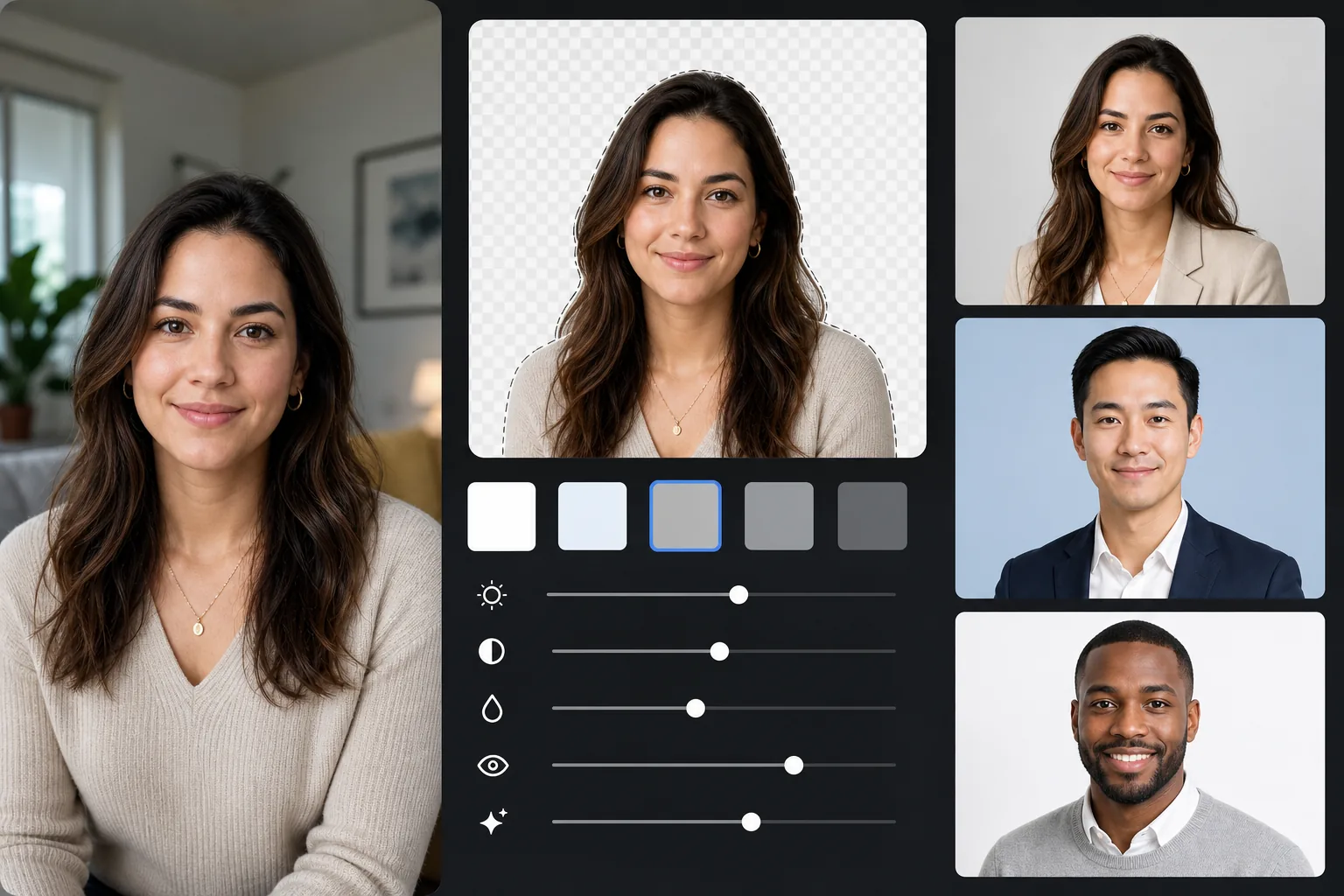
What this template does
Replaces any background with a professional solid color (light gray, soft blue, or white), applies natural skin and lighting enhancement, and exports at LinkedIn's recommended dimensions. The result looks like a studio headshot session.
Template settings
| Background | Light gray (#E8E8E8) — professional standard |
| Output size | 800×800px (LinkedIn recommended) |
| Enhancement | Natural skin, even lighting, sharp eyes |
| Crop | Head and shoulders, face in upper third |
| File format | JPEG (95% quality) |
How to use this template
Take your photo
Stand near a window for natural light. Wear interview-appropriate clothing. Have someone take the photo at eye level from about 4 feet away, shoulders-up framing.
Remove the background
Background Eraser replaces any environment with a clean professional gray. The AI preserves your hair outline, clothing edges, and natural body contour precisely.
Enhance naturally
AI Enhance evens out lighting across your face, corrects indoor color casts for natural skin tones, and sharpens your eyes — the focal point of any headshot.
Export for LinkedIn
Download at 800×800px for LinkedIn profile. The same source exports to other sizes: 400×400 for LinkedIn thumbnail, and full resolution for resume or print use.
Pro tips for best results
- ✓A slight, genuine smile with relaxed eyes reads as approachable and confident — the ideal LinkedIn expression.
- ✓Wear a color that contrasts with the gray background: navy, dark green, burgundy, or black all work well.
- ✓Take at least 20 shots — you need one where your expression is natural and eyes are fully sharp.
- ✓The same headshot should be used on LinkedIn, resume, and all professional profiles for brand consistency.
Common questions
What background color works best for LinkedIn?
+
Light gray (#E8E8E8) is the most universally professional choice. Soft blue conveys trust for corporate roles. White is clean but can wash out lighter skin tones. All three are available with this template.
Will it look like a professional studio photo?
+
With good natural light and a genuine expression, the AI-enhanced result is visually indistinguishable from a studio headshot. The background replacement, lighting correction, and subtle skin enhancement replicate what professional photographers deliver.
Can I use this for other professional profiles?
+
Yes. The same template works for company bios, conference speaker pages, author photos, and any platform where a professional headshot is expected. Export at different sizes for each platform.
Get your professional headshot today
No studio appointment needed. Upload your photo and get a LinkedIn-ready headshot in under a minute.
Try it freeRelated templates
More professional templates for your workflow.
Create compliant passport and visa photos at home. White background, correct head size ratio, 2×2 inch US standard, and 600 DPI output that meets State Department requirements.
Professional headshot template for actors and models. Meet casting director standards with 8×10 print-ready output, natural retouching, and clean backgrounds for agency submissions.
Enhance dental marketing photos with natural tooth whitening, consistent portrait backgrounds, and before-after comparison images for practice websites and social media.