
Actor & Model Headshot
Create headshots that get you called in for auditions. This template produces industry-standard 8×10 portraits with clean backgrounds, natural skin retouching, and the crisp detail casting directors expect — whether you need a theatrical headshot, a commercial look, or an updated comp card image.
Try this template freeProfessional template preview
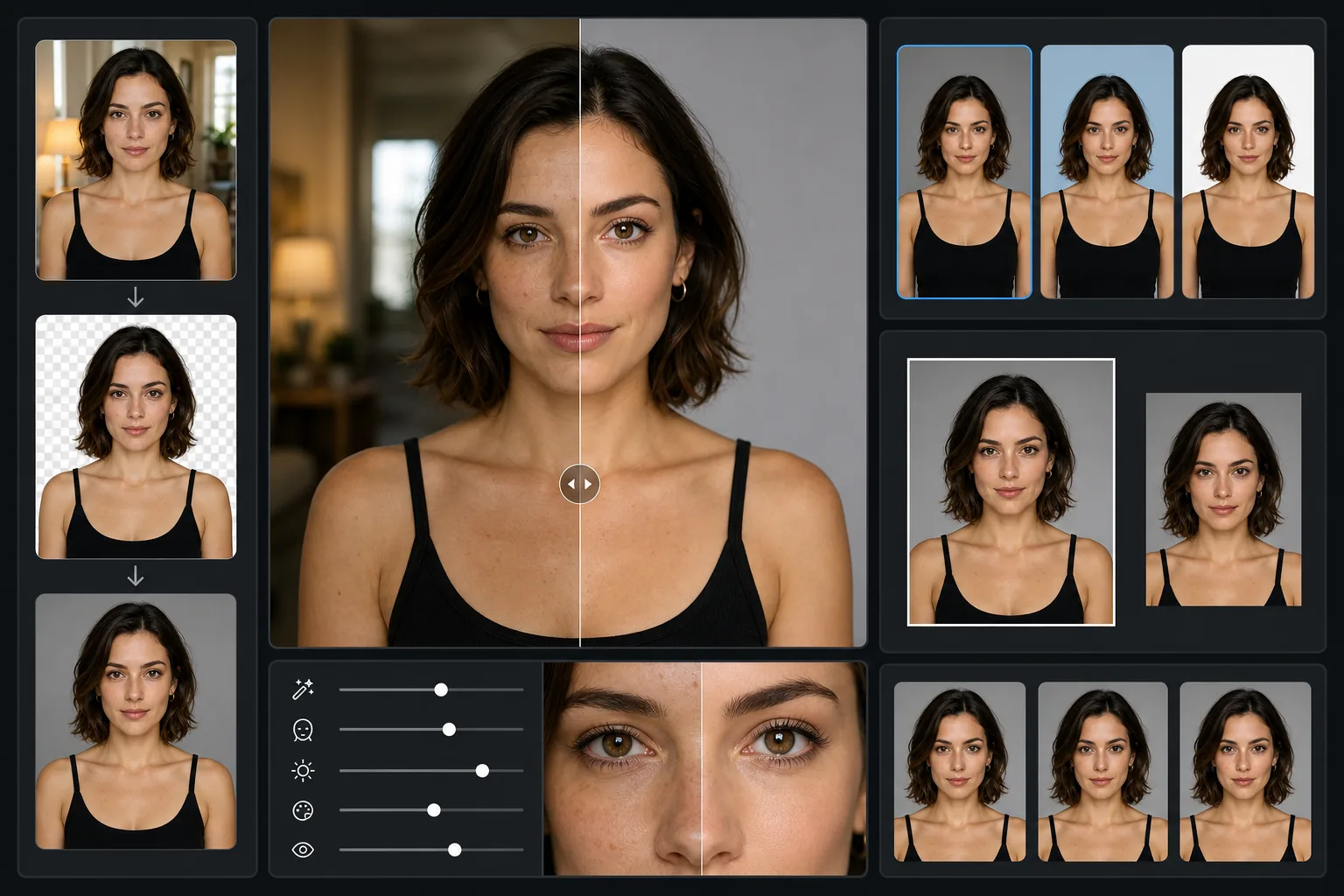
What this template does
Transforms casual portraits into submission-ready headshots that meet agency and casting platform standards. Background Eraser replaces busy or dated backdrops with clean, neutral tones that keep the focus on your face. AI Enhance sharpens eye detail, evens skin tone naturally, and adjusts exposure so the image prints cleanly at the 8×10 size casting directors still request for in-person auditions.
Template settings
| Aspect ratio | 4:5 (8×10 print standard) |
| Output resolution | 2400×3000px (300 DPI at 8×10 inches) |
| Background | Neutral gray, light blue, or white (selectable) |
| Skin retouching | Natural — smooths temporary blemishes, preserves freckles and character lines |
| Eye enhancement | Subtle sharpening and catchlight boost |
| Color profile | sRGB for digital submissions, CMYK-safe values for print |
How to use this template
Upload your portrait
Use a photo taken from the chest up with your face well-lit. Natural light from a window or open shade outdoors works best. Look directly into the camera with a relaxed, approachable expression — casting directors want to see you, not a character.
Replace the background
Background Eraser removes whatever is behind you and replaces it with a clean, professional backdrop. Choose neutral gray for theatrical submissions, light blue for commercial, or white for modeling comp cards.
Enhance naturally
AI Enhance sharpens eye detail and evens skin tone while keeping your look authentic. Temporary blemishes are smoothed, but freckles, moles, and expression lines that make you recognizable are preserved — you need to look like your headshot when you walk into the room.
Export for submission
Download at 8×10 print resolution for physical submissions or save a compressed JPEG for Actors Access, Backstage, and agency email uploads. Both versions maintain professional quality.
Pro tips for best results
- ✓Wear a solid-colored top that contrasts with the background — avoid white on white or black on dark gray, and skip busy patterns that compete with your face.
- ✓Shoot in open shade or near a north-facing window for soft, even light that minimizes harsh shadows under your eyes and nose.
- ✓Have someone else take the photo at your eye level rather than using a selfie — the slight wide-angle distortion from a phone at arm's length changes your proportions.
- ✓Update your headshot every 12-18 months or whenever you significantly change your hair, weight, or overall look — casting directors reject actors who do not match their photos.
Common questions
Will this look over-retouched for casting directors?
+
No. The template is specifically calibrated for the entertainment industry standard where natural appearance is essential. It removes temporary blemishes like a breakout or a scratch, but preserves the features that make you recognizable — casting directors need you to look like your headshot in person.
Does the 8×10 output work for digital casting sites?
+
Yes. The 4:5 aspect ratio is the same ratio used by Actors Access, Backstage, Casting Networks, and agency websites. The high-resolution output downsizes cleanly for any digital platform while remaining print-ready if a casting office requests physical copies.
Can I create different looks with the same base photo?
+
You can change the background tone to shift between theatrical and commercial vibes, but for genuinely different character looks you should shoot separate photos with different styling. This template will process each one consistently.
Get headshots that book auditions
Upload your portrait and get an agency-ready headshot in seconds. Print-quality, casting-standard, and authentically you.
Try it freeRelated templates
More professional templates for your workflow.
Professional LinkedIn headshot template. Clean background, natural skin enhancement, and the polished look that gets 14x more profile views.
Create compliant passport and visa photos at home. White background, correct head size ratio, 2×2 inch US standard, and 600 DPI output that meets State Department requirements.
Enhance dental marketing photos with natural tooth whitening, consistent portrait backgrounds, and before-after comparison images for practice websites and social media.