
Remove a price tag from a photo
Strip the price sticker, swing tag, and leftover adhesive mark off resale and e-commerce shots. Magic Eraser paints out the tag and reconstructs the surface beneath it — fabric weave, box artwork, or packaging — so the item looks shelf-ready instead of just unboxed.
Last updated
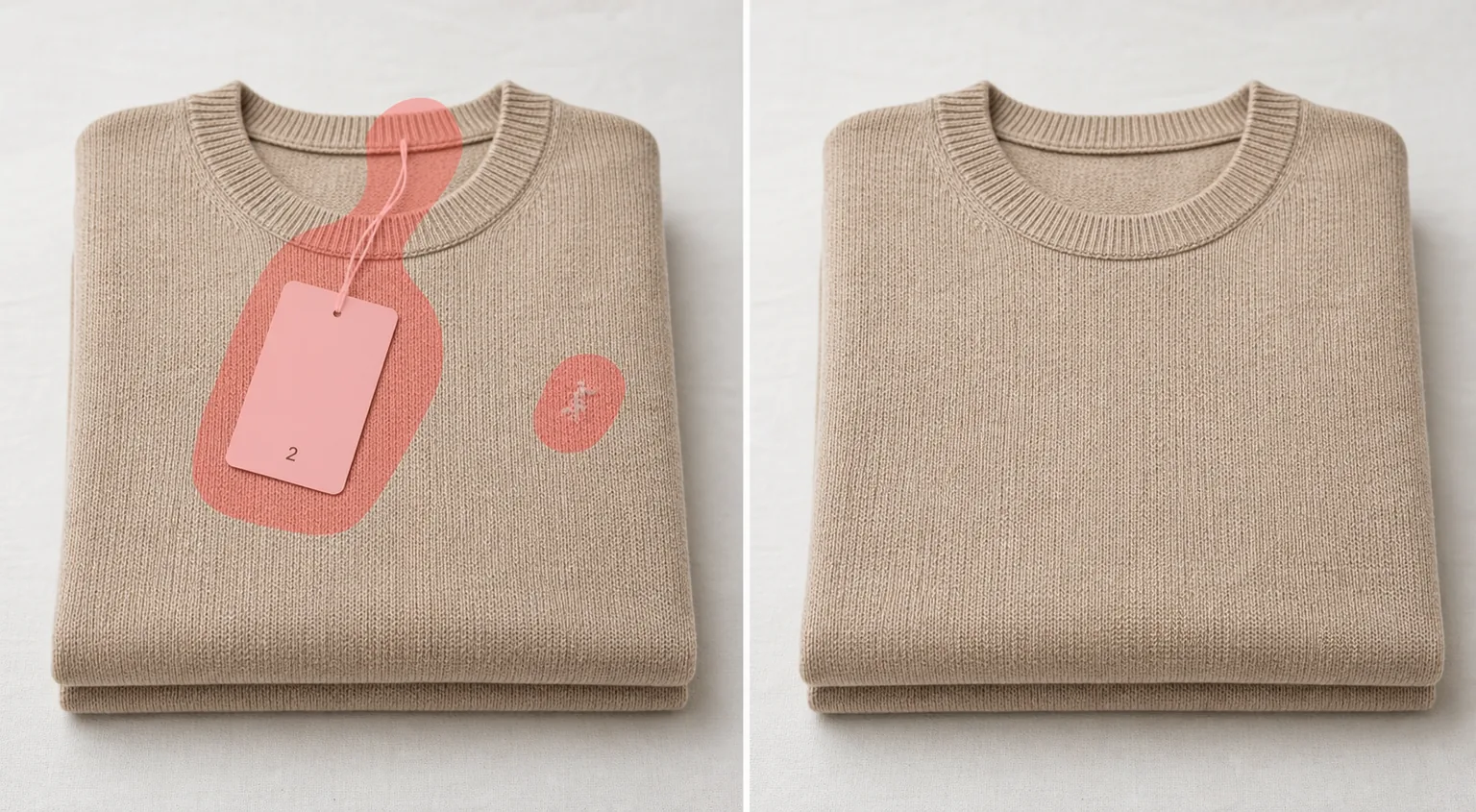
Why price tags ruin a resale photo
A bright orange clearance sticker, a dangling swing tag, or a half-peeled barcode label tells a buyer exactly what you paid and screams "thrift haul" the moment they open your listing. On eBay, Poshmark, Depop, or Facebook Marketplace, that one detail can drop your perceived value before anyone reads the description. The honest fix is to photograph the item clean — but tags leave gummy residue, the sticker tears the box, and you have already cut the swing tag off by the time you shoot. Magic Eraser handles the photo side: brush over the price tag, the string, or the sticky outline it left behind, and the AI removes it and rebuilds the surface underneath. On a flat, repeating texture like a knit sweater, a leather panel, or a solid-color box, the reconstruction is convincing because the AI has plenty of surrounding pattern to extend. The result is a relisting-ready image where the focus is the product, not the markdown sticker.
Remove a price tag in three steps
- 1
Upload the product photo
Open Magic Eraser on the web, iOS, or Android and upload the shot. It handles tags on clothing, shoeboxes, electronics packaging, books, and homeware — anything you are relisting or photographing for resale.
- 2
Brush the tag and its residue
Paint over the whole price tag — sticker, swing tag, string, and any adhesive smudge or torn-paper edge it left behind. Cover the full outline plus a slim margin so the AI does not leave a faint ghost of the sticker shape.
- 3
Erase and check the surface
Tap Erase and the AI removes the tag and reconstructs the fabric, box, or packaging beneath. Inspect where the tag used to sit — confirm the pattern, seams, and text underneath line up — then export the clean listing image.
Best for
- Removing clearance and price stickers before relisting on eBay or Poshmark
- Cleaning swing tags and strings off clothing for Depop and Vinted shots
- Erasing adhesive residue and torn-label marks from shoeboxes and packaging
- Tidying barcode and SKU stickers off books, games, and electronics boxes
- Prepping gift photos by removing the price before you share the picture
- Relisting returned or sample items for e-commerce product pages
- Clearing store-tag clutter from Facebook Marketplace and Craigslist photos
- Reconstructing solid-color fabric or box artwork where the tag covered it
What reconstructs well — and what to check
Price-tag removal works best when the tag sits on a simple, predictable surface. A sticker on a plain knit, a solid-color box, or an even leather panel reconstructs cleanly, because the AI can extend the surrounding weave or color straight across the gap. Be candid about the limits: anything the tag was covering is AI-estimated, not recovered. If the sticker hid printed box artwork, a brand logo, a care label, or a line of text, the AI invents a plausible fill — it does not know what was actually printed there, so check those spots closely and re-shoot if the listing needs that detail accurate. Adhesive residue, peel marks, and the slight sheen a sticker leaves usually erase well as long as you brush them along with the tag. Cover the entire tag outline plus a small margin; a too-tight brush can leave a faint rectangle where the sticker edge was. Treat the output as a clean, honest-looking product photo, not a guarantee that hidden printing was restored correctly.
Frequently asked questions
- Can it remove the sticky residue a price tag leaves?
- Yes. Brush over the adhesive smudge, peel mark, or sheen along with the tag itself and the AI reconstructs the clean surface underneath. Residue on a plain fabric or solid box clears especially well because there is consistent texture around it.
- What if the tag was covering printed text or a logo?
- Be cautious there. The AI estimates whatever the tag hid — it cannot recover printing it never saw. For a box logo, care label, or barcode that the buyer needs to read, reposition the tag and re-shoot rather than trusting the reconstructed fill.
- Does this work for clothing swing tags and the string?
- Yes. Paint over the swing tag, the plastic fastener, and the string, and the AI rebuilds the fabric beneath. Solid colors and simple knits reconstruct best; busy prints near a seam may need a more careful brush.
- Is price-tag removal free?
- Yes. Magic Eraser's free tier removes price tags and stickers on web, iOS, and Android. Upload your product photo, brush the tag, and export the relisting-ready image at no cost.