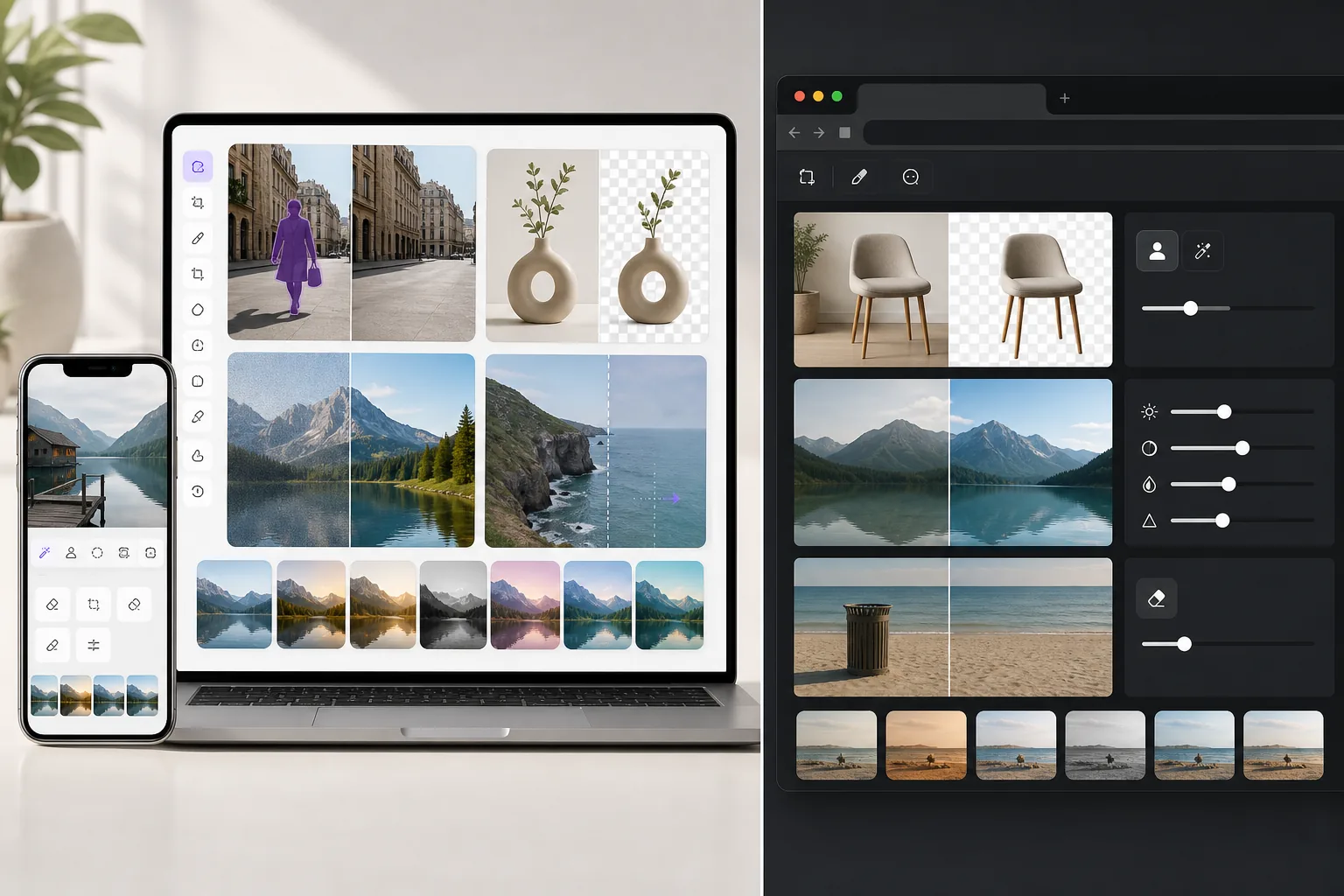
Magic Eraser vs PhotoEditor.AI: Comparing AI Photo Editors
PhotoEditor.AI offers browser-based AI photo editing tools. Magic Eraser provides a more comprehensive AI editing suite with faster processing, stronger object removal, and a wider range of creative tools for everyday photo workflows.
Last updated
Try Magic Eraser freeOverview
Magic Eraser is a dedicated AI photo editor with 8 tools including object removal, background removal, AI enhance, generative fill, image expansion, and creative filters. It works across web and mobile with fast cloud processing.
PhotoEditor.AI is a web-based AI photo editing platform offering background removal, image enhancement, and basic object editing. It focuses on browser-based convenience but has a narrower set of editing tools.
Feature Comparison
| Feature | Magic Eraser | PhotoEditor.AI |
|---|---|---|
| Object removal | Yes — core AI tool | Yes — basic |
| Background removal | Yes — high precision | Yes |
| AI enhancement | Yes — upscale, sharpen, denoise | Yes — basic enhancement |
| Generative fill | Yes | Limited |
| Image expansion | Yes | No |
| Creative filters | Yes | Yes |
| Mobile app | Yes — iOS + Android | Web only |
| Best for | Full AI photo editing | Quick browser-based edits |
Pricing Comparison
| Plan | Magic Eraser | PhotoEditor.AI |
|---|---|---|
| Free tier | Free — limited edits | Free — limited |
| Monthly | $9.99/mo | Varies |
| Annual | $4.99/mo (billed yearly) | Varies |
Prices as of May 2026. Check each provider for current rates.
Why Choose Magic Eraser
More powerful object removal
Magic Eraser's AI is specifically optimized for clean, artifact-free object removal — handling complex scenes with reflections, shadows, and detailed textures that simpler tools struggle with.
Broader creative toolkit
Beyond basic editing, Magic Eraser offers generative fill, AI image expansion, and creative filters that let you do more with each photo without switching to another tool.
Cross-platform access
Magic Eraser works on web, iOS, and Android with a consistent experience. PhotoEditor.AI is limited to browser access, which can be less convenient for mobile-first users.
Faster processing on complex edits
Magic Eraser's cloud infrastructure is optimized for speed, delivering results in seconds even for demanding tasks like large-area object removal and high-resolution upscaling.
Frequently Asked Questions
Is Magic Eraser better than PhotoEditor.AI for object removal?
+
Yes. Magic Eraser's object removal AI is more advanced, handling complex removals with shadows, reflections, and fine details more cleanly than PhotoEditor.AI's basic implementation.
Does PhotoEditor.AI have a mobile app?
+
PhotoEditor.AI is primarily web-based. Magic Eraser offers dedicated iOS and Android apps in addition to its web interface, providing a smoother experience on mobile devices.
Which tool offers more editing features?
+
Magic Eraser offers a wider range of AI tools including generative fill, image expansion, and advanced enhancement. PhotoEditor.AI covers the basics but lacks these more creative and advanced capabilities.
Can I try Magic Eraser for free?
+
Yes. Magic Eraser offers a free tier that lets you test all AI tools — including object removal, background removal, and enhancement — before committing to a paid plan.
Looking for a more complete AI photo editor?
Try Magic Eraser free for object removal, background removal, AI enhancement, generative fill, and more — all in one platform.
Try Magic Eraser freeRelated use cases
See how professionals use these tools in real-world workflows.
Listing photos cluttered with personal items, parked cars, or construction equipment can turn buyers away. Magic Eraser uses AI to clean up your property photos instantly — no Photoshop skills required.
Blurry backgrounds and cluttered product shots cost you sales every day. Magic Eraser helps you create clean, professional product images in seconds — no Photoshop skills required. Just upload, erase distractions, and list with confidence.
Photobombers ruining your travel pics? Messy backgrounds killing your selfie game? Stop wasting hours in Photoshop. Magic Eraser removes distractions, cleans up cluttered shots, and expands your photos to fit any platform format — all in one tap.
Related guides
Explore more guides and editorial content related to this workflow.
Learn how to use Magic Eraser to remove unwanted objects from photos faster, cleaner, and with more natural results.
Learn how to remove people from photos using AI in seconds. Step-by-step guide for travel photos, real estate shots, and product images.
Step-by-step guide to removing watermarks from your own photos using AI. Learn when it is appropriate, the best techniques, and how Magic Eraser handles it.
Other comparisons
See how Magic Eraser compares to other photo editing tools.
TouchRetouch is a popular paid mobile app for removing objects and blemishes. Magic Eraser offers free AI-powered editing on any device with no install required. See how they compare across features, pricing, and ease of use.
Cleanup.pictures is a free web tool for quick object removal. Magic Eraser goes further with 8 AI-powered editing tools, mobile apps, and advanced processing. See how the two compare.
remove.bg is the market leader for background removal, offering a powerful API and integrations with Photoshop and Figma. Magic Eraser goes further with eight AI-powered editing tools — from object removal and generative fill to AI enhance and design — all in one editor.
Two powerful AI photo editors with different strengths. Magic Eraser offers a broader set of generative AI tools for creative editing, while Photoroom excels at e-commerce product photography and batch processing. See which fits your workflow.
We tested and compared the top AI photo editing tools so you don't have to. From object removal to background replacement, see which editor delivers the best results for your workflow.
Photoshop is the industry standard for deep image editing, but many people only need fast object removal, clean backgrounds, and AI-powered fixes. Magic Eraser focuses on those jobs with a lighter workflow that works in seconds on web and mobile.
Canva is excellent for layouts and social graphics, but many users need faster object removal, cleaner background edits, and stronger AI photo tools. This comparison shows where Magic Eraser fits better for image-first workflows.
Fotor offers a broad online photo editor with templates and beauty tools. Magic Eraser focuses on practical AI cleanup, background removal, enhancement, and generative editing for faster daily workflows.
Snapseed remains a popular free mobile editor, but it depends more on manual adjustments and traditional photo tools. Magic Eraser adds modern AI workflows for users who want faster cleanup and enhancement with less effort.
Pixlr gives users a classic browser-based editing environment with layers and effects. Magic Eraser focuses on AI-first cleanup, enhancement, and background work for users who want polished results without a full editing interface.
Luminar Neo is powerful for desktop photographers who want deep enhancement and creative controls. Magic Eraser is built for faster cleanup, lighter workflows, and flexible editing across web and mobile.
PicWish is known for background removal and quick product image workflows. Magic Eraser goes broader with stronger object removal, fill, enhancement, and creative AI tools in one editor.
Inpaint is a recognizable name for removing unwanted objects from photos. Magic Eraser builds on that workflow with broader AI editing tools, faster cross-device access, and more useful cleanup features beyond a single task.
Adobe Photoshop is powerful, but most people only use a fraction of its features. Magic Eraser delivers the photo cleanup tools you actually need — object removal, background removal, AI enhancement, and generative fill — in a simpler interface that works on web and mobile with no subscription required to start.
remove.bg is great at one thing: removing backgrounds. Magic Eraser does that just as well, plus it removes unwanted objects, enhances image quality, fills missing areas with AI, and handles your full photo editing workflow — all in one place.
PhotoRoom focuses on background removal and product photography templates. Magic Eraser matches those capabilities and adds powerful AI tools for object removal, image enhancement, generative fill, and creative design — giving you more editing power on web and mobile.
Canva is a versatile design platform, but its photo editing tools are secondary to its design focus. Magic Eraser is purpose-built for AI-powered photo editing — delivering better object removal, background removal, image enhancement, and generative fill for users who need specialized photo cleanup tools.
Adobe Express bundles photo editing inside a design and content-creation suite tied to Adobe Firefly. Magic Eraser is purpose-built for AI photo cleanup: object removal, background replacement, generative fill, and enhancement. This comparison shows where each tool fits best.
Magic Eraser and Pixelcut both offer AI-powered photo editing across web, iOS, and Android with free tiers and paid Pro tiers. Pixelcut leans heavily into e-commerce product photos with templates. Magic Eraser is purpose-built for AI cleanup tasks across the full range of photo work. This comparison shows where each tool wins.
Magic Eraser and Topaz Photo AI both use AI on photos but solve fundamentally different problems. Magic Eraser is a multi-platform AI cleanup and editing suite — distraction removal, background swaps, generative fill, color grading, enhancement. Topaz Photo AI is a desktop-only quality-recovery utility — sharpen, denoise, upscale, restore detail on existing photos. This comparison shows where each tool wins and why many photographers run both.
Affinity Photo (now Affinity Photo 2) is the most established Photoshop alternative — a full-featured raster editor with layers, masks, RAW develop, frequency separation retouch, lens corrections, panorama stitching, and HDR merge, sold as a one-time desktop purchase rather than a subscription. Magic Eraser is an AI-first photo editor with the inverse positioning: one-click cleanup, generative fill, AI-driven color grading, and AI Enhance for quality recovery, sold as a $29.99/year cross-platform subscription. The two tools sit on opposite ends of the same problem space, and the right choice depends on whether you want pixel-level manual control or AI-driven speed.
VanceAI is a web-first AI photo platform that ships its capabilities as 15+ separate single-purpose tools — VanceAI Image Enhancer, VanceAI BG Remover, VanceAI Photo Restorer, VanceAI Image Sharpener, VanceAI Image Denoiser, VanceAI Anime Generator, and more — each available as a standalone product with its own page, its own credit consumption, and (for power users) its own API endpoint. Magic Eraser ships the same capability surface as a single cross-platform editor — Magic Eraser brush, Background Eraser, AI Fill, AI Enhance, AI Filter — all in one app on web, iOS, and Android. The two products solve overlapping problems but optimize for different decision points: VanceAI for users who want to buy a specific utility for a specific problem; Magic Eraser for users who want one editor that handles the full workflow.
Adobe Lightroom is the photographer's workflow standard for RAW development, color and tone correction, presets, and catalog management at scale — designed around the assumption that the photographer is processing hundreds to thousands of photos from a shoot session and needs consistent global adjustments applied across the set. Magic Eraser solves the inverse problem: AI-driven cleanup on individual photos where the work is removing distractions, swapping backgrounds, generative fill, or recovering quality, on web, iOS, and Android with a free tier. The two tools live at different stations of the photo workflow, and the right pick depends on whether your work shape is catalog-scale RAW development or per-photo cleanup-and-edit.
Facetune (by Lightricks, parent of Photoleap and Videoleap) is the dominant selfie and portrait editor — 200M+ downloads, optimized around face retouching, skin smoothing, teeth whitening, eye enhancement, body reshaping, and selfie-specific touch-ups. The product is built around the use case of 'I took a selfie / portrait and want to polish it before posting.' Magic Eraser solves the inverse: AI-driven general editing — object removal, background swap, generative fill, AI Enhance, AI Filter — across product photos, real-estate shots, food photography, social-promo graphics, and yes selfies, but not as the primary use case. The two products solve overlapping problems for some users but optimize for very different decision points: Facetune for selfie polish; Magic Eraser for general AI editing where face retouch is one of many possible operations.
GIMP (GNU Image Manipulation Program) has been the free open-source image editor of choice for budget-conscious designers, photographers, and tinkerers since 1996 — full layer-based editing, masks, blend modes, scripting via Script-Fu and Python, third-party plugin ecosystem, and zero subscription cost forever. Magic Eraser is the inverse positioning: AI-first cloud editor optimized for speed of result, with one-click cleanup, generative fill, AI Enhance, and cross-platform mobile editing, at $29.99/year for Premium. The two tools sit on opposite ends of the same problem space, and the right pick depends on whether you want pixel-level manual control via open-source desktop software, or AI-driven speed via subscription cloud editing.
SnapEdit is a newer AI photo editor focused on object removal and background replacement. Magic Eraser offers a broader AI editing suite that goes beyond cleanup to include enhancement, generative fill, and production-ready workflows.
PicsArt is a massive creative platform with stickers, templates, collage tools, and a social feed. Magic Eraser takes a different approach — purpose-built AI tools for cleanup, enhancement, and production-quality results without the clutter.
BeFunky combines a photo editor, collage maker, and graphic designer in one platform. Magic Eraser focuses on AI-powered photo editing — removing objects, replacing backgrounds, and enhancing images with fewer clicks and more consistent results.
Remini is known for AI-powered photo enhancement and face restoration. Magic Eraser goes further — combining enhancement with object removal, background replacement, generative fill, and batch processing for a complete AI editing workflow.
Lensa AI gained popularity with AI-generated avatars and portrait retouching effects. Magic Eraser is built for practical photo editing — removing objects, replacing backgrounds, enhancing images, and preparing production-ready output for real workflows.
Cutout.Pro focuses on AI background removal and basic image processing. Magic Eraser provides a fuller editing suite — object removal, generative fill, enhancement, and batch processing alongside background tools.
CyberLink PhotoDirector is a full desktop photo editing suite with AI features, layers, and photo management. Magic Eraser is a focused AI editor that delivers fast results through the browser without installing software or managing a photo library.
PhotoScape X is a popular free desktop photo editor with batch processing, collages, and basic retouching. Magic Eraser brings AI-powered tools that handle complex editing tasks — object removal, background replacement, and enhancement — that traditional editors cannot match.
YouCam Perfect is a mobile beauty and selfie editor with AR filters, makeup try-on, and body reshaping tools. Magic Eraser focuses on practical AI editing — removing objects, swapping backgrounds, enhancing quality, and preparing photos for professional use.
SnapEdit handles basic object removal and background tasks, but many users outgrow its limited feature set. Magic Eraser goes beyond cleanup with generative fill, AI enhancement, batch processing, and API access — everything you need for production-quality edits.
ClipDrop by Stability AI offers a suite of AI tools including image generation, relighting, and upscaling. Magic Eraser focuses on practical photo editing — delivering faster, more reliable results for the cleanup and enhancement tasks most users need every day.
Meitu is a popular beauty and selfie app with AI filters, face reshaping, and skin smoothing tools. Magic Eraser focuses on practical photo editing — object removal, background replacement, and AI enhancement for professional output.
Polarr offers advanced color grading, filters, and overlays with AI-assisted adjustments. Magic Eraser focuses on AI-powered cleanup and enhancement — removing objects, replacing backgrounds, and preparing production-ready photos with minimal effort.
Darkroom is a premium Apple-native photo and video editor with RAW support and iCloud integration. Magic Eraser brings AI-powered cleanup tools that Darkroom lacks — object removal, generative fill, and background replacement available on any platform.
VSCO is a creative platform known for its film-emulation presets and social photo community. Magic Eraser is a focused AI editor for practical tasks — removing objects, replacing backgrounds, and enhancing photos for professional use.
Kapwing is a browser-based content creation platform focused primarily on video editing with some image tools. Magic Eraser is purpose-built for AI photo editing — delivering stronger results on object removal, background replacement, and image enhancement.
Designify by Kaleido automates background removal and design placement for product photos. Magic Eraser offers a broader AI editing suite — object removal, generative fill, enhancement, and batch processing — giving you more control over the final result.
Lightroom excels at RAW processing and color grading, but it lacks AI-powered object removal and generative fill. Magic Eraser fills that gap — giving you the AI editing tools Lightroom doesn't have, without requiring an Adobe Creative Cloud subscription.
Luminar Neo offers AI sky replacement and portrait retouching, but its desktop-only model and one-time pricing can be barriers. Magic Eraser provides AI object removal, generative fill, and background replacement from any browser — with a free tier to start.
Picsart is a creative platform with stickers, collages, and social features. If you need focused AI photo editing — object removal, background replacement, generative fill — Magic Eraser delivers better results without the clutter.
Facetune specializes in portrait retouching — skin smoothing, reshaping, and selfie enhancement. Magic Eraser handles the broader editing tasks Facetune can't: object removal, background replacement, generative fill, and batch processing for any photo type.
GIMP is a powerful free image editor, but tasks like object removal require manual clone-stamping and patience. Magic Eraser automates these tasks with AI — removing objects, replacing backgrounds, and filling areas in seconds instead of minutes.
We tested the top background removal tools on product photos, portraits, and complex scenes. Here's how they rank for quality, speed, batch support, and pricing.
We tested the leading object removal tools on real-world photos — removing people, power lines, text, and complex objects. Here's how each tool performed on quality, speed, and ease of use.
Not every photo editor requires a subscription. We compared the best free options for AI editing, quick fixes, and creative projects — from browser-based tools to desktop powerhouses.
iPiccy is a browser-based photo editor with basic retouching and effects. Magic Eraser focuses on AI-powered cleanup, background removal, enhancement, and generative editing for faster, more polished results.
Ribbet is a browser-based photo editor with collage and basic editing features. Magic Eraser is purpose-built for AI photo cleanup, background removal, enhancement, and generative editing with faster, more professional results.
PhotoKit offers a suite of online photo editing tools with some AI features. Magic Eraser is built specifically around AI-first cleanup, background removal, enhancement, and generative editing for faster professional results.
IMG.AI focuses on AI image generation and enhancement. Magic Eraser offers a broader suite of AI editing tools including object removal, background removal, enhancement, and generative fill for complete photo editing workflows.
HitPaw offers desktop and mobile apps for photo and video editing with AI features. Magic Eraser provides faster, browser-based AI photo editing focused on cleanup, background removal, and enhancement without requiring software installation.
Aiseesoft offers desktop utilities for background removal, watermark removal, and image upscaling. Magic Eraser provides a unified AI photo editing platform with object removal, background removal, enhancement, and generative tools — all in your browser.
Photo Enhancer AI focuses on upscaling and improving image quality. Magic Eraser offers that plus object removal, background removal, generative fill, and creative AI tools for a complete photo editing experience.
Bigjpg specializes in AI image upscaling using deep learning. Magic Eraser offers upscaling plus a complete AI photo editing suite including object removal, background removal, and generative fill.
Waifu2x is a popular open-source upscaler built for anime-style art. Magic Eraser offers AI upscaling alongside a full suite of photo editing tools — object removal, background removal, generative fill, and more — for a broader range of real-world editing needs.
Upscayl is a free, open-source desktop upscaler that runs locally on your GPU. Magic Eraser is a cloud-based AI photo editor offering upscaling plus object removal, background removal, generative fill, and more — no installation or GPU required.
RetouchMe uses human retouchers for portrait and body edits with results delivered in minutes. Magic Eraser uses AI for instant results across object removal, background editing, enhancement, and generative tools — giving you more control and faster turnaround.
AirBrush is a selfie and beauty editor focused on portrait retouching and filters. Magic Eraser is a versatile AI photo editor built for object removal, background removal, enhancement, and generative editing across all photo types.
Background Eraser is a simple mobile app focused on cutting out backgrounds. Magic Eraser offers AI-powered background removal plus a full suite of editing tools — object removal, enhancement, generative fill, and more — for a complete photo editing workflow.
Object Eraser is a simple web tool for removing objects from photos. Magic Eraser offers the same capability with better AI, plus background removal, image enhancement, generative fill, and more — a complete photo editing platform.
We tested the leading AI image upscalers for quality, speed, ease of use, and versatility. From enhancing low-resolution photos to preparing images for print, see which upscaler delivers the best results for your needs.
We tested the leading AI background generators for removal quality, replacement options, creative flexibility, and ease of use. See which tool makes it easiest to remove, replace, and generate new backgrounds for your photos.
We tested the top photo editing apps for iPhone to find which ones deliver the best results for AI editing, object removal, enhancement, and creative effects. Here are our picks for the best iPhone photo editors this year.
We tested the top photo editing apps available on Android to compare AI editing, object removal, enhancement, and creative tools. Here are the best Android photo editors this year and how they compare.
We tested the top AI headshot generators for quality, realism, customization, and value. Whether you need LinkedIn headshots, team photos, or professional portraits, see which tool delivers the best results.
TouchRetouch is a capable mobile object removal app, but it is limited to one task on mobile only. Magic Eraser offers stronger AI object removal plus background removal, image enhancement, generative fill, image expansion, and creative tools — on web, iOS, and Android.
Cleanup.pictures is a simple browser tool for removing objects from photos. Magic Eraser goes further with better AI quality, plus background removal, image enhancement, generative fill, image expansion, and dedicated mobile apps for editing anywhere.
Remini specializes in AI photo enhancement and restoration. Magic Eraser matches its enhancement capabilities while adding object removal, background removal, generative fill, image expansion, and creative editing tools — giving you a complete editing solution instead of a single-purpose tool.
Pixlr is a general-purpose online photo editor with traditional editing tools. Magic Eraser is purpose-built for AI photo editing — delivering faster and cleaner results for object removal, background removal, image enhancement, and generative fill without the complexity of manual editing tools.
Meitu is a popular beauty and selfie editor with extensive portrait filters. Magic Eraser serves a broader range of editing needs — AI object removal, background removal, image enhancement, generative fill, and creative tools — making it the better choice for users who edit more than just selfies.