
Schuhproduktfoto
Präsentieren Sie Schuhe wie ein großer Markenhändler. Diese Vorlage entfernt den Hintergrund von jedem Schuhfoto, hebt Leder- und Stofftexturen hervor, schärft die Details des Sohlenprofils, beseitigt Kratzer und Staub von Musterpaaren und gibt marktplatzkonforme Bilder mit konsistenter Bildkomposition aus allen Blickwinkeln aus.
Diese Vorlage kostenlos testenE-commerce template preview
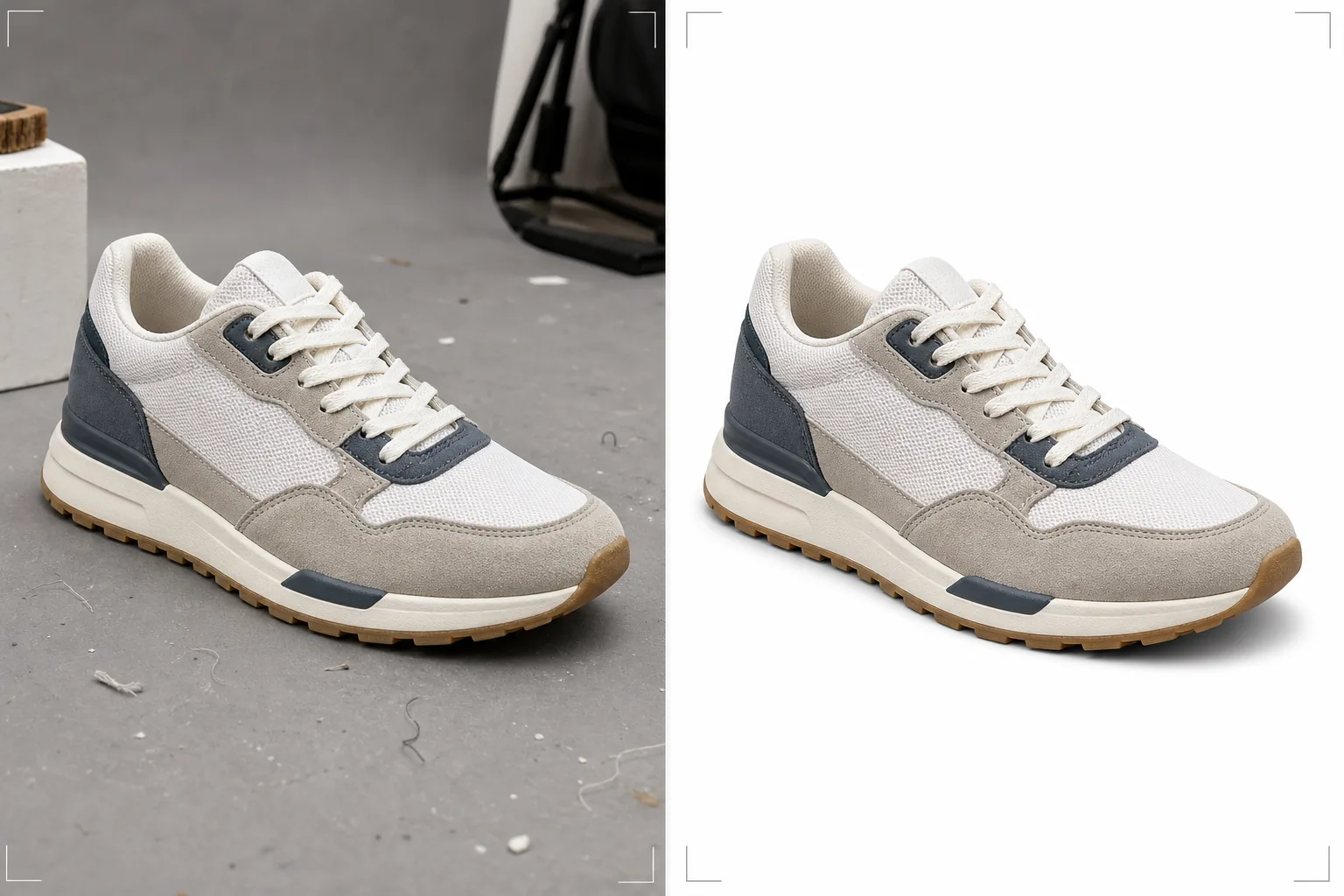
Was diese Vorlage leistet
Bereitet Schuhbilder für E-Commerce-Plattformen vor, auf denen sich Käufer bei der Beurteilung von Schuhqualität, Materialien und Verarbeitung vollständig auf Fotos verlassen. Background Eraser isoliert den Schuh mit präziser Kantenerkennung, die komplexe Umrisse wie offene Sandalen, Mesh-Sneaker und fellgefütterte Stiefel bewältigt, ohne feine Materialdetails an den Rändern zu verlieren. Magic Eraser entfernt Staub, kleine Kratzer an Mustern, lose Fäden und Oberflächenmängel, die sich an Musterpaaren vor der Produktaufnahme ansammeln. AI Enhance schärft die Materialtexturen, sodass Käufer Lederstruktur, Canvas-Gewebe, Nahtqualität und Sohlenprofil klar erkennen können – die Details, die Interessenten zu Käufern machen.
Vorlageneinstellungen
| Hintergrund | Reinweiß (#FFFFFF) für Marktplätze oder Hellgrau für Markenwebsites |
| Materialverbesserung | Texturschärfung für Leder, Wildleder, Canvas und Mesh |
| Sohlendetail | Klarheitsverbesserung des Profilmusters für Aufnahmen von unten |
| Oberflächenbereinigung | Entfernt Staub, Kratzer und lose Fäden von Musterpaaren |
| Ausgabemaße | 2000 × 2000 px (quadratisch, bereit für Marktplatz-Zoom) |
So verwenden Sie diese Vorlage
Schuhfotos aus allen Blickwinkeln hochladen
Laden Sie Ansichten von der Seite, im Dreiviertelprofil, von oben, von der Ferse und von der Sohle hoch. Die Vorlage verarbeitet jeden Blickwinkel einzeln und behält dabei einen einheitlichen Hintergrund, eine einheitliche Beleuchtung und Farbe über den gesamten Satz hinweg bei. Sowohl einzelne Schuhe als auch Paare können verarbeitet werden.
Hintergrundentfernung und Kantenverfeinerung
Background Eraser isoliert den Schuh von jeder Oberfläche oder jedem Hintergrund. Die Kantenerkennung ist auf Schuhmaterialien abgestimmt – saubere Kanten bei Leder, natürliche Übergänge beim Wildlederflor und erhaltene Transparenz bei Mesh und offenen Sandalenriemen. Darunter wird ein dezenter Kontaktschatten hinzugefügt, um den Schuh zu erden.
Material- und Detailverbesserung
AI Enhance schärft Lederstruktur, Nahtdetails, Sohlenprofilmuster und Beschläge (Schnallen, Ösen, Reißverschlüsse). Magic Eraser entfernt Mängel von Musterpaaren, darunter Staub, kleine Kratzer, Klebstoffreste in Sohlennähe und lose Fadenenden.
Für Ihren Shop exportieren
Laden Sie den vollständigen Blickwinkelsatz mit 2000 × 2000 px für Marktplatzeinträge mit Zoomfunktion herunter oder in benutzerdefinierten Maßen für Ihre Markenwebsite. Alle Bilder des Satzes haben eine einheitliche Bildkomposition, einen einheitlichen Hintergrund und eine einheitliche Farbe für eine ausgefeilte Produktseite.
Profi-Tipps für beste Ergebnisse
- ✓Stopfen Sie die Schuhe vor dem Fotografieren mit Seidenpapier aus, um ihre natürliche Form zu erhalten. Schuhe, die zusammenfallen oder kippen, weil sie leer sind, wirken weniger ansprechend als Schuhe mit Struktur; die Vorlage hebt die vorhandene Form hervor, kann einen zusammengefallenen Schuh aber nicht aufpolstern.
- ✓Fügen Sie jedem Schuheintrag ein Foto der Sohlenansicht hinzu. Das Sohlenprofil ist eines der wichtigsten Details, die Käufer hinsichtlich Qualität, Rutschfestigkeit und Markenechtheit prüfen. Die Vorlage schärft Profilmuster, damit jedes Detail sichtbar wird.
- ✓Bürsten Sie bei Wildleder- und Nubukschuhen den Flor vor dem Fotografieren aller Blickwinkel in eine einheitliche Richtung. Die Vorlage erhält und verstärkt die natürliche Florstruktur, doch das Fotografieren mit zufälliger Florrichtung über die Blickwinkel hinweg erzeugt visuelle Inkonsistenz.
- ✓Fotografieren Sie den Schuh für das Hauptbild in einem leichten Dreiviertelwinkel statt im flachen Seitenprofil. Die Dreiviertelansicht zeigt Tiefe, Verarbeitung und den Übergang zwischen Schaft und Sohle – die Vorlage hebt all diese räumlichen Details hervor.
E-commerce workflow
Product photo hub
Use this template with the full ecommerce product photo workflow for marketplace backgrounds, cleanup, compression, resizing, and listing-ready exports.
View ecommerce product photo workflowHäufige Fragen
Funktioniert das mit allen Schuhtypen?
+
Ja. Die Vorlage ist für Sneaker, Anzugschuhe, Stiefel, Sandalen, High Heels und Sportschuhe kalibriert. Die Kantenerkennung passt sich dem jeweiligen Material an – glatte Lederkanten, flauschige Wildlederkanten, transparentes Mesh und die Öffnungen von offenen Sandalen werden alle mit materialgerechter Behandlung verarbeitet.
Sollte ich einzelne Schuhe oder Paare fotografieren?
+
Fotografieren Sie zumindest das Hauptbild als einzelnen Schuh (rechter Fuß, Innen- oder Außenansicht je nach Markenkonvention). Fügen Sie dem Eintrag ein Paarfoto hinzu. Die Vorlage verarbeitet sowohl einzelne Schuhe als auch Paare und behält für jedes eine einheitliche Bildkomposition bei.
Was ist mit Lifestyle-Fotos am Fuß?
+
Diese Vorlage ist für Katalogaufnahmen des Produkts auf Weiß konzipiert. Bei Lifestyle-Aufnahmen am Fuß kann die Vorlage Schuhdetails und Farbe verbessern, eignet sich aber am besten als Produktbildprozessor und weniger als Lifestyle-Editor.
Präsentieren Sie Schuhe, die sich ab dem ersten Bild verkaufen
Laden Sie Schuhfotos aus jedem Blickwinkel hoch und erhalten Sie marktplatzfertige Bilder mit sauberen Hintergründen, scharfen Materialtexturen und professioneller Konsistenz.
Kostenlos testenRelated templates
More e-commerce templates for your workflow.
Reinweiße Hintergrundvorlage für Produktfotos. Amazon-, Shopify- und Marketplace-fähige Einstellungen für saubere, professionelle Produktbilder, die konvertieren.
Für Etsy optimierte Fotovorlage für Einträge. Wandelt Lifestyle-Aufnahmen in saubere weiße Hintergründe mit 2000 Pixel um, verbessert handgefertigte Produktdetails und erfüllt die Bildrichtlinien von Etsy.
Für eBay optimierte Angebotsfotovorlage. Weißer Hintergrund für Galeriebilder, Verbesserung der Zustandsdokumentation und Mehrwinkel-Layouts, die den eBay-Bildstandards entsprechen.
Professionelle Schmuckfotografie-Vorlage für Ringe, Halsketten und Uhren. Kontrolliert Reflexionen, verstärkt das Glitzern von Edelsteinen und liefert marktreife Bilder auf sauberen Hintergründen.
Professionelle Möbelfotovorlage für Marktplatzangebote. Beseitigen Sie Unordnung im Raum, zeigen Sie echte Dimensionen und präsentieren Sie Stücke auf sauberen Hintergründen oder in stilvollen Raumkontexten.
Bereinigen Sie flach liegende Kleidungsfotos mit Faltenentfernung, Fusselentfernung, reinweißen Hintergründen und präziser Stofffarbe. Bereit für Shopify, Amazon und Boutiquen.