
Erweitern Sie Bilder mit KI, um Hintergrund hinzuzufügen, enge Ausschnitte zu korrigieren und sie an jedes Layout anzupassen
Verwenden Sie das AI Expand-Tool von Magic Eraser, um Fotohintergründe zu erweitern, Bilder freizustellen und visuelle Elemente für Social-Media-Beiträge, Anzeigen, Miniaturansichten, Banner und E-Commerce-Layouts anzupassen. Schaffen Sie mit einem schnelleren AI Image Extender-Workflow mehr Platz auf der Leinwand für Porträts, Produktaufnahmen und Marketingbilder.
Magic Eraser AI Expand erweitert Bildgrenzen und macht Fotos mithilfe generativer KI frei. Es fügt neue Inhalte über den ursprünglichen Rahmen hinaus hinzu, die dem Stil und Kontext des vorhandenen Bilds entsprechen – häufig verwendet zum Konvertieren von Porträtfotos in Querformat, zum Hinzufügen von Headroom und zum Erweitern von Hintergründen für Bannerformate.
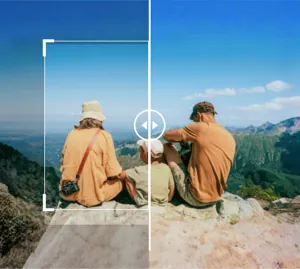

Erweitern Sie Fotohintergründe mit KI für einen saubereren Rahmen
Erweitern Sie über den ursprünglichen Ausschnitt hinaus und lassen Sie die KI mehr von der umgebenden Leinwand generieren, damit das Bild weniger beengt wirkt. Dies funktioniert gut, wenn Porträts, Produktfotos oder Kampagnenvisualisierungen mehr Platz um das Motiv herum benötigen.
Öffnen Sie AI Expand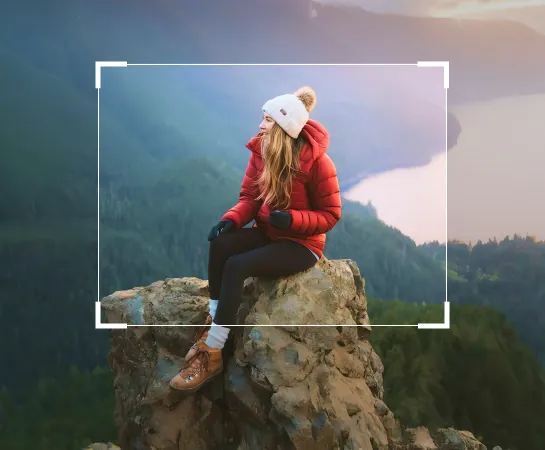
Erweitern Sie Bildhintergründe schneller, als die Leinwand manuell neu zu erstellen
Wenn ein Foto zu eng zugeschnitten ist oder nicht genügend Platz für Text, Layout oder einen besseren Rahmen bietet, hilft Ihnen AI Expand dabei, schnell mehr Platz um das Motiv herum zu schaffen. Es ist eine praktische Möglichkeit, Kompositionen für Anzeigen, Social-Media-Beiträge, Miniaturansichten und E-Commerce neu zu erstellen, ohne bei Null anfangen zu müssen.
Öffnen Sie AI Expand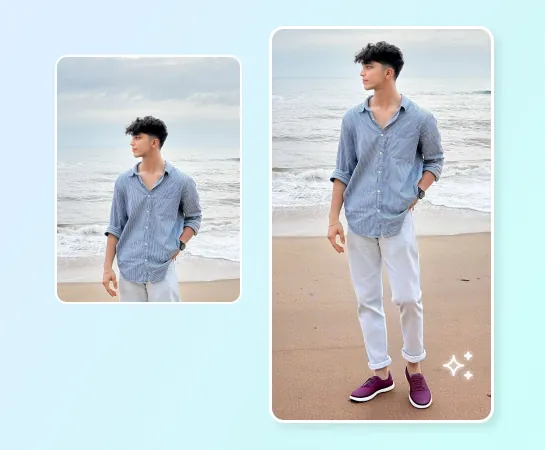
Verwenden Sie AI Expand für soziale Inhalte, Anzeigen, Produktfotos und breitere Layouts
Von Porträts und Lifestyle-Aufnahmen bis hin zu Produktbildern und Marketingvisualisierungen hilft Ihnen AI Expand dabei, Seitenverhältnisse zu ändern und mehr Freiraum für das Motiv zu schaffen. Dies ist besonders nützlich, wenn Sie Querformat in Hochformat umwandeln, Platz für Texte schaffen oder visuelle Elemente für Banner und Kampagnen erweitern.
Öffnen Sie AI Expand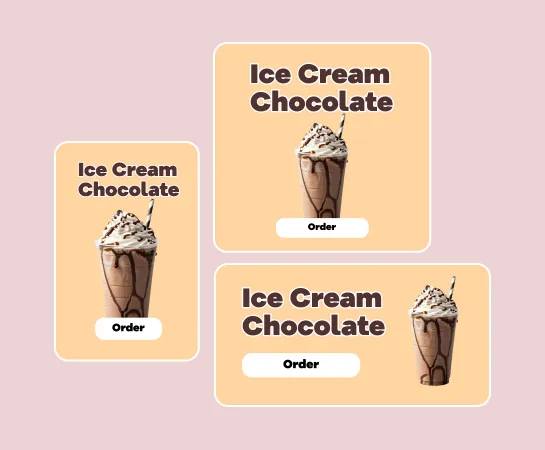
Bearbeiten Sie weiter, nachdem das Bild erweitert wurde
Die Erweiterung ist oft nur ein Schritt im Arbeitsablauf. Nachdem Sie eine größere Leinwand erstellt haben, können Sie die Bearbeitung mit Hintergrundentfernung, Verbesserung, Filtern, Text oder anderen Werkzeugen fortsetzen, um das Asset fertigzustellen. Dadurch erhalten Teams einen schnelleren Weg vom umständlichen Quellbild zum fertigen visuellen Layout.
Öffnen Sie AI Expand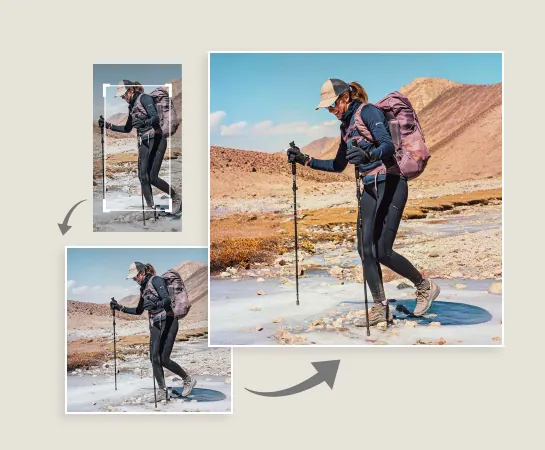
So erweitern Sie ein Bild mit KI
Laden Sie ein Bild hoch
Beginnen Sie mit einem Porträt, einem Produktbild, einem Banner-Asset oder einem beliebigen Foto, das mehr Platz auf der Leinwand benötigt.
Wählen Sie eine Leinwandvoreinstellung
Wählen Sie ein Zielseitenverhältnis oder eine Layoutrichtung basierend auf dem Format, das Sie als Nächstes erstellen möchten.
Passen Sie den Rahmen an und generieren Sie ihn
Drehen oder positionieren Sie das Bild bei Bedarf neu und lassen Sie dann AI Expand einen neuen Hintergrundbereich um das Motiv generieren.
Laden Sie es herunter oder bearbeiten Sie es weiter
Wählen Sie das beste erweiterte Ergebnis aus, exportieren Sie es oder wechseln Sie zu Verbesserungs-, Design- oder Bereinigungsworkflows.
Alle KI-Bildbearbeitungstools, die Sie benötigen
Entdecken Sie die wichtigsten Bearbeitungsfunktionen, die derzeit in Magic Eraser Web verfügbar sind, von der Bereinigung und Verbesserung bis hin zur Generierung und Gestaltung.

KI erweitern
Erweitern Sie Bildränder und schaffen Sie mit einem schnelleren KI-Erweiterungsworkflow neuen Leinwandraum um das Motiv herum.

Hintergrund entfernen
Schneiden Sie das Motiv nach der Erweiterung aus, wenn Sie transparente Elemente oder klarere Kompositionen benötigen.

AI Enhance
Verbessern Sie nach der Erweiterung Schärfe, Farbe und Details, um ein ausgefeilteres Endergebnis zu erzielen.

Design
Nutzen Sie den zusätzlichen Platz auf der Leinwand für Text, Überschriften und schlanke Design-Layouts.

KI erstellen
Kombinieren Sie generierte Visuals mit Erweiterungen, wenn Sie eine neue kreative Richtung und mehr Platz im Rahmen benötigen.

Objekte entfernen
Bereinigen Sie Ablenkungen nach dem Erweitern, wenn Sie eine einfachere und fokussiertere Komposition wünschen.

KI-Filter
Wenden Sie eine neue Stimmung oder einen neuen Stil auf das erweiterte Ergebnis an, um kreativere Kampagnenvariationen zu erzielen.

KI-Füllung
Ersetzen Sie ausgewählte Regionen oder erstellen Sie fehlende Bereiche neu, wenn das Bild gezielter generiert werden muss.
Häufig gestellte Fragen
Laden Sie ein Bild hoch, wählen Sie eine Leinwandvoreinstellung, passen Sie den Rahmen an und lassen Sie Magic Eraser mehr Hintergrund um das Motiv herum generieren. Anschließend können Sie die erweiterten Ergebnisse überprüfen, eines anwenden und exportieren oder mit der Bearbeitung fortfahren.
AI Expand eignet sich gut für Porträts, Produktbilder, soziale Inhalte, Anzeigenmotive, Miniaturansichten, Banner und andere visuelle Elemente, die mehr Platz um das Motiv herum oder ein neues Seitenverhältnis benötigen.
Ja. Einer der Hauptanwendungsfälle besteht darin, ein Quellbild an breitere, höhere oder plattformfreundlichere Layouts anzupassen, indem um den Originalrahmen herum neuer Raum geschaffen wird.
Ja. Nach der Erweiterung können Sie mit Tools wie AI Enhance, Hintergrund entfernen, Objekte entfernen, Design, KI-Filter und anderen Magic Eraser-Workflows fortfahren.
Der übliche Ablauf ist einfach: Laden Sie das Bild hoch, wählen Sie eine Leinwandvoreinstellung, erstellen Sie erweiterte Variationen, wählen Sie das beste Ergebnis aus und exportieren Sie es oder bearbeiten Sie es weiter.