
تحرير الصور بالذكاء الاصطناعي للعقارات
كيف يستخدم وكلاء العقارات والمصورون الذكاء الاصطناعي لتحرير الإعلانات: إزالة الفوضى وتحسين الديكورات الداخلية المعتمة وإصلاح المظهر الخارجي وتلبية متطلبات MLS.
Product Team
جدول المحتويات
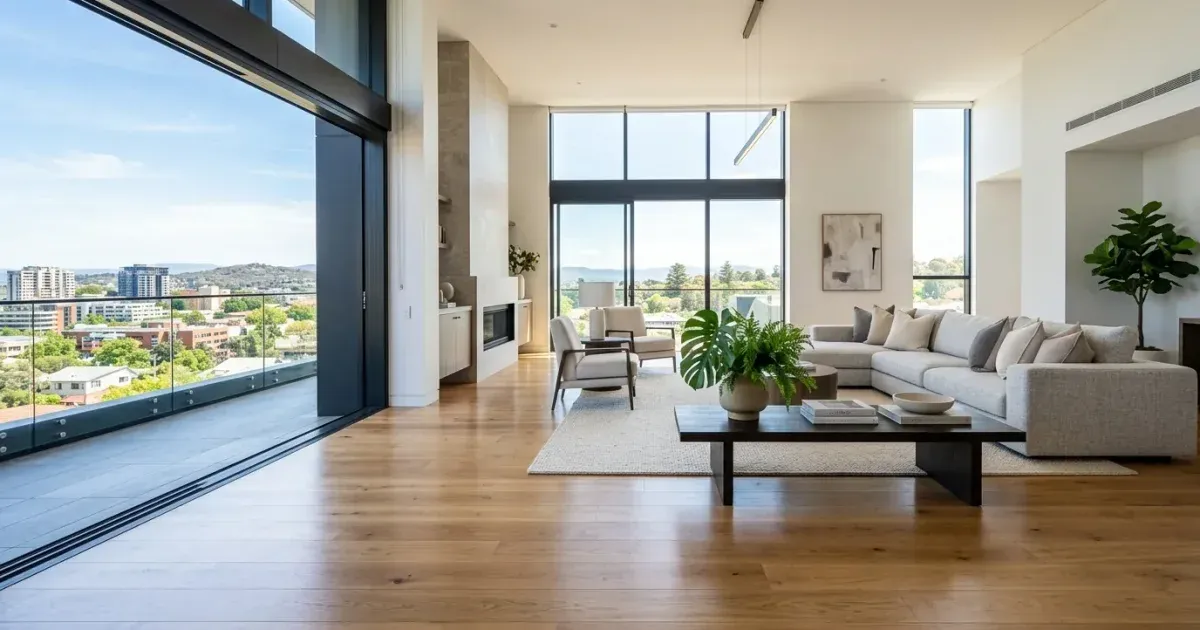
صور العقارات تبيع الممتلكات. الإعلانات التي تتضمن صورًا احترافية ونظيفة تحصل على مشاهدات أكثر ومعاينات أكثر وعروض أعلى. لكن معظم الوكلاء يصورون العقارات كما هي: غرف مأهولة بأغراض شخصية، وديكورات داخلية معتمة، وأفنية مزدحمة بالفوضى. سماء غائمة تجعل المظهر الخارجي يبدو باهتًا.
تساعد أدوات تحرير الصور بالذكاء الاصطناعي الوكلاء والمصورين على إصلاح هذه المشكلات دون إعادة تصوير مكلفة أو ساعات من العمل على Photoshop. أزِل الأغراض الشخصية من الغرف، وأضِئ الديكورات الداخلية المعتمة، ونظّف فوضى الفناء، وحسّن الإضاءة الخارجية. كل ذلك من المتصفح في دقائق.
يغطي هذا الدليل أكثر مهام تحرير صور العقارات شيوعًا وسير العمل العملي للتعامل معها بكفاءة.
- أزِل الأغراض الشخصية مثل صور العائلة وأدوات النظافة والفوضى من لقطات الغرف.
- أضِئ الديكورات الداخلية المعتمة حيث يكون الضوء الطبيعي محدودًا.
- نظّف اللقطات الخارجية بإزالة صناديق القمامة والسيارات ومخلفات الفناء.
- حسّن مظهر السماء في الصور الخارجية الغائمة.
- استوفِ إرشادات الصور الخاصة بـ MLS من حيث الدقة والتكوين.
- عالِج عدة غرف بالتتابع للحصول على أسرع وقت إنجاز.
إزالة الأغراض الشخصية والفوضى من الغرف
تمثل العقارات المأهولة أكبر تحدٍ في التحرير. لا يستطيع البائعون دائمًا تجهيز المكان بشكل مثالي للتصوير. أسطح المطبخ عليها أجهزة وأدوات. رفوف الحمام عليها أدوات نظافة. غرف المعيشة بها صور شخصية وألعاب وفوضى يومية. كل هذا يصرف المشترين عن رؤية المساحة نفسها.
استخدم Magic Eraser لتمرير الفرشاة فوق الأغراض الشخصية والفوضى. يزيل الذكاء الاصطناعي الأجسام ويعيد بناء السطح الموجود تحتها — فتظهر أسطح العمل والرفوف والجدران والأرضيات من جديد بشكل طبيعي. أما الأغراض الأكبر مثل الأثاث الذي تريد إزالته بالكامل، فيملأ الذكاء الاصطناعي المساحة بنسيج أرضية أو جدار يتناسب مع بقية الغرفة.
ركّز وقت التحرير على الغرف الأكثر تأثيرًا: المطبخ وغرفة المعيشة وغرفة النوم الرئيسية والحمامات. هذه هي الصور التي يقضي المشترون أطول وقت في تفحّصها. نادرًا ما تحتاج غرف النوم الثانوية والمساحات الخدمية إلى المستوى نفسه من التنظيف.
- أسطح المطبخ: أزِل الأجهزة والأدوات والبريد لإظهار أسطح نظيفة.
- الحمامات: امسح أدوات النظافة والمناشف على الأرض ومستلزمات العناية الشخصية.
- مناطق المعيشة: أزِل الألعاب والمجلات والصور الشخصية من الأسطح والجدران.
- أعطِ الأولوية للمطبخ وغرفة المعيشة وغرفة النوم الرئيسية والحمامات في وقت التحرير.
تحسين الإضاءة الداخلية
الديكورات الداخلية المعتمة هي ثاني أكثر مشكلات صور العقارات شيوعًا. الغرف ذات الضوء الطبيعي المحدود، خصوصًا الأقبية والممرات والغرف المواجهة للشمال، تظهر في الصور معتمة وغير جذابة. يخلق التصوير بالفلاش ظلالًا قاسية ودرجات لونية غير طبيعية تبدو أسوأ.
يمكن لميزة AI Enhance أن تضيء الديكورات الداخلية ناقصة التعريض مع الحفاظ على الإحساس الطبيعي بالضوء. تزيد الأداة التعريض في المناطق المعتمة دون إغراق النوافذ أو الأسطح الساطعة أصلًا بالضوء. كما تصحح درجة حرارة اللون، فتزيل الصبغة الصفراء من المصابيح المتوهجة أو الصبغة الزرقاء من تجهيزات الفلورسنت.
للحصول على أفضل النتائج، صوّر الغرف مع تشغيل جميع الأضواء وفتح الستائر، حتى لو لم يكن الضوء المحيط جيدًا. امنح الذكاء الاصطناعي أكبر قدر ممكن من المعلومات للعمل بها. الصورة ناقصة التعريض قليلًا مع ضوء محيط كامل تنتج نتيجة محسّنة أفضل بكثير من غرفة شديدة الظلام يضطر فيها الذكاء الاصطناعي إلى تخمين شكل الجدران.
- يضيء التحسين بالذكاء الاصطناعي المناطق المعتمة دون الإفراط في تعريض النوافذ الساطعة.
- يزيل تصحيح الألوان الصبغة الصفراء للمصابيح المتوهجة والزرقاء للفلورسنت.
- صوّر مع تشغيل جميع الأضواء وفتح الستائر للحصول على أفضل نتائج التحسين بالذكاء الاصطناعي.
- يمكن تحسين عدة غرف بالتتابع بإعدادات سطوع متسقة.
تنظيف صور المظهر الخارجي
الصور الخارجية هي أول ما يراه المشترون في عمليات البحث عن الإعلانات. صورة الواجهة الأمامية النظيفة والمضاءة جيدًا تزيد معدلات النقر بشكل كبير. لكن اللقطات الخارجية كثيرًا ما تتضمن صناديق القمامة على حافة الرصيف، وسيارات في الممر، وأدوات الفناء، وخراطيم الحديقة. فوضى الجيران المرئية من حدود الملكية.
أزِل عوامل التشتيت هذه باستخدام أداة الممحاة. تختفي صناديق القمامة والسيارات ومخلفات الفناء بنظافة لأن الذكاء الاصطناعي يستطيع إعادة بناء العشب ورصف الممر والسماء من السياق المحيط. للإزالات الأكبر، نفّذها على عدة مراحل. أزِل عنصرًا واحدًا في كل مرة بدلًا من محاولة مسح نصف الممر دفعة واحدة.
السماء الغائمة تجعل المظهر الخارجي يبدو مسطحًا وغير جذاب. يمكن لميزة AI Enhance تحسين سطوع السماء وإضافة دفء خفيف لجعل العقار يبدو أكثر جاذبية. الهدف ليس اختلاق غروب للشمس. بل تقديم العقار بالطريقة التي يبدو بها في يوم جميل بدلًا من غطاء سحابي رمادي.
- أزِل صناديق القمامة والسيارات المتوقفة ومخلفات الفناء من لقطات الواجهة الأمامية.
- نظّف فوضى الجيران المرئية بالقرب من حدود الملكية.
- حسّن السماء الغائمة لتبدو أكثر سطوعًا وجاذبية.
- عالِج صور الواجهة الأمامية والفناء الخلفي أولًا — فهذه تثير أكبر قدر من اهتمام المشترين.
متطلبات MLS وسير عمل التسليم
تتطلب معظم أنظمة MLS أن تكون الصور بدقة 1024x768 بكسل على الأقل، ويوصي كثير منها الآن بدقة 3000 بكسل أو أكثر على الحافة الطويلة. تأكد من أن إعدادات الكاميرا تلتقط بأعلى دقة متاحة. إذا كنت تعمل على صور قديمة، فإن تكبير الذكاء الاصطناعي يمكنه زيادة الدقة مع إضافة تفاصيل حقيقية.
تحظر قواعد MLS إضافة عناصر غير موجودة فعليًا في العقار. التجهيز الافتراضي — إضافة أثاث إلى غرف فارغة — يجب الإفصاح عنه بوضوح. إزالة الأغراض الشخصية والفوضى مقبولة عمومًا لأنك تُظهر المساحة الفعلية دون عوامل تشتيت، لا تضيف عناصر خيالية.
ضع سير عمل تسليم متسقًا: صوّر العقار، وانقل الصور إلى حاسوبك المحمول، وعالِجها عبر Magic Eraser في المتصفح، وصدّرها بالدقة التي يطلبها MLS، وارفعها. مع الممارسة، تستغرق خطوة التحرير بأكملها 30-45 دقيقة لإعلان قياسي من 20-25 صورة.
- استوفِ متطلبات الدقة الدنيا لـ MLS (عادةً 1024x768، ويُوصى بـ 3000 بكسل أو أكثر).
- إزالة الفوضى مقبولة؛ أما التجهيز الافتراضي فيتطلب الإفصاح.
- استهدف 20-25 صورة لكل إعلان تغطي جميع الغرف والزوايا الخارجية.
- يستغرق تحرير إعلان قياسي 30-45 دقيقة بسير عمل فعال.
التميز في أسواق العقارات التنافسية
في الأسواق النشطة حيث تتنافس عشرات العقارات المتشابهة على جذب انتباه المشترين، تُعد جودة الصور أحد العوامل القليلة المميزة التي تتحكم فيها. الإعلانات التي تتضمن صورًا محررة باحترافية تتلقى نقرات وطلبات معاينة أكثر بكثير من تلك التي تستخدم لقطات هاتف غير محررة. حتى التحسينات الصغيرة — تنظيف سطح مطبخ مزدحم، إضاءة ممر معتم، تعزيز جاذبية الواجهة الأمامية — تتراكم لتشكّل إعلانًا أكثر إتقانًا بشكل ملحوظ، يعكس العناية والاحترافية للمشترين ولعملاء الوكيل المستقبليين على حد سواء. الوكلاء الذين يقدمون دائمًا صور إعلانات عالية الجودة يبنون علامة شخصية أقوى ويجذبون مزيدًا من إحالات البائعين مع مرور الوقت.