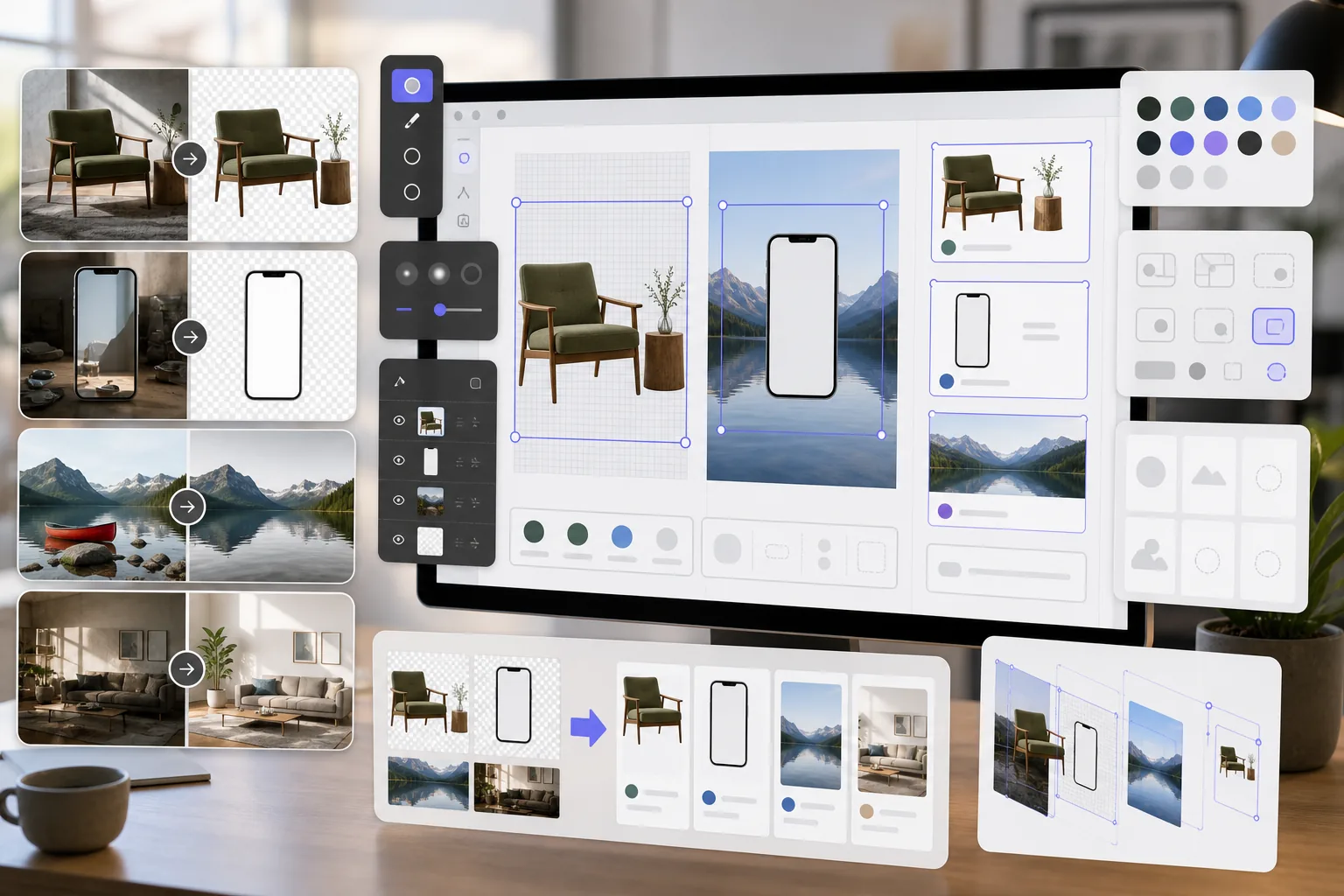
Magic Eraser + Figma: Clean Assets for Every Design
Figma designers need clean image assets for mockups, prototypes, and production designs. Magic Eraser removes backgrounds for transparent PNGs, cleans up reference images, and prepares photo assets so your Figma projects look polished from the start.
Try Magic Eraser free关于 Figma
Figma is a collaborative browser-based design tool used by product teams, UI/UX designers, and agencies for interface design, prototyping, and design system management. It supports real-time collaboration and plugin integrations.
优势
Transparent PNGs for mockups and prototypes
Remove backgrounds from product photos, device screens, and UI elements to create transparent PNGs that layer cleanly in Figma frames and components.
Cleaned-up reference images
Erase watermarks, annotations, and distracting elements from reference images and screenshots before placing them in Figma design files.
Production-ready photo assets
Enhance image quality and remove unwanted objects from photos before importing them as assets in Figma designs, reducing revision cycles with stakeholders.
Faster asset preparation
Prepare image assets in seconds with AI-powered tools instead of manually masking and retouching in separate software before importing to Figma.
How to Use Magic Eraser with Figma
Upload your image
Open Magic Eraser and upload the photo or asset you want to prepare for your Figma design project.
Process the image
Remove backgrounds for transparent assets, erase unwanted elements, or enhance quality depending on your design needs.
Download as PNG
Export the processed image as a PNG to preserve transparency, or as JPEG for full background images.
Import into Figma
Drag the processed image into your Figma file or use the Place Image feature to add it to frames and components.
Frequently Asked Questions
Does Magic Eraser integrate directly with Figma?+
Magic Eraser and Figma work together through an export-import workflow. Prepare your images in Magic Eraser, download them, and import into Figma by dragging files onto the canvas.
Can I create transparent PNGs for Figma components?+
Yes. Magic Eraser's background removal creates transparent PNGs that import into Figma with full alpha channel support, ideal for components, mockups, and layered designs.
What resolution should I export for Figma?+
Magic Eraser preserves the original image resolution. For Figma designs, this is typically sufficient. Use AI enhancement to upscale if you need higher resolution assets for presentations or handoff.
Can I remove watermarks from stock photos for mockups?+
Magic Eraser can remove visual elements from images. However, always ensure you have proper licensing for any stock photos before using them in designs.
Is this faster than using Figma's built-in image tools?+
Yes. Figma's image tools are limited to basic cropping and color adjustments. Magic Eraser handles background removal, object erasure, and AI enhancement that Figma cannot do natively.
Prepare better assets for your Figma designs
Try Magic Eraser free to create transparent PNGs, clean up reference images, and enhance photo assets for your Figma projects.
Try Magic Eraser free相关对比
了解 Magic Eraser 与类似工具的对比。
TouchRetouch是一款热门的付费移动应用,专注于移除物体和瑕疵。Magic Eraser提供免费的AI编辑功能,无需安装即可在任何设备上使用。比较功能、价格和易用性。
remove.bg是抠图市场的领导者,提供强大的API以及Photoshop和Figma插件。Magic Eraser更进一步,将物体移除、生成填充、AI增强、设计等八大AI工具集于一体。
两款各具优势的强大AI照片编辑器。Magic Eraser提供更广泛的生成式AI工具集,而Photoroom在电商产品摄影和批量处理方面表现出色。看看哪款更适合您的工作流程。
我们测试并对比了顶级AI照片编辑工具。从物体移除到背景替换,看看哪个编辑器能为你的工作流程提供最佳效果。