
音乐人AI照片编辑 — Magic Eraser
面向音乐人、乐队和音乐制作人的 AI 照片编辑指南。学习如何用 AI 工具将现场照片和快速拍摄转化为专业宣传照、专辑封面和社交媒体内容。

Content Lead
审稿人 Magic Eraser Editorial ·
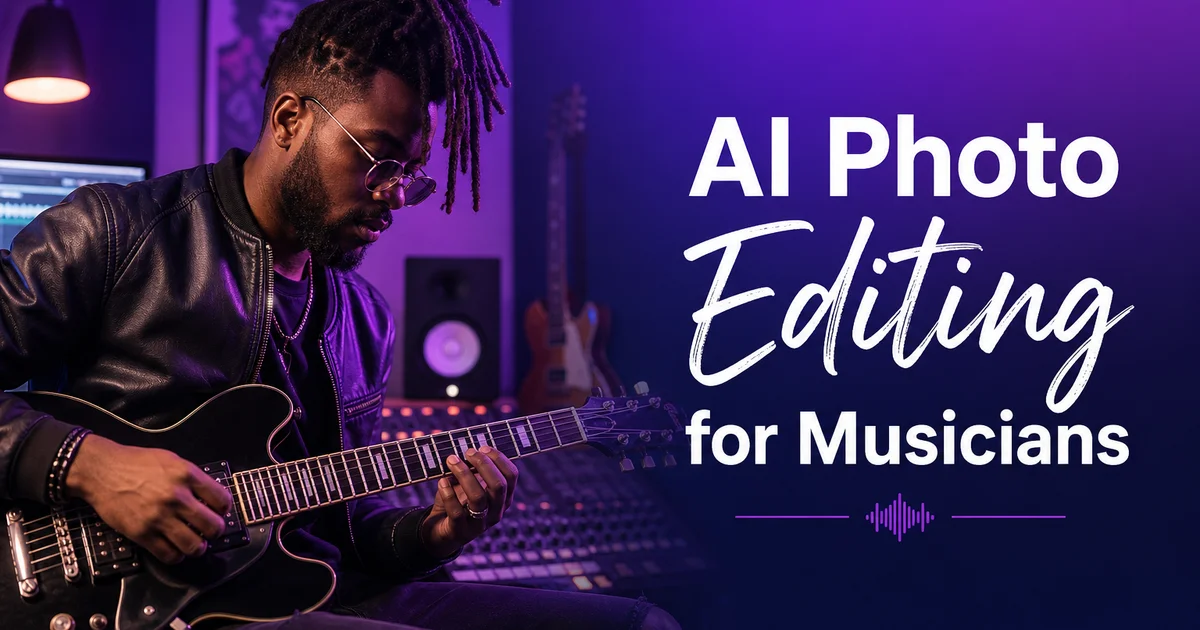
在现代音乐产业中,视觉形象与音乐形象密不可分。流媒体平台会在每首歌曲旁展示艺人照片,歌单策划者在选曲时也会部分考量艺人的视觉呈现是否契合其歌单的美学。乐迷通过以图像为主导的社交媒体发现新音乐,一张抢眼的宣传照能让人停止滑动,并促成那次通向首次试听的点击。然而大多数音乐人——尤其是独立和新晋艺人——都在预算紧张中创作,无力负担定期的专业拍摄。结果便形成一道视觉鸿沟:才华横溢的音乐人用那些削弱而非支撑其艺术可信度的照片来呈现作品。
AI 照片编辑工具弥合了这道鸿沟,让音乐人能够用手头已有的原始视觉素材制作出专业品质的宣传材料。每位音乐人都有现场演出、后台瞬间、排练以及用手机随手拍下的照片。这些图像饱含真实的能量与真挚的情感,却技术质量欠佳、背景杂乱、灯光也不讨喜。Magic Eraser 去除舞台设备与场地设施造成的视觉杂乱。Background Eraser 将音乐人从任何环境中抠出,置于专业的背景之前。AI Enhance 从嘈杂的低光拍摄中恢复细节。AI Filter 施加统一的调色,在所有平台上确立视觉品牌形象。
本指南涵盖音乐人照片编辑的完整 AI 辅助工作流程,从挑选原始源图到交付针对各平台优化的最终素材。无论你是制作自己宣传材料的独立艺人、为多名成员整理视觉素材的乐队经理,还是向艺人客户交付成片的音乐摄影师,这些技法都能产出一致而专业的成果,且无需承担影棚拍摄、专业修图与平面设计服务的传统成本。重点在于适用于真实世界音乐摄影的实用方法。不完美的灯光、移动的拍摄对象、杂乱的环境以及有限的拍摄时间。
- Magic Eraser 去除舞台杂乱——话筒架、走线、安全出口标志、观众的手机——将混乱的现场演出照片转化为干净、聚焦的宣传构图。
- Background Eraser 通过抠出主体并在不同宣传情境下复用于不同背景,从一张有力的照片中创造出用途多样的宣传素材。
- AI Enhance 从嘈杂、低光的现场演出照片中恢复细节,同时保留乐器、服装与舞台环境的质感,这正是音乐摄影个性的来源。
- AI Filter 施加一致的调色以确立视觉品牌形象——在 Spotify、Instagram、场地海报与音乐节阵容上呈现同一种标志性观感。
- 完整的工作流程将原始现场照片和手机照片变成专业的宣传材料,无需承担专门影棚拍摄或专业修图服务的成本。
建立与音乐风格匹配的视觉品牌形象
每种音乐类型都有观众会识别并加以利用的既定视觉惯例。无论有意还是无意——用以判断某位艺人是否契合他们正在浏览的类型。重金属乐队使用色彩去饱和、灯光戏剧化的暗调高对比图像。乡村艺人使用搭配自然背景的温暖黄金时刻色调。电子制作人使用霓虹点缀、几何图案以及冷调的蓝紫配色。流行艺人使用明亮饱和的色彩与干净现代的构图。这些惯例之所以存在,是因为数十年的专辑封面、音乐视频。宣传材料已训练观众将特定的视觉处理与特定的声音相联系,而让自己的视觉呈现契合这些期待的艺人,会被在各平台浏览的潜在乐迷立即正确归类。
AI Filter 让确立并维持一致的视觉品牌变得切实可行,因为你可以一次性定义一套调色,并应用到你制作的每一张图像上。选一个契合你类型视觉惯例的预设,然后调整强度、暖度。调整对比度,在类型框架内打造一种一望即知属于你的标志性变体。民谣艺人或许从温暖的复古预设入手,但略微提升绿色通道,营造出独特的泥土质感色调。嘻哈艺人或许从高对比的冷调预设入手,但在阴影中加入细微的橙色偏移,营造独特的夜生活氛围。目标是既忠于类型又同时与众不同。你的调色应当让人觉得它属于这个类型,同时又分明带着你的烙印。
是一致性把一次色彩选择变成了一个品牌。当你发布的每一张照片——现场照、影棚肖像、幕后内容、公告图——都共享同一套色彩处理时,关注者还没读到你的名字,就已开始把那种观感与你的音乐联系起来。这种即时识别在 Instagram、TikTok 这类图像密集的平台上无比宝贵,用户每次浏览都会滑过数百张图像。一致的视觉品牌还让你的内容显得更专业,因为协调统一传递出用心与意图。它表明你重视自己的呈现并拥有明确的艺术愿景,而这恰恰是演出经纪、歌单策划者以及厂牌 A&R 代表在评估新晋艺人时会作出回应的印象。
- 每种音乐类型都有既定的视觉惯例——金属是暗调高对比,乡村是温暖金色调,电子是霓虹与冷调配色,流行是明亮饱和的色彩。
- AI Filter 预设可定制为契合类型却能被单独识别的标志性变体,为你的演艺打造独一无二的视觉形象。
- 贯穿所有内容的一致性——现场照、肖像、幕后、公告——把一次色彩选择变成一望即知的视觉品牌。
- 协调统一的视觉呈现向评估新晋艺人的演出经纪、歌单策划者与厂牌代表传递出用心与专业的抱负。
将现场表演照片转化为宣传素材
现场演出照片捕捉到能量、情感。定义音乐人与观众联系的舞台气场,但它们几乎总是在技术上有所妥协。场地灯光在暗色背景上以刺眼的彩色聚光制造出极端的对比反差。高 ISO 设置——通常为 3200 到 12800——产生掩盖细节的大量噪点。快速移动的表演者造成令面孔与双手发虚的运动模糊。观众、话筒架、监听音箱与舞台线缆都在与表演者争夺视觉注意。尽管存在这些技术问题,一张出色现场照中那股原始的情感能量,往往超越任何受控影棚拍摄所能产出的效果,使现场照成为可得的最真实宣传材料。前提是它们能被编辑到专业品质。
AI Enhance 是现场演出照片至关重要的第一步,因为它一举解决两个最常见的技术问题:噪点与发虚。AI 在减少高 ISO 拍摄颗粒的同时保留。甚至增强——乐器、服装与皮肤的质感,这些赋予图像触觉般的质地。它锐化因移动或低光对焦困难而发虚的面部特征与乐器细节,产出更干净、却仍忠于现场氛围而非显得人工处理过的图像。对于以暗调为主或光照不均的照片,这种增强还能在不烧毁明亮舞台灯光的前提下恢复阴影细节,平衡场地灯光所造成的极端动态范围。
随后 Magic Eraser 负责构图清理,去除现场环境中不可避免的多余元素。最常见的去除对象是横过表演者面孔或身体的话筒架段、舞台地面上吸引视线的走线、从画面边缘侵入的其他乐队成员的设备,以及打破画面氛围的安全出口标志与场地标识。前景中观众举起的手机与手臂也在其列。每次去除只需几秒,AI 补绘会用恰当的内容替换被去除的元素。舞台地面、背景中模糊的人群,或暗色的舞台空场。清理之后,图像完全聚焦于表演者的能量与表情,可随时用作头像照、海报图或社交媒体素材。
- 现场照片捕捉到真实的能量,却饱受场地灯光极端、3200 到 12800 高 ISO 噪点、移动表演者的运动模糊以及舞台设备杂乱之苦。
- AI Enhance 在保留乐器与服装质感的同时减少噪点,锐化发虚的面孔,并在不烧毁明亮舞台灯光的前提下恢复阴影细节。
- Magic Eraser 去除横过面孔的话筒架、走线、安全出口标志、场地标识与观众手机——每次去除只需几秒,由 AI 补绘填补空缺。
- 增强加清理相结合的工作流程,把在技术上有所妥协的现场照变成保留其真实情感能量的精致宣传素材。
从一张强大的图片创建多用途素材
音乐人需要为不断扩展的平台与情境清单准备宣传图像:Spotify 与 Apple Music 艺人主页、Instagram 与 TikTok 帖子、Facebook 活动封面、YouTube 缩略图、媒体资料肖像、场地网站列表、音乐节阵容图、实体海报与传单,以及周边设计。每种情境的尺寸不同、背景需求不同、视觉期待也不同。为每种情境分别拍摄并不现实。只要主体被干净地从背景中抠出,且背景可针对每种用途替换,一张有力的照片就能胜任全部。
Background Eraser 以能处理音乐摄影中常见复杂边缘的精度,将音乐人从原始环境中抠出,由此实现这种多用途性。伸出画面上方的吉他琴头、半空中的鼓棒尖、飘动的头发、横过身体的话筒线。被抠出的主体成为可放在任何背景上的可复用素材。纯色暗调渐变适合流媒体平台主页,艺人需要在 App 界面上脱颖而出。带纹理的砖墙或混凝土墙适合需要都市、真实感的社媒帖子。透明背景适合制作海报与活动传单的平面设计师,艺人需要与文字及其他设计元素组合排版。
AI Fill 进一步拓展了这一方法,生成全新的背景场景,把音乐人置于他们从未真正到访过的环境中。从排练室抠出的民谣歌手可被置于黄金时刻的田野。从地下室录音棚移出的说唱歌手可被安排在夜晚的城市天际线前。从卧室布置中取出的电子制作人可被放进霓虹灯光的俱乐部。这些 AI 生成的背景保持真实的光照、阴影。保持相对主体的合理透视,制作出宛如真实外景拍摄的合成图。对于负担不起外景拍摄的独立音乐人而言,这一能力把一张手机肖像变成一座按地点划分的宣传素材库。
- Background Eraser 处理音乐摄影的复杂边缘——吉他琴头、鼓棒尖、飘动的头发、话筒线——把主体从任何环境中干净地抠出。
- 单个被抠出的主体可服务于 Spotify 主页、Instagram 帖子、YouTube 缩略图、媒体资料、场地列表、音乐节图、海报与周边,每一处都配以合适的背景。
- AI Fill 生成逼真的背景场景。黄金时刻的田野、城市天际线、霓虹俱乐部——把音乐人置于他们从未真正到访的环境中,制作按地点划分的宣传素材。
- 独立音乐人只凭一次手机肖像拍摄,就能建立起一座多样宣传图像的完整素材库,免去多次昂贵外景拍摄的必要。
流媒体服务和社交媒体的平台特定优化
每个音乐平台都有特定的图像需求与视觉情境,影响着一张宣传照的表现。Spotify 艺人主页在歌单中显示为小圆形缩略图,在艺人页面上则是更大的矩形横幅。照片必须在两种尺寸下都清晰可读,这意味着缩略图要紧贴面部取景,横幅裁切要留出足够的负空间。Apple Music 使用带文字叠加的方形图像。艺人不应居中,而应安排得为曲名与播放按钮留出空间。Instagram 偏好用于信息流帖子的竖向 4:5 图像,以及用于快拍和 Reels 的 9:16。YouTube 偏好横向 16:9 缩略图,元素高对比、在小尺寸下也清晰可辨。
AI 工具简化了从单张编辑好的母版图像制作各平台专属变体的流程。先从增强与清理之后那张最佳照片的最高分辨率版本入手。用 Background Eraser 抠出主体,再为每个平台重新构图:Spotify 横幅把主体放在左侧三分之一、右侧留暗色负空间,歌单缩略图紧贴居中,Apple Music 在方形背景上偏离中心放置。为 YouTube 缩略图制作带醒目负空间的横向版本。AI Expand 可朝任意方向扩展背景,制作所需的画幅比例,而不必用切入主体的生硬裁切。
色彩与对比度的优化是每个平台的最后一步。Spotify 的暗色界面意味着你的艺人照需要高对比与明亮的肤色,才能在黑色背景上凸显。Instagram 明亮的白色信息流意味着你的照片需要视觉分量与饱和的色彩,才能在其他明亮内容中拦住滑动。YouTube 缩略图与数十个竞争者并列、以小尺寸被观看。它们需要最高的对比与最具辨识度的视觉处理来赢得点击。AI Filter 可针对每个平台以不同强度应用。Instagram 略偏暖、偏亮,YouTube 更高对比、更醒目,流媒体主页则干净清晰——同时保持那套定义你视觉品牌的相同基础调色。
- Spotify 要求照片在小圆形缩略图与更大的矩形横幅下都清晰可读——缩略图紧贴面部取景,横幅留出负空间。
- AI Expand 扩展背景,为每个平台制作正确的画幅比例——Instagram 信息流 4:5、快拍 9:16、YouTube 缩略图 16:9——且不会生硬地裁切主体。
- 各平台专属的色彩优化是在调整同一套基础调色:为 Instagram 的白色信息流调得更暖更亮,为 Spotify 的暗色界面调得更高对比,为 YouTube 缩略图施加最醒目的处理。
- 单张编辑好的母版图像通过重新构图与背景适配产出所有平台变体,在每一个触点上保持视觉品牌的一致性。
使用AI工具设计专辑封面和EP封面
专辑与 EP 封面是音乐人创作的视觉素材中最为持久、传播最广的。它们出现在每个流媒体平台、每个数字曲库、实体介质、媒体报道,以及每位听众的文化记忆里。封面是音乐所承载艺术宣言的视觉概括。它需要与众不同、令人难忘、并以专业手法完成。从前,专辑封面设计需要聘请一名摄影师与一名平面设计师。两位各有费率与档期的独立专家。AI 工具把其中大部分工作整合进音乐人可自行执行的自助式工作流程。
大多数专辑封面的根基,是一张经过艺术化处理以超越字面再现的有力照片。AI Filter 在此大放异彩,因为它能通过激进的调色、高对比处理或风格化的滤镜效果,把一张平实的肖像或风景变成视觉上极具冲击力的作品,而这些手工制作将十分耗时。一张带单一色彩点缀的去饱和肖像营造出戏剧化、阴郁的封面。一种黑色深邃、高光明亮的超高对比黑白处理营造出冷峻、标志性的观感。一种带颗粒与褪色黑的温暖复古胶片仿真唤起怀旧。其中每种处理都只需几秒即可应用并预览,让音乐人在定案之前能探索数十种视觉方向。
AI Fill 增添了另一个维度,让超越实际拍摄内容的超现实或概念性元素成为可能。把自己置于一片并不存在的风景中。加入拍摄当时并不存在的氛围元素——雾、雨、光束。生成把一张简单肖像变成异世界场景的超现实背景元素。这些能力,结合用于主体分离的 Background Eraser 与用于最终画质打磨的 AI Enhance,让独立音乐人得以触及那种主流厂牌艺人凭借专属艺术总监与六位数预算才能实现的创意视觉制作。封面或许比不上世界级设计师的功力,但它将与众不同、以专业手法完成。真切地代表艺人的创作愿景。
- 专辑封面是最持久的视觉素材——它们出现在每个平台、每个曲库以及媒体报道中,使专业品质成为长期可信度的关键。
- AI Filter 把平实的照片变成富有冲击力的艺术处理——去饱和的单色点缀、超高对比黑白、复古胶片仿真——每一种都只需几秒。
- AI Fill 让超现实与概念性元素成为可能——不可能的风景、氛围雾气、光束、异世界背景——把简单的肖像变成视觉上与众不同的封面艺术。
- 结合 AI 的工作流程,让独立音乐人得以触及曾经只为拥有专属艺术总监与大笔预算的主流厂牌艺人保留的创意视觉制作。
How to do it
- 1
Gather your raw promo photos from live shows, rehearsals, or quick shoots
Musicians rarely have the budget for dedicated professional photo shoots. Most promo material starts as candid shots from live performances, backstage moments, rehearsal spaces, or quick phone-camera sessions in available locations. Collect the strongest images from these sources. Look for dynamic poses, genuine emotional expressions, and compositions that capture the energy of your musical identity. Do not worry about technical imperfections like background clutter, uneven lighting, or unwanted audience members. AI tools will handle those issues in the editing phase.
- 2
Remove visual distractions with Magic Eraser to clean up the composition
Live performance and backstage photos are full of visual noise. Mic stands blocking faces, cable runs across the stage floor, exit signs above doorways, audience members' phones and arms in the foreground, and branded equipment cases from the venue or other bands. Use Magic Eraser to remove these elements one by one, starting with the largest distractions and working down to smaller details. The AI inpaints the removed areas with contextually right content. Stage floor texture, wall surface, crowd blur — creating a cleaner composition that focuses attention on the musician or band.
- 3
Enhance the image quality with AI Enhance for professional sharpness
Live music photos are frequently taken in challenging low-light conditions with high ISO settings, producing grainy images with reduced detail. AI Enhance addresses these technical limitations by reducing noise while keeping important texture detail. The grain of a guitar's wood finish, the texture of a leather jacket, the sheen of drum hardware. It also sharpens facial features and instrument details that may be soft due to motion blur from the performer's movement or slow shutter speeds in dark venues.
- 4
Replace or upgrade the background with Background Eraser for versatile promo assets
A single strong photo of a musician or band can serve multiple promotional purposes if the background is adaptable. Use Background Eraser to separate the subject from the original background. Whether it was a cluttered rehearsal space, a messy green room, or a dimly lit stage — and replace it with backgrounds suited to different contexts. A solid dark backdrop works for streaming platform artist profiles. A textured urban wall works for social media announcements. A concert-lighting gradient works for gig posters and event marketing. One separation creates an asset that can be re-backgrounded for each new promotional need.
- 5
Apply a signature color grade with AI Filter to establish your visual brand
Visual consistency across all promotional materials reinforces brand recognition. Color grading is the fastest way to establish a cohesive visual identity. Choose an AI Filter preset that matches your musical genre and persona. Warm desaturated tones for folk and acoustic artists, high-contrast cool tones for electronic and hip-hop, vintage film grain for indie and alternative, vivid saturated colors for pop and Latin genres. Apply this same grade always across all promotional photos so that fans instantly recognize your visual brand whether they encounter your images on Spotify, Instagram, a venue website, or a festival lineup poster.
参考资料
- The Visual Identity of Music: How Album Art Shapes Listener Perception — Rolling Stone
- Music Marketing in the Streaming Era: Visual Content Strategy — Music Business Worldwide
- How Independent Musicians Build Visual Brands on Social Media — Hootsuite