Yearbook Photo Editing with AI Tools
Yearbook photos need consistent backgrounds, even lighting, and clean portraits. Magic Eraser helps schools, studios, and parents get professional-looking results without expensive retouching workflows.
Try Magic Eraser freeInconsistent backgrounds across photos
Different students shot in different locations or on different days means backgrounds vary in color, texture, and lighting. Standardizing them manually is time-consuming.
Blemishes and distractions in portraits
Stray hairs, skin blemishes, stickers on clothing, and background objects all need cleanup to produce polished yearbook portraits.
Large batch sizes with tight deadlines
Yearbook teams process hundreds of portraits on a deadline. Any per-image editing bottleneck multiplies across the full class roster.
How Magic Eraser Helps with Yearbook Photos
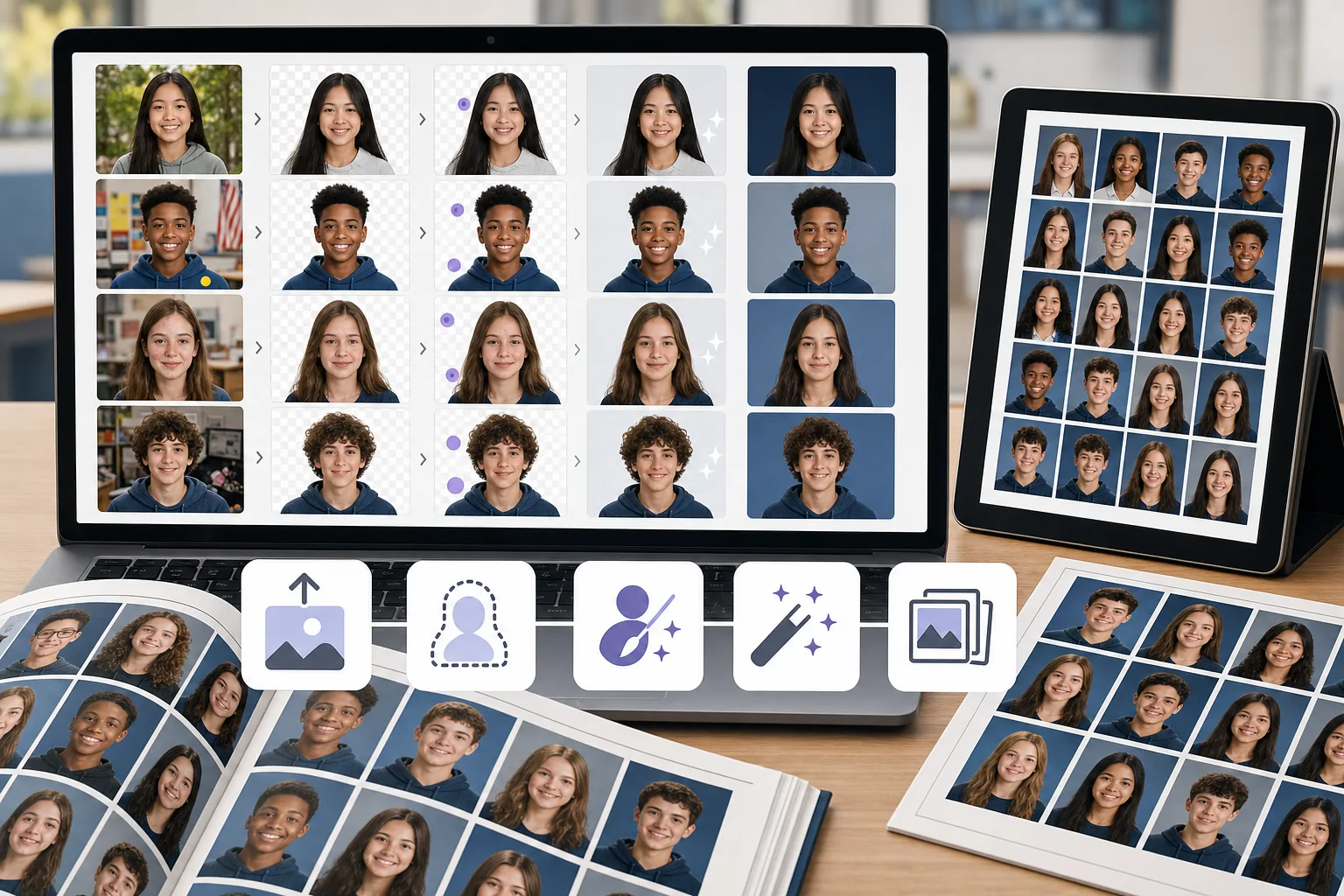
Upload the portrait
Open Magic Eraser and upload a student portrait or batch of photos that need cleanup.
Remove or replace the background
Use background removal to isolate the subject, then place them on a clean, consistent yearbook background.
Clean up distractions
Erase blemishes, stray objects, or uneven lighting artifacts with the AI eraser tool.
Enhance and export
Apply AI enhancement to sharpen the portrait and balance exposure, then export at print resolution.
Frequently Asked Questions
Can Magic Eraser replace yearbook photo backgrounds?+
Yes. Use background removal to isolate the student, then place the portrait on any solid or branded background for a consistent yearbook look.
Is this suitable for school yearbook teams?+
Yes. Magic Eraser is easy enough for yearbook committee members and parent volunteers to use without professional editing experience.
Can I remove blemishes from student portraits?+
Yes. The eraser tool works well for removing skin blemishes, stickers, and small distractions from portrait shots.
Does Magic Eraser work for group photos too?+
Yes. You can clean up group photos by removing background distractions, enhancing lighting, and fixing composition issues.
What resolution can I export yearbook photos at?+
Magic Eraser supports full-resolution exports suitable for both digital yearbooks and professional print layouts.
Get yearbook portraits looking their best
Try Magic Eraser free and clean backgrounds, fix distractions, and enhance student portraits without expensive software.
Try Magic Eraser free相关使用场景
了解专业人士如何在实际工作流程中使用这些工具。
充满个人物品、停放车辆或施工设备的房源照片会让买家望而却步。Magic Eraser利用AI瞬间清理你的房产照片——无需任何修图技能。
杂乱的背景和粗糙的产品图每天都在让你流失订单。Magic Eraser帮你在几秒钟内创建干净、专业的产品图片——不需要PS技能。上传、擦除干扰元素、安心上架。
护照和签证办公室每天因背景不合格拒绝数千张照片。Magic Eraser可在数秒内去除任何背景,替换为您需要的精确颜色——白色、浅灰色或蓝色。
截图上满是字幕、旧照片印着日期水印、图片被文字覆盖?Magic Eraser的AI文字去除工具可以擦除任何不需要的文字,并自然重建背景,让你的照片干净又专业。
你需要吸睛的拼图、横幅和传单,但没有预算请设计师,也没时间学Photoshop。Magic Eraser提供排版工具、AI生成背景和一键抠图功能,让你几分钟内就能做出让人停下滑动的营销视觉素材。
受够了和竞争对手用同样的素材图?别再为每篇帖子花大价钱请设计师了。AI Create从简单的文字描述生成原创插画、艺术作品和视觉素材——AI Filter和AI Enhance再完美打磨。每天为每个平台提供独一无二的品牌内容。
Wedding photos deserve perfection, but manual retouching takes hours. Magic Eraser helps photographers and couples remove distracting elements, clean backgrounds, and enhance details so every shot looks its best.
Vehicle listings with clean, professional photos sell faster. Magic Eraser helps dealers, private sellers, and automotive marketers remove background clutter, fix reflections, and enhance car images without a photo studio.
Great food photos drive orders and engagement, but messy tables, utensils, and background clutter ruin the shot. Magic Eraser helps restaurants, food bloggers, and delivery platforms clean up food images fast.
A clean, professional headshot matters for LinkedIn profiles, team pages, and corporate directories. Magic Eraser helps individuals and companies produce polished portraits without a studio reshoot.